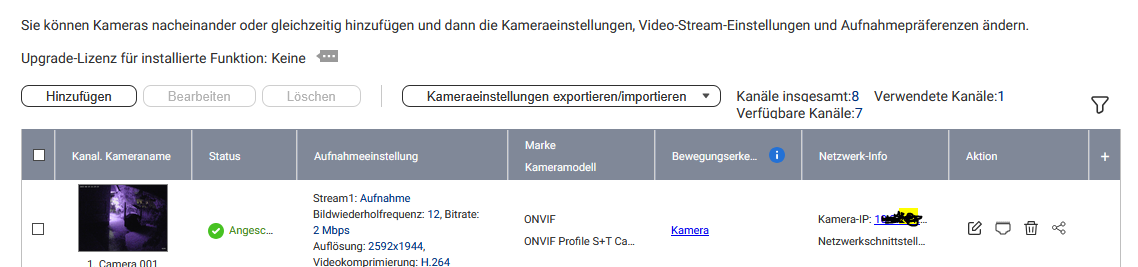
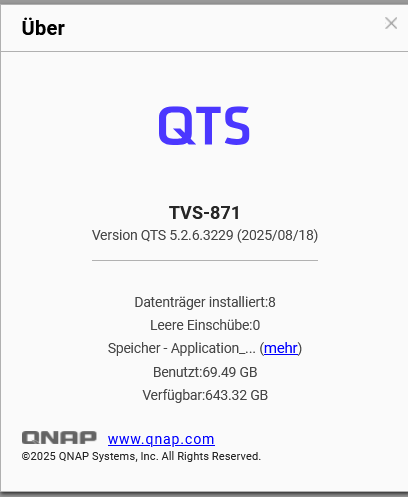
I am running QVR PRO 2.7.1.1. on a TVS 871 QTS 5.2.6 together with my newASECAM 4K 8MP IP Camera Outdoor CCTV POE Audio H.265 Onvif AI Human Detection Color Light Alarm Security Surveillance Camera
It works using the general ONVIF Drivers and QNAP support already told my that there will no specific support for that camera. / unfortunatly.
Now - everythings (basic function) works - but I receive no event alerts. I have to say that the QNAP and cameras are parted on 2 locations bound togehter by a wireguard Site2Site VPN. Anyone that also uses that type of camera?
The reason you did not receive AI event alerts is mostly not relate to S2S VPN.
In short, camera with ONVIF is OK to receive video/audio stream and motion detection events. But NO AI detection results.
You also have to set a rule (with no actions are OK) in the “Event Rules” to make it appear in the QVR Client and Logs. Access to the Event Rules can be found at QVR’s management desktop.
As you said, using ONVIF will make it work for basic functions. But advanced features like AI detection will not work because it is not in the ONVIF standard, and we have to integrate it individually.
We did not receive request to fully integrate ASECAM before so it is not in our list now. But for integration request - open a ticket to us, and it will be faster if you can allow us to remote access the camera for a while, we will also try to contact the vendor for a sample and API document for the event integration.
Hello HanZSung, Thats great news and I really appreciate it very much! How can I open a ticket and how can I open a remote access into my camera without spoiling my security?
I also contacted the vendor to provide more tech specs and some cameras to be shipped to us to test them. best yours Realrob
Hi,
To create a ticket, you can start from your NAS’s helpdesk, or directly from here:
https://service.qnap.com/en/user/create-ticket
And you can include the URL of this post to let our support team get into the situation faster.
For the steps, I will suggest that you can share the documents to us via support ticket once you get the tech spec / API document from camera vendor, and we can confirm if it is possible to integrate their AI event into our event rules.
Once we check the API is OK, we’ll need you give us the connection information like:
Camera’s Public IP, Port for RTSP/ONVIF, Port for Camera’s Admin interface, id/password of the camera.
And yes, expose these information over internet are bit dangerous, so make sure the camera is not pointing to any important scene while we do the integration. Usually it will take about 2-3 weeks.
Or, if you can convience the vendor to contact us, we’re happy to have a direct talk with them as alternative.
Dear HanzSung, as recommended i opened a QNAP Support ticket to officially to then add the API Information as soon I´ll get it.
hope they dont close it till then 
best
Dear HanzSung,
Asecam doesnt want to share their API Info!
Still I can give you access to the Camera - would that help?
Another question: See my QNAP below, which I want to boost its performanc with an QNAP QM2 Expansion Card. What Card would be possible, compatible and sensful for the machine?
- QNAP QM2 Expansion Card, 2x M.2 PCIe, PCIe 2.0 x4
- QNAP QM2 Expansion Card, 4x M.2 PCIe, PCIe 3.0 x8
- QNAP QM2 Expansion Card, 2x M.2 PCIe, PCIe 3.0 x8
- QNAP QM2 Expansion Card, 2x M.2 SATA, PCIe 2.0 x2, Lüfter rückseitig
??
See full list here: https://geizhals.at/qnap-qm2-expansion-card-v122943.html
kindest regards Rob
What do you hope to do with the expansion card? Use it for a storage pool? That would improve performance. But don’t spend money on a card like that for caching. It won’t help.
If they don’t share their API to us, we can try to do basic integration using ONVIF protoccol. But no AI Events from their camera can be captured.
You can share the connection info to us and lets see what we could do.
For the QM2 question I suggest you can open another topic for it. But a quick reply I think we have to know what “boost” you mean? Like using the as cache or something?
Hello HanzSung - I finally have established an independent connection I would share with you. Can we communicate in a more private way?
QM2 means I would like to increase the speed of a Volume in my internal network = boost. But to quote NA9D .. it wont help I suggest
Hi,
You may PM me, but you can also provide the connection info in the ticket so our support team can forward it to us too.
Good Morning HanzSung - stupit Question.. but how can I PM you?
I’ve up’ed your trust level. Can you see a message box now?