Thank you very much for your valuable feedback during Beta 1! Beta 2 brings important new features and bug fixes. Please read the following notes before you begin testing:
New Features & Improvements
-
Two-Way Audio: Speak directly from the live view to people at the camera location. Each channel has its own talk button. An active call is indicated with a “TALKING” marker and a stop button.
-
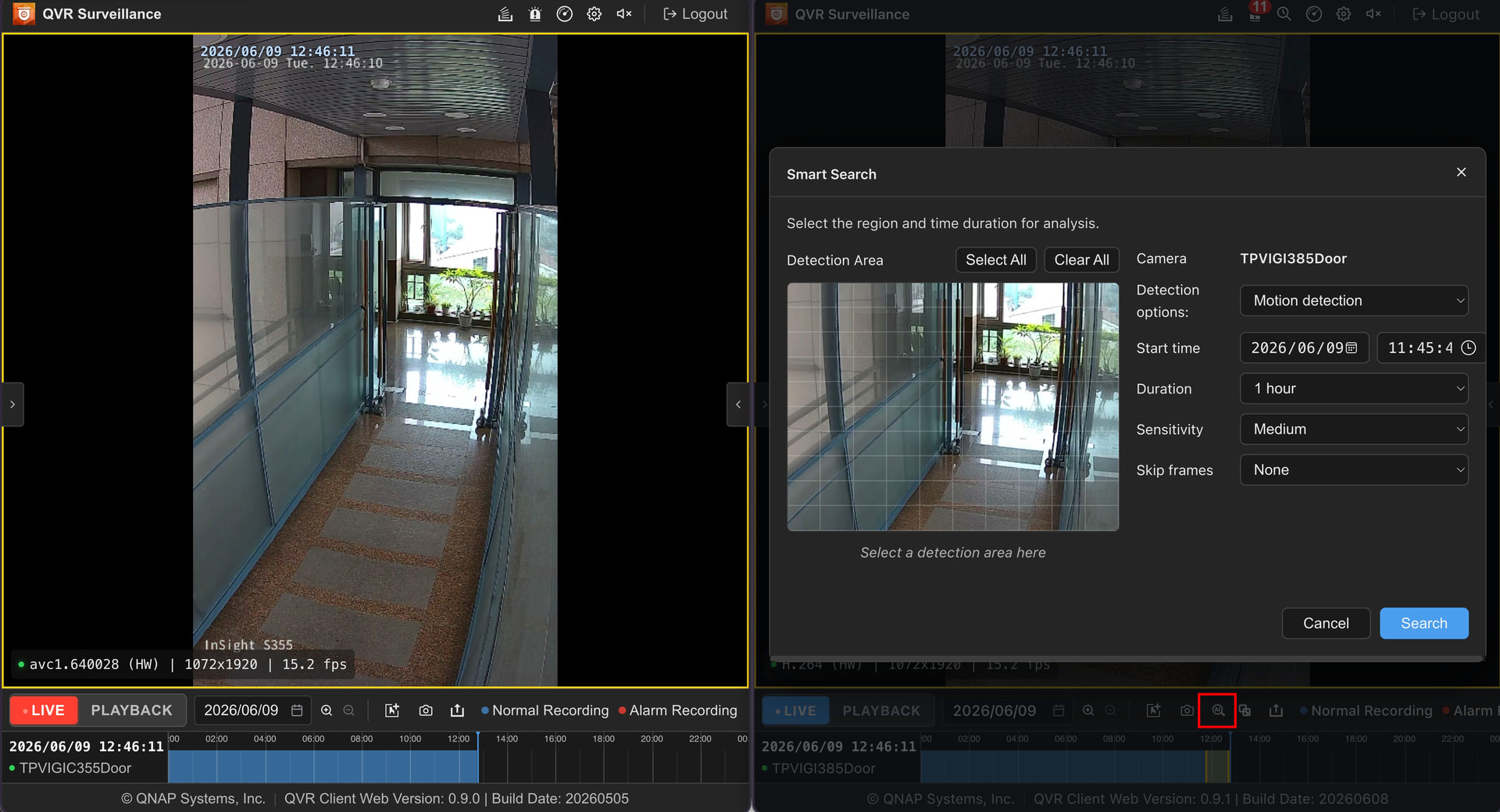
Smart Search: Provides the same intuitive smart search experience as the QVR Client app, allowing you to quickly find the footage you need within large libraries of recordings.
-
Event Search: A new full-screen page for searching historical events, where you can browse and locate all incidents in one central place.
-
Sequential View: The web view can now automatically cycle through multiple saved views—ideal for patrol or video wall monitoring scenarios.
-
Correct Codec Display: The issue with confusing codec labels has been fixed. Video codecs previously shown as avc1 are now clearly marked as H.264.
Important Notes & Known Limitations
-
Limitation with Firefox: Due to technical restrictions in Firefox’s WebCodecs API, H.265 video decoding is currently not supported. If your camera streams use H.265, please use Google Chrome or Microsoft Edge.
-
HTTPS Connection Required: To enable hardware-accelerated decoding as specified by the W3C, an HTTPS connection is needed. Even on local networks (LAN), you must access the client via HTTPS (using the correct port, e.g., 443).
-
Installation: For now, please install the client through the QTS App Center. Direct integration into the QVR Surveillance app is planned for a future version.
How to Get the Beta 2 Update:
I will send the new download link via direct message to all previous Beta 1 participants.
If you have not participated yet but are interested in joining this Beta 2 test, please leave a comment below and I will send you the link separately!