Thank you all for your valuable feedback during Beta 1. Beta 2 introduces several major features and fixes. Please read the following notes before you start testing:
New Features and Enhancements:
-
Two-Way Audio: You can now communicate directly with the camera in live view. Each channel has its own call button, and a “TALKING” status and stop button will appear during calls.
-
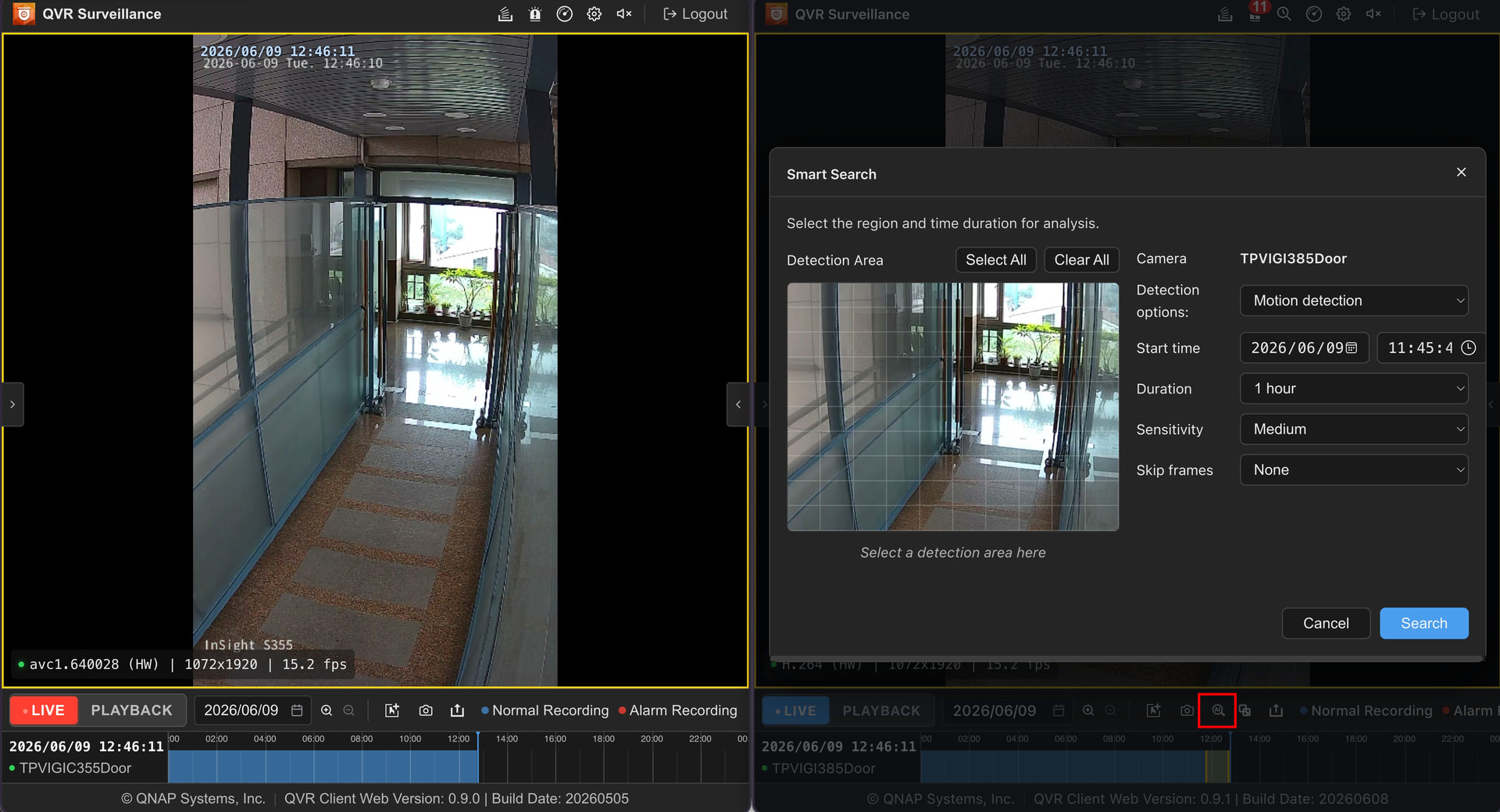
Smart Search: Enjoy the same smart search experience as the QVR application, helping you quickly locate the desired footage within extensive recordings.
-
Event Search: A brand-new fullscreen historical event search page lets you easily browse and find all events in one place.
-
Sequential Carousel: The web version now supports automatic rotation through multiple saved views, ideal for patrols or video wall monitoring scenarios.
-
Encoding Display Correction: Fixed previously confusing labels—video encoding originally shown as avc1 is now clearly marked as H.264.
Testing Notes and Known Limitations:
-
Firefox Browser H.265 Limitation: Due to a limitation with Firefox’s WebCodecs API, H.265 video decoding is currently not supported. If your cameras use H.265 encoding, please use Google Chrome or Microsoft Edge instead.
-
HTTPS Connection Required: To comply with W3C standards for hardware-accelerated decoding, the system requires HTTPS connections. Even within your local network (LAN), please use HTTPS (and the correct port, such as the default 443) to access the service.
-
Installation Method: For now, please install via the QTS App Center. Future versions are planned to be integrated directly into the QVR Surveillance application.
How to Get the Beta 2 Testing Link:
I will send the new version link directly to previous Beta 1 participants via private message.
If you haven’t joined but want to participate in this Beta 2 trial, please comment below and I will provide the link to you.
