Thank you for your valuable feedback on Beta 1. In Beta 2, we have added major new features and made important fixes. Before you begin testing, please review the following notes.
New Features and Improvements:
-
Two-Way Audio: You can now talk directly with people on the camera side from Live View. A call button has been added to each channel, and during a call, a “TALKING” indicator and a stop button will be displayed.
-
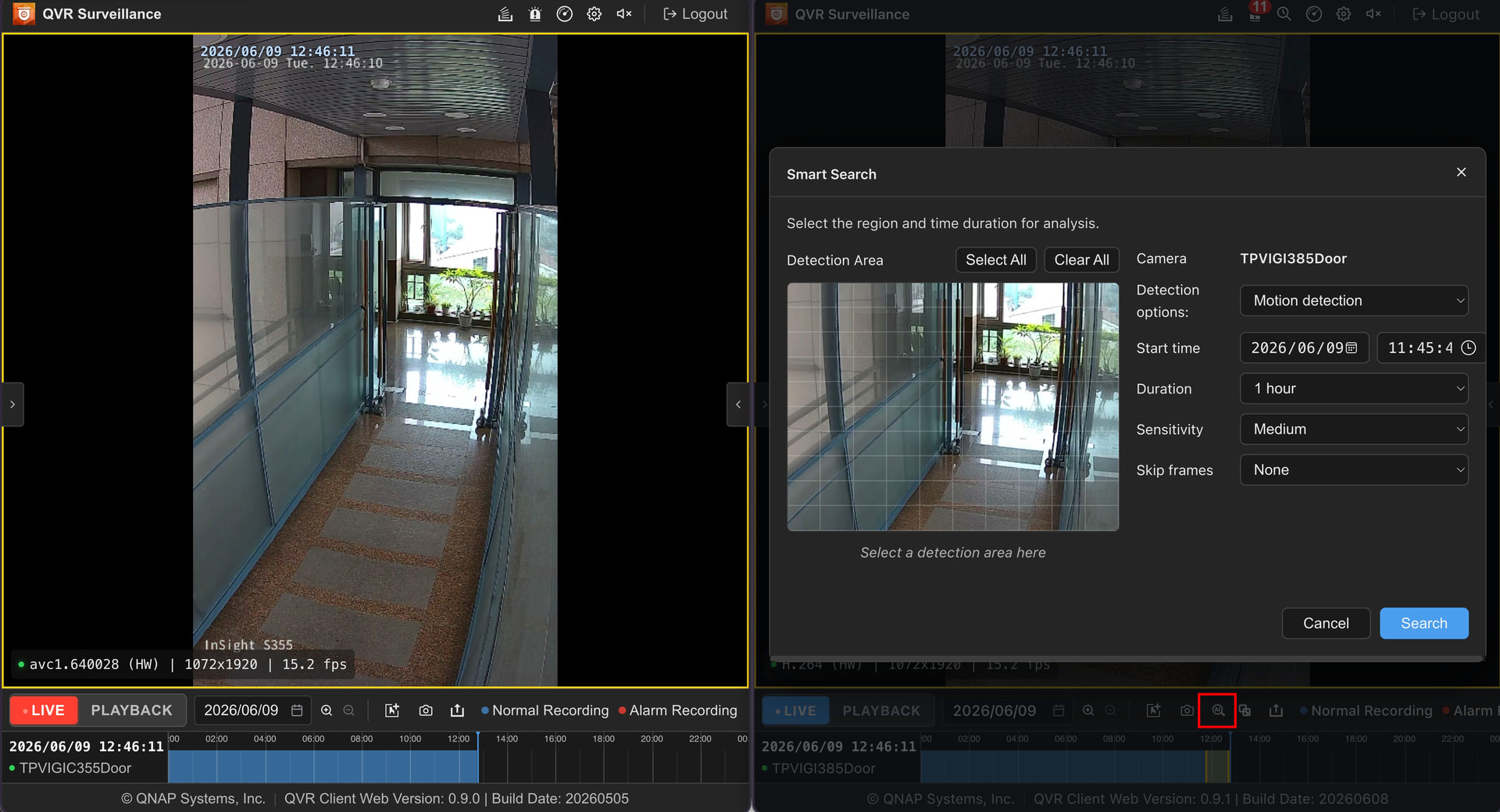
Smart Search: We’ve implemented an intuitive smart search feature similar to the QVR app. You can quickly pinpoint the footage you want among a large amount of recorded data.
-
Event Search: A new fullscreen past event search page has been added. You can browse and search all events in one centralized location.
-
Sequential View: It’s now possible to automatically switch between multiple saved views (patrol display). This is ideal for monitoring with patrols or video walls.
-
Codec Display Fix: The previously confusing display of “avc1” for video codecs is now clearly shown as “H.264”.
Testing Notes and Known Limitations:
-
Firefox H.265 Support Limitation: Due to Firefox’s WebCodecs API limitation, decoding H.265 video is not currently supported. If your camera uses H.265 encoding, please be sure to use Google Chrome or Microsoft Edge.
-
HTTPS Connection Requirement: According to W3C standards for enabling hardware-accelerated decoding, an HTTPS connection is required. Even within a local network (LAN), always access via HTTPS (and correct port number, e.g., 443).
-
Installation Method: For now, please install via the QTS App Center. Direct integration into the QVR Surveillance app is planned for a future release.
How to Get the Beta 2 Test Version:
Everyone who participated in Beta 1 will receive a direct message with the new version link.
If you haven’t participated yet and wish to join the Beta 2 test, please leave a comment below. We will send you the link separately.