Thank you all for your feedback on Beta 2. Beta 3 brings several key features and important fixes. Please read the following instructions before testing.
New Features and Improvements
-
Face Search: You can now search recorded faces directly in the web client or browse registered profiles. QVR Center and single server deployments are now supported.
-
Event Search: You can play event recordings directly where you find the results, click on snapshots to play in place, or open the floating mini player. A new timeline view makes browsing large numbers of search results easier.
-
Smart Search: Task cards now display progress in real time, send notifications upon completion, and let you jump straight to the results. Matching results are highlighted directly on the timeline and video.
-
AV1 and Fisheye Correction Support: Added support for AV1 streaming cameras. Fisheye correction settings now match the desktop client, including dual panorama orientations and ROI (Region of Interest) overlays.
-
Playback Controls: Playback controls have been redesigned for smoother speed changes, added reverse playback support, and streams remain stable at non-standard speeds.
-
Independent Audio for Each Camera: Each camera section now includes a listen button, and you can set whether audio plays automatically when opening the camera.
-
View Folders and eMap Pinning: Views can now be organized with folders, and you can rename or delete them. eMap preview now pins cameras by clicking the icon. You can drag, resize, and keep them where you place them.
-
Multi-server Consistency in QVR Center: Server lists, camera operations, event snapshots, and real-time notifications now apply to all servers deployed in Center, not just the first one.
-
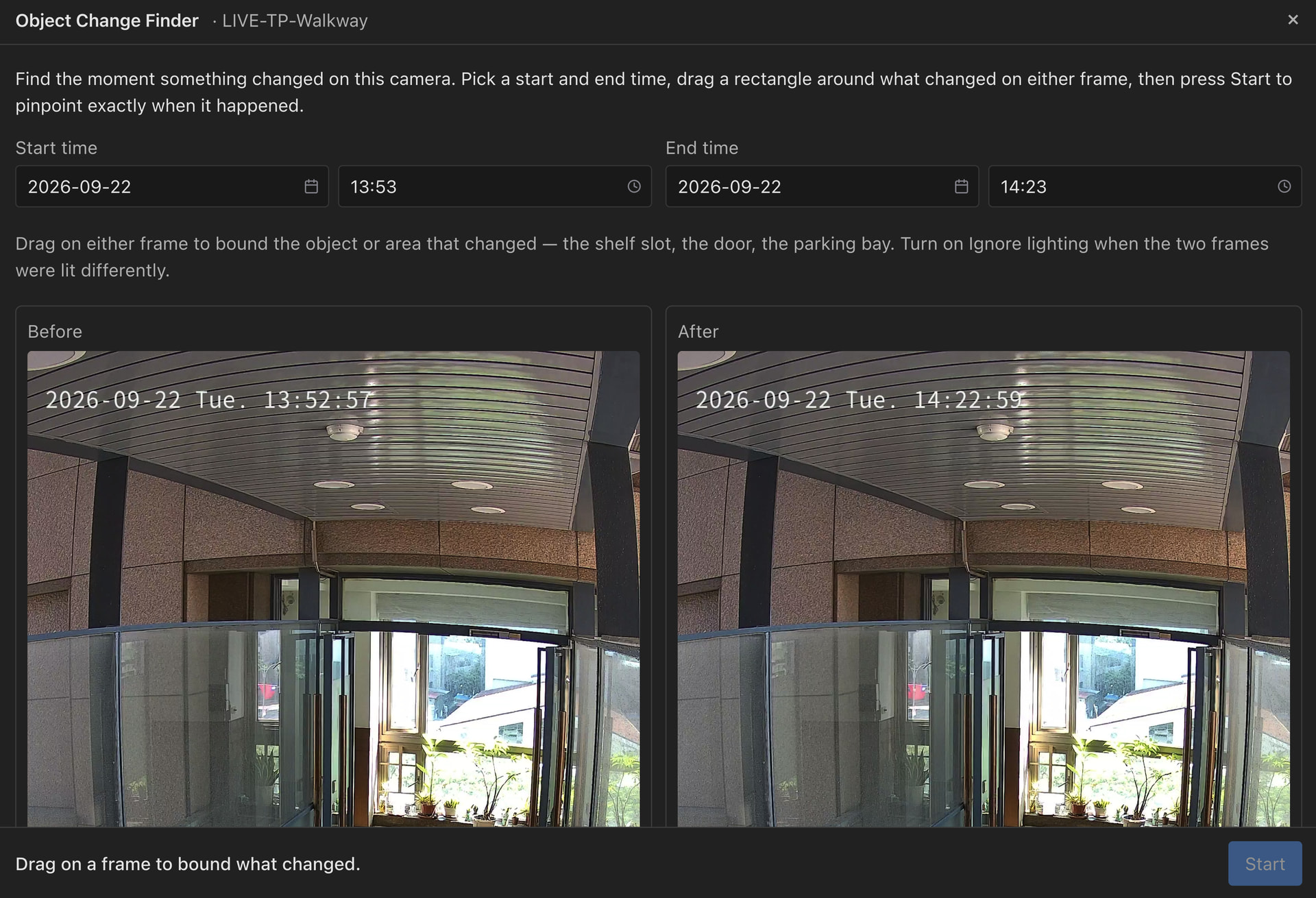
Object Movement Search: Draw detection zones directly in areas of interest, instead of selecting from auto-detected zones. The system will recommend start and end times based on available recordings.
Issues Fixed
-
Safari Stability: Fixed real-time viewing and playback crashes, screen freezes in Safari, including freezes after hardware decoding runs for a while.
-
Camera Decoding: Fixed failures caused by non-standard H.265 streams, and AV1 stream failures on the first frame.
-
Camera Status Accuracy: Cameras that fail to stream are no longer misreported as “camera offline”. MxPEG+ cameras now clearly indicate that the desktop client is required, instead of just showing a black screen.
-
Playback Reliability: Fixed issues where quality switching and playback speed changes sometimes failed.
-
Face Search Filtering: Fixed an issue where filtering profiles with Chinese, Japanese, or Korean names returned empty results.
-
Multilingual Display: Fixed untranslated text in several areas. Event Search, Face Search, Smart Search, Export, and Object Movement Search features now switch language in real time with the app settings.
-
Sync After Reconnection: Fixed an issue where changes to views and eMap placements made elsewhere did not appear after reconnecting.
Important Notes and Limitations
-
Firefox H.265 Limitation: Firefox’s WebCodecs API currently does not support H.265 (HEVC) decoding. If your camera streams use H.265, please use Google Chrome or Microsoft Edge.
-
HTTPS Required: According to W3C standards, WebCodecs API used for hardware accelerated decoding must operate in a Secure Context — that means the client must be accessed via HTTPS and use the HTTPS port set up on your NAS, even on the local network.
-
Installation: Please install the client via QTS App Center; future versions are planned to be integrated directly into the QVR Surveillance application.
How to Get the Beta 3 Update
I’ll send the new download link directly via private message to all previous Beta 2 participants.
If you haven’t joined yet and wish to participate in the Beta 3 test, leave a comment below and I’ll PM you the link!
Official Release Timeline
QVR Client Web is not expected to have a Beta 4. Version 1.0.0 will be included in QVR Surveillance 3.2.0, aiming for release by the end of 2026.