The previous device support for the QVR Client included desktop versions for Windows and macOS, as well as mobile versions for iOS and Android. Users face access restrictions in computer environments without installation rights for software or on systems with Linux and ChromeOS. The development team has drafted an initial plan for a web version.
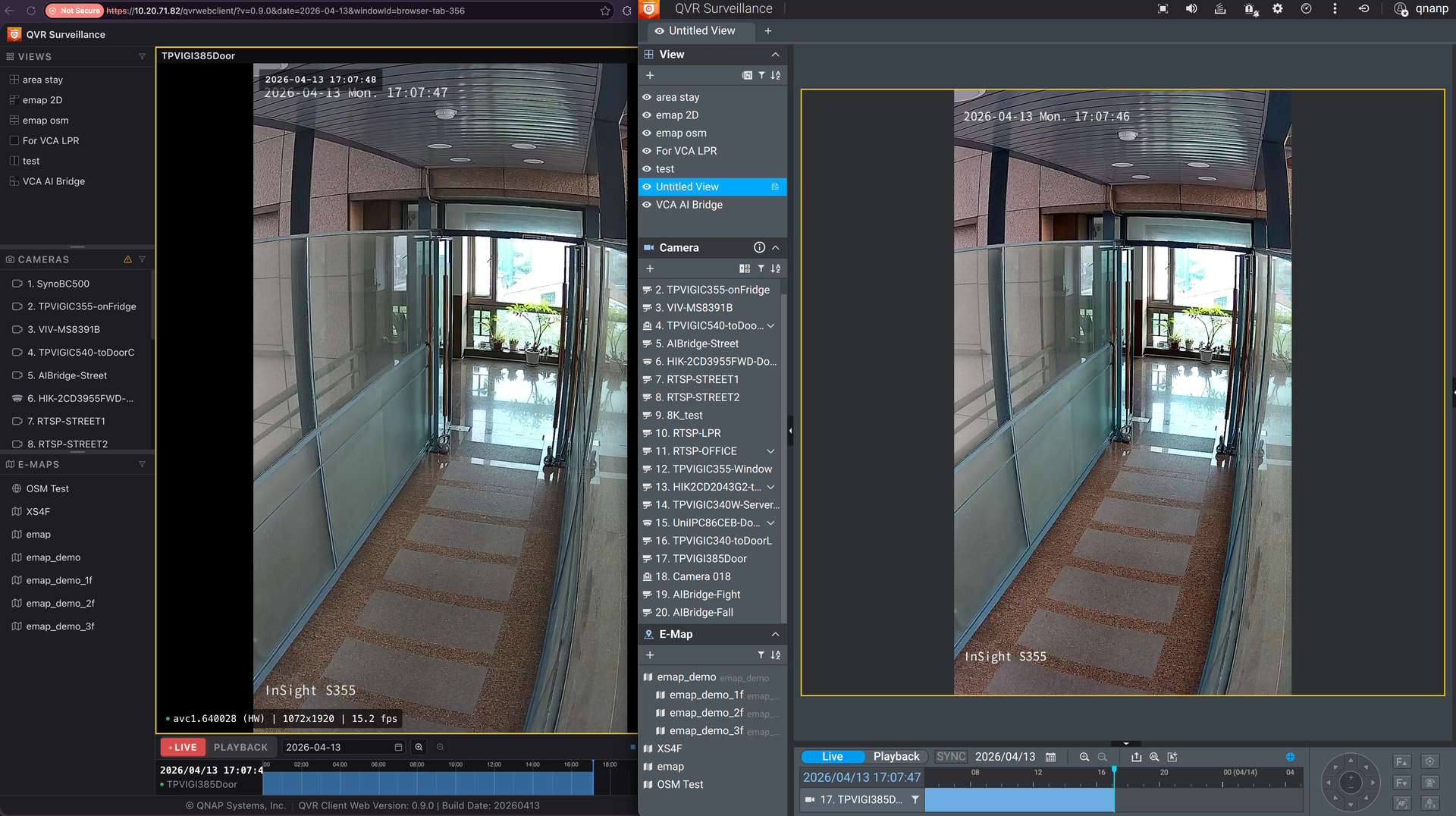
Status of the QVR Client Web Version
Users enter the URL via a browser and log in to view camera images. Software installation procedures are no longer required. The current features are:
- Live view
- Video playback
- Control of view, camera, and E-Map
- Timeline operation
The user interface layout is similar to the desktop QVR Pro Client. This reduces the learning curve for users.
Feedback Collection
The web version is in the development phase. Responses from the community will determine subsequent development priorities. Please share your opinions:
- Which features of the QVR Pro Client are absolutely necessary for the web version?
- What are your expected usage scenarios for the web version?
- What are the performance requirements? How many channels do you usually open simultaneously? Do you need 4K resolution, or is smooth display a higher priority?
- Further development suggestions for the QVR Client.
Please reply directly under this post.