Hello QVR Face Community,
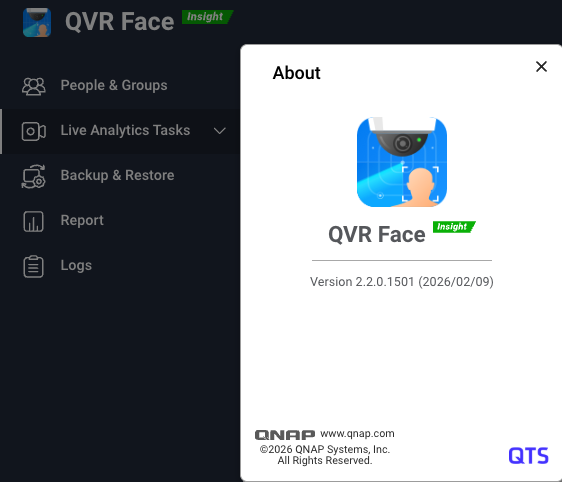
We are excited to announce the official release of QVR Face 2.2.0. This update offers full compatibility with the QTS 5.2.x, QuTS hero h5.2.x / h6.0.x, and QVP 2.x operating systems.
At a time when the demands for AI video recognition are steadily increasing, the effectiveness of a system is defined by its computing power and the user-friendliness of data management. This update unlocks significant hardware potential and introduces deep optimizations to address common challenges in managing face databases.
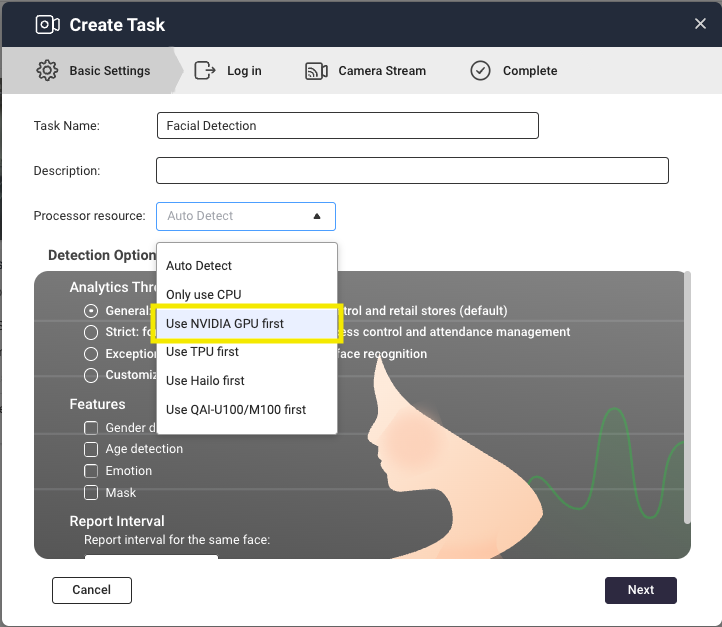
Hardware Expansion: Support for NVIDIA GPU Acceleration
QVR Face 2.2.0 officially supports NVIDIA RTX 20, 30, and 40 series graphics cards. By leveraging hardware acceleration, the system can process multi-channel videos with extremely low latency, significantly increasing recognition efficiency and the number of simultaneous tasks.
- Performance Boost: For example, an Intel Core i3-12100, which previously could process about 18 channels, can now handle up to 33 channels when combined with an RTX 2080 GPU—an increase in performance of approximately 80%. (Note: Actual channel capacity may vary depending on camera stream quality and FPS). Accelerate your QVR Face analysis now!
Flexible Deployment: New Recognition Modes and Extended Parameters
We have introduced new settings to ensure that AI analysis can be even more precisely tailored to specific on-site requirements:
-
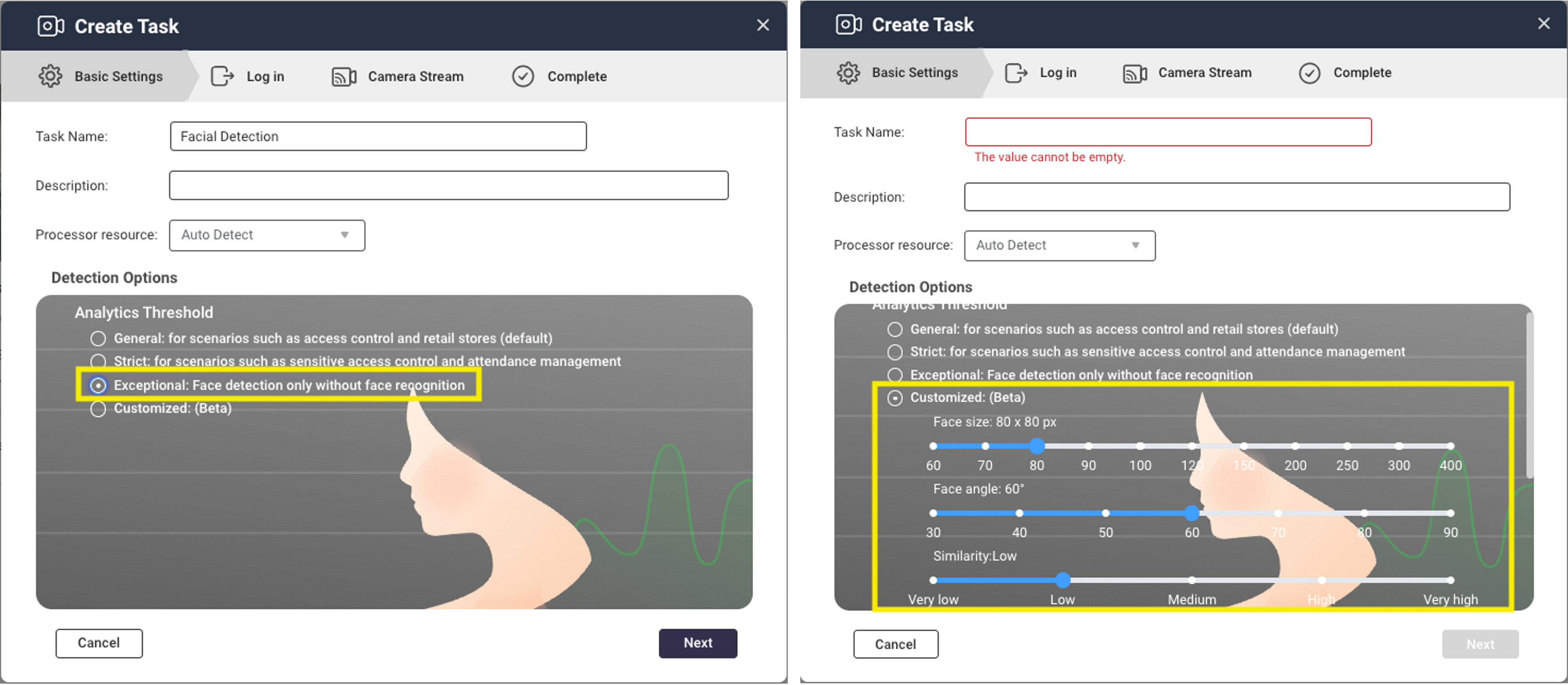
Flexible Configuration with “Face Capture Only” Mode: If your scenario only requires confirmation of people’s presence without identity matching, this mode saves significant computing power and optimizes system resources.
-
Advanced Threshold Settings: Users can now fine-tune thresholds for face size, face angle, and similarity based on their specific use cases.
The Art of Minimalist Management: Optimized Workflow and Centralized Control
Managing databases with thousands of entries is no longer a challenge. Face 2.2.0 simplifies administrative tasks through several key improvements:
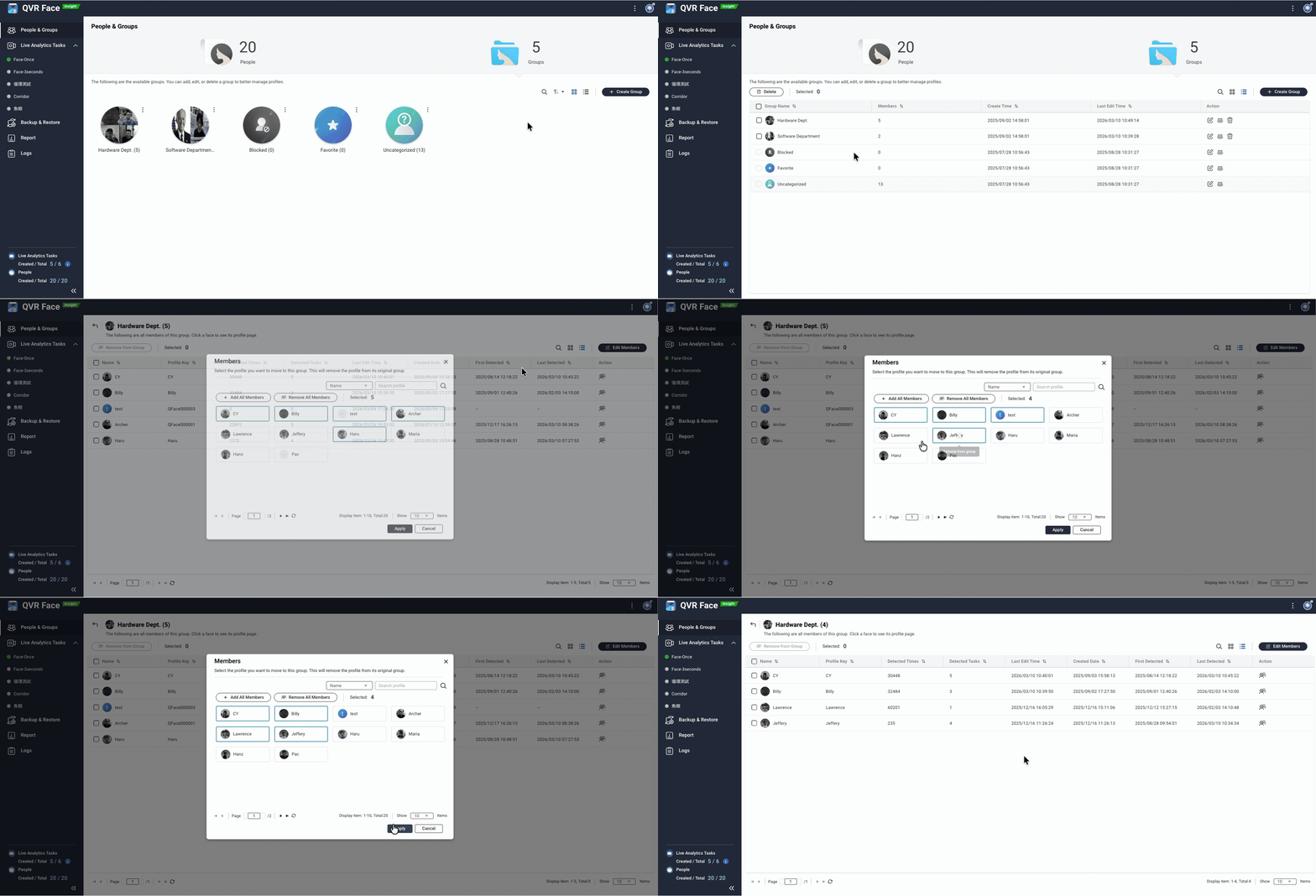
- List View and Batch Management: Support for displaying groups and members in list format. You can now select and edit multiple members at once, greatly improving management efficiency for large data volumes.
-
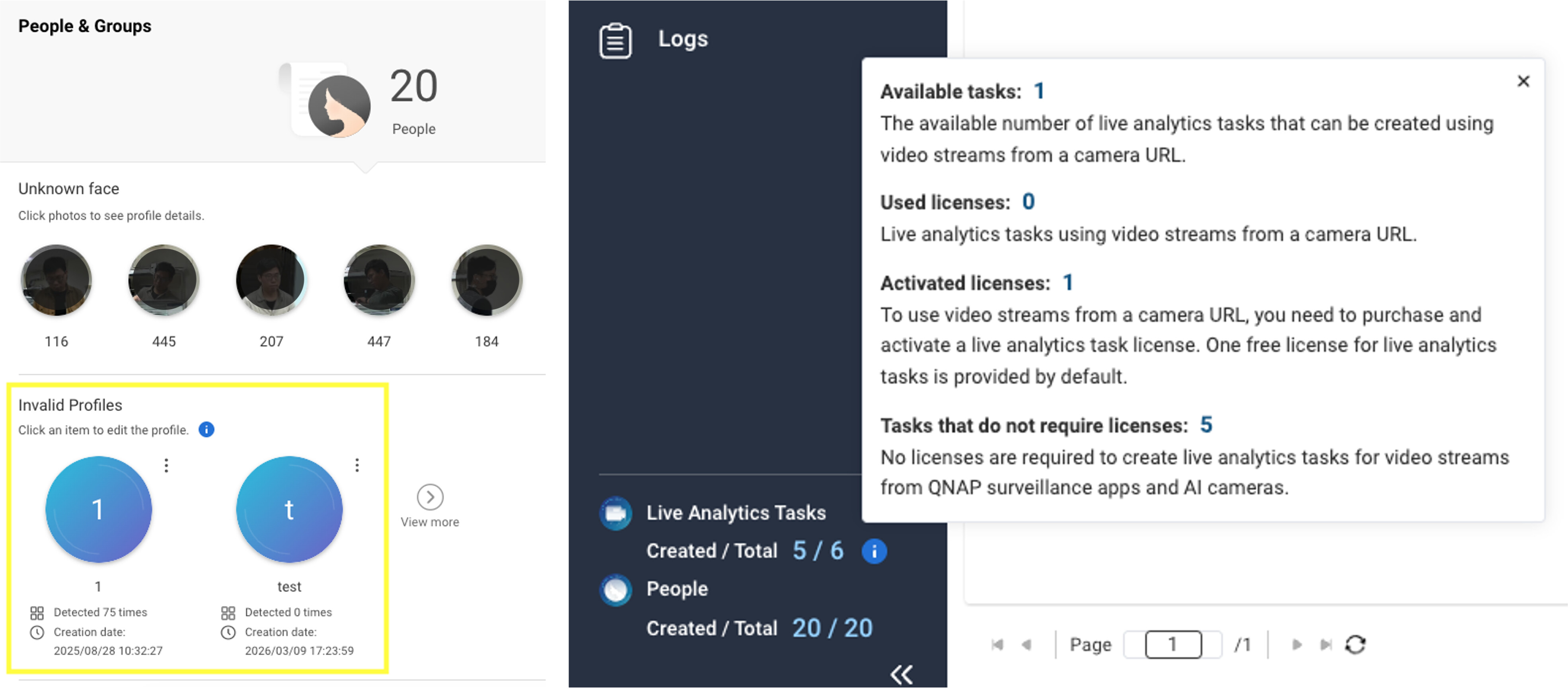
“Invalid Profiles” Area: The system automatically identifies and marks profiles that do not contain valid face data (e.g., blurry images or unfavorable angles). By centralizing these in a dedicated area, administrators can quickly clean up data to maintain a high-quality database.
-
Simplified Setup Process: The “Profile Key” is now an optional field. Combined with the new automatic numbering feature, initial setup and profile creation are more intuitive and faster.
-
Clearer Resource Monitoring: We have optimized the display of license information. You can now see at a glance the number of free and licensed AI analysis tasks, enabling immediate resource reallocation.
Summary of Release Highlights
| Category | Feature Highlight |
|---|---|
| Hardware Compatibility | Supports NVIDIA RTX 20/30/40 series GPUs |
| Recognition Mode | Added “Face Capture Only” mode for resource optimization |
| Management Tools | Batch management and centralization of invalid profiles |
| Analysis Parameters | Customizable thresholds for face size, angle, and similarity |
| Workflow UX | Automatic profile numbering and optimized task wizard |
Download QVR Face 2.2.0 NOW!
For more details, see the official release notes: App Release Notes | QNAP
Thank you for your continued support of QNAP and the QVR series. We are passionately committed to developing smarter surveillance solutions. If you have feedback or specific requirements, you can contact us at any time.