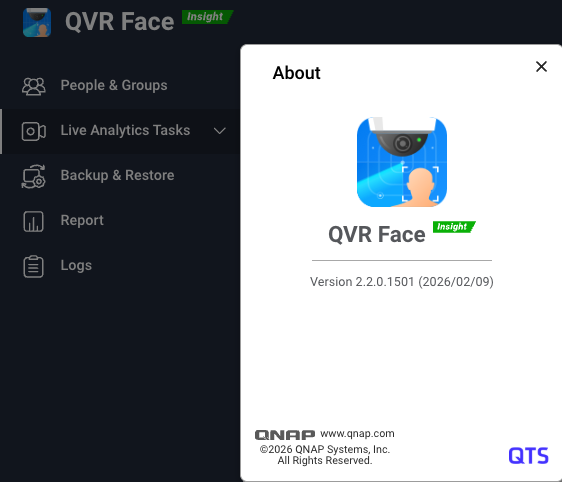
Dear QVR Face users, we are pleased to announce the official release of the latest version 2.2.0. This update fully supports QTS 5.2.x, QuTS hero h5.2.x and h6.0.x, and QVP 2.x operating systems.
As demand for AI video recognition grows, the key to a successful system lies in computational power and data management convenience. In this update, we have not only unlocked powerful hardware computing capabilities but also made significant optimizations to address challenges in face recognition database management.
Unlocking Computational Power with Hardware Expansion: Now Supports NVIDIA GPU Acceleration
Official support for NVIDIA RTX 20, 30, and 40 series GPU graphics cards has been added. By utilizing hardware acceleration, multiple video channels can be processed with extremely low latency, effectively improving authentication efficiency and the number of concurrent tasks.
- Performance Improvement Example: For instance, by adding an RTX GPU 2080 to a Core i3-12100 environment, which was previously limited to processing about 18 channels, you can now process up to 33 channels, resulting in an overall performance boost of approximately 80%. (Note: The actual number of channels may vary depending on camera streaming quality and FPS settings.) Accelerate your QVR Face performance now.
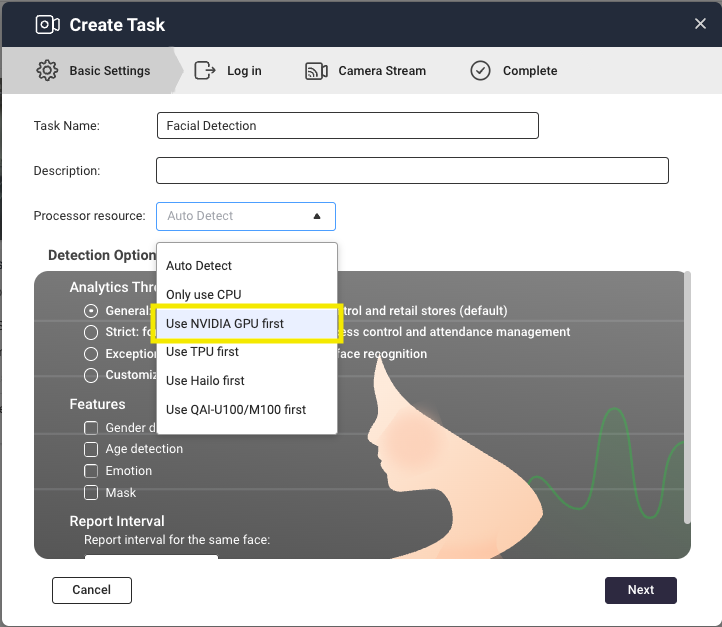
Flexible Operation Settings: Added Detection Modes and Advanced Parameter Configuration
More detailed analysis settings are now available to meet on-site needs.
-
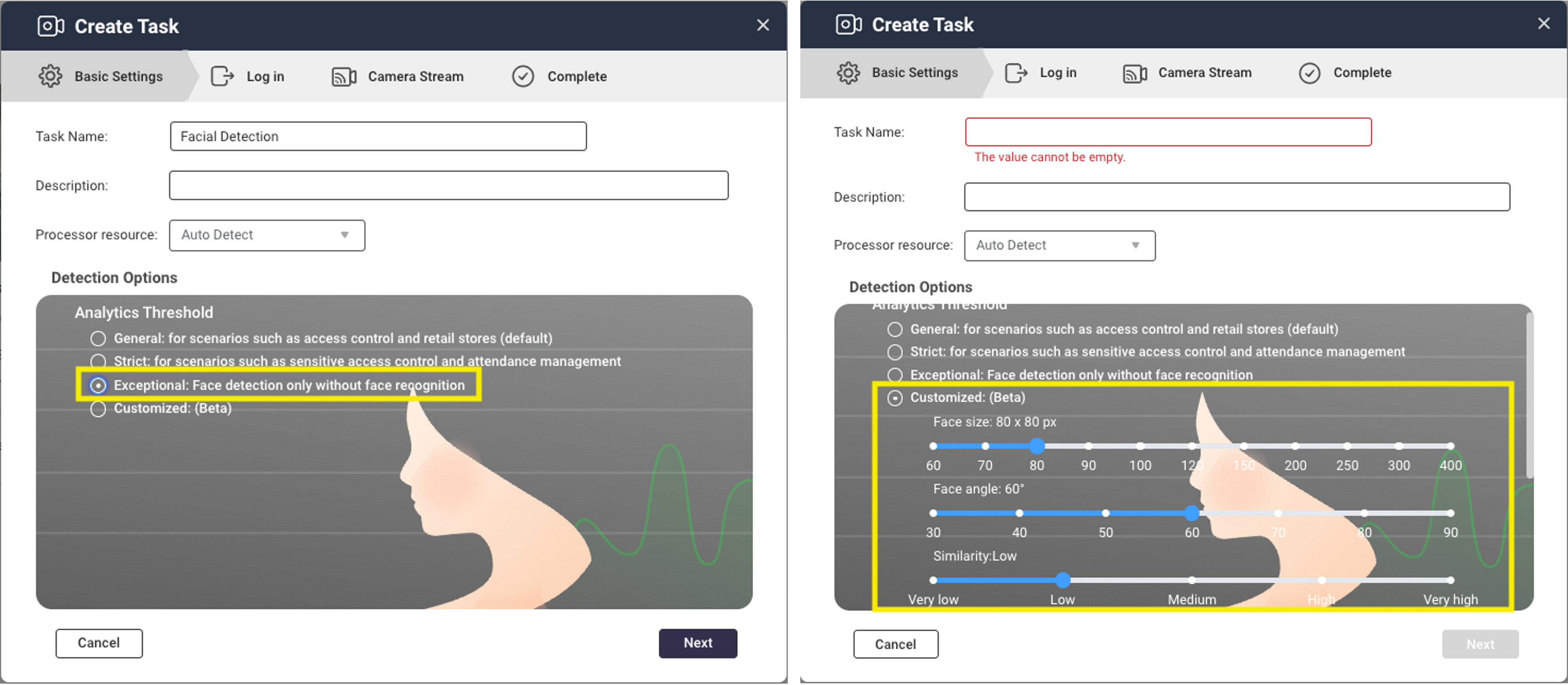
New “Face Detection Only” Mode: In scenarios where you only need to confirm the “presence of a person” without identification (matching), selecting this mode can significantly save computational resources and optimize overall system efficiency.
-
Advanced Threshold Settings: You can fine-tune thresholds for face size, angle, and similarity to suit your usage environment.
Simplified Management Process: Batch Management and Efficient Workflow
Managing databases with tens of thousands of entries is smooth with Face 2.2.0.
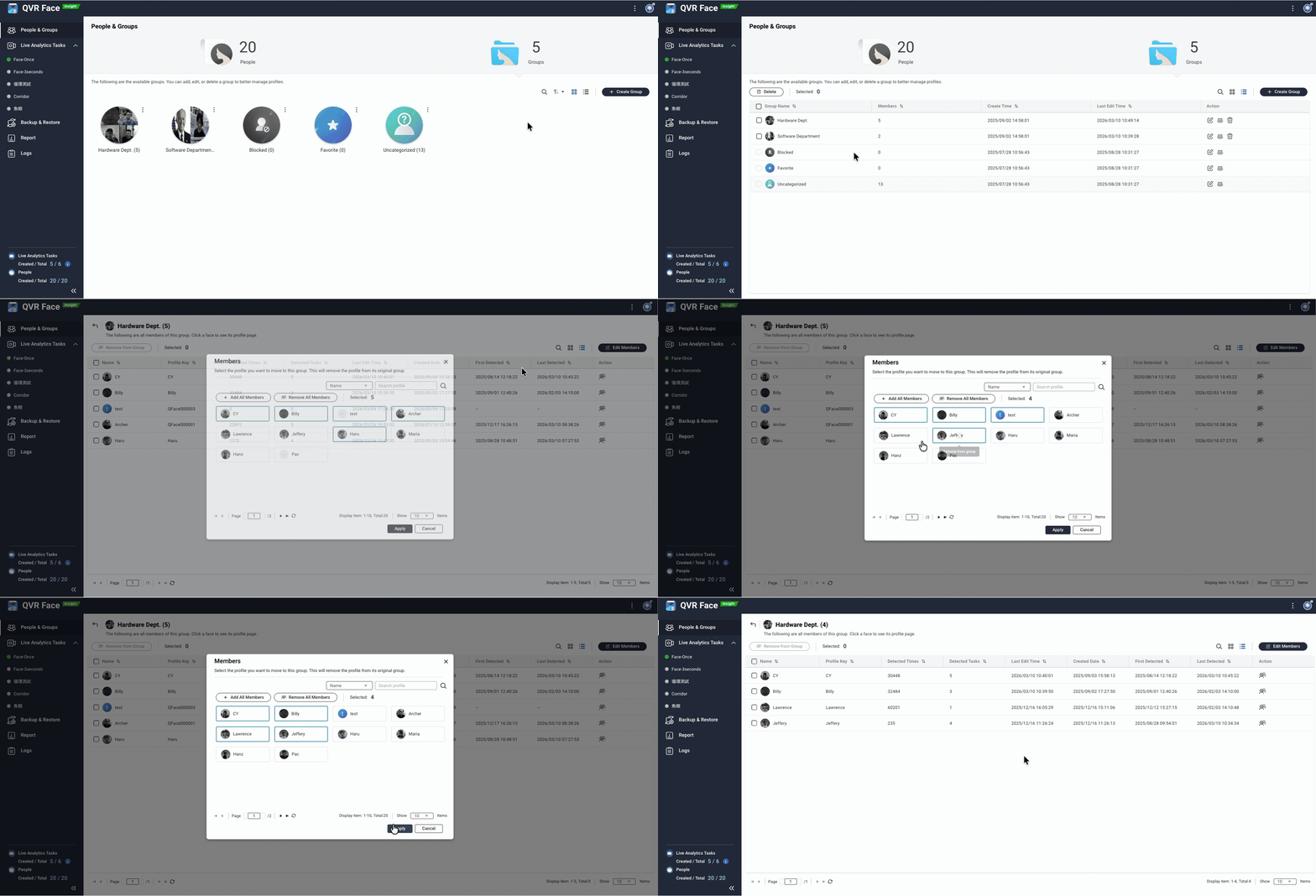
- List View and Batch Management: Groups and members can be displayed in a list format, and a search function has been added. You can select multiple members for batch editing or moving, greatly improving the efficiency of large-scale data management.
-
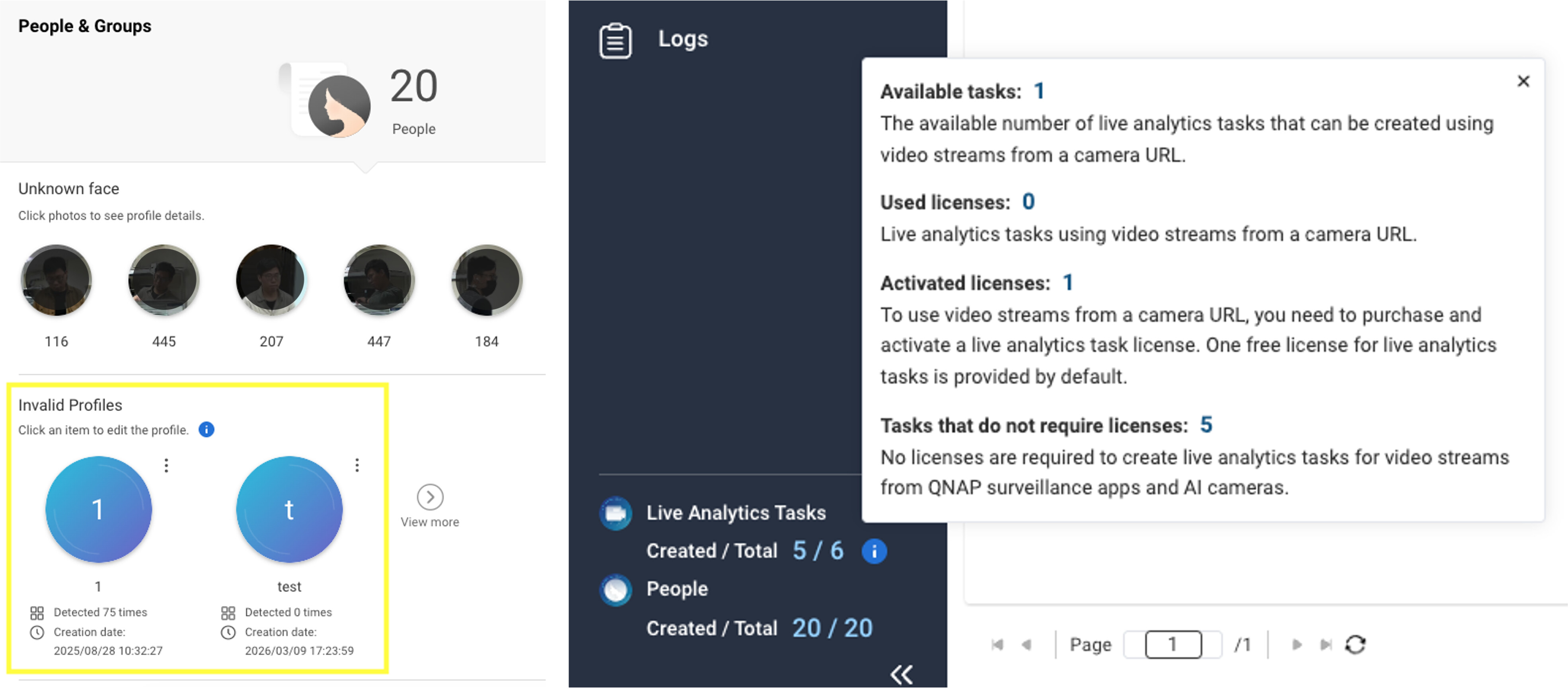
Dedicated Area for “Invalid Profiles”: Profiles that do not contain valid face data (such as blurred or poorly angled images) are automatically identified by the system and consolidated in a dedicated area. This makes it easy to clean up unnecessary data and maintain high database quality.
-
Simplified Setup: The “Profile Key” field is now optional, and an automatic numbering feature has been added. Initial registration is now more intuitive and faster.
-
Resource Status Visualization: License information display has been optimized. You can instantly see the number of free and purchased AI analysis tasks, making immediate resource adjustments possible.
Key Points of This Update
| Feature Category | Update Details |
|---|---|
| Hardware Compatibility | Supports NVIDIA RTX 20/30/40 series GPUs |
| Authentication Mode | Added “Face Detection Only” mode to save computational resources |
| Management Tools | Added batch management and centralized invalid data management features |
| Analysis Parameters | Adjustable thresholds for face size, angle, and similarity |
| Workflow UX | Automatic numbering and UI optimization for the task wizard |
Download QVR Face 2.2.0 now and experience the enhanced features.
For more details, please refer to the official release notes: App Release Notes | QNAP
Thank you for your continued support of QNAP and the QVR series products. We are committed to providing smarter surveillance solutions. If you have any requests or feedback, please feel free to contact us.