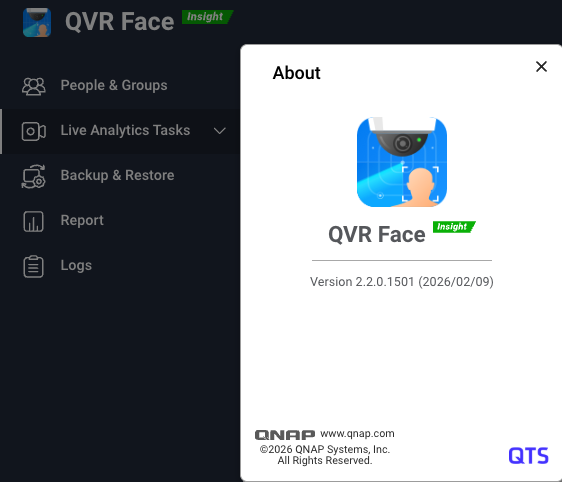
Dear QVR Face users, we are excited to announce that the latest version 2.2.0 has been officially released! This update fully supports QTS 5.2.x, QuTS hero h5.2.x and h6.0.x, and QVP 2.x operating systems.
As the demand for AI video recognition continues to grow, computing power and data management convenience determine the success of a system. This update not only unlocks powerful hardware capabilities but also deeply optimizes the pain points of face database management.
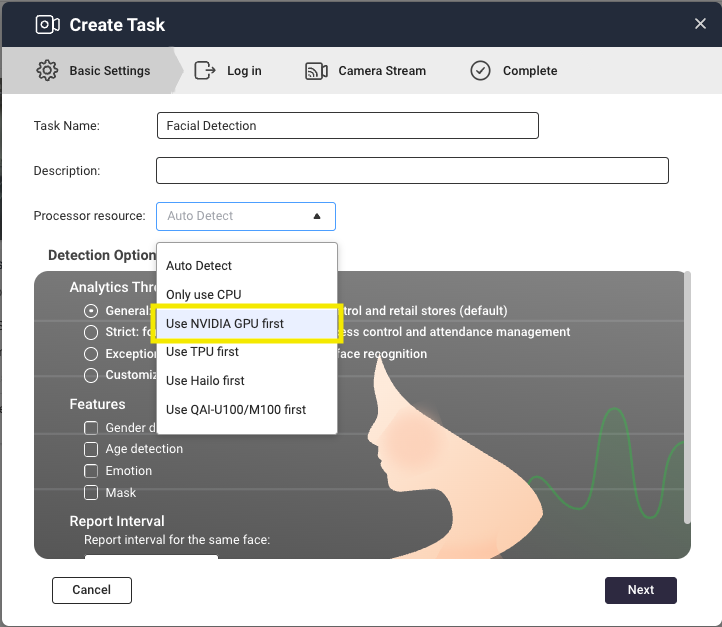
External Hardware, Unleash Computing Power: NVIDIA GPU Acceleration Support
Official support for NVIDIA RTX 20, 30, and 40 series GPUs. With hardware acceleration, the system can process multiple video streams with ultra-low latency, significantly improving recognition efficiency and the number of tasks handled. For example, previously a Core i3 12100 could process up to 18 channels, but with an RTX 2090 GPU, it can now handle 33 channels—an overall performance boost of about 80% (actual channel count may vary depending on camera stream quality and FPS). Accelerate your QVR Face now!
More Flexible Field Applications: New Detection Modes and Advanced Parameter Settings
-
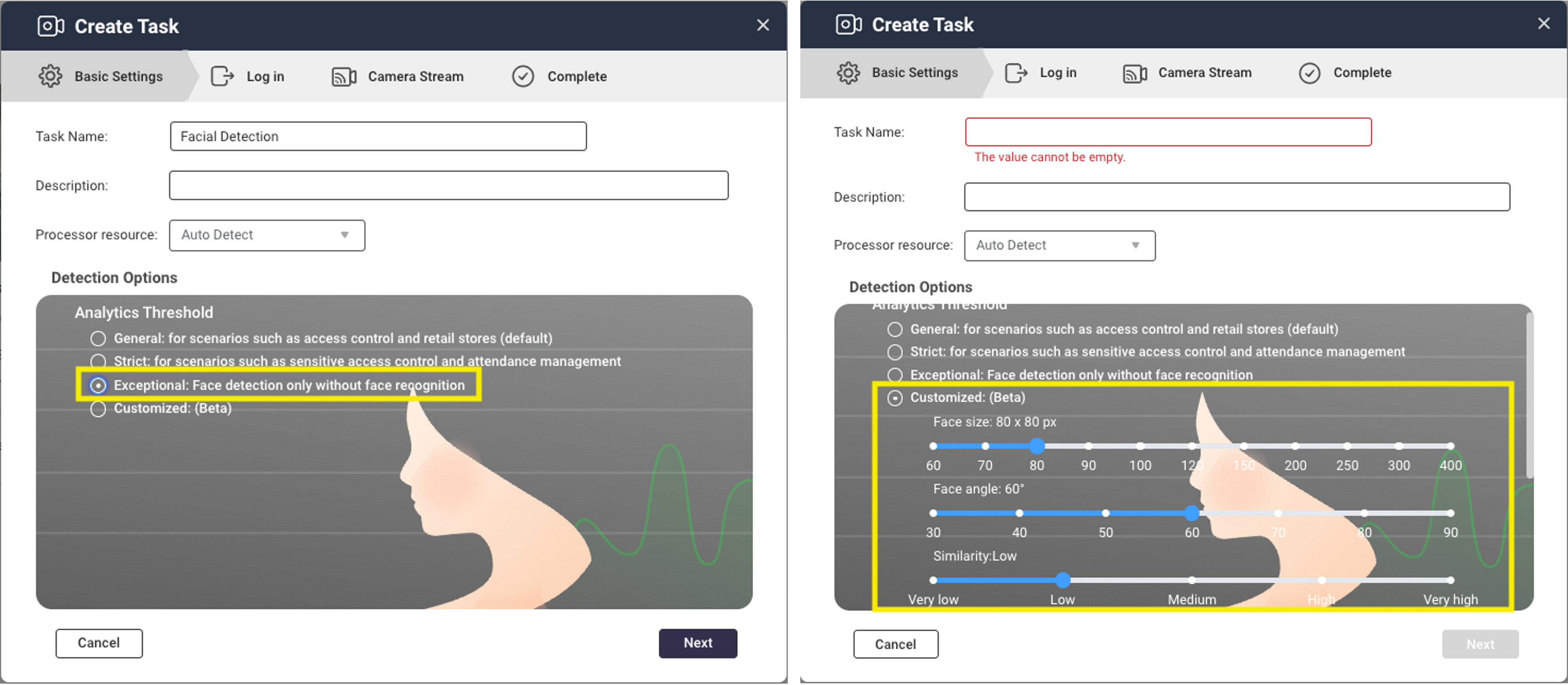
Flexible Configuration: Added “Face Detection Only” mode. If your scenario only requires confirming “if someone is present” without identity comparison, this feature can greatly save computing resources and optimize resource allocation.
-
Advanced Threshold Settings: Users can now fine-tune face size, angle, and similarity according to their usage scenarios. For example, in a narrow corridor, you can relax the angle restriction; for strict vault access, you can raise the similarity threshold.
The Art of Subtraction in Management Efficiency: Simplified Processes and Centralized Management for a Faster User Experience
When the database contains thousands of records, manual adjustments are a nightmare. Face 2.2.0 makes management easier:
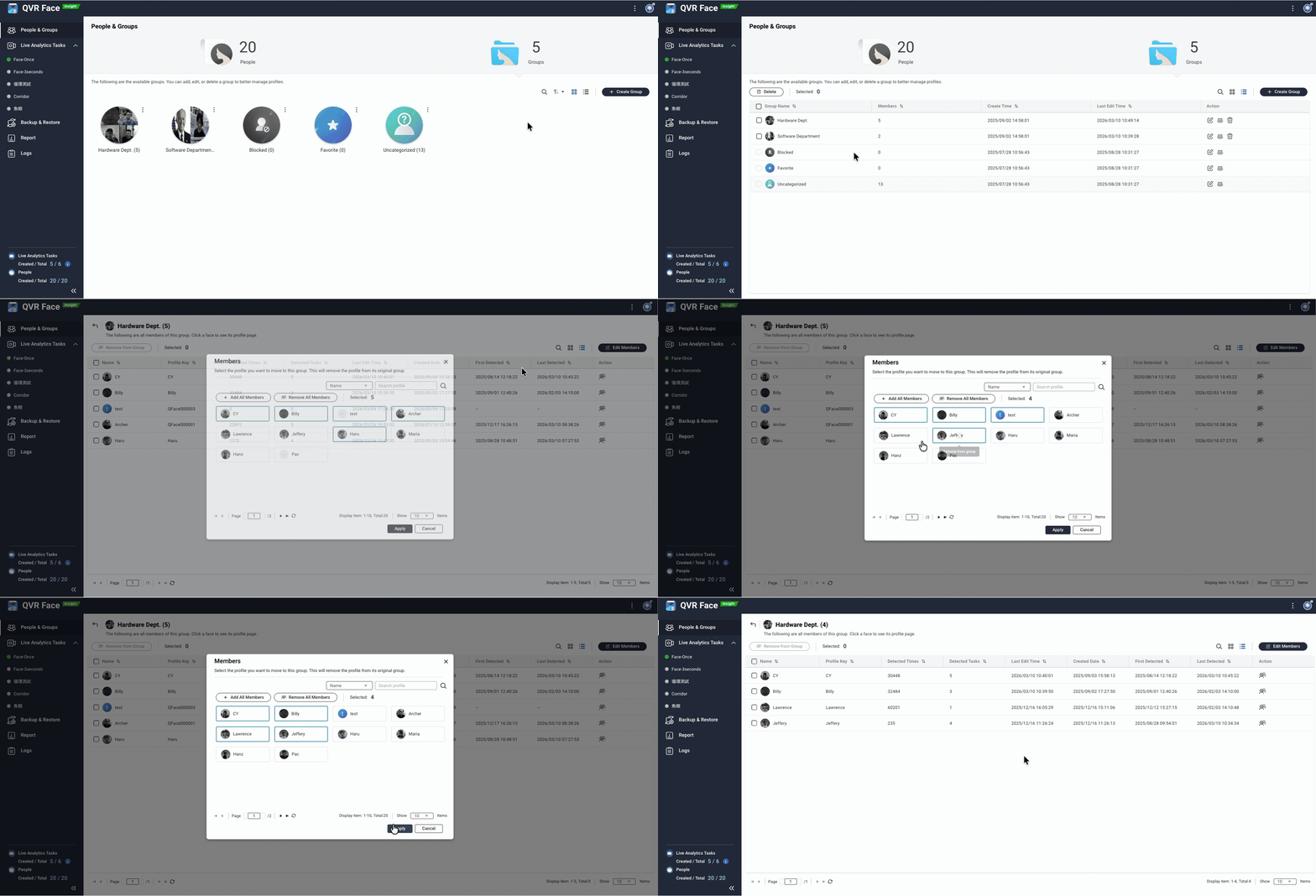
- List Display and Batch Management: Supports group and member list display, and adds batch editing features, allowing you to process multiple members at once and improve data management efficiency.
-
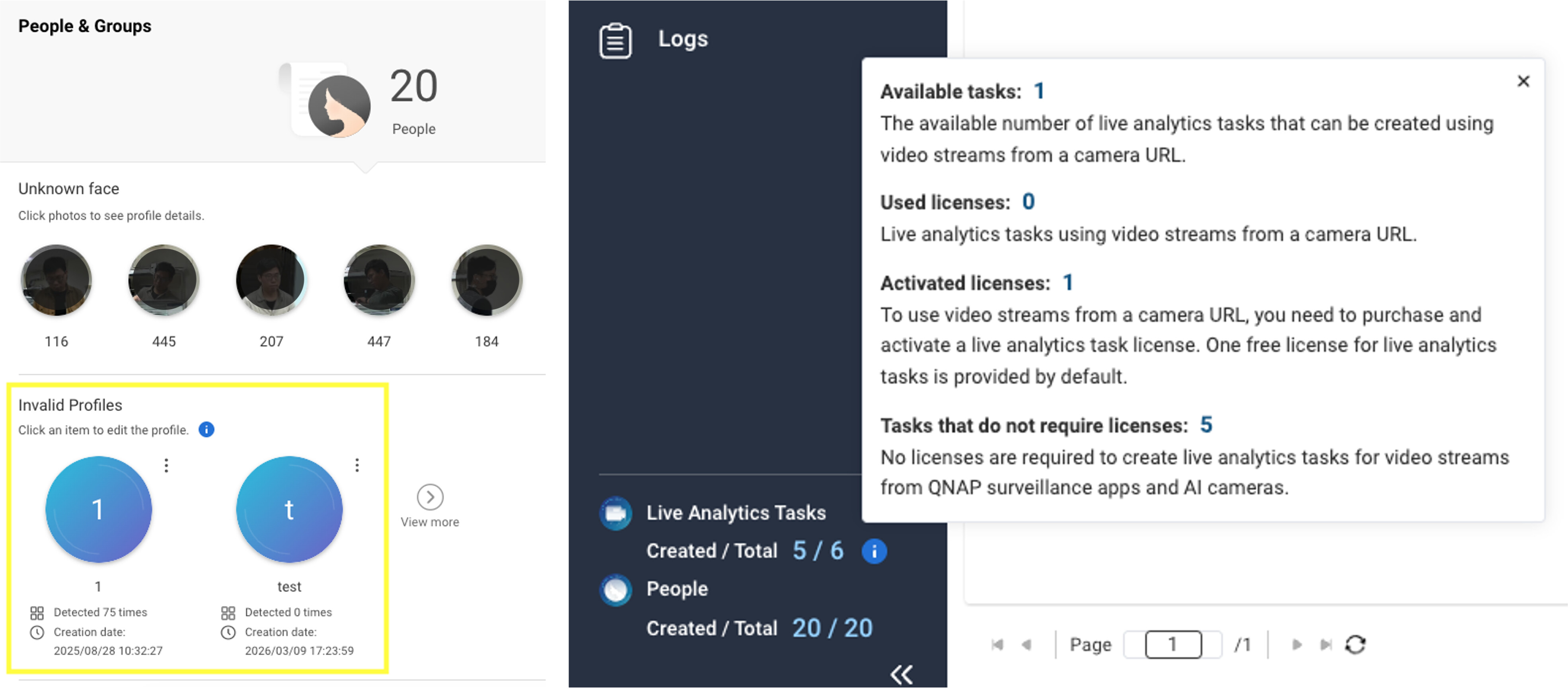
“Invalid Profiles” Section: Automatically marks and centrally manages profiles without valid face files, making it easy for you to quickly clean up data and ensure your recognition database always maintains high quality.
-
Simplified Setup Process: The “Profile Index Key” is now optional, and with the new auto-numbering feature, you can complete initial database deployment more intuitively and quickly.
-
Clearer Resource Overview: We’ve optimized the display of license information, so you can easily see the number of free and licensed analysis tasks at a glance for real-time resource allocation.
Highlights of This Version Update
| Feature Category | Update Highlights | |
|---|---|---|
| Hardware Compatibility | Support for NVIDIA RTX 20/30/40 series GPUs | |
| Recognition Mode | Support for “Face Detection Only” to save computing resources | |
| Management Tools | Batch management, centralized invalid data management | |
| Analysis Parameters | Adjustable face size, angle, and similarity thresholds | |
| Setup Process | Profile auto-numbering, optimized task wizard interface |
Download QVR Face 2.2.0 now!
For more details, please refer to the release notes: Apps Release Notes | QNAP
Thank you for your continued support of QNAP and the QVR product series. We are committed to creating smarter surveillance solutions. If you have any suggestions or needs, please feel free to contact us.