Dear QVR Face users, we are excited to announce that QVR Face 2.3.0 is now officially available!
As AI-based video recognition applications continue to expand, system performance, image adaptability, and cross-system integration capabilities have become crucial elements for smart surveillance deployment.
This update continues QVR Face’s support for NVIDIA GPU hardware acceleration, adds compatibility for the NVIDIA RTX 50 series GPU cards, and introduces features such as regional dewarping for real-time images and facial recognition, multi-group profile management, real-time variable detection in Event URLs, and event delivery to Nx VMS, helping users build a more efficient, flexible, and easily integrated face recognition system.
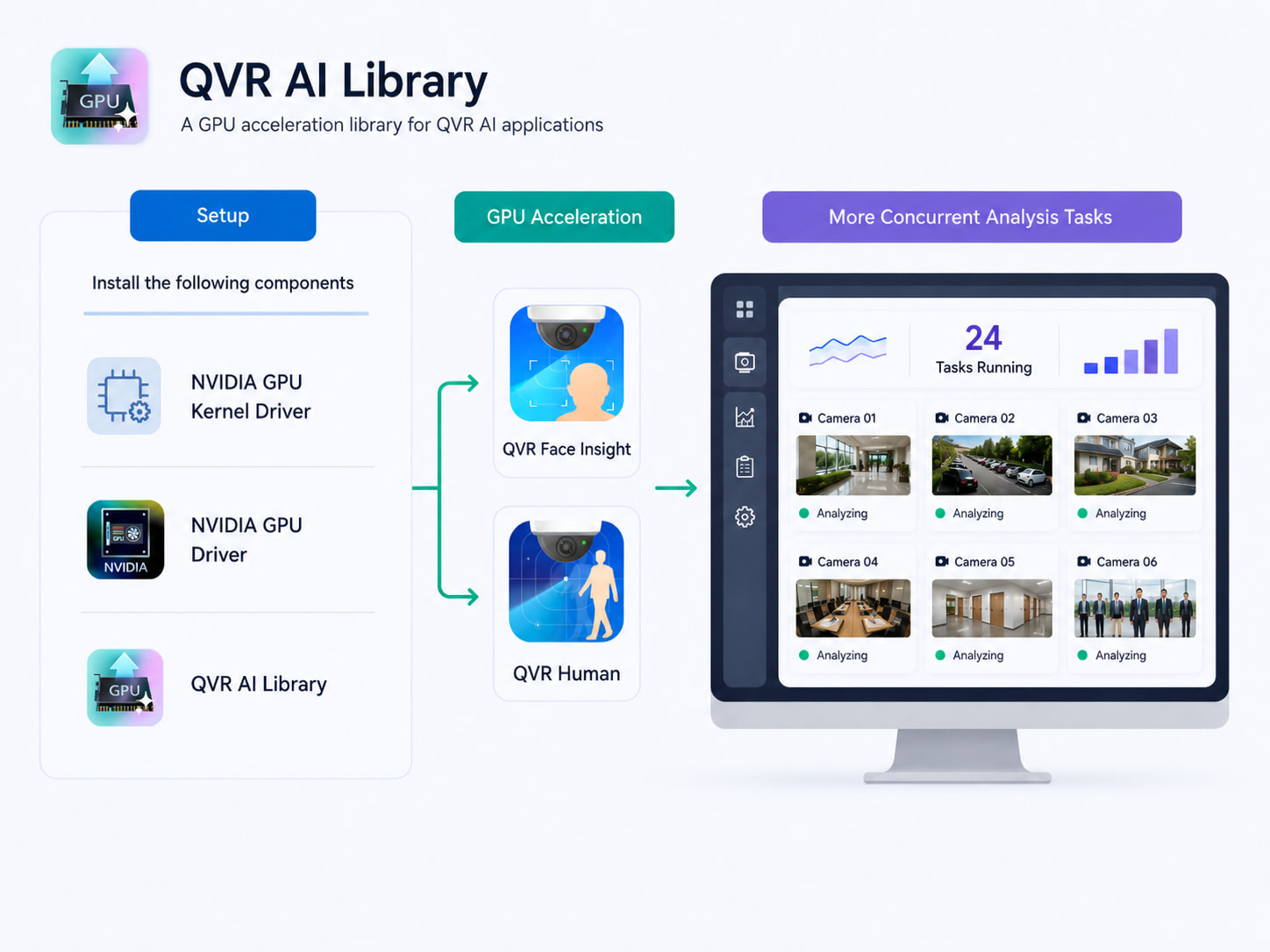
Next-generation hardware performance: Support for NVIDIA RTX 50 series GPU
QVR Face 2.3.0 adds support for NVIDIA RTX 50 series GPU cards (requires QVR AI Library version 1.1.0 or above), enabling users to boost AI video analysis performance via hardware acceleration.For scenarios that require handling multiple video streams or heavy facial recognition workloads simultaneously, GPU acceleration can effectively relieve system computing pressure, enhancing recognition efficiency and deployment flexibility. Accelerate your QVR Face now! Try it now!
Broaden fisheye device applications: Support for regional dewarping in real-time video and facial recognition
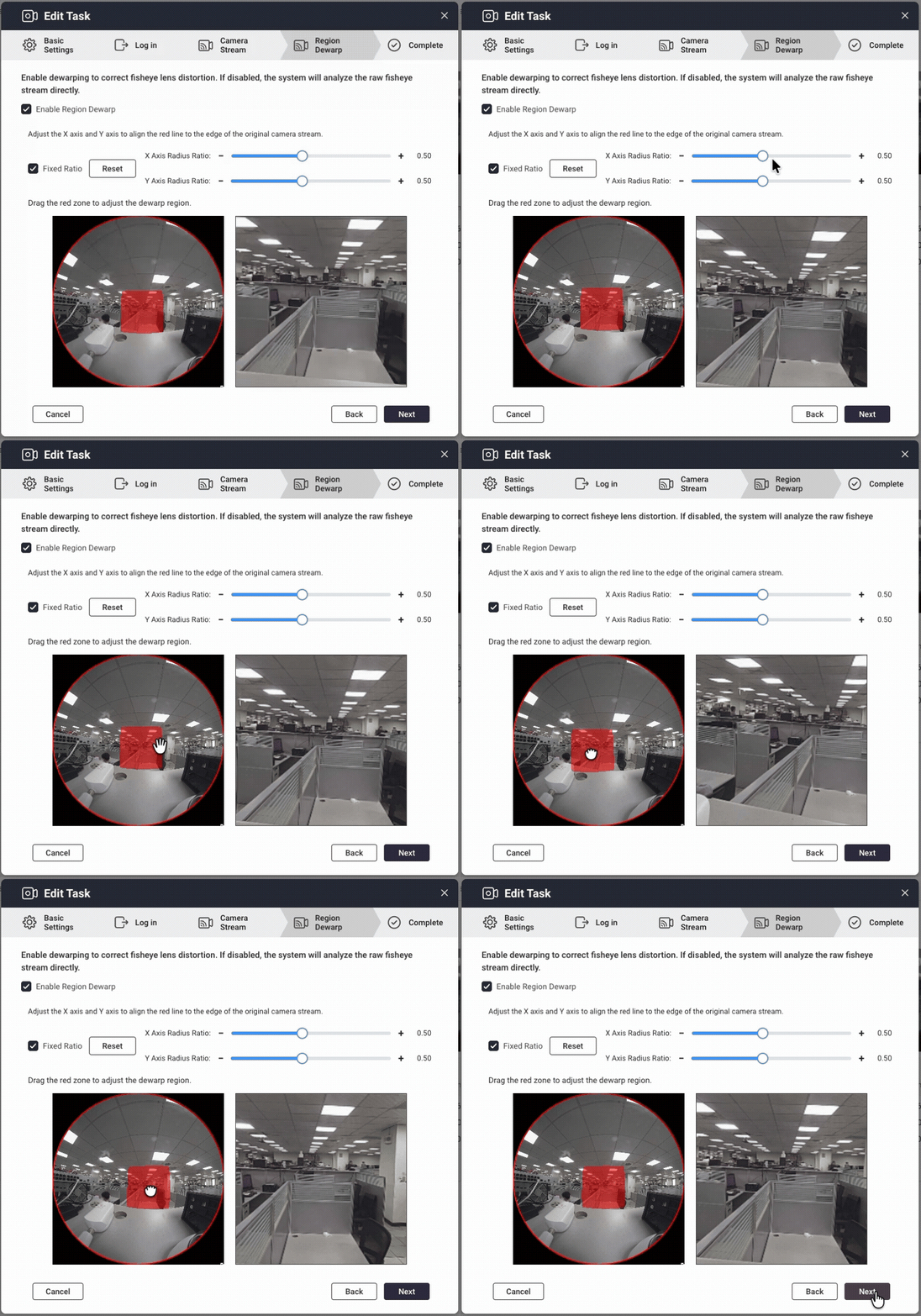
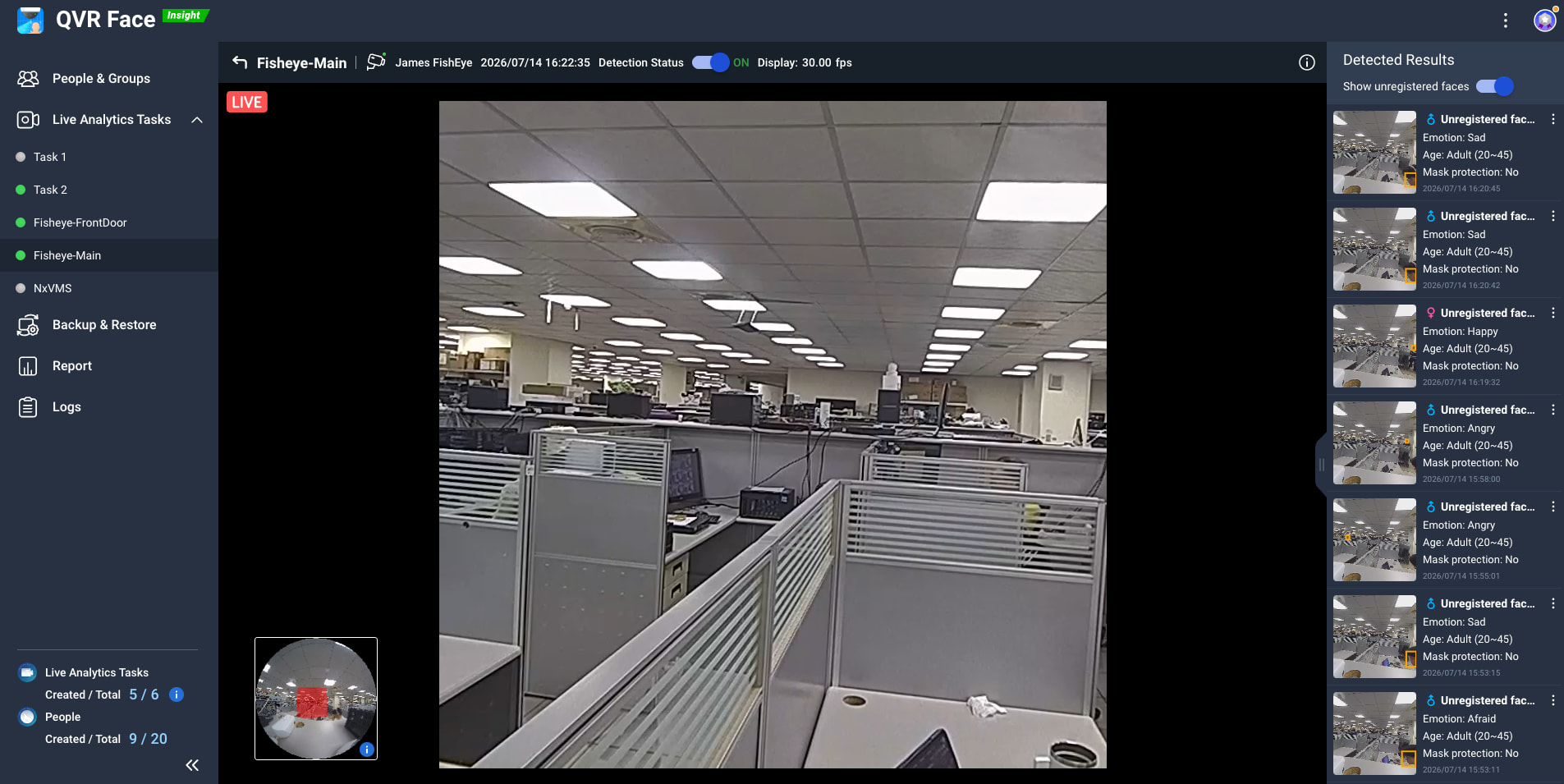
Fisheye cameras provide wide-area surveillance advantages, but edge image distortion can hinder facial recognition. QVR Face 2.3.0 supports regional dewarping for real-time images and facial recognition, allowing users to correct and recognize images in targeted regions, minimizing blind spots with fisheye devices, and further expand the flexibility of these devices for entrances, open spaces, and large-area surveillance scenarios.
More flexible data categorization: Profiles can now be added to multiple groups
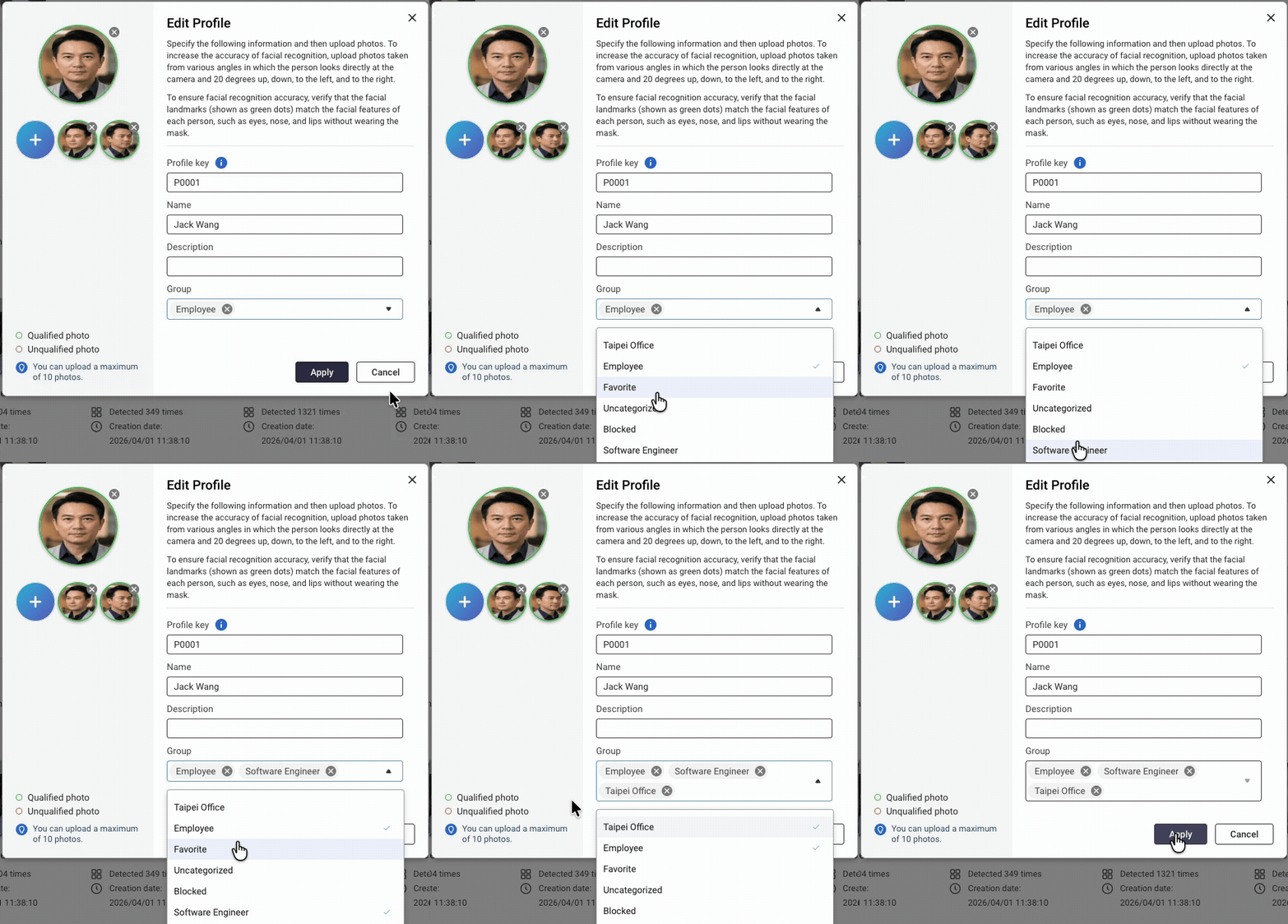
In real-world management scenarios, a person may belong to different departments, privilege groups, or application contexts. QVR Face 2.3.0 now allows adding a “profile” to multiple groups, so administrators can categorize and manage profile data more flexibly, increasing the maintenance efficiency of large face databases. For example, the same employee can be classified as “Headquarters Staff”, “R&D Department”, and “VIP Access List” at the same time, making subsequent searching, filtering, and event applications more convenient.
Enhanced cross-system event integration: Event URLs support real-time detection variables and can send customized events to Nx Witness
QVR Face 2.3.0 enhances cross-system event integration, providing Event URL with real-time detection variable functionality. This allows users to carry recognition results, event information, or related detection variables to third-party platforms, event dashboards, access control systems, or other automated processes, improving flexibility and presentation for surveillance event applications.
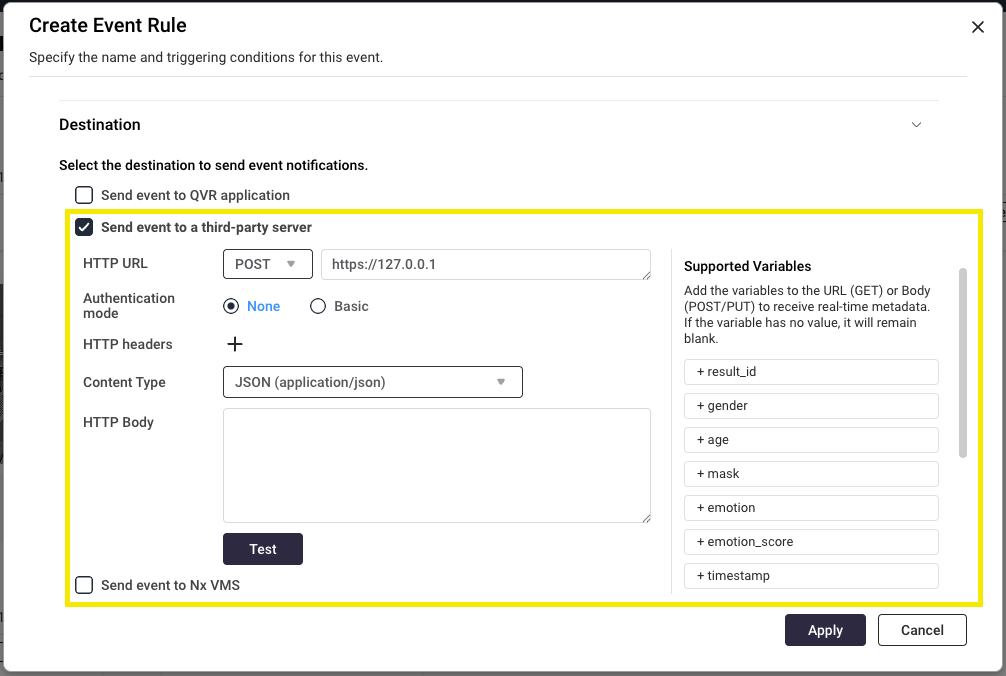
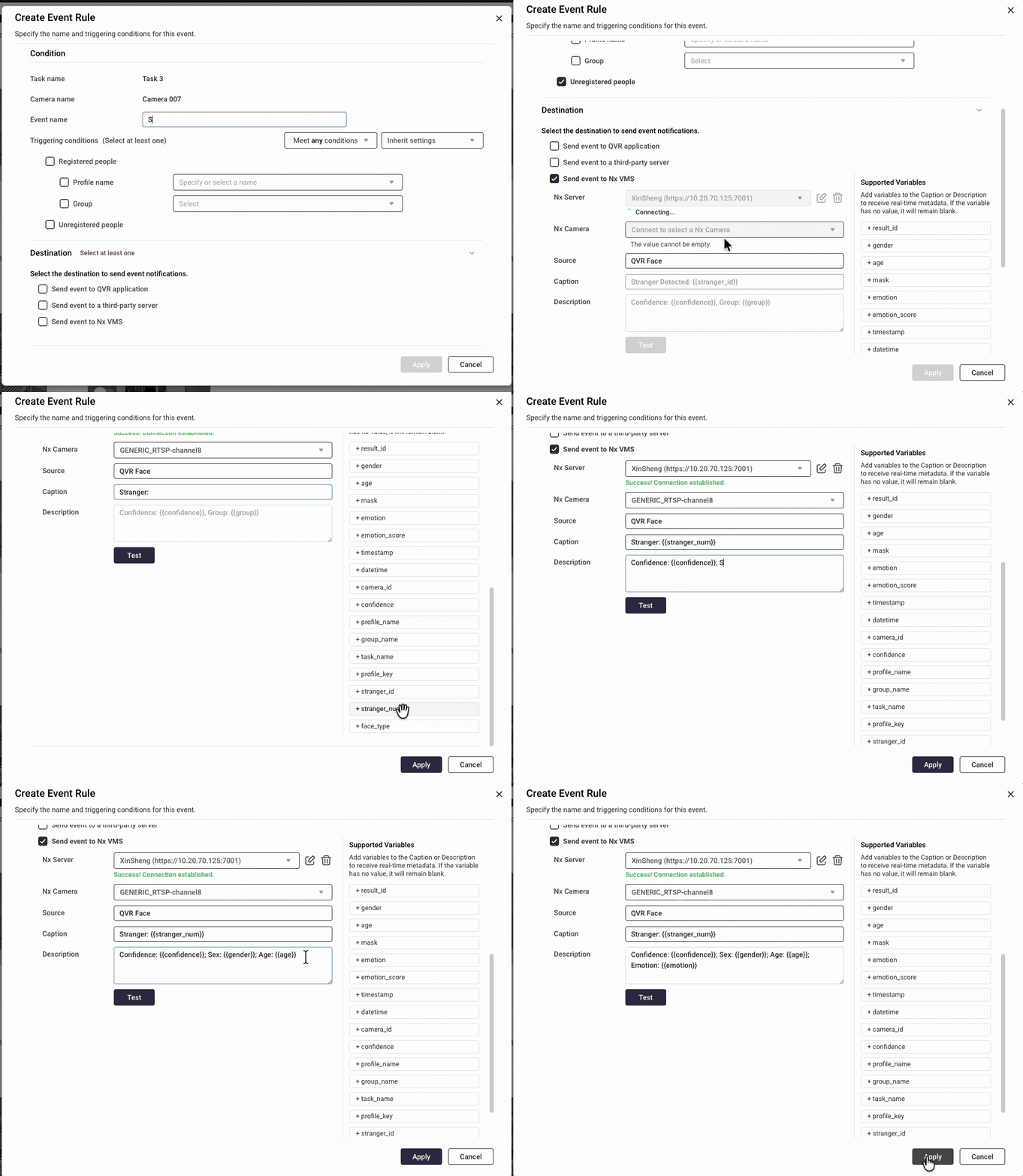
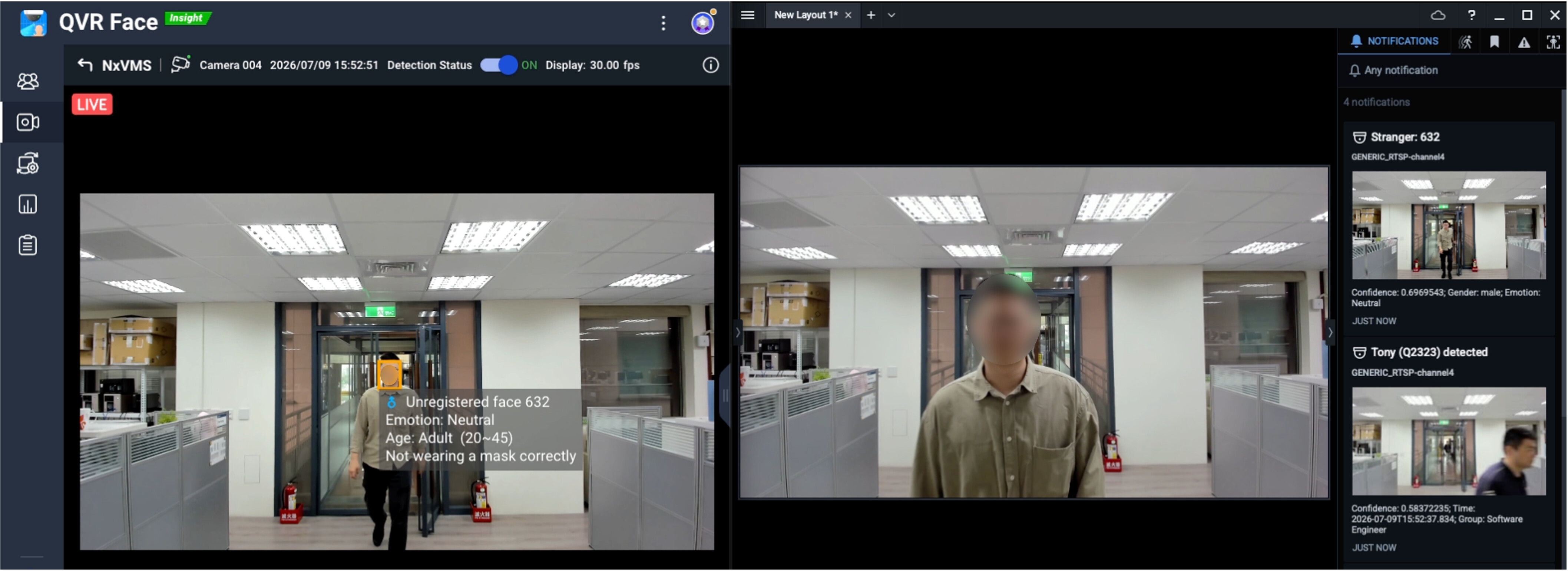
This update also deeply integrates with Nx Witness. You can useQVR Facefor facial recognition, then link the recognition events and detection variables to your existing Nx Witness **system, allowing fields with Nx Witness deployment to create more customized event notifications and monitoring workflows, further enhancing system integration and event management efficiency. (Event integration requires an Nx Witness VMS version that supports the REST Generic Event API.)
Operational experience and system stability improvements
In addition to new features, QVR Face 2.3.0 brings improvements to various operations and system mechanisms:
-
Support for creating facial recognition tasks connected to QVR Surveillance with two-step verification enabled.
-
Added similar photo suggestions for manual uploads, boosting file creation efficiency and preventing duplicate registrations.
-
New unregistered face sorting option, making data management easier.
-
Adjusted Chinese search mechanism for a better search experience.
Key updates in this release
| Function Category | Highlights |
|---|---|
| Hardware Compatibility | Support for NVIDIA RTX 50 series GPU cards |
| Fisheye Video Applications | Support for regional dewarping in real-time images and facial recognition |
| Profile Management | Support for profiles in multiple groups and unregistered face sorting/filtering |
| QVR Client Integration | Support for creating profile avatars from detection snapshots |
| Cross-System Real-Time Notifications | Event URL supports real-time detection variables |
| Cross-Brand Deep Integration | Support sending face recognition events to Nx Witness |
| System Stability | Optimized synchronization, capacity protection, Chinese search, and bug fixes |
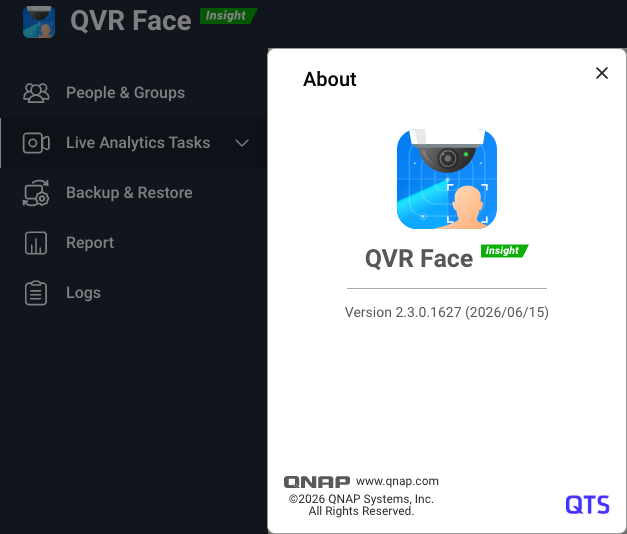
Download QVR Face 2.3.0 now!
Experience more efficient GPU acceleration, more flexible fisheye image recognition, more convenient data management, and more comprehensive cross-system event integration capabilities now.
For more details, please refer to the release notes: Apps Release Notes | QNAP
Thank you for your continued support of QNAP and QVR product lines. We are committed to creating smarter, more stable, and easier-to-integrate AI video surveillance solutions.