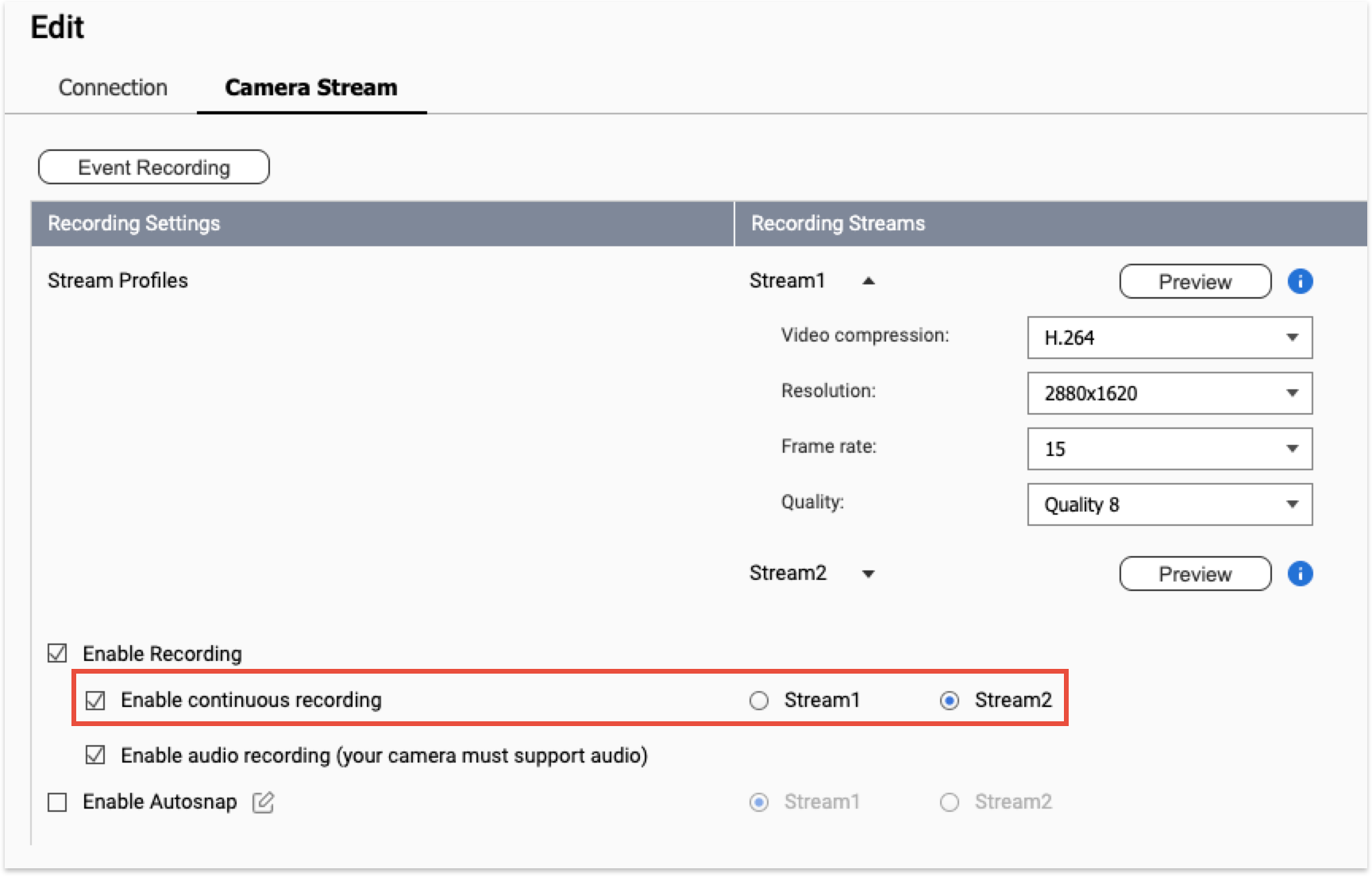
Hi @jpqnap this…is because the QVR Suvreillance base on QVR Elite which defaults the Event Steam recording to the Main Steam that select steam option is not available.
But we will adjust this to choose which steam to use for Event Recording in next version QVR Surveillance 3.1.0.
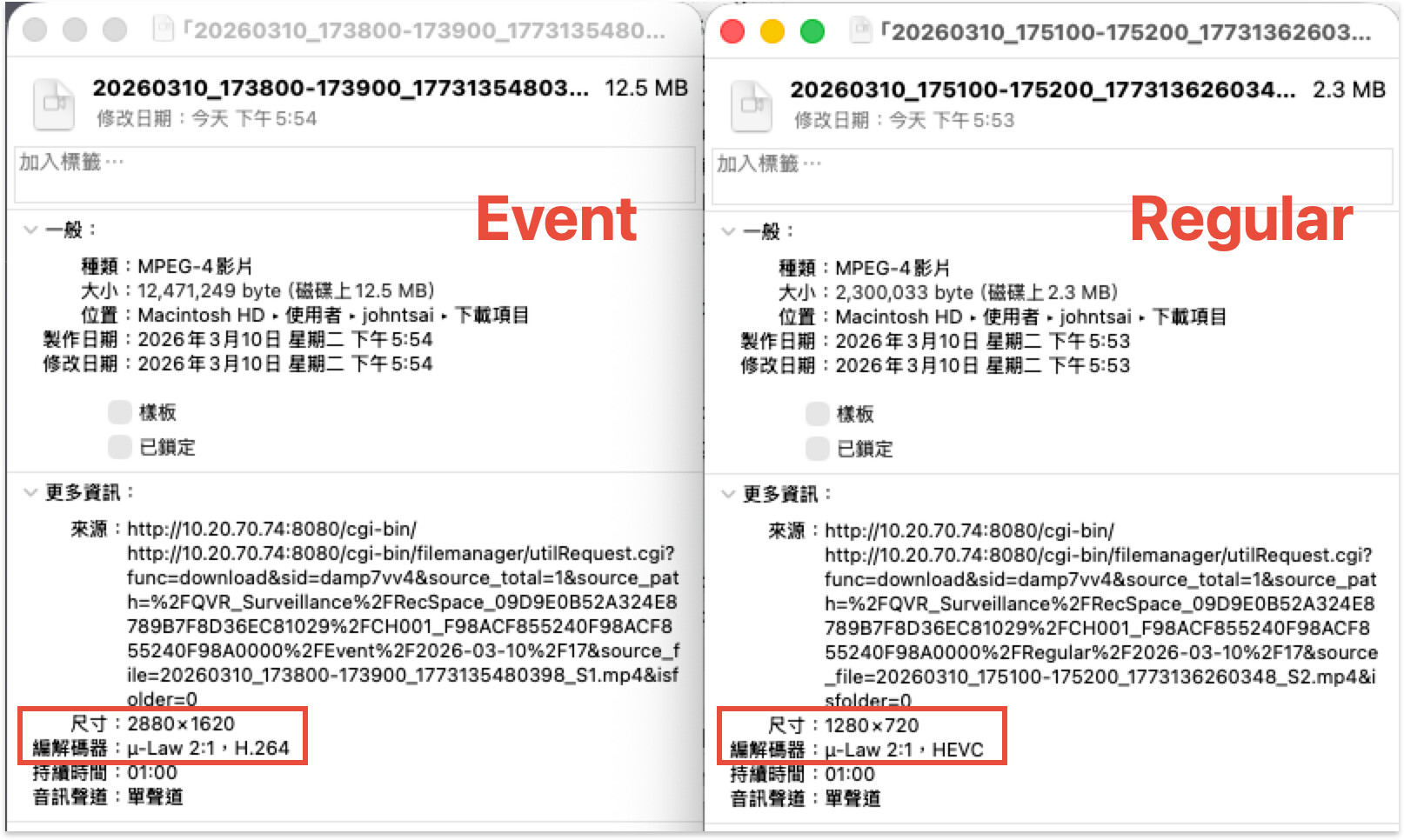
Some UI are in Chinese. But you can tell from the red frame that the event recording is capturing high resolution (2880x1620) while normal recordiong is 720p.
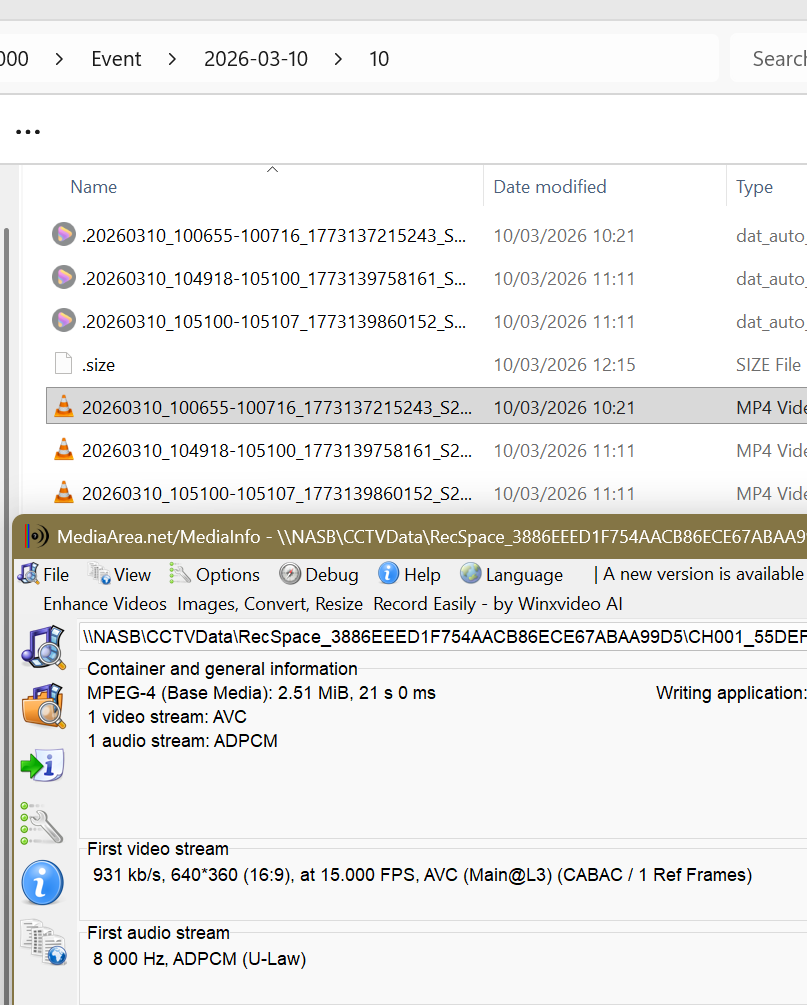
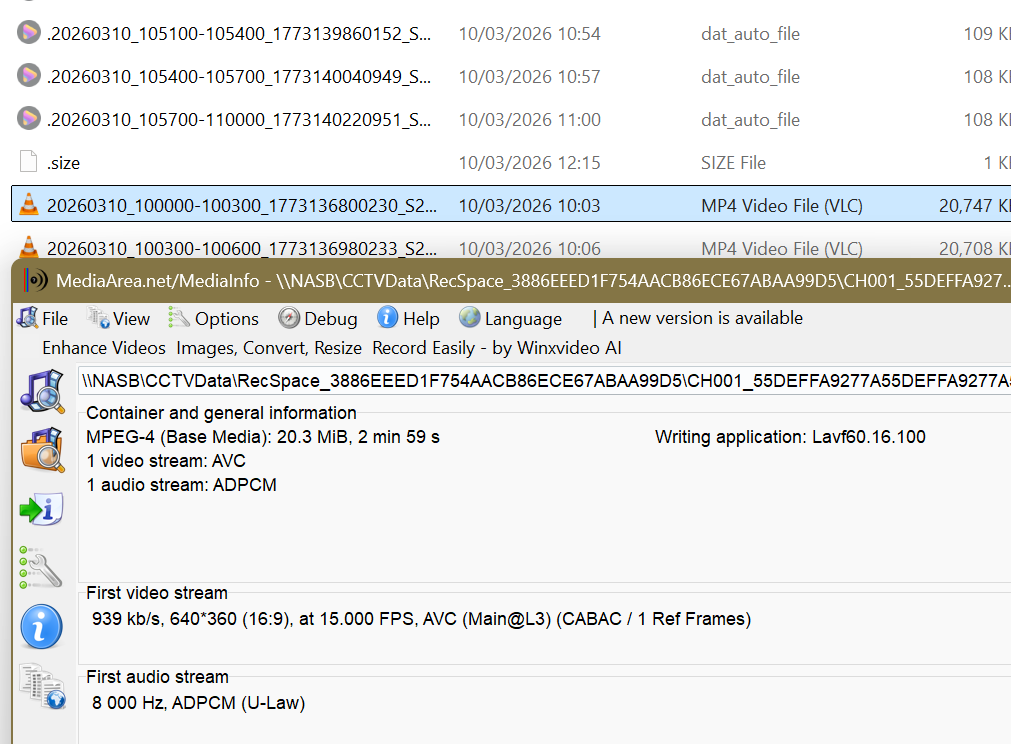
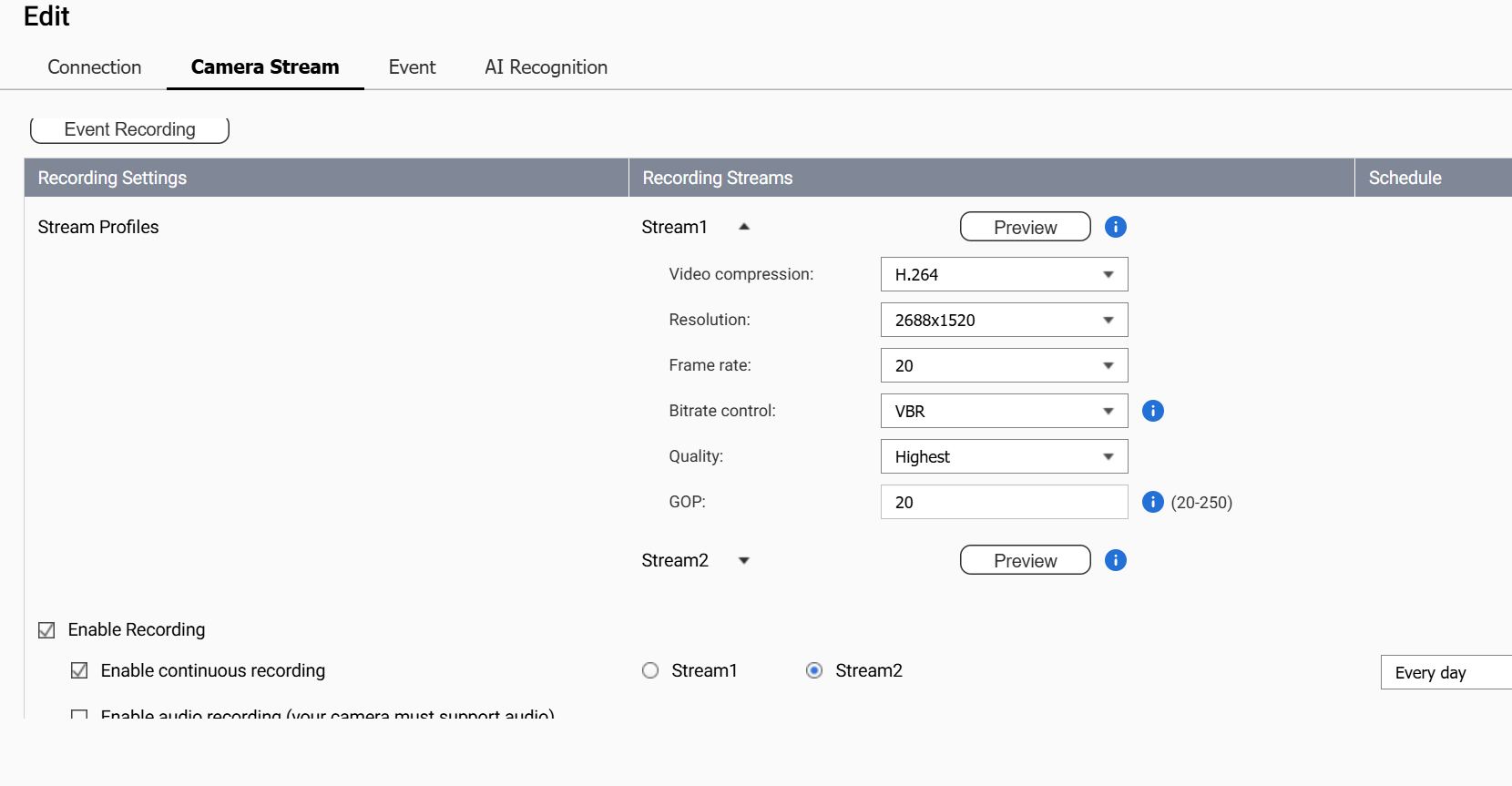
Thank you for your reply, and I have checked my event and regular recordings and both normal and event recordings are at the stream 2 definition of 640 x 360. The Camera Settings App also shows only Stream 2 recording, whereas on QVRPro viewing the same camera will show both streams recording when an event occurs.
Are you suggesting that the High Definition Stream 1 for events and the Low definition Stream 2 for normal will not be available until a new release of QVR Surveillance is available?
Please note that cameras can have more than 2 streams, so we need the normal and event recording facility that is available in QVR Pro to select which of the many Streams should be used for recording regular and event.
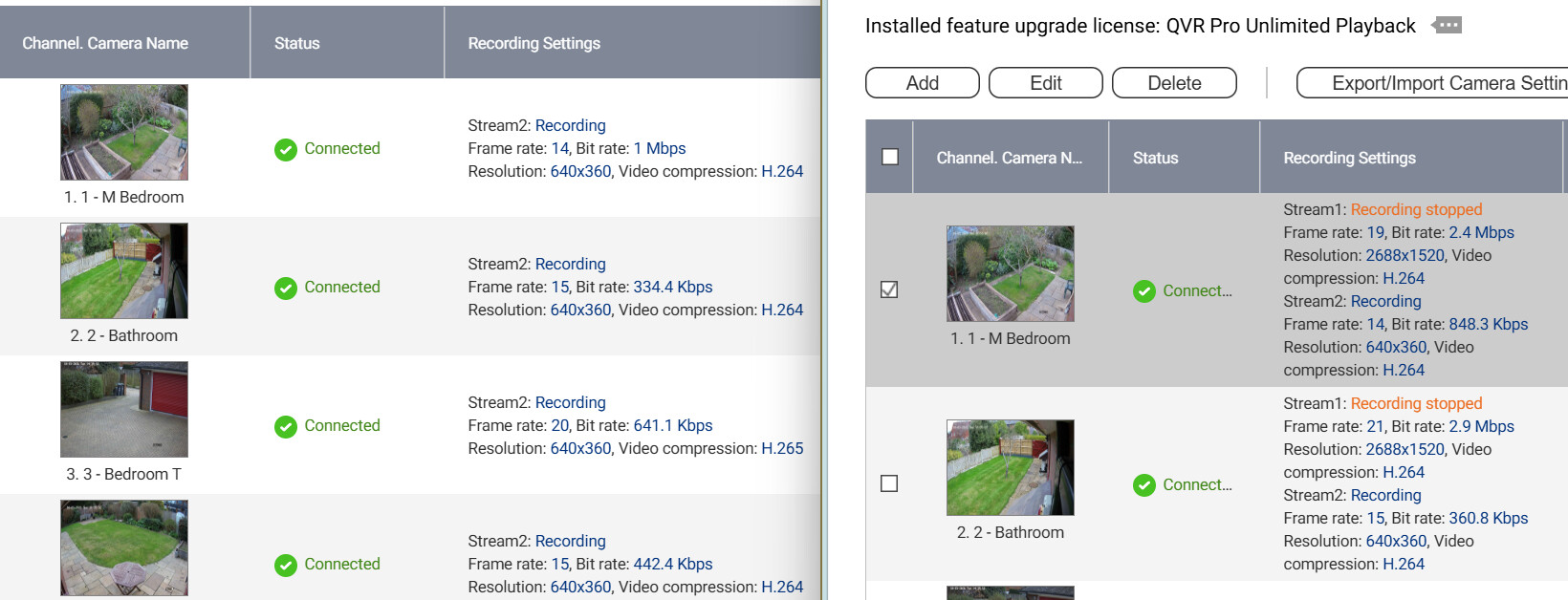
This may be helpful. It shows QVR Surveillance on the left only identifying one camera stream while QVR Pro on the right show both streams. I have tested removing QVR Pro access to one of the cameras, but QVR Surveillance does not identify the second stream on that camera.
Yes, it is the current software limitation, to save the event recording with high definition steam and continuous recording with low definition need to the next version of QVR Surveillance.
We are currently targeting May for the official release. If you are open to trying a Beta version, I can share a stable Beta build with you in April once it becomes available.
Any update on the fix so we can choose which stream is used for continuous or event recording? Some of my cameras have 3 streams and I wish to record events at the highest resolution with non-event activity recorded at lower resolution.
That’s actually the opposite of how the system works. QNAP uses the lower quality stream to do the motion/event detection. It’s less processing load to analyze a 640x480 video stream than a 1080p or higher video stream…
Thank you for that information. However, from a user point of view, I would want to retain movement related video for a longer period of time than standard video for which no movement is detected. QVRPro took all streams from the cameras (in my case at least 3 streams) and gave us the option of recording any of the streams for movement related video or continuous video. Until we get the fix, only a single stream can be used for movement or non-movement recording.
So perhaps I wasn’t quite right. It uses the second stream to detect the movement if you are having the QNAP detect movement vs. the camera. As far as what stream is recorded, can’t you select the stream to record in the event settings? I don’t have any dual stream cameras any more so I can’t verify this. But that would be the place to have that.
You cannot set different streams for continuous and event recording with QVR Surveillance, but you can with QVR Pro. A fix is due to QVR Surveillance, I think in June 2026.
Yes . That is exactly what I understand would be available soon. Any idea when the update will be available? I’m having to run both my TVS-EC1080+ with QVR-Pro as well as my TS-h1277AFX with QVR Surveillance to keep HD Event history. I’m keen to shut down the 1080, strip it down and give it a good clean before reusing it.
I have tested the beta version, and fed back to Craig on my findings.
However, today I found something very interesting. If the QVRPro client displays the event stream shown in red shortly after a recording is made, the video seen is the continuous stream, although it is shown in red. Looking at the .mp4 files on the NAS, I notice that the event files are created over an hour later than when the event occurred, but, when checking the folder a few hours later, the event records are there (but the most recent ones are not). This indicated significant buffering in recording the event mp4s. So, it is likely that the beta is good.
I lost a week of event recordings last week, but that is probably due to me changing settings.
Thank you for letting me have access to the beta. I have now turned off my TVS-EC1080+, and will strip it down and give it a spring clean.




 . That is exactly what I understand would be available soon. Any idea when the update will be available? I’m having to run both my TVS-EC1080+ with QVR-Pro as well as my TS-h1277AFX with QVR Surveillance to keep HD Event history. I’m keen to shut down the 1080, strip it down and give it a good clean before reusing it.