In many buildings, such as schools, hospitals, offices, or hotels, corridors are long and narrow spaces. When using standard aspect ratio (16:9) IP cameras for monitoring, there is often wasted space at the top and bottom of the image and insufficient coverage on the sides. In these cases, “Corridor Mode” is an ideal solution.
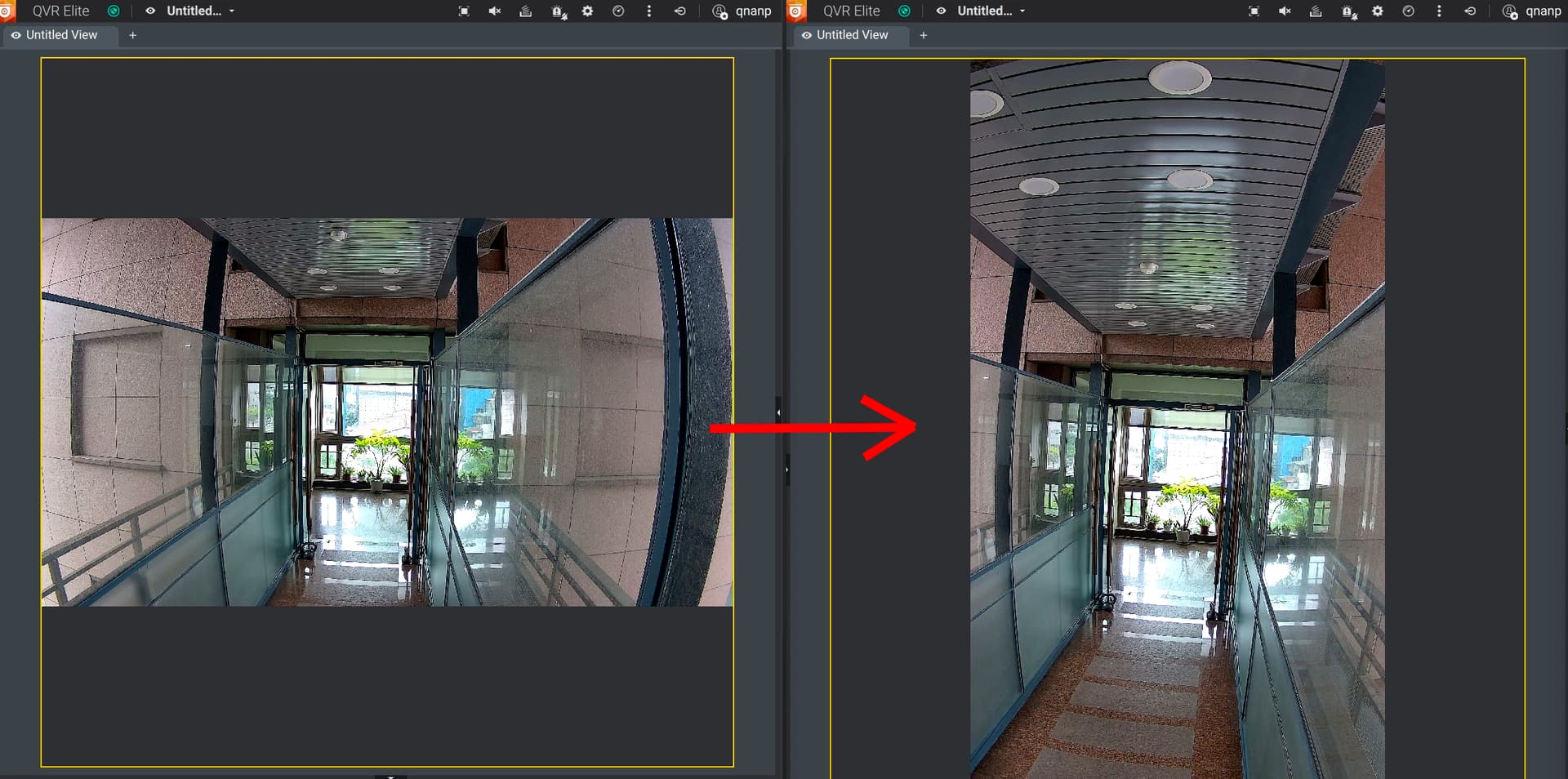
Corridor Mode rotates the camera’s image by 90 degrees, changing the original horizontal view to a vertical one (for example, from 16:9 to 9:16), making the image better suited to the shape of the corridor.
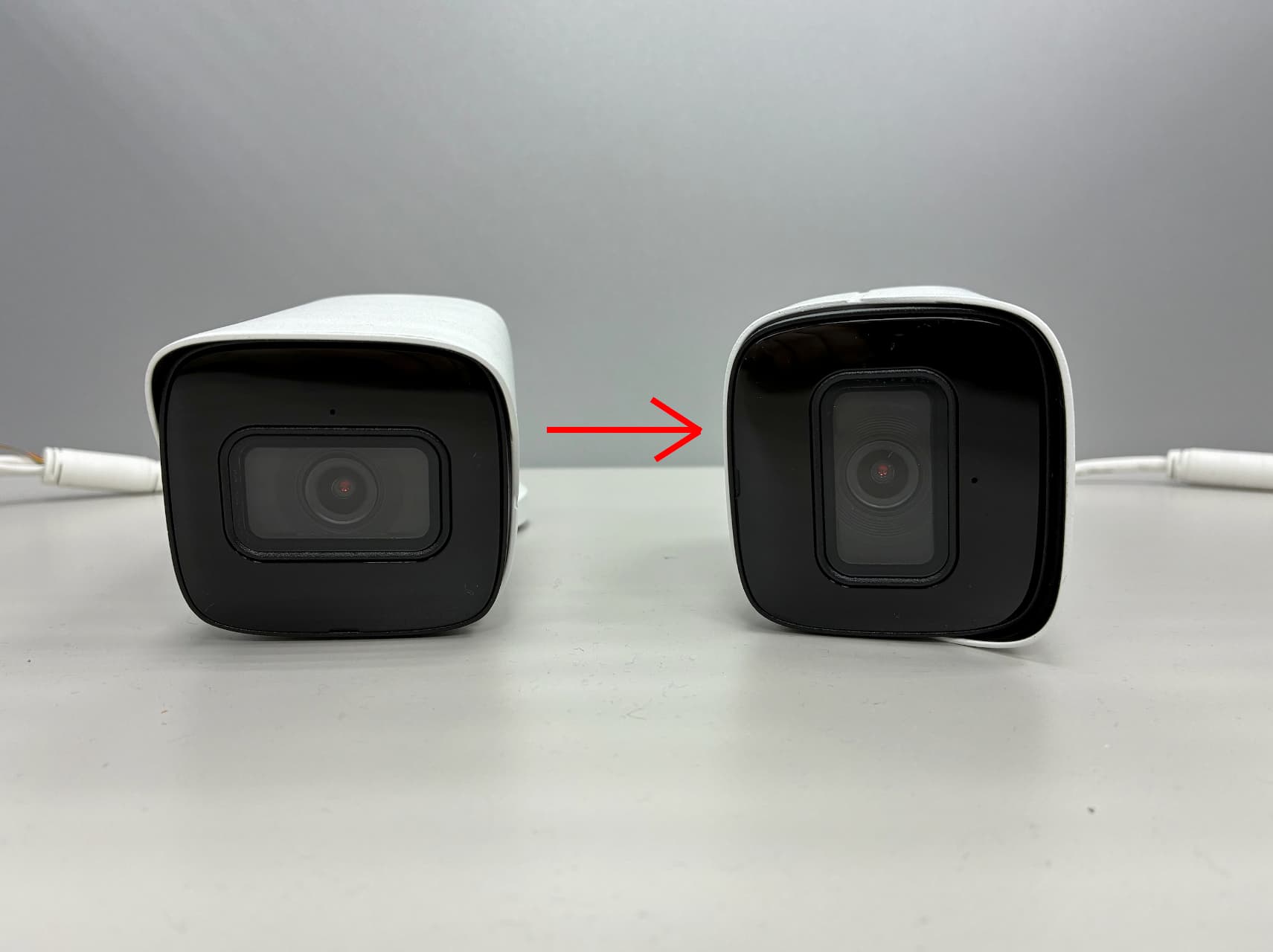
First, physically rotate the camera itself by 90 degrees.
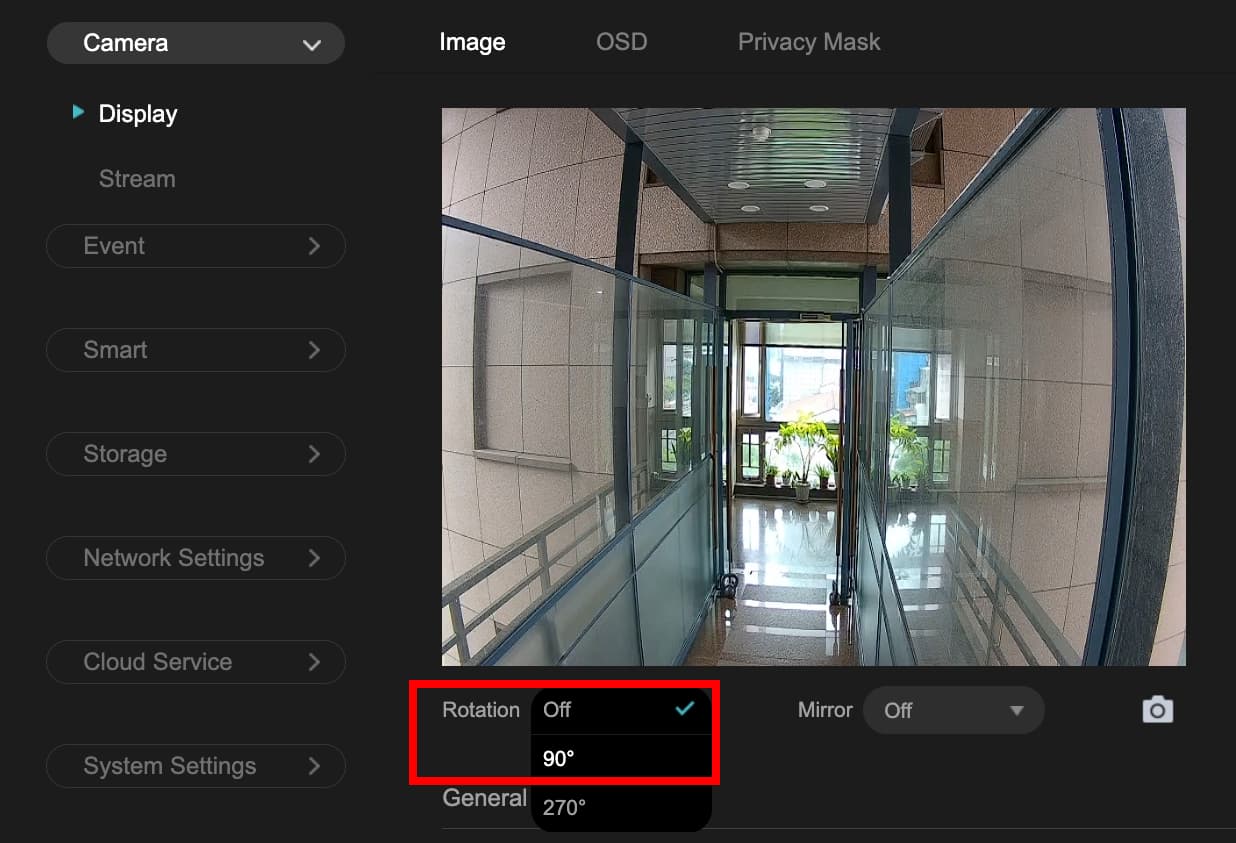
Then, rotate the camera’s image by 90 degrees.
Finally, you will get a vertical monitoring image, which greatly increases the visible range in the vertical direction, effectively monitors the entire corridor, reduces blind spots, and saves storage space and bandwidth resources.
Currently, most IP cameras that support Corridor Mode can be switched via firmware settings or installation orientation. It is one of the essential features when deploying cameras in long, narrow indoor spaces.