Cannot log in to QVRPro (authentication expired?)

This is the current situation. I would appreciate any advice or insights you may have.

  • Even when launching the QVRPro screen from the NAS, automatic login does not occur.

  • A popup appears asking for the administrator username and password, but even when entering the correct credentials, access is denied.

  • Videos that should be saved in FileStation are not displayed.

  • There are no apparent errors in the logs, except for an error indicating low storage capacity (I’m not sure if this is related…).

While researching, I found information suggesting that it might be an authentication timeout, but I couldn’t figure out how to resolve it. I would greatly appreciate your help.

Hi @MH.0000, seeing that automatic login is not working on the QVR Pro screen and that recorded files are not being properly listed in File Station, it is possible that some issue has occurred in the QVR-related system.

Also, judging from the “storage capacity has decreased” error, there may be a problem on the hard disk side, which could be affecting the QVR database or login module.

At this point, I cannot guarantee what will happen if you reboot in this state… First, please check the health of the storage system, and also create a Support Ticket so that the support team can remotely check the situation.

Thank you for your prompt reply.
I understand your judgment that it would be better to create a support ticket.

There was an error in the way I described the decrease in capacity.

The correct way to say it was “free space is decreasing.”

In other words, I believe the situation is that videos continue to be saved, but I cannot log in to the QVRPro screen.

Even in this case, is there a possibility that a system malfunction is occurring and that restarting might restore normal operation?

A popup appears prompting for the administrator username and password, but even when entering the correct credentials, access is denied.

Just to confirm, are you perhaps operating with a separate NAS account specifically for QVR?

For example, logging into the NAS with “Admin1A” and logging into QVR with “Admin2B,” or a similar setup.

Videos that should be saved in FileStation are not displayed

QVR Pro uses a FUSE structure, so the recording files shown in File Station are actually virtually generated by QVR Pro from the real storage.

Therefore, unlike QVR Elite, the files do not exist as actual files, and there may be other internal system issues beyond just a login problem.

Even in this case, is there any chance that a system issue could be resolved by a reboot?

To be honest, this situation is a bit complicated, and it seems difficult to clearly identify the cause based on text information alone.

The most reliable approach would be to create a support ticket and have the technical support team check the details directly.

It is not a configuration where different accounts are created for NAS and QVR.

I understand that it is a FUSE structure.

I thought, “Since I can’t log in, the virtually generated videos are not displayed,” but it seems that, rather than just a login issue, there may be a deeper problem within the system itself.

If I request confirmation via a support ticket, does that mean you will remotely access the NAS to investigate?
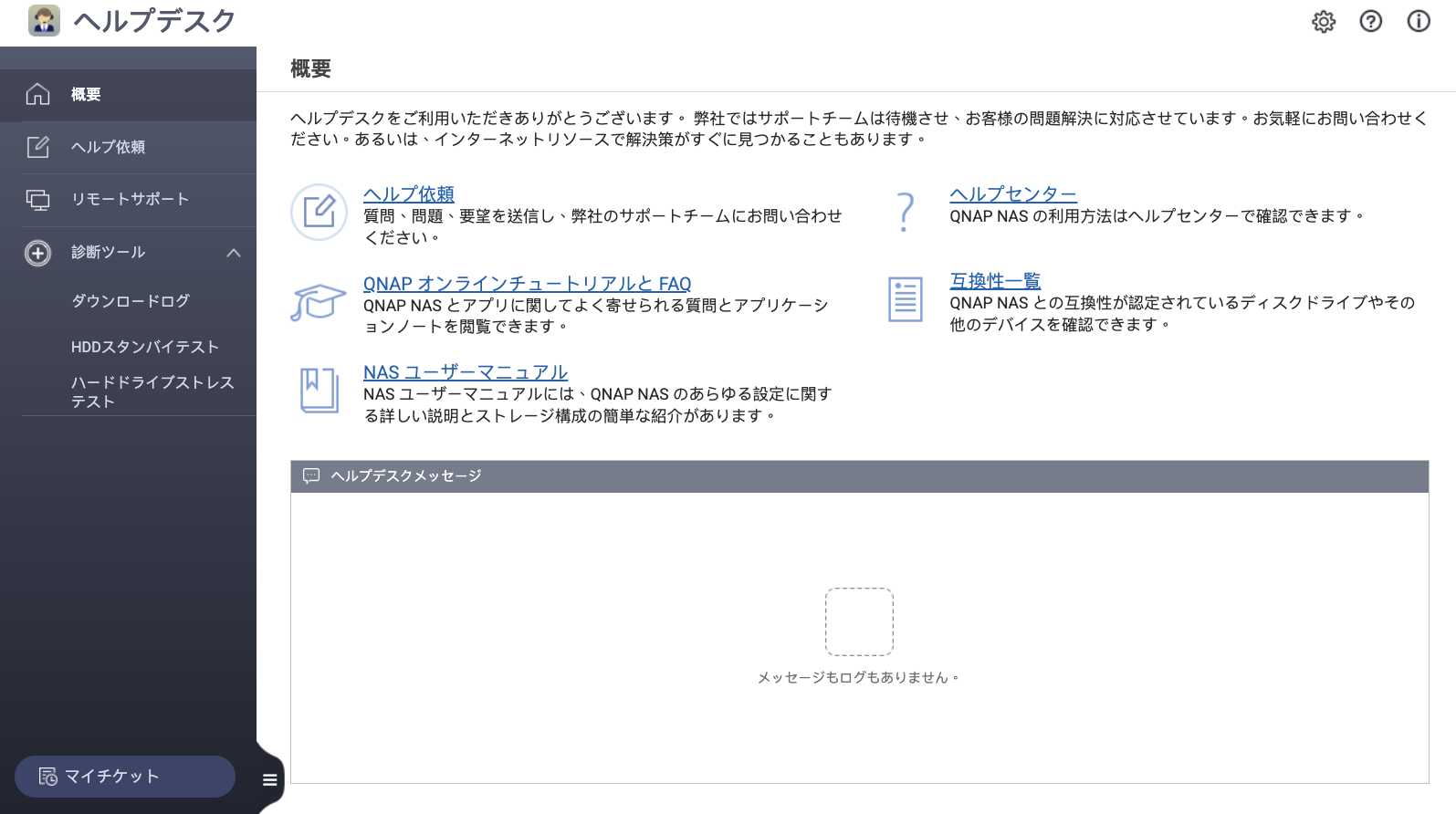
Yes, as far as I understand, the support team will probably instruct you to install an app called “Help Desk” on your NAS.

Through this app, the support team can remotely access your NAS and collect debug logs or check the situation in detail.

Therefore, it helps to identify the cause of the problem and take more accurate action.