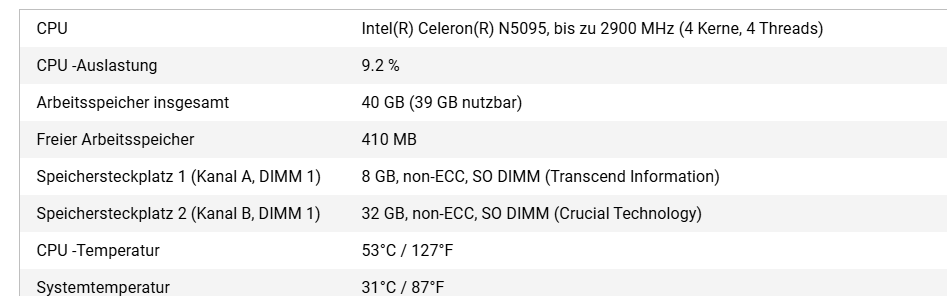
Hi, I’m sending the Kingston back as well—according to Qnap, it’s not compatible either. What bothers me the most is that there’s also a Kingston installed at delivery that isn’t on the compatibility list. I’ve now bought Qnap memory, non-ECC… let’s see if that works.
So, just a quick update: I have now tested RAM from Compuram that is supposedly running on numerous TS-855eu devices. That doesn’t work either. I suspect that there are different hardware specs for the TS-855eu. If anyone has an idea or can provide me with original QNAP RAM to test, I would really appreciate it. Regards, Riccardo Koch
“In response to your previous feedback that 8GB was installed in Slot 1 and 32GB in Slot 2: This corresponds to an asymmetric dual-channel configuration.
Parameter Adoption: The QNAP system first reads the default parameters of the original 8GB module in the main slot (Slot 1) and enforces these parameters to control the 32GB module in Slot 2.
Flex Mode: In this case, the NAS is expected to operate in the so-called “Flex Mode”:
Dual-channel area: The 8GB from Slot 1 together with the first 8GB from Slot 2 form a 16GB dual-channel area. This is the area with the fastest read and write speeds.
Single-channel area: The remaining 24GB in Slot 2 operate only in single-channel mode. Note: This is not an officially recommended procedure.
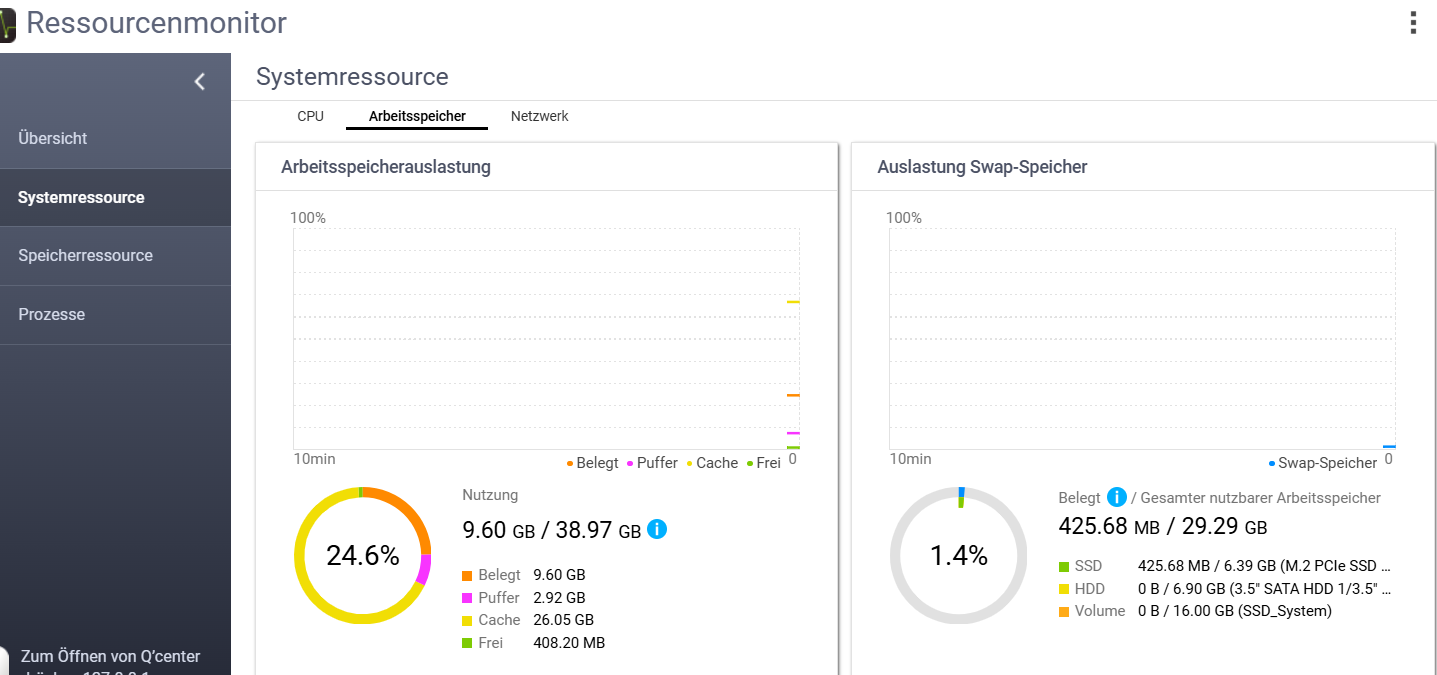
Has anyone had experience with this? Especially with VMs?
All my small NAS devices run without any problems this way. Why should there be issues with VMs? My VMs (Win, Mint, librenms, …) run without any problems.