When I delete files from File Station, I receive an error and warnings that I have insufficient storage space for “Container Station”, storage below 16GB even though the storage pool it is installed on has 27 TB remaining space. The files delete and free up space with seemingly no issue apart from the warning. I am curious why QNAP is involving container station at all when deleting files. I am on QUTS Hero h5.2.9.3499.
Do you have a separate shared volume for Container Station? If yes, what size have you allocated to that volume?
I do, and that was what I thought was initially the problem. I have the Container Station on a thin shared volume that had 99 GB storage capacity, which should still be plenty. As a test, I resized the folder to pool capacity (95 TB) but still encountered the same errors when deleting files. I originally didn’t even have Container Station downloaded on QUTS, I only got it when I set up a MASV automation a few months back. I started getting this error a month or two ago.
What is a MASV automation?
This might be something where you need to open a ticket with QNAP…
Could you provide a screenshot of the error message, along with screenshots of the Storage Pool and Volume overview in Storage Manager? This would help us better understand your situation. Thanks!
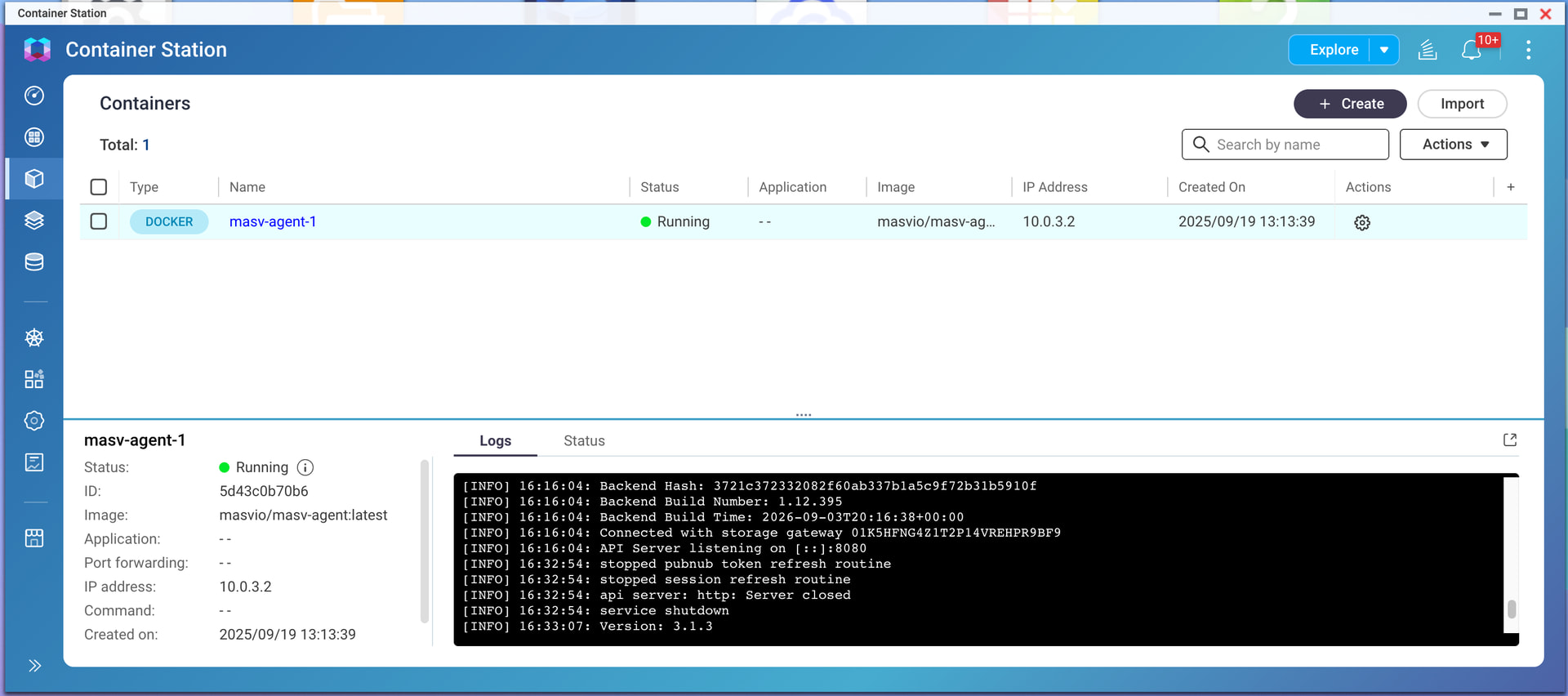
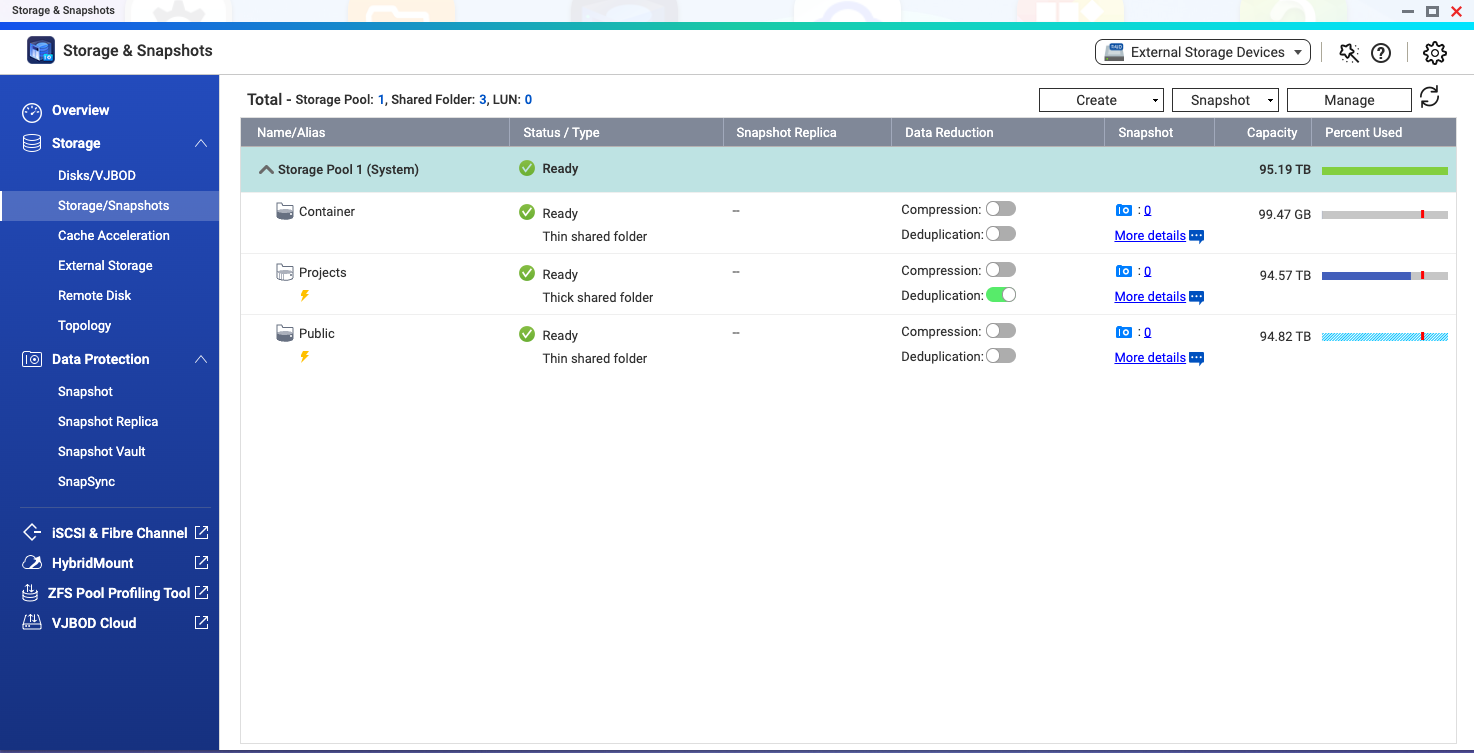
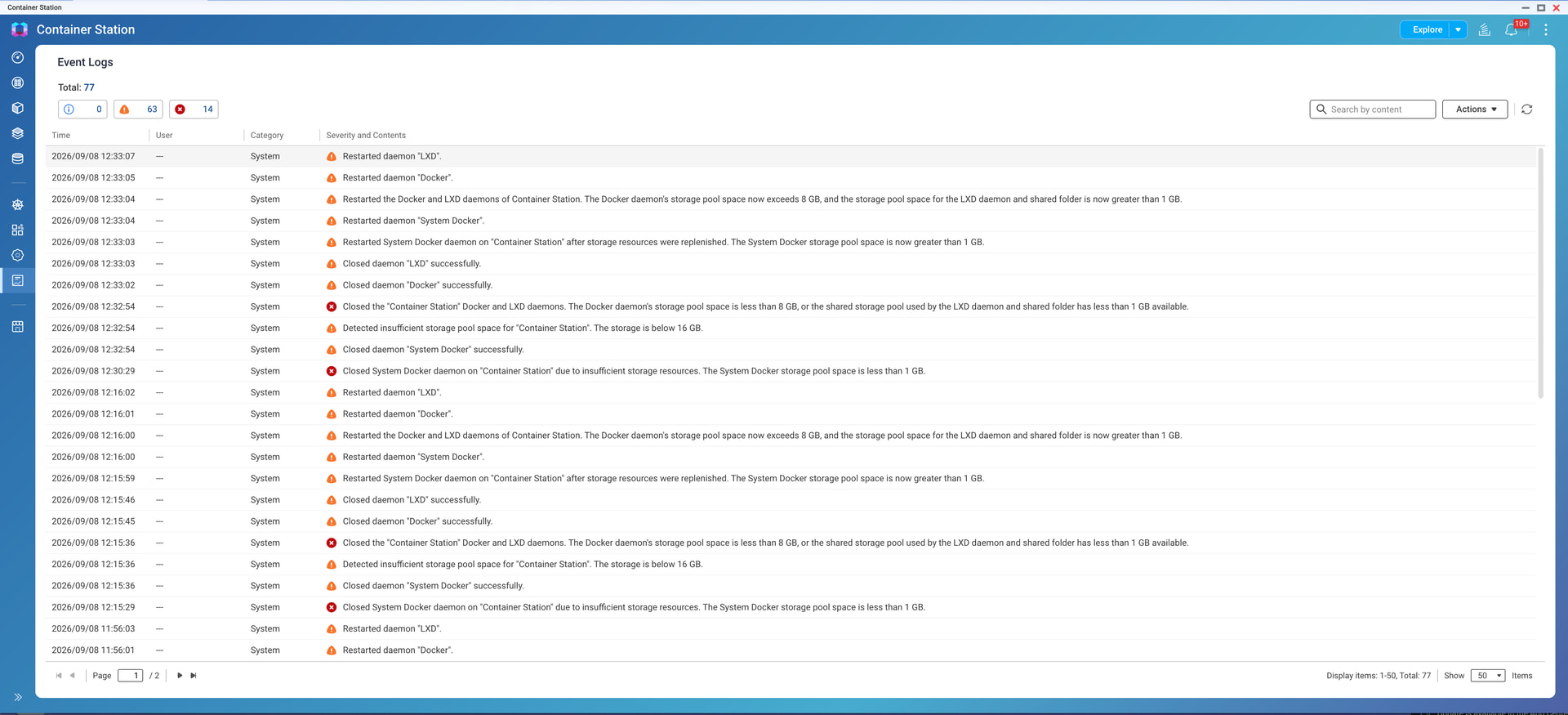
I went ahead and deleted a folder with the container deleted from container station and still received the error and warnings. There are now no containers or applications created on container station. Maybe I should try reinstalling container station? Any insight into “LXD”?
So I think I see what is happening. The error you are seeing isn’t in QNAP. It’s in the container.
LXD is a container tool. See:
Anywho…
Your container has a virtual volume that runs Linux and all the associated needed software for the container. From what I can tell your volume for that software is too small. You may need to adjust your YAML file to ensure a larger volume for the container…