In addition to this issue, the 2 of my 7 NAS’s using port 8899 for RTRR keep becoming unreachable for backups. Restarting HBS3 temporarily cures the connection problem.
Probably useful to know what NAS model you have, what firmware version you are running and the version of HBS3 that you have installed.
Model:TVS-473XT.
QTS 529.3499.
It ran that wat for over 24 hours. Stopped the app and restarted and that fixed it.
Regarding the connection issues you mentioned, please provide us with the HBS debug logs the next time it happens (you can upload them to a cloud drive and send the link via private message), and we’ll have our team take a look.
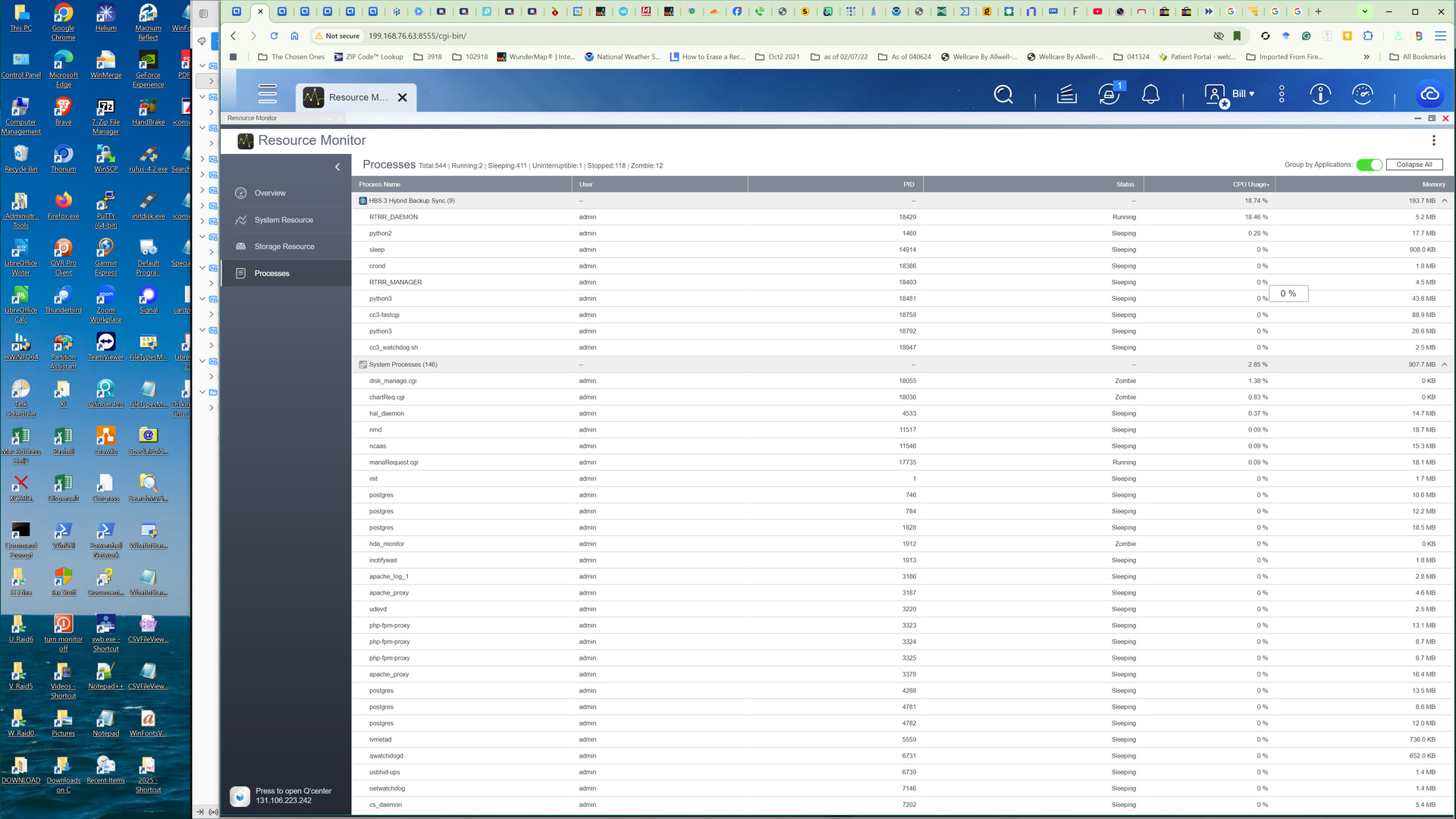
As for the CPU usage, since our system adjusts CPU usage based on the current conditions, may we ask if the current 18% usage is causing any actual problems, or have you noticed anything unusual? What was your typical CPU usage before the update? Thanks!
Disconnection happened again last night. I will send you the logs from the 2 NAS’s that can’t be connected too (same 2 each time)? And the 4 NAS’s that can’t connect? The 2 NAS’s with the issue are miles apart behind different static Ip’s yet other NAS’s at the same location, no problem.
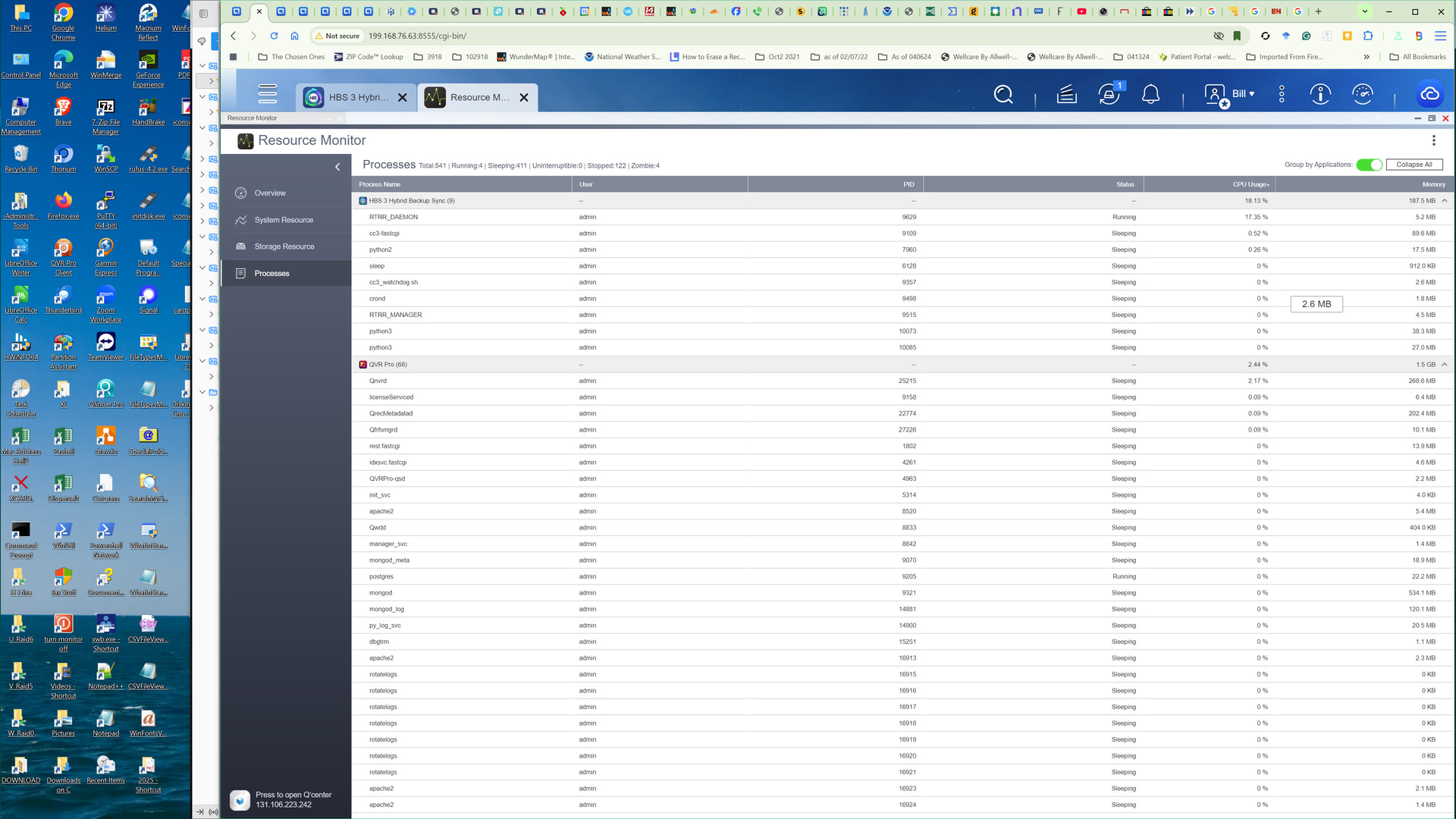
That NAS has for years run at 6-9 % CPU use. Since update of HBS 26-29% CPU use. When I stop and restart HBS CPU use goes back to 6-9%. Next day 26-29%. I will send logs for that one too.
I’m having the same issues on TS-251, TS-264, and TS-464—all running the latest QTS and HBS3 versions. The problem started with the recent HBS3 update at the beginning of June. The debug logs don’t provide any clarity for me. Mine only show that the connection via port 8899 can’t be established. Manually stopping the RTRR_DAEMON process and then restarting the RTRR service (restarting the NAS doesn’t help either) results in exactly one backup job running—the next one hangs again.
I think the best thing to do is to roll back the HBS3 update.
I fought this for weeks. Switching 6 of 7 NAS’s to different ports solved the issue of one backup then no connection. 9988, 8898, 8989, 8999, 9898, 9888. I left one on 8899 but it had ~27% cpu use, It used to be ~7%. Rebooting only fixed it until HBS ran again. Using a suggestion from @NA9D in another thread about zombie processes, I stopped HBS and completely shut down the NAS, killed the power and restarted. Then to get HBS working again on that NAS, I had to go to the NAS’s for which it had storage spaces and click on services then click on apply. A message will say this will reset all connections. That is what you want to happen. CPU use is back to normal and all my 160 HBS jobs run.
This is almost definitely a bug. The first week we were having ISP problems dropping many packets, but they fixed that and I knew it was a problem with HBS.
Same issue here with the latest firmware 5.2.9.3499.
I have a couple of TS-230 and TS-251A devices with RTRR between some of them. With previous fw versions all jobs worked fine, however now they are not able to connect to the service. Restarting the RTRR solves the connection issue, then it fails again for the next replication.
I spoke too soon. After 2 days, RTRR Daemon agin using 18% of CPU. New ports still working.
Todays update solved.
Spoke too soon again. After 2 days, RTRR was again using 17-18% cpu. This NAS had RTRR server turned off. I turned RTRR server on and after 2 days, total cpu use is ~7%. QVR-472XT. QTS 529..3499 latest version of HBS.
True, the update didn’t bring any improvement – after 2 days, it was “back to the way it was” .. this is the case both on the TS-251+, as well as the TS-264 and TS-464, each running the latest QTS.
Pretty frustrating .. and from what I can see, there’s nothing in the debug logs that would shed any light on the error either.
Well it is back to using 17%. Not doing this on my 6 other NAS’s.
I’m experiencing the same issue with a TS-873AeU and a TS-264, both running the latest firmware and the latest version of HBS 3.
RTRR connections suddenly stop working even though port 8899 is still reachable and no network or configuration changes were made. Most of the time, reapplying the RTRR settings / re-entering the password restores the connection immediately, but occasionally I also have to restart the entire NAS.
Since both NAS systems are affected, this really looks like an HBS 3 / RTRR service issue rather than a network or firewall problem.
I put in a ticket yesterday.
Result of ticket:
It looks like my team has reported this as a bug within our software. This will be fixed in HBS3 26.4.2. I do not have a timeline for that release.
Please monitor your Apps for updates.
Let me know if you have any other questions.
There is a new version
-
HBS 3 Hybrid Backup Sync 26.4.2.617
2026/07/15
[Fixed Issues]
- Fixed an issue where SSH-based Rsync jobs could fail with an “unknown option” error on certain NAS firmware versions.
- Fixed an issue where the RTRR server (rr2 gateway) could stop responding after a port scan.
- Fixed an issue where Azure cloud backup could fail to upload metadata with small multipart sizes and large files.
- Improved the error message when a Box sync job fails due to an expired change stream after prolonged network outage.
- Fixed an issue where Active Sync jobs could fail to find the destination folder after encryption/decryption.
- Fixed an issue where excessive Active Sync jobs left temporary mount files consuming storage space.
- Fixed an issue where an SSH login banner could cause sync jobs to be reported as failed despite successful transfer.
- Fixed an issue where retained version count didn’t match settings when backing up to an older HBS destination.
- Fixed an issue where growing files could fail to upload in OneDrive Personal two-way sync with a size-exclude filter.
- Fixed an issue where real-time sync jobs could fail after an MR scan when a USB drive was named “USBDisk” plus a number.