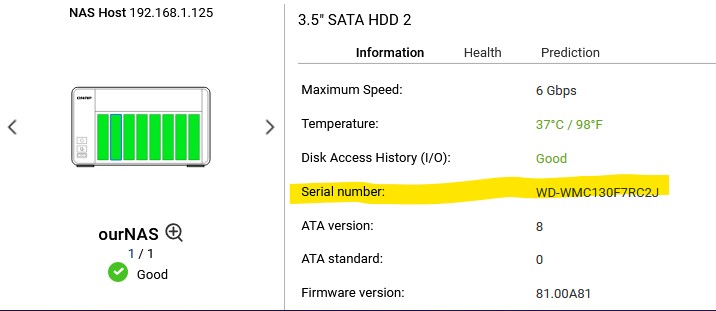
Has been asked in Chinese section that a guy wants to obtain serial number of his drives on TR-004 but I think it can also shared here.
Output Sample:
[qnap@NAS ~]$ ./hdd_id.sh
ENC_0	3	TOSHIBA	MC04ACA300E	85G9XXXXFLVA
ENC_0	6	Seagate	ST8000VX010-2ZR188	WPV0XYZZ
ENC_0	7	Seagate	ST8000VX010-2ZR188	WPV0ZZZZ
ENC_0	8	Seagate	ST8000VX010-2ZR188	WPVXXXR5
TR-004-N001	1	Seagate	ST4000NE001-2MA101	WS24ZZZB
TR-004-N001	2	Seagate	ST4000NE001-2MA101	WS24XXXY
I don’t have other enclosures but should work too
#!/bin/sh
# Usage:
#   ./hdd_id.sh               # all enclosures, tab-separated (to stdout)
#   ./hdd_id.sh --csv         # all enclosures, write to <HOST>-<YYYYMMDD>-DiskList.csv
#   ./hdd_id.sh 1             # only enc_id=1, tab-separated
#   ./hdd_id.sh --csv 1       # only enc_id=1, write to <HOST>-<YYYYMMDD>-DiskList.csv

# Parse options
CSV=0
if [ "$1" = "--csv" ]; then
  CSV=1
  shift
fi

# Build enclosure list
if [ -n "$1" ]; then
  ENC_LIST="$1"
else
  ENC_LIST=$(hal_app --se_enum 2>/dev/null | awk '
    /^=/{next}
    NF==0{next}
    /(^|[[:space:]])enc_id($|[[:space:]])/ { hdr=1; next }
    hdr && $1 ~ /^[0-9]+$/ { print $1 }
  ' | sort -n | uniq)
fi

[ -z "$ENC_LIST" ] && { echo "No enclosure enc_id found."; exit 1; }

# Prepare output file name in CSV mode using uname -n and date
OUTFILE=""
DELIM="\t"
if [ $CSV -eq 1 ]; then
  HOSTNAME=$(uname -n 2>/dev/null)
  [ -z "$HOSTNAME" ] && HOSTNAME="NAS"
  DATESTR=$(date +%Y%m%d)
  OUTFILE="${HOSTNAME}-${DATESTR}-DiskList.csv"
  DELIM=","
  echo "Enclosure,Slot,Brand,Model,Serial" > "$OUTFILE"
fi

for ENC in $ENC_LIST; do
  NAME=$(hal_app --se_get_jbod_display_name enc_id=$ENC 2>/dev/null)
  [ -z "$NAME" ] && NAME="ENC_${ENC}"

  # Enumerate disks for this enclosure and print Brand, Model, Serial per slot
  hal_app --pd_enum enc_id=$ENC 2>/dev/null | awk -v name="$NAME" -v D="$DELIM" -v csv="$CSV" -v out="$OUTFILE" '
    /^=/{next}
    NF==0{next}
    # Capture header indexes once
    !hdr && /(^|[[:space:]])port_id($|[[:space:]])/ && /vendor/ && /model/ && /serial_no/ {
      for(i=1;i<=NF;i++){
        if($i=="port_id")    pid=i
        if($i=="vendor")     bid=i   # Brand
        if($i=="model")      mid=i
        if($i=="serial_no")  sid=i
      }
      hdr=1; next
    }
    # Data rows: first field is numeric (port_id)
    hdr && $1 ~ /^[0-9]+$/ && pid>0 && bid>0 && mid>0 && sid>0 {
      line = name D $(pid) D $(bid) D $(mid) D $(sid)
      if (csv==1) {
        print line >> out
      } else {
        print line
      }
    }
  '
done