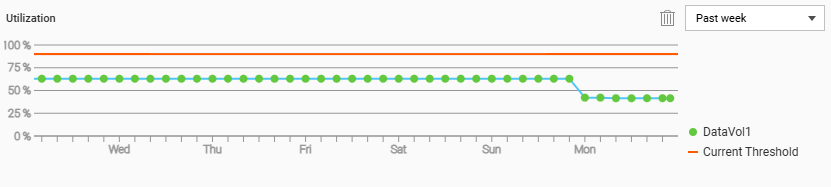
Updated my TS451+ to 5.2.9.3499 and following that I had an alert that my volume(s) could not be accessed. It advised me to run a disk check which I did, this picked my drives and RAID array up and all disk shows as healthy.
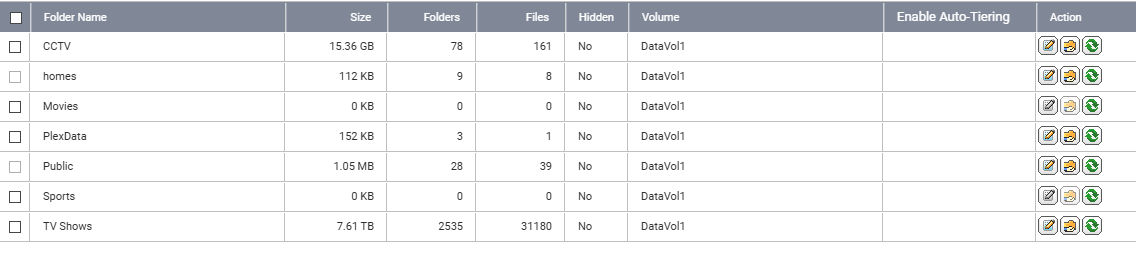
I then noticed that 2 of my shared folders, making up more than 5TB worth of storage have disappeared. They appear in control panel but with 0KB size and when accessing in file station it says “file or folder not found”.
Has anyone had this or can offer some advice?