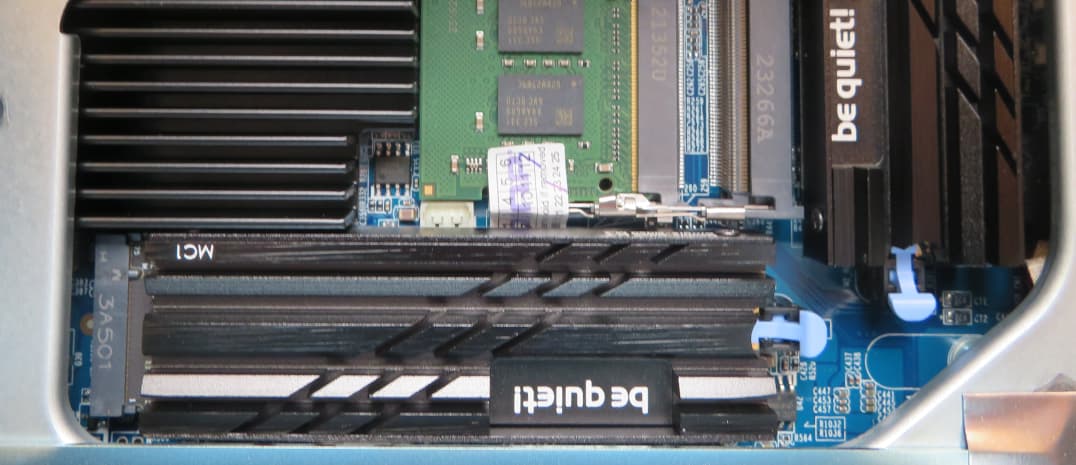
I was planning on using a single SSD plus hard drives, and purchased a Samsung 990 Pro, the heatsink version because the QNAP documentation seems to recommend a heatsink.
The 990 Pro won’t fit in slot 1. Are there any issues with using slot 2 only?
Unless the data on the drive is throwaway, never use a single SSD… certainly not if you use it for anything like the system volume. Do your future self a favour and get a second one for RAID1 (not a replacement for backups of course)
This sounds like a potential issue. (Though SSD reliability is great, I have yet to lose one in many PC’s). Can I guess from that that if this is the system drive, and I lose it, I will be in big trouble?
I was thinking to have an SSD as the system drive to maximise performance, but I am already a bit over budget so if one SSD is a potential problem, maybe I should just forget SSD and have the system on a hard drive (RAID). Will I notice the performance difference?
From what I have read, if I start the NAS with just hard drives, I can’t move the system to SSD’s later so I need to make this decision now.
Or forget the 990 Pro and get two lesser drives. I would by default want to install identical drives, but there is no way to get the 990 Pro into slot one.
He needs to understand as well that in QNAP world, “System” drive does not mean “OS.” The OS is spread across all drives. The “system” drive is really nothing more than were some of the default applications and settings are stored. It is different from the OS. Does it speed things up? Maybe.
As you can tell I am new to the QNAP world… but I am hoping that it will be a happy place for me.
I am migrating from Netgear ReadyNAS. To be fair that was OK for quite a few years, but from all my research I will be much happier in QNAS world. Fingers crossed.
Welcome! I think you will enjoy your QNAP very much. I started out a couple years ago with an old TS-451 from an organization that no longer needed/used it. In fact, no one knew what it was. Put bigger drives in it and I fell in love.
Almost a year ago I purchased a new TS-873A and last June I found a TVS-672XT on eBay with drives for a great price! Now the old TS-451 is just runs the new QVR Surveillance.
Once you discover Container Station/Docker, you’ll start having all kinds of fun!