I have 2 TS-h1677AXU-RP-R7-64G QuTS hero NAS.
The first one has 9 24TB Seagate hard drives (RAID6). The second one has 14 28TB Seagate hard drives (RAID6).
There is a 25Gb direct connection between the two.
The first one has 110TB of data. I took a snapshot of it and I want to replicate it to the second NAS.
The replication has been running for 4 days and is only at 62%.
At the beginning of the replication, the traffic through the network cards was 700-1300 MB/s and it has been continuously decreasing, now it is only 100-300 MB/s.
Is this normal behavior? If not, what could be the reason? Is there a solution to make the replication complete faster?
It is a LOT of data even at 25Gbps. Your first “vault” of the snapshot data will take a long time. Snapshots are a low level copy of the drive data. So there’s a lot there. I’m not entirely sure this is accurate for snapshots but for normal file transfers, if you have a lot of small files, they will transfer at a slower average rate than large files. That’s because the system has to start the file transfer, transfer the file, end the file transfer, etc.
Let it run for as long as it takes. Once the first snapshot replica is completed, the rest should go much faster.
We’ll look into the transfer speeds internally. Could you share the exact firmware version of your device? Also, if you’d like to give it a try, you could reboot and see whether the speed improves. Thanks!
first NAS firmware: QuTS hero h5.3.4.3500
second NAS firmware: QuTS hero h6.0.2.3591
After rebooting, replication can be continued or restarted.
We’ll check the replication performance with a similar setup internally. If you’ve already rebooted, could you let us know whether the speed improved? Thanks!
I don’t want to restart it because I don’t know if it will continue or restart replication. Replication is at 88% (98TB).
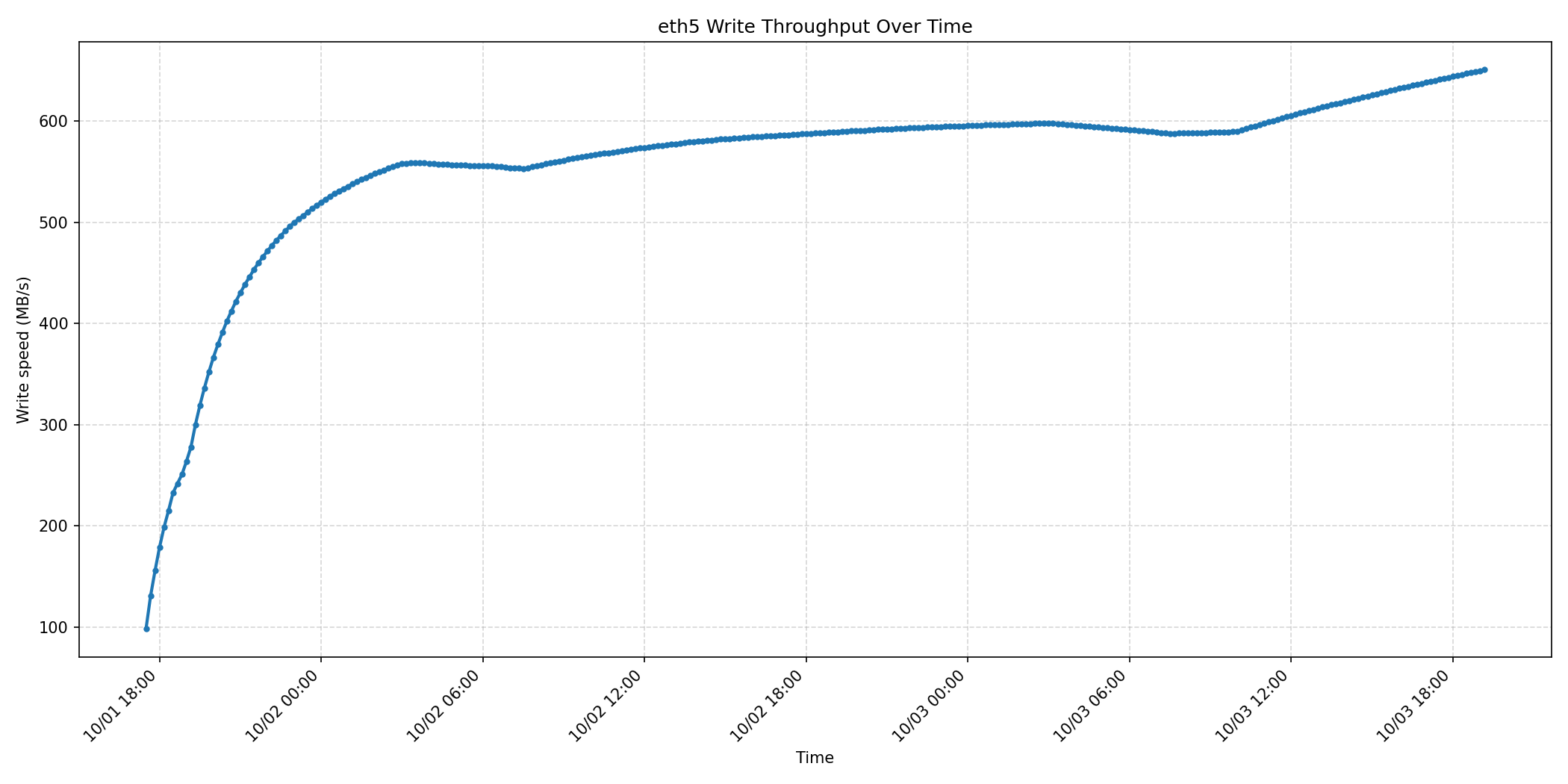
Replication completed successfully (9 days).
About 1-2 weeks later.
The first NAS will be reconfigured with 16 hard drives (RAID6), the system will be moved to SSD and new firmware.
Daily backups have been transferred to the second NAS.
A replica from the second NAS will be made to the first NAS every day.
We’ll see how long the first replication will take, since the backups will also be transferred to the second NAS.
I don’t speak English, I used Google Translate. I hope I wrote it clearly.