Hi,
I’ve just install the firmware 4.15.006 and without changing anything from my w11 setting.
I cannot get my smb files anymore.
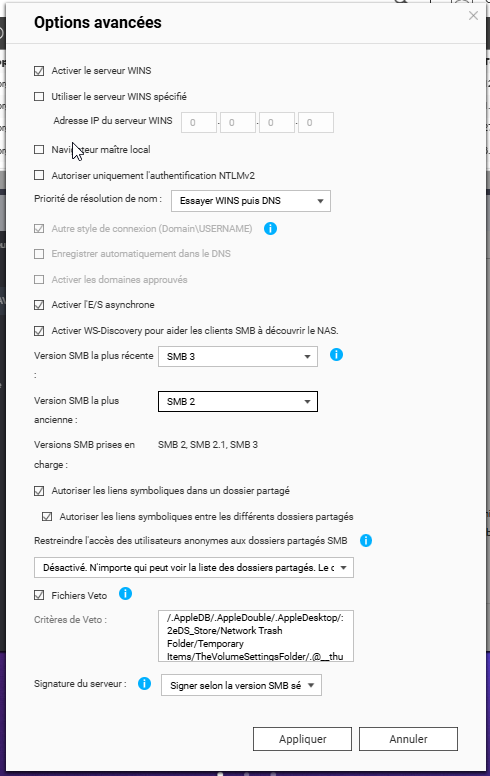
I’ve put my SMB settings.
From Windows : I’ve got now this : 0x80070035
4.15.005, previously works verywell..
No setting change from Windows.
UPDATE :
Just after SMB Update.
After NAS Reboot !
This firmware update need a reboot ! 
Same problem!
Not fixed after reboot!
Short summary:
QTS SMB Service 4.15.006 installed 2026/04/23.
After update, all Windows clients lost SMB access.
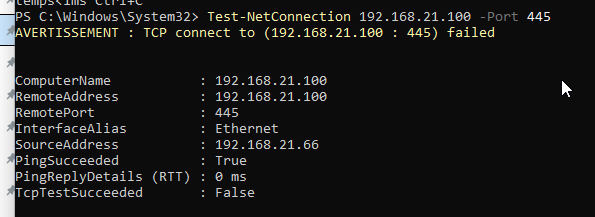
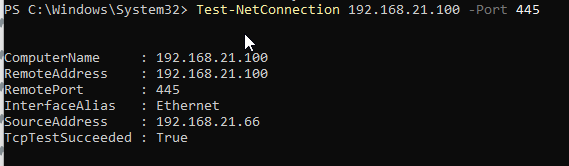
TCP 445 and 139 are open.
nbtstat shows SRV2021 <20> registered.
net view \10.4.49.10 returns System error 53.
net use \SRV2021\SMBTEST succeeds with NAS credentials.
cmd /c dir Z:\ returns “Element not found.”
Rebooted twice.
Windows SMB signing requirement was tested/disabled; no change.
20 users with latest Win11/10 can’t connect to the main share.
Thank you.
HI Gallien,
you are talking about SMB version - not firmware!
What I can say is that QuTS Hero 6.x (beta) had serious problems with SMB not working anymore maybe because of a race condition.
Same goes to QuTS Hero 5.3.3.xxx - here I lost my ISCSI destination as well as all SMB connections.
only fallback to QuTS Hero 5.2.9.xxx solved the issue.
Maybe same goes to QTS?
So would be essential to know which firmware you are using and when you last updated the firmware.
Both SMB versions are running fine on 5.2.9
Cheers Alfred