For about three weeks now, I’ve been experiencing an issue where some shared folders on our QNAP cannot be opened via SMB from Windows, Linux, and Mac by certain employees (“Access Denied”), even though users can log in to the QNAP web interface without any problems and can see and open the folders there. Other folders work normally. Renaming the affected folder allows access via SMB.
The ACLs at the file system level are clean, and there are no advanced permissions. Both local QNAP users and AD users are affected.
The SMB services have already been restarted, but this did not permanently resolve the issue. Firmware and apps have been updated and are up to date.
I don’t know where the shared folder is referenced everywhere, and I would prefer not to rename it since there are more than 4 TB of data in the folder.
Does anyone know why this shared folder sporadically blocks SMB access and how to permanently grant AD users access without having to rename the folder?
One folder is called ‘test’ and the other ‘prd-acc’. As already mentioned, they were working perfectly fine three weeks ago—everyone with permission could access them. That’s why I can’t quite understand why some folders can be accessed and others cannot.
This problem only occurs with the shares that were created at some point last year—not with the ones I create now.
Du solltest das Zugriffsprotokoll mal überprüfen, um das verwendete Konto zu identifizieren, und versuchen, den Windows-Anmeldeinformationsmanager zurückzusetzen. Wir haben dein Support-Ticket erhalten und unser Support-Team wird sich dort mit dir in Verbindung setzen!
===
You may want to check the Access Log to identify which account is being used, and also try resetting the Windows Credential Manager. We’ve received your support ticket and support team will follow up with you there!
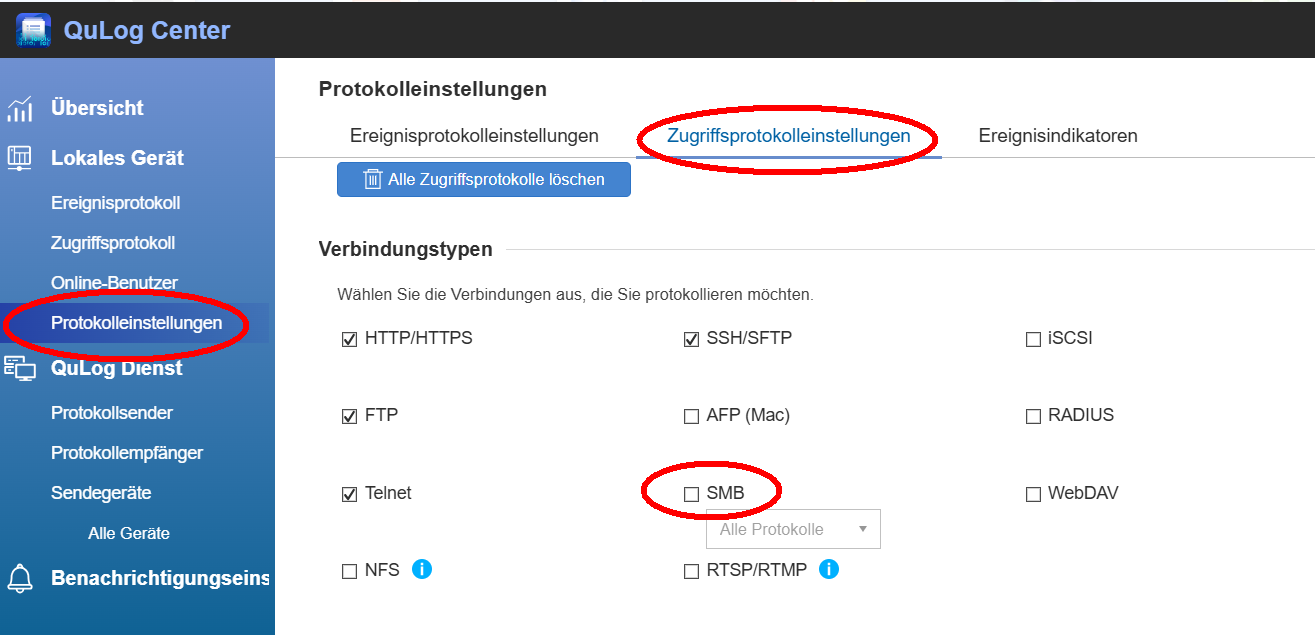
Thank you for your feedback. Unfortunately, I cannot see a corresponding entry in the access log (QuLog Center) when access is denied—the failed access does not seem to be logged there or is not visible to me.
Additionally, I am also testing access under Linux, so the Windows Credential Manager does not apply in this case. The problem occurs in exactly the same way there.
I have enabled the SMB option with All Protocols. It also shows when other colleagues access the shared folder via SMB or have edited a file, etc. However, users who receive the message “Access Denied” are not logged. If an incorrect password is entered, it is logged that there were login issues. Accesses to the shared folder itself are not recorded.