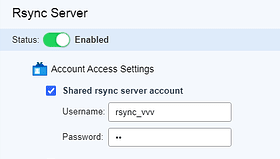
I suggest setting a specific shared folder for the rsync-server to store backups.
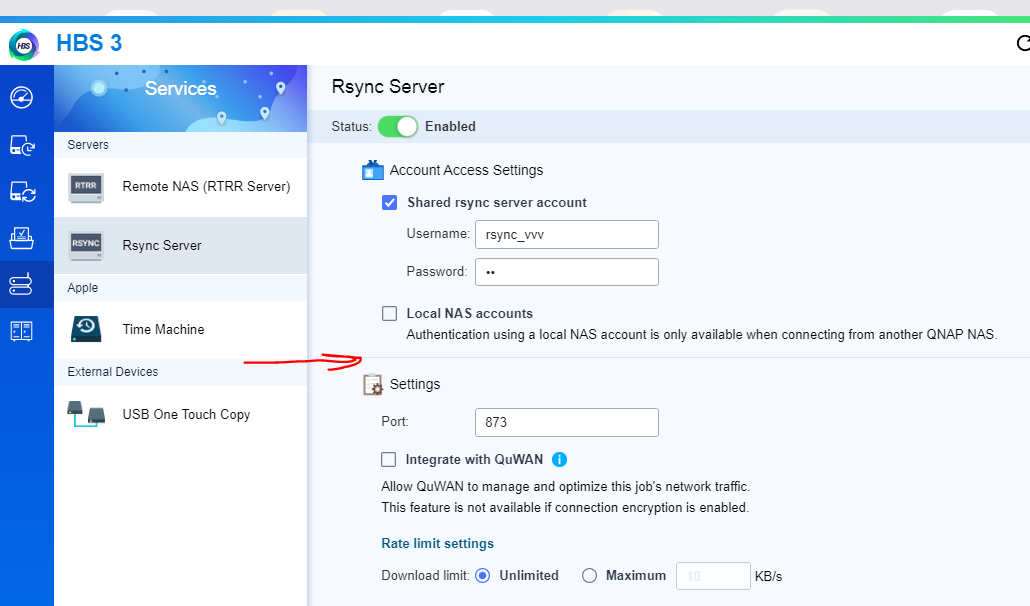
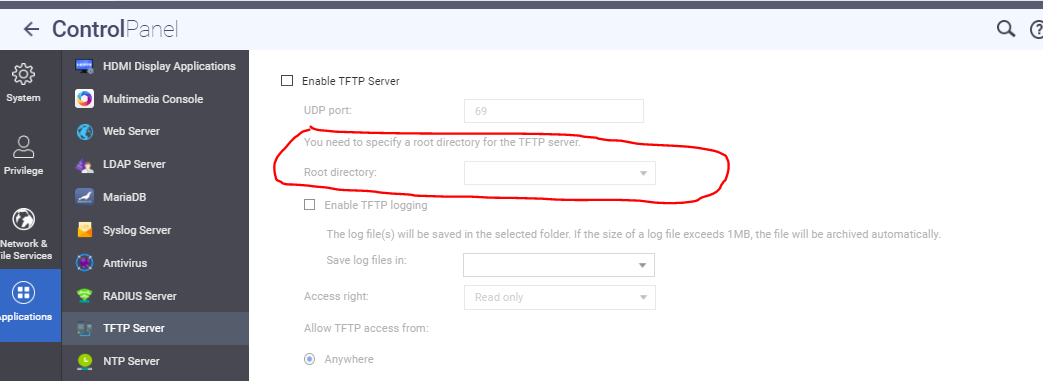
Similar to how the ftp-server’s root directory is set.
Without this, there’s a risk of free access to any shared folder when connecting to the QNAP rsync-server.
I suggest setting a specific shared folder for the rsync-server to store backups.
Similar to how the ftp-server’s root directory is set.
Without this, there’s a risk of free access to any shared folder when connecting to the QNAP rsync-server.
Do you have non-admins allowed to back-up data using rsync? You should restrict rsync access and HBS access to admins only. Then you don’t have to worry about this.
And no one will have access to the rsync server unless you give them this account and password:
It’s meant for admin uses only.
OK. After further looking into this, I think you are looking for ways to allow any user to sync data to the NAS using rsync - is that correct? So you don’t want any user to be able to see all folders. OK. I can understand that. I think you might have better luck then using something like Qsync where you can have users pair a local folder with a folder on the NAS that they have access to.
I’ll also go one further than this….
It looks like QNAP’s implementation of rysnc does not use SSH. I have been unable to successfully get a sync going from one of my Macs, but I was able to connect to the NAS and see the folder try as @Vlad21 has been mentioning. I now agree that this is a problem where you have users that want to use rsync to sync files.
But instead of “one folder” and a single admin user, here’s what I propose - allow any QNAP NAS user to use rsync using their login credentials. Then they will only see what they have permission to access. Right now, we have this problem:
QNAP should allow login local NAS accounts regardless of the client. I think THAT would be the o optimal solution here. @Vlad21 would you agree or would you still want a single rsync user with one folder that could be selected?
If rsync was standalone, I would agree with you guys.
As, is this case, it is being used as a transport mechanism for HBS3 in the background, I disagree that any changes should be be made.
If you want more functionality from rsync, run your own standalone version  or request that it be decoupled from HBS3 (which opens a can of worms as then it becomes outside QNAP control - which is necessary for HBS3).
So you are saying that HBS uses rsync in the background for its operations? Are you certain of that? Does RTRR use rsync then?
Still, I’m not sure why you could not let local user accounts sign in from devices other than a QNAP NAS. But then again, what do I know. Maybe you are right - a can of worms.
But @dosborne you certainly make a good point. The OP could set up an rsync server in a container and then control the access however he wants…
Allowing any QNAP NAS user to use rsync using their login credentials is a very good idea in my opinion.
So then the question becomes one of whether or not the underlying architecture of HBS would allow such an option. That I don’t know. It is certainly something that QNAP could consider. I’ll give you a vote on this.
Now, in the mean time, I would suggest setting up your own rsync server in a container. Then you can absolutely control who has access to what…