I have network which is managed by Unifi UCG Max. It acts as an DHCP server. There are several networks specified in config and assigned per each port.
Lets say:
- 192.168.21.0/24 - Unifi devices
- 192.168.33.0/24 - servers
- 192.168.44.0/24 - trusted
I have QNAP TS-453E which is in this network (connected by eth0) and should have static IP address from one of networks (192.168.33.0/24 - servers) supported by UCG Max.
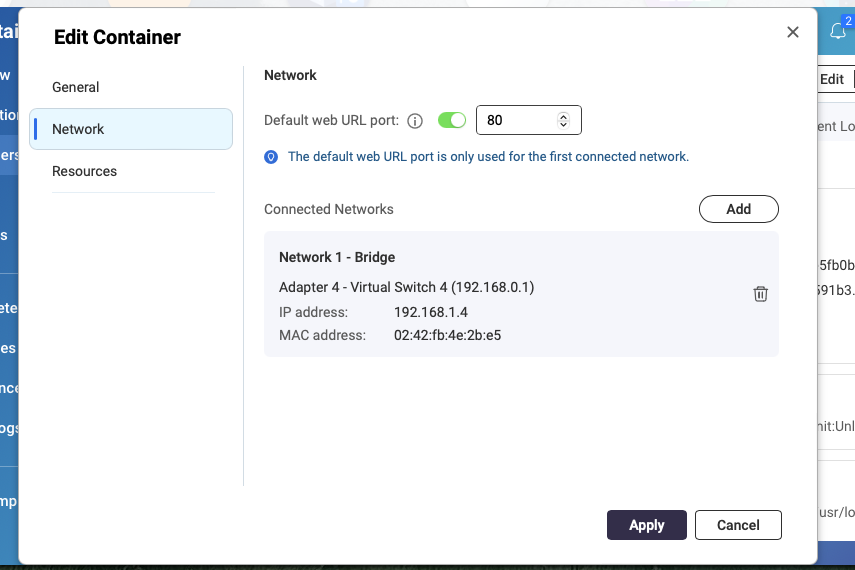
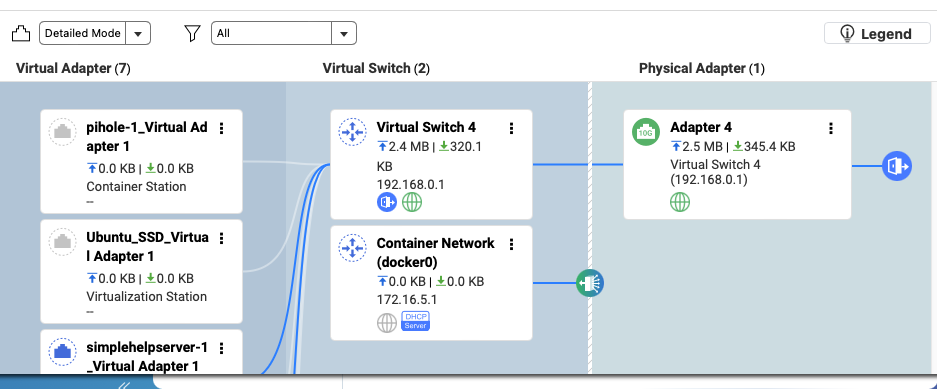
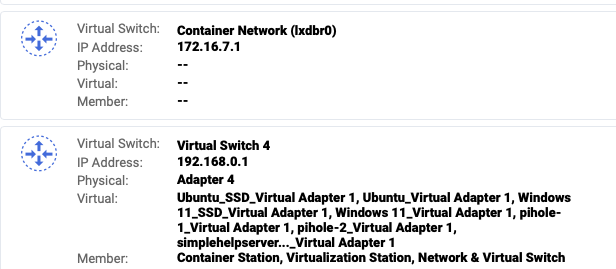
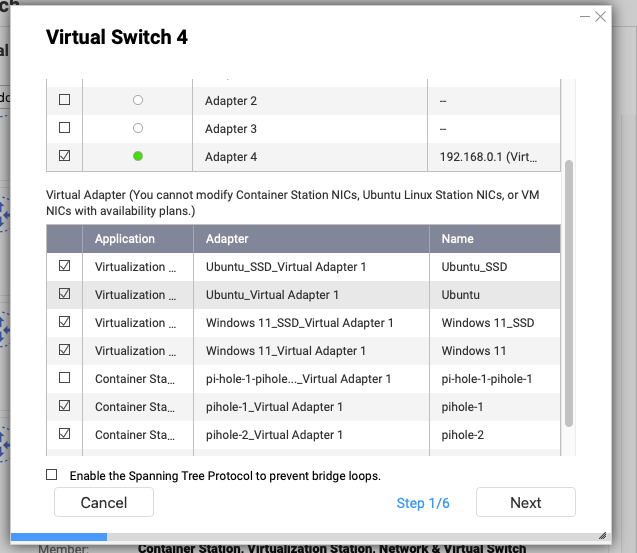
On QNAP TS-453E there is a container station with several containers.
One container is PiHole which acts as a DNS server and should belong to 192.168.33.0/24 - servers network
Other containers should belong to 192.168.44.0/24 - trusted network.
- Is it possible to configure somehow?
1.1. If not, is it possible to have at least everything (QNAP and all conteiners belong to 192.168.33.0/24 - servers network)? - How to do this? It’s not possible to specify static IP for eth0, as it is in use. Should I use it as DHCP and specify fixed IP by UCG?
- What about bridges (which are used in container station)? How to configure them?
- How to make these changes permanent, so they will not lost after restart / firmware upgrade?
- Currently I have access only to NAS command line, not UI, as there is some conflict with network configuration on it. I can try to execute any command.