I have TS-873A with 64GB RAM, QuTS Hero ZFS OS, 2x 4TB NVMe in RAID 1 as Storage Pool 1 (System), 5x 28TB Seagate Exos in RAID5 as Storage Pool 2 and 3x 28TB Seagate Exos in RAID5 as Storage Pool 3.
My clever plan is to back up Storage Pool 3, delete it, and assign the three released HDDs to Storage Pool 2, so the updated Storage Pool 2 will be like 8x 28TB HDDs. Once that is completed, I plan to upgrade Storage Pool 2 from RAID5 to RAID6, which will provide two disk redundancy instead of only one.
Does that plan make sense? Will RAID6 be significantly slower than RAID5? How long (roughly) would the migration to RAID6 take, considering that Storage Pool 2 currently contains around 60TB of data (out of 98TB of the total pool space)?
Or should I keep the current configuration with two RAID5 storage pools?
Worst case scenario is to backup both Storage Pool 2 and 3, delete them, and create one Storage Pool consisting of all 8 HDDs configured in RAID 6. Will that be anyhow better than RAID 5 in term of performance?
The lack of migration paths between RAID levels is one of the many reasons I hate ZFS.
Let’s assume I will destroy both RAID 5 Storage Pools and create one new RAID 6 with all 8 HDDs. What performance impact can I expect? How will the read, write and seeking performance look like?
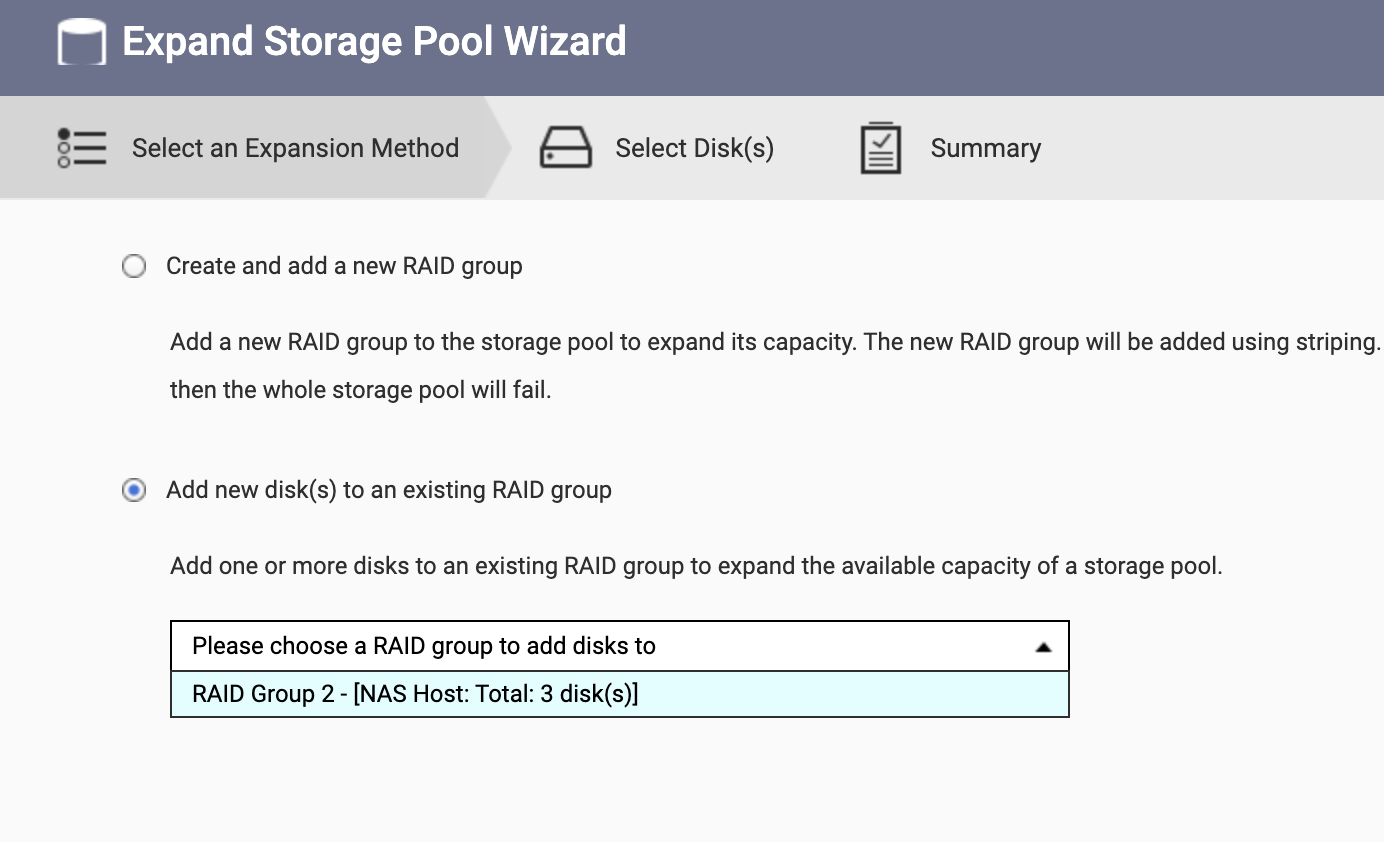
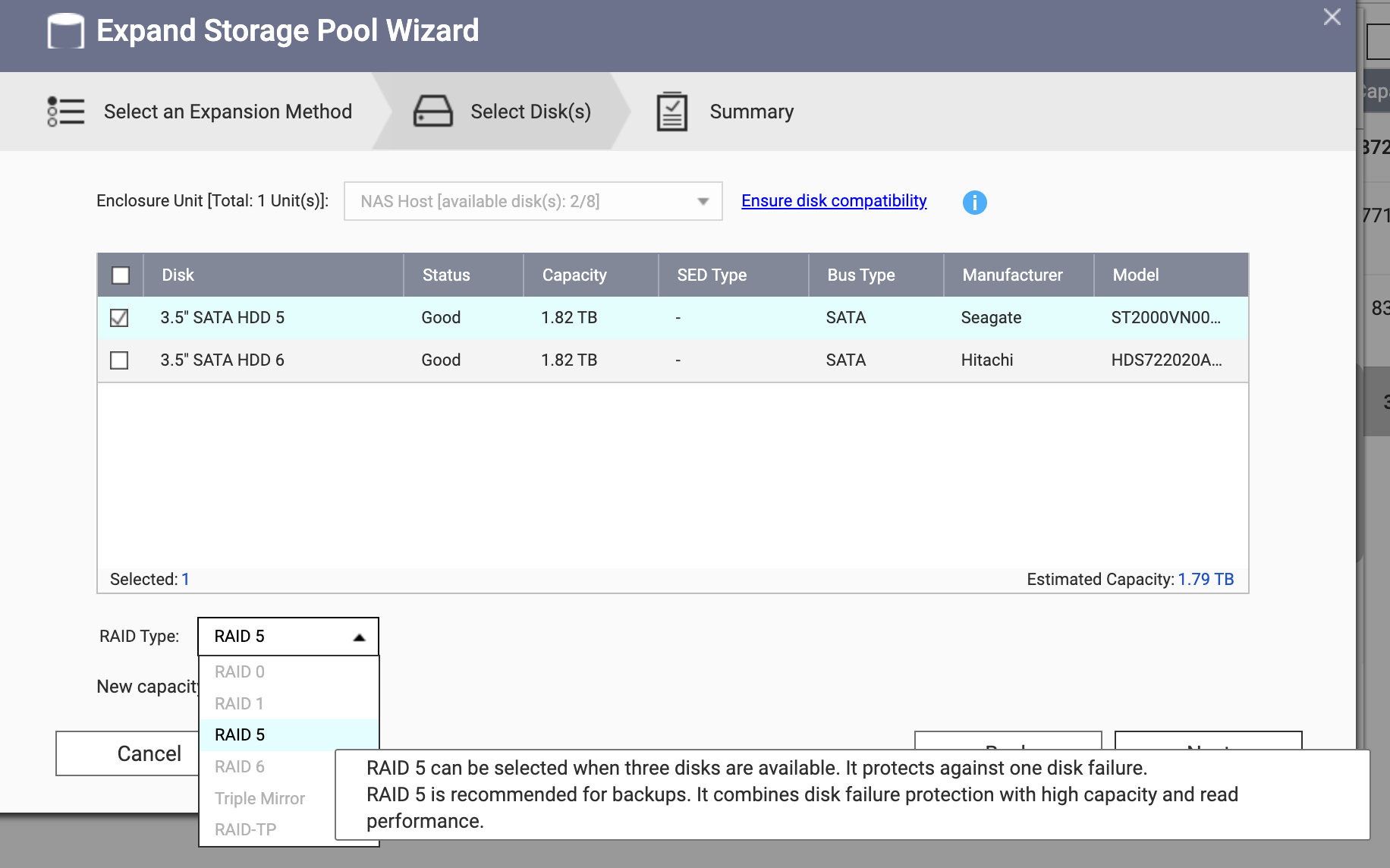
Please note, according to the documentation, you need to add two or more drives when expanding a RAID group.
Regarding the performance you mentioned, this is usually related to your network or the client-side protocol. If you’re interested, feel free to share your specific situation with us, and we can check if we have relevant data to share.
Most importantly: Before performing any migration, please ensure all your critical data is backed up!
So, if I destroy Storage Pool 3 and add the released 3 HDDs to Storage Pool 2 (originally 5 HDDs), I could then upgrade Storage Pool 2 RAID 5 to RAID 6 (8 HDDs in total), correct? Double checking.
And speaking of performance, I’m interested in any penalties associated with calculating RAID 6 checksums vs RAID 5. Is RAID 6 slower as it has to calculate two checksums vs a single checksum in RAID 5? I don’t want to mix networking or anything external at this stage as I’m more interested in finding the impact on the storage system and how TS-873A will handle it. Online sources are all focused on network speed. I couldn’t find anything related to the effect on storage performance and how the CPU/NAS handle it.
And speaking of performance, I’m interested in any penalties associated with calculating RAID 6 checksums vs RAID 5. Is RAID 6 slower as it has to calculate two checksums vs a single checksum in RAID 5? I don’t want to mix networking or anything external at this stage as I’m more interested in finding the impact on the storage system and how TS-873A will handle it. Online sources are all focused on network speed. I couldn’t find anything related to the effect on storage performance and how the CPU/NAS handle it.
“The write performance of RAID 6 is 20% worse than RAID 5” this answer by AI is consistent with the surveillance tests we have been conducting recently.
If not for surveillance but just for general data storage, using RAID 6 should not be a problem.
OpenZFS /QuTS hero - ZFS prioritizes data integrity
1)
You cannot transform a RAID5 (ZFS RAIDZ1) into a RAID6 (ZFS RAIDZ2)
You have to delete an existing ZFS storage pool you created as a RAID5 and then re-create it as a RAID6. So, you MUST have a backup from where you can then copy the data back to the new ZFS RAID6.
Why?
Unlike some hardware RAID systems, ZFS does not support changing redundancy levels in place because:
It would require re-striping the entire vdev.
Risk of corruption if interrupted.
ZFS prioritizes data integrity over flexibility.
2)
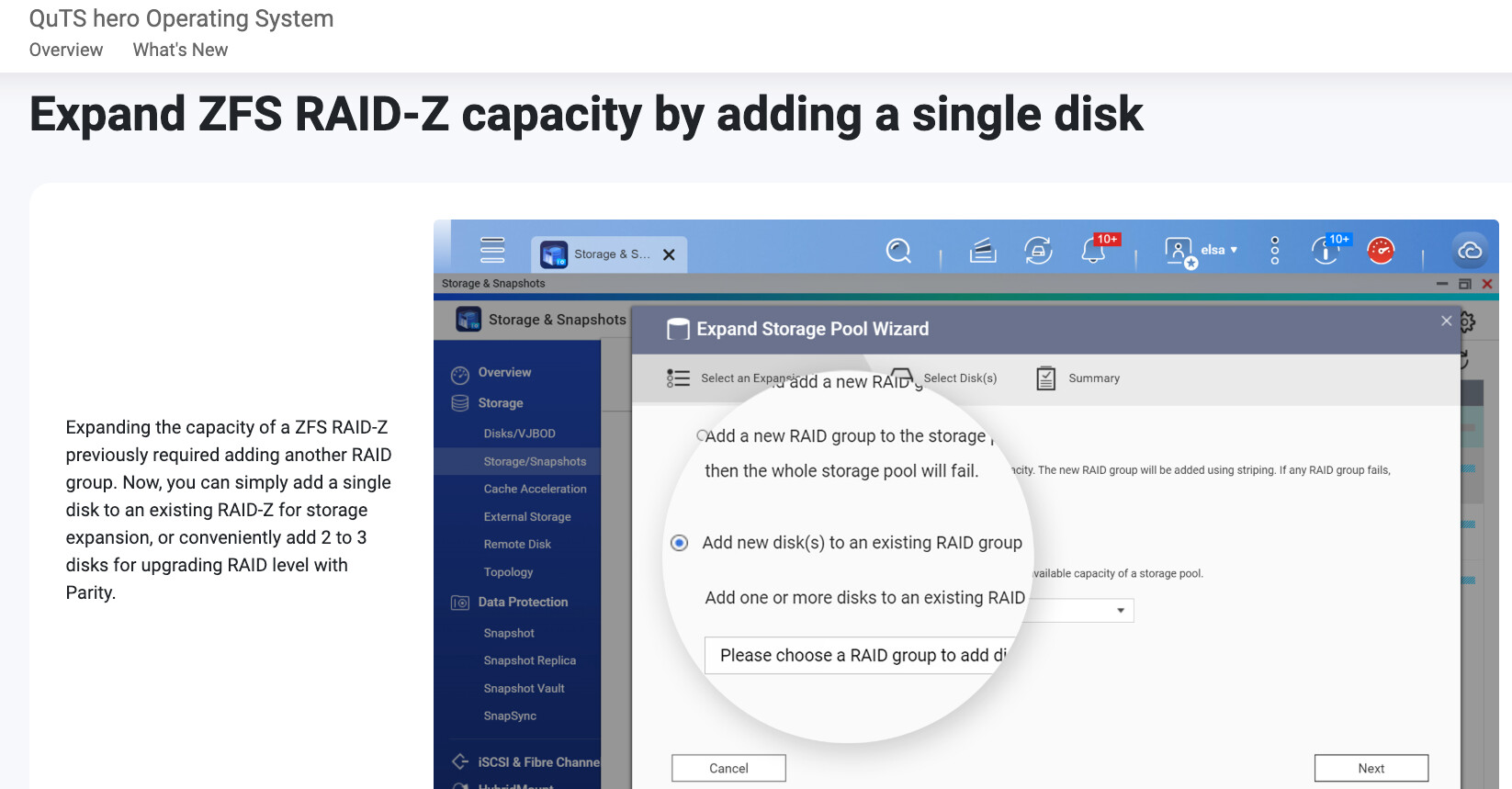
NEW is that you can now add drives to an existing ZFS RAID5 or RAID6
Starting with OpenZFS version 2.3.0 / QuTS hero 5.2.x this is indeed possible. Adding a 30TB HDD will take around half a day or more but it works fine. I have tested it with 18TB HDDs. Once you have added a HDD you can add the next HDD.
3)
Performancehit between a HDD based RAID5 and RAID6 is about 10%. So, not much.
The real difference is between a HDD RAID 10 and a RAID5 or RAID6. Because with RAID10 you can add the performance of the HDD spindles. But, yes, with RAID10 you have to “sacrifice” half of your total disk-capacity.
READ Example:
8 disks → 4 mirrors → reads can come from all 8 disks → near 8× single-disk read speed for sequential workloads.
Assuming, based on your instruction, I will go ahead.
What upgrade time should I expect?
For my NAS, a single 28TB disk swap takes about 5 days. If I add 3x 28TB HDDs to Storage Pool 1 (which currently has 5x 28TB) and start a RAID5 to RAID6 expansion (to 8x 28TB HDDs), should I expect it to take about 5 days to complete (since 3 disks will be added at once), or 3x 5 days = two weeks for the NAS to process the three additional HDDs and add them to Storage Pool 1 while converting to RAID6 at the same time?
That is a massive operation, so I prefer to gather all the information before deciding on the next steps.
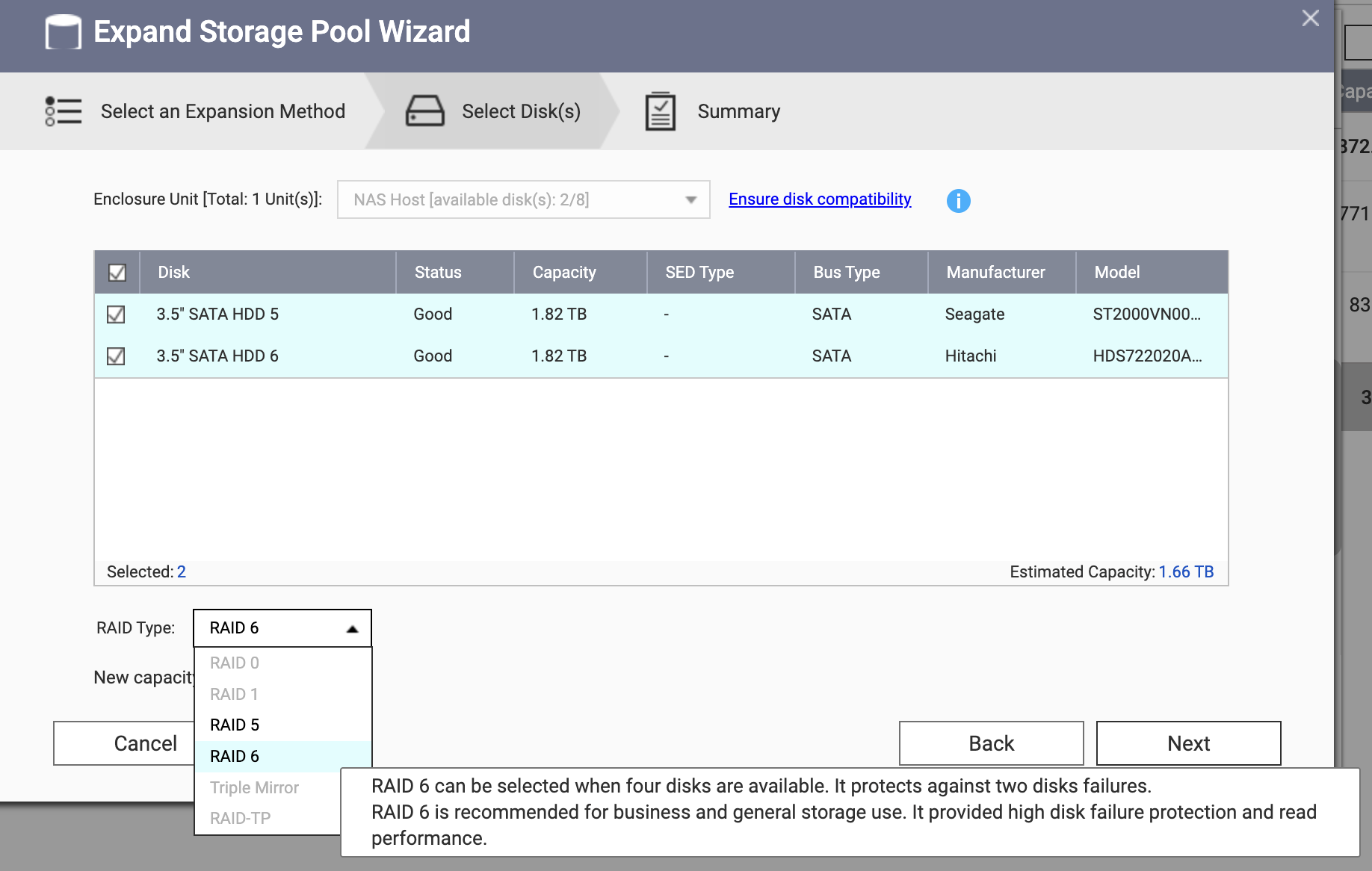
Hi @Krispy you need to add 3 disks at once to migrate from RAID 5 to RAID 6.
For the migration time, this depends on too many things such as CPU level, sync priority, disk health, actual NAS loading…etc , so we cannot determine the time.
Migrating from 5x 28TB RAID5 to 8x 28TB RAID6 and keep existing NAS service operation would likely take at least one to two weeks or more, and backing up the data from the 5x 28TB RAID5 system beforehand would also be a challenge.
Let’s assume NAS won’t be used during adding the 3x 28TB HDDs and migrating RAID5 to RAID6. And let’s not worry about backup - it will be done. Let’s just focus on the expansion and RAID level migration alone.
Will the completion time be closer to the time NAS needs to process one disk (as all three will be added at once) or will it take 3x 5 days?
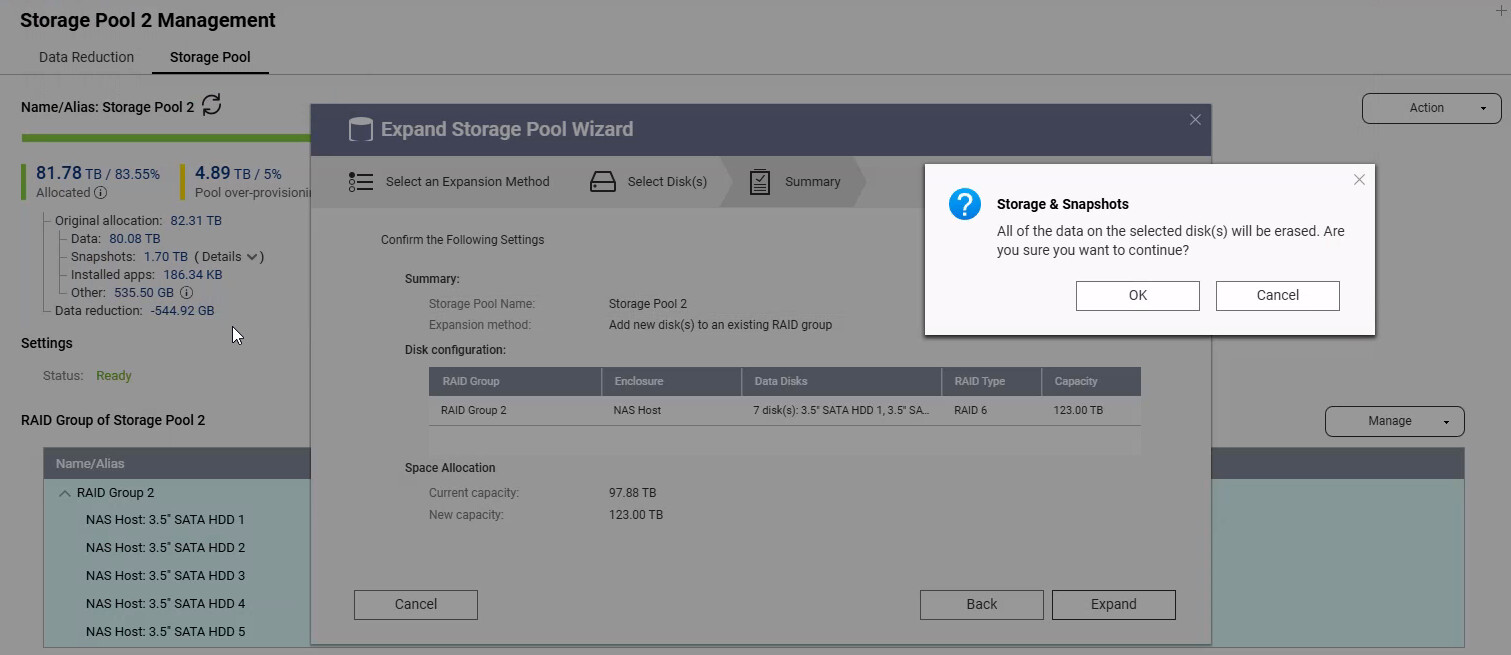
I’ve finally came to a point where I’m ready to go ahead with the migration to RAID6 from RAID5 (from 5 HDDs to 7 HDDs). I have followed your guide but at the last step a window popped up with the following message:
All of the data on the selected disk(s) will be erased. Are you sure you want to continue?
Does it mean that the entire StoragePool will be erased?
Or does it mean that only the content of the two new disks I’m adding to the pool will be erased?
A quick update on the progress. The migration is running for 7 days already and is 38% complete. Real sloooooow.
NAS isn’t too busy with CPU at around 70% and 21GB of free RAM. During that week, Multimedia Console and Qsirch received updates which triggered redoing face recognition on all pictures. Not much else running in the background.
70% CPU time isn’t the problem. You need to look at the CPU load by running the “top” command in an SSH shell. The load value is effectively the number of threads currently in queue. If the value is higher than the number of cores in your CPU, then you will start to get very slow. Doesn’t matter if the CPU time value is 10% or 90%. If your load is higher than the number of cores, you will be very slow.
Raid building is a very intensive process. Doesn’t surprise me it is taking a long time especially with something like 80 TB like you show.
Yeah, top shows that the Load is about 17… a bit more than double the CPU threads. That’s “thanks” to the never-finishing-its-job bizarre thing called Qsirch.
Qsirch is QNAP’s search app. It’s actually very, very good and fast. I find it to be an amazing search engine to find stuff on the NAS. BUT, it will index every single file on your NAS and with a pool size of 80 TB, that is going to take some time and a lot of resources.
So here’s what you do. First, if you don’t think you will need Qsirch, remove it. Second, if you want to keep it (I think it’s worth having as it is so powerful), just stop it during your RAID rebuild. Then you can start it up again after the rebuild is done.
Now if you keep it and start it up, I would highly recommend going into the app and adding folders that you don’t want or need searched to its exclude list. For example, I have a bunch of folders from an old computer that I need to just manually go through and select what I want to keep, etc. Much of it is backups of photo libraries, old virtual machine hard drives, etc. It’s stuff I really don’t need to search. So I exclude it. Here’s a picture of some of mine:
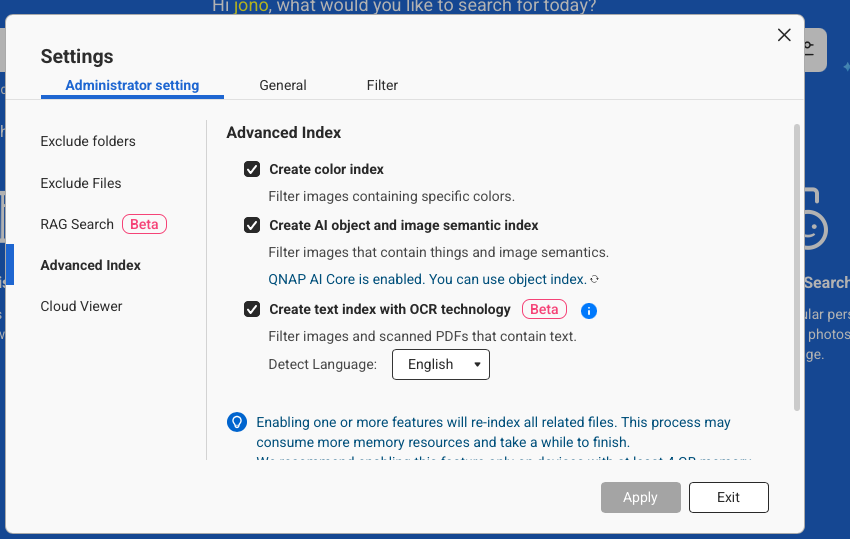
This will cut down on Qsirch’s scope of what it indexes. Now, you can do all sorts of advanced indexing and sorting with Qsirch. If you have these enabled, it will take quite a bit of additional time to index all these:
Once it is done with the indexing, then Qsirch settles down and doesn’t take so many resources. It will occasionally rear its head and do some maintenance stuff. The other day it started doing a bunch of stuff on me again but eventually settled down.
It’s not so bad when nothing else is going on with your NAS. But it’s annoying as heck when you are trying to do a RAID rebuild or similar!