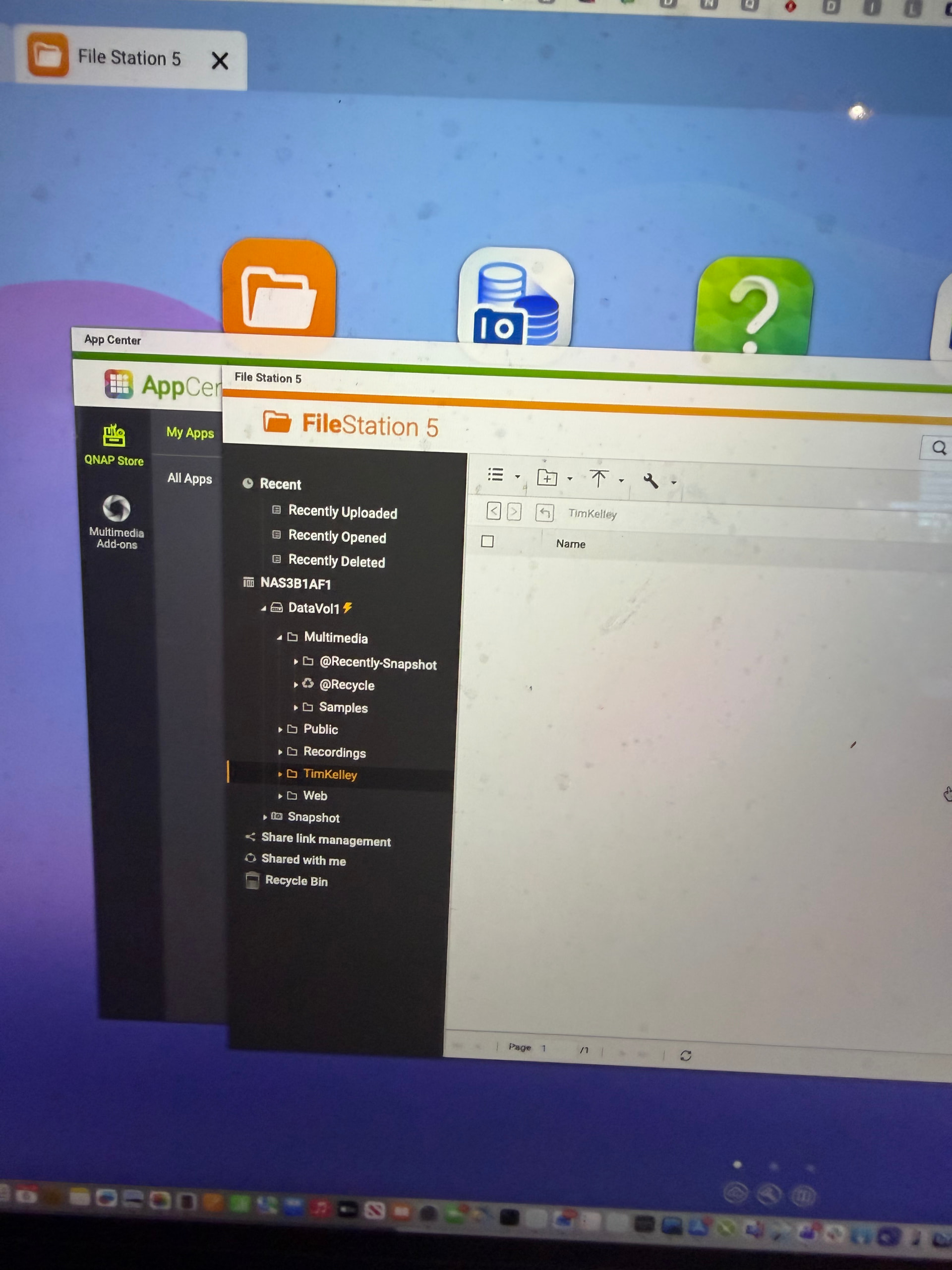
Yesterday, I met with @londontk to go over his NAS setup. We met at a local restaurant and had some good pizza! He brought his NAS with and I connected to it from my laptop using his administrator account. I wanted to check what he had stored on the NAS.
First of all, I apologize for taking pictures instead of screenshots. Not sure why I spaced out as I was thinking I couldn’t do it as I was on his NAS, but I was on my laptop not his! Brain fart! Anyhow…
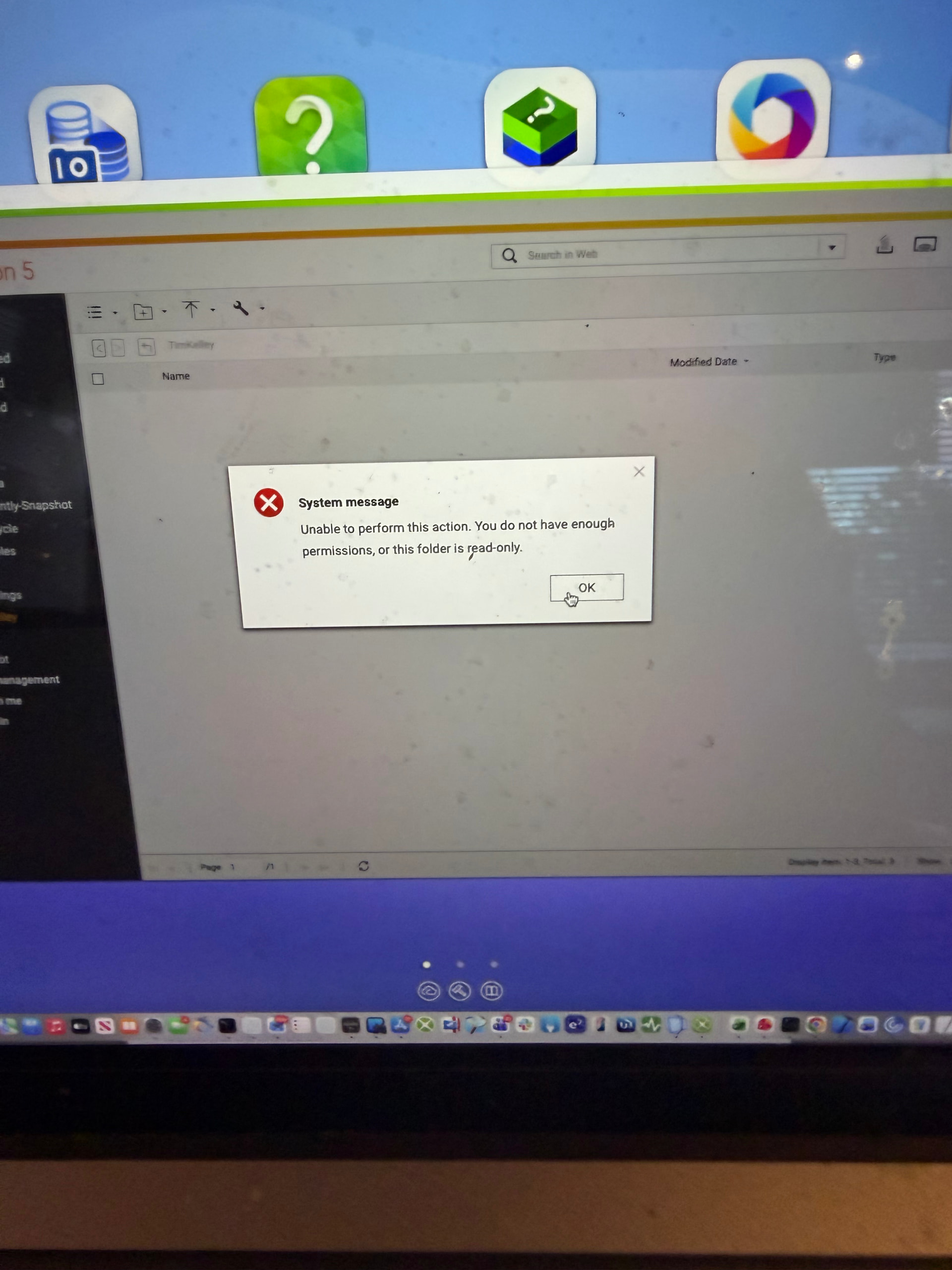
But the admin account has read/write access to everything. And I could access it via SSH just fine. I checked all the permissions and even recursively set them to 777 using CHMOD. Still made no difference.
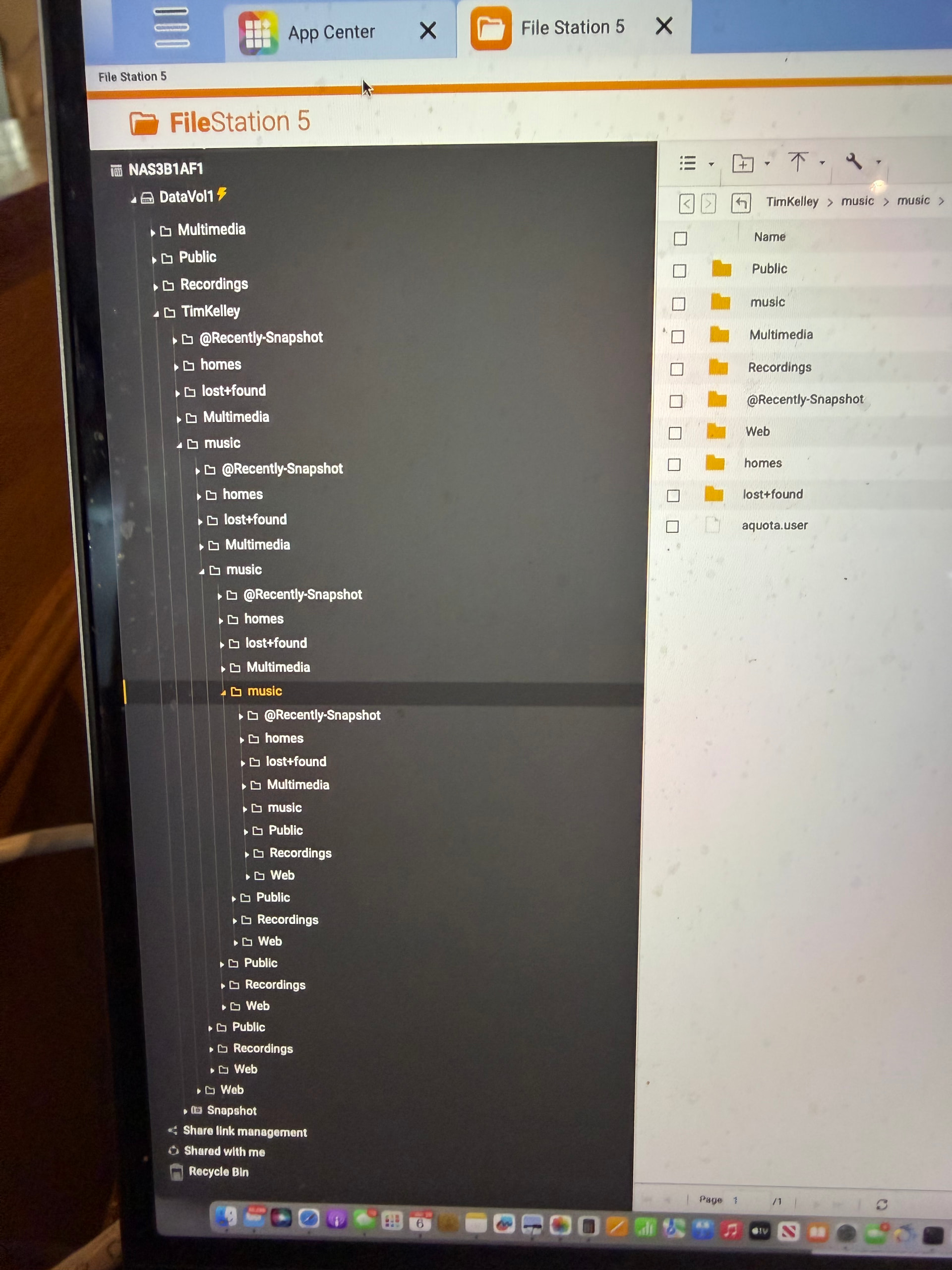
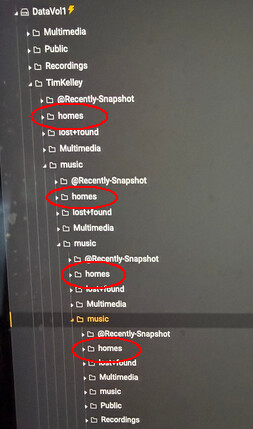
But it gets more strange…I can expand this folder and see the contents of other folders. But then when I try to access those folders, it just shows the same set of folders again. Over and over and over.
What is possibly happening here??? In the SSH shell, things look fine. I can access the music he has on the NAS in the appropriate folder. But things are all mucked up in File Station.
I want to help him get his system performing at optimal but it scares me when I see something like this as I am afraid there’s some file corruption somewhere.
First you need a sneezguard for your laptop screen
Then, when I see that cache symbol (lighting) on the volume, I first think of all the ways, cache has screwed user over in all these years. I would try to disable it and see if that helps
But it’s generally not even close to me when I am at my desk. It’s just a 4 year old MacBook that needs to be cleaned more often I guess! I don’t think about it as my main monitor is a 45" TV screen that sits above it…
I was wondering if the cache was messing things up. When Tim and I get together next, I’ll try disabling that.
My point exactly. It only shows that way in File Station. It’s like File Station is recursively looping back on itself. I could keep clicking deeper and deeper and it would never end. When using SSH to view the directory it looks fine.