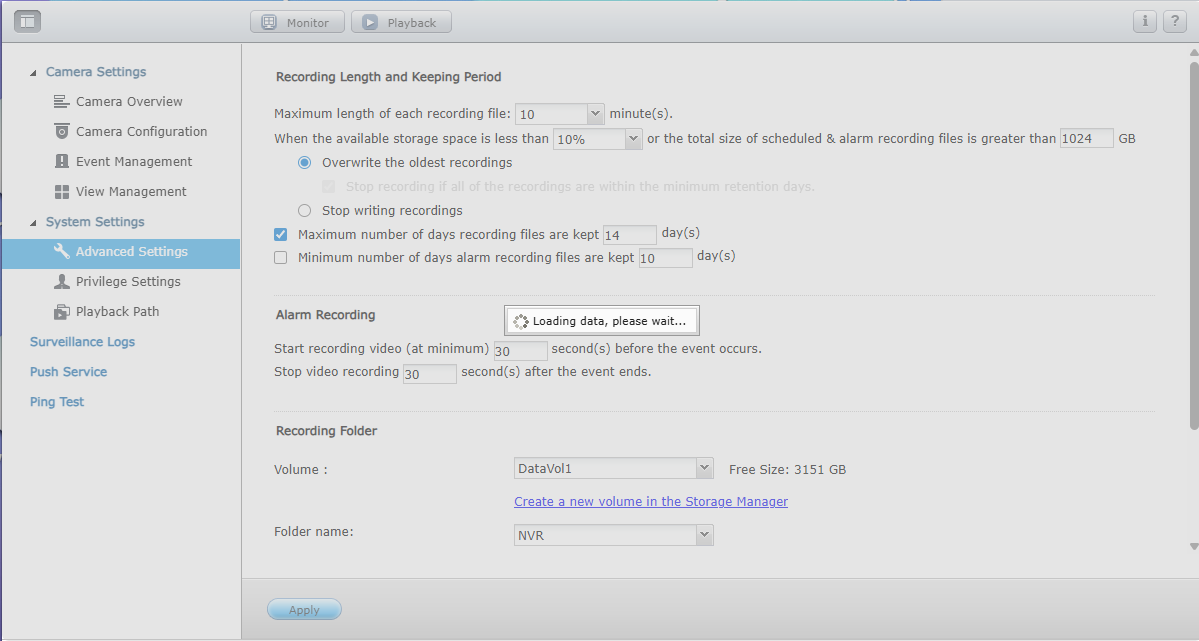
Every time I try to enter the advanced settings it remains stuck as below:
Even if I uninstall and reinstall Surveillance station the same problem persists. Can I somehow erase all config files and reset the system?
Every time I try to enter the advanced settings it remains stuck as below:
Even if I uninstall and reinstall Surveillance station the same problem persists. Can I somehow erase all config files and reset the system?
Delete SurveilanceStarion and then check via SSH for the hidden .qpkg folder if there is any remaining config files or application folder for it.
I did that, the folder was gone after uninstall. There must be some remnants of it somewhere else…
Just to be certain, you did that via SSH right? (this is not doable via NAS GUI or shares)
Maybe also have a peek in the qpkg.conf (again via SSH)
Yeah I did check through ssh. The directory was there before I uninstalled but was removed presumably as part of the uninstall process. I’ll check the qpkg.conf as you suggested.
Can’t seem to find any reason for this to be happening. There must be some settings preserved after uninstall/reinstall because my camera settings remain saved.
Hello,
and the QTS-Version is ?
I updated the firmware today. It’s on QTS 5.2.6.3229
the Surveillance Station don’t work with QTS 5.2
I think you must change to QVR Pro/Elite
OK. I used QVR Pro before this but it really slowed my NAS down.
Hi @xmun2k since Surveillance Station has reached its end-of-life, we recommend moving to QVR Elite. Compared to QVR Pro, QVR Elite is lighter on system resources while still delivering reliable performance.
If you have any questions about getting started or need support with QVR Elite, we will be glad to help you troubleshoot.
Same problem for me, that is why I searched google and landed on this thread.
I have TS-253A-8GB with QTS 5.2.5 and SS 5.3.0.4.1 with 4 channels.
I was hoping I will use SS for couple more years and probably I will not do any more QTS updates so that I don’t break Surveillance Station from working.
I tried QVR-Pro but simply the windows remain stuck on white while I try editing anything on the cameras (CPU ~ 80%, IOWait ~ 10%) so it doesn’t seem to be a resource issue, while rather a bug with my system.
I tried QVR-Elite but it offers only 4 licenses, so it is a NO from my point of view.
Hi @DiliMe we know that QVR Pro feels attractive because it comes with more free channels by default, but the QVR Elite really shines when it comes to performance and how it handles file storage.
The team is working on making future updates cover the best of both and it is expected to be released later this year, maybe you can give the new version a try then?
I tried QVR Elite some months ago and didn’t think it had any performance advantages over QVR Pro. Is it really that noticeable?
On my next NAS, probably it will also be a Qnap and hopefuly I will use QVR Elite … but before I will test some of the open-source solutions as I hear a lot of people are very happy with them for home use.
At beginning the QVR Elite is designed to run on some basic platform like ARM with only 1 or 2GB RAM. But recently we’ve done some tuning on QVR Pro as well and try to make it more effective for recording. So the gap becomes closer.
Before end of the year we might have some new announcement - but anyway, for existing QVR Pro/Elite users can still use what they have even after the announcements.