I plan to use Tailscale to access my NAS when I travel. I have been able to access my NAS GUI with my laptop by adding the 8080/cgi-bin/ to the address __.__.___.__
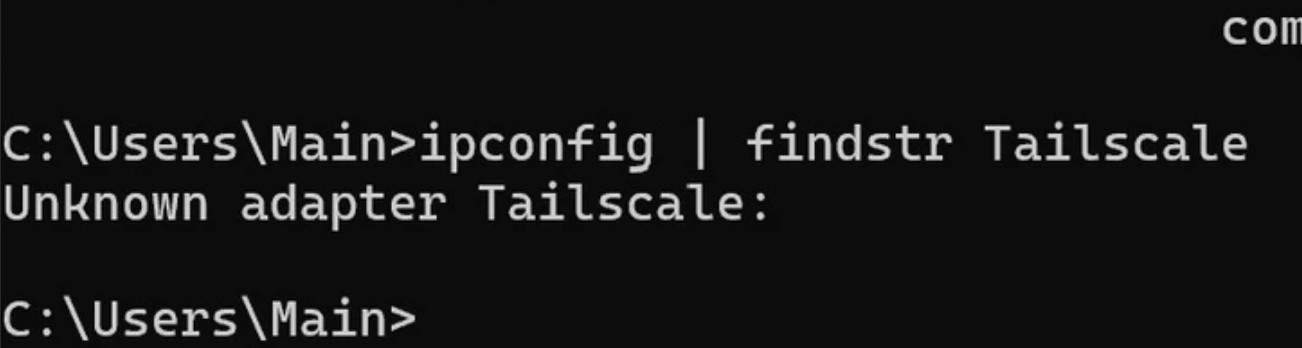
In the NAS Compares video he mentions to check in the network connections to make sure the Tailscale tunnel is established. I don’t see Tailscale listed in network connections. He says it’s important to see that. When I run the command ipconfig | findstr Tailscale as suggested in a Reddit forum. I get the following.
First of all, are you making a successful VPN connection to your home network? When you say to the address _.__._._ what address is that? The LAN address of the NAS? It should NOT be the WAN address. That would mean you are exposing your NAS to the WAN which is not a good idea at all. If it is your LAN address, you can tell us that. We all use the same private address spaces.
I don’t know how to tell the difference between a LAN and a WAN address. I’m in another part of the country right now connected and it starts with 100.124.—-.—
I think when I was at home and connected it may have started with 192. __–.–.
OK. The 192 address is your private LAN address. The 100. address is your WAN and it looks like you have your NAS exposed to the internet which is not good. Did you turn UPNP on at the NAS? What sort of port forwarding did you set up on your router? You should not port forward anything from your NAS to the internet.
The 192 address was when I was at home connected to the home wifi with my laptop. The 100. is what I’m getting when using the wifi at someone’s house.
The Router my NAS is connected to is an older TpLink probably 6-9 years old. I didn’t make any changes to the router. Didn’t turn on UPNP to my knowledge. How do I check that when I get home?
OK. Looking further at what you were seeing, the 100.124.x.x address is part of the Carrier Grade NAT address space. So while your WAN IP is 68.5.x.x, that IP is shared by others as well. Your connection has an additional NAT that translates to 100.124.x.x which is likely what you see on your router as the WAN address.
Unfortunately, I am unable to comment much further as I have not used TailScale and am ignorant of how it works. I believe it works by connecting you to home through an intermediate server since you don’t have a public IP address on your router. If I were to guess, it looks like you are connecting correctly as the 100.124.x.x address would not be reachable from outside your ISP’s network. I should have looked up that address space previously.
Perhaps someone else here who knows more about Tailscale can help you further. I’d be blowing smoke if I gave you any more advice. Sorry..