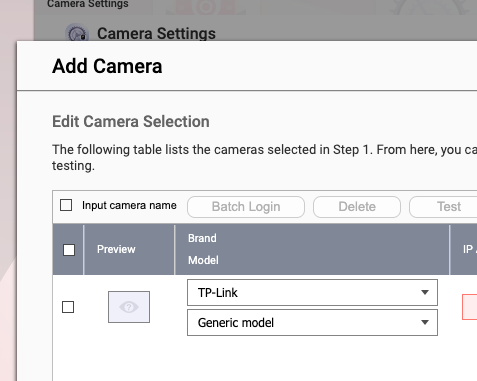
I saw the Tapo C630 from TP-Link was on the compatibility list but when I try to install it in QVR Pro the model does not appear in the drop down list. Does the software need an update? Can I get around this obstacle somehow?
TIA … Greg
I saw the Tapo C630 from TP-Link was on the compatibility list but when I try to install it in QVR Pro the model does not appear in the drop down list. Does the software need an update? Can I get around this obstacle somehow?
TIA … Greg
It is not showing in the list of cameras in QVR Surveillance either, but don’t give up hope…
1.) Under TP-Link there is a Generic Model. Try that.
2.) If that doesn’t work, select ONVIF as the brand. Select S, S+T or T as the profile.
@HanzSung from QNAP may be able to provide you with more info. If you have a camera and you let QNAP have access to it, they may write a full driver for it.
For the “formal” stuff…
https://www.qnap.com/en/compatibility-qvr-pro?brand=TP-Link
I did not see the C630 is already listed. Where did you see the “compatibility” list wiht C630?
For the “actual” works as NA9D said, we do provide “Generic” option in TP-Link
The screenshot is from QVR Surveillance, if you are deploying a new system, use QVR Surveillance is better because it is new generation of QVR Service.
And if the generic not working, let us know and we’ll try to get a sample from tp-link to see what’s happening. and it could be faster if you can grant direct access to us temporary. Or simply use ONVIF → S+T and it shall work for Tapo series.
Btw make sure you enable the onvif/rtsp option in your Tapo so we can connect to it. Ref:
Thank you both for your quick replies. My apologies, I realise now the advice that C630 was compatible was from AI. I tried firstly to install via QVR Pro but the message was that it could not connect …
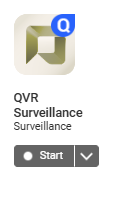
I then installed QVR Surveillance and opened it. The log says it has started, but a browser tab has not opened. I just see this … and every time I click start I loop back to this same view …
First of all, don’t rely on AI to give you factually correct answers about stuff like this. Do your own research first! 
AI is not all it is cracked up to be. There’s a lot that is wrong about it. I had a customer complain to me that some software I sell was in Kiosk mode and wouldn’t let him do stuff. He told me he needed the password to get it out of kiosk mode. Since I wrote the software myself, I was like, “What the heck are you talking about.” Then he sent me his ChatGPT screenshot and I about peed my pants I laughed so hard. ChatGPT had it 100% wrong!
Something is wrong then if QVR Surveillance isn’t starting. Look in your log files to see why it keeps stopping. Also make sure to enable ONVIF on the camera from the TAPO app.
Thanks. It looks like my problems are explained by Tapo C630 Kit (3K Solar-Powered Pan/Tilt Security Camera Kit) does not support standard RTSP or ONVIF protocols
I then installed QVR Surveillance and opened it. The log says it has started, but a browser tab has not opened. I just see this … and every time I click start I loop back to this same view …
Hi @GvM77 the QVR Surveillance and QVR Pro are configured not to start simultaneously to avoid double the hard drive writes.
Could you help to stop the QVR Pro and then try to enable the QVR Surveillance again?
that worked for me haru0. Thank you both for your help … I’m off to exchange the camera!
@GvM77 thank you for let us know that the QVR Camera Compatibility webpage is not compatible with the AI engine that it may provide incorrect answers.
We will study how to fix this.