Thumbnails filling drive - unable to move

Morning everyone,

Setup

QNAP 673A - Firmware QTS 5.2.6.3195
2x 2Tb NVMe drives - Kingston SKC3000D2048G
4x 12Tb Seagate Ironwolf ST12000VN0008
1x 16Tb Seafate Ironwolf Pro ST16000NT001

Configuration

Storage Pool 1

1x NVMe, setup for OS install and applications

Storage Pool 2

All four 12Tb Seagate Ironwolf drives setup as RAID5 with second NVMe drive as Cache. (all files stored here)

Standalone disk

Seagate Iron Wolf Pro 16Tb - Local backup. (I also have Rsync & backups to another NAS and external USB drive located elsewhere, this is just for local rapid restore if needed). I know, everyone will be saying not a good idea etc, but it works for me.

My issue.

Over the last 2 decades I have accumulated >180000 photographs, they are all stored on the NAS, up until recently the QNAP was working fine, after the last upload, the multimedia application and all associated applications have shutdown.

The reason seems to be the filling up of the system drive (Pool 1 - 2Tb NVMe)!.

I removed all snapshots and reduced to once a week on that drive, deleted all thumbnails. This allowed me to restart the apps again, but as all thumbnails are gone, the applications are pretty useless, so I had to start a regeneration of the thumbnails yesterday.

This morning, multimedia console and all associated apps shutdown, unable to restart, the drive (storage pool 1) is full again!

Been advised you cannot move the Thumbnails to a different drive? This seems ridiculous!

Any one come across this before or have any ideas how I can resolve? - Ideally I would like to move the Thumbnails to Storage Pool 2 which has lots of free space.

Raj
Hi @rmistry22 the Multimedia Console will generate and stored the thumbnails in 2 folders:

  • /.system/thumbnail/ on the volume where Multimedia Console is mounted.
  • /@thumbnail/ on the folder where photos and videos are stored.

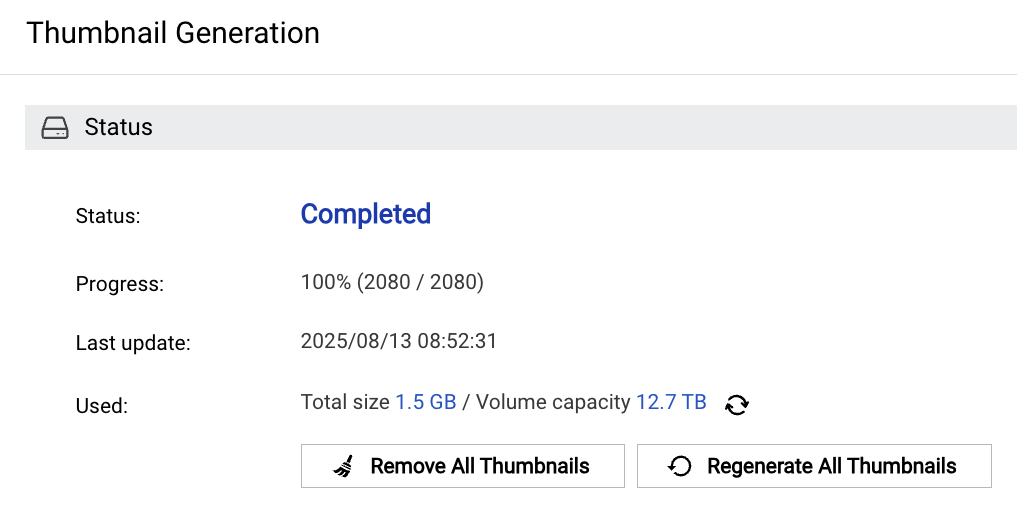
In our tests, thumbnails took up between 5% and 30% of the original file size, depending on whether generate large 4K thumbnails were enabled.

Any one come across this before or have any ideas how I can resolve? - Ideally I would like to move the Thumbnails to Storage Pool 2 which has lots of free space.

Sorry that we can not move thumbnail from Pool 1 to Pool 2, but if you move the folder where photos are stored from Storage Pool1 to Pool 2, the /@thumbnail/ should then move to Pool 2 and no longer occupy space in Pool 1.

180000 photos is a lot of photos, you can open a support ticket and let the Support team to arrange the Multimedia Console team to be on standby remotely during the move.

Hi HaruLin,

Thank you for your response.
As mentioned in my OP.

Storage pool 1 - 2Tb NVMe - Applications and QTS install only. ( I do this with my computers, so install Windows on C:\ and all data on a seperate drive e.g. D:). Therefore, OS can be reinstalled without loss of data. Also in theory using faster NVMe for applications I thought would improve performance.

Storage pool 2 - 4x12Tb Seagate RAID 5 = 24Tb Storage, approx 8Tb used. All Photo’s, Videos, File are stored here.

Therefore the /@thumbnail/ should already be on Storage Pool 2.

The issue then maybe /.system/thumbnail as the application is installed in Storage Pool 1?

I removed the multimedia application yesterday to try and change the storage pool, but on re-install it did not give me the option to select a storage pool. I also have the following apps installed, that are currently not running due to storage space issue.

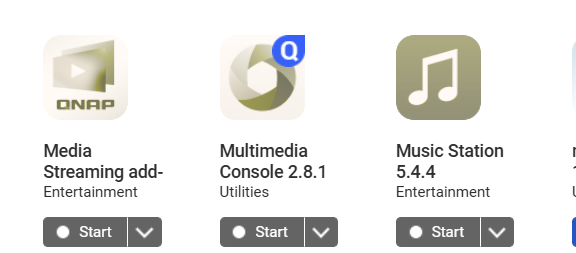
Video Station 5.8.4
Media Streaming Add on V500.1.1.9
Music Station 5.4.4
Multimedia Console 2.8.1
QuMagie 2.7.1

The OS is on ALL internal drives, there is no way to influence this via GUI

Erm, well that has left my QNAP device unusable for Photos, which was one of the main reasons for purchasing such an expensive NAS box.

Why did distributed OS partitions leave you stranded? All QNAP NAS work like that.

I also store tons of photos on the NAS but I do not use any on NAS multimedia features…easy peasy

Also, you should never use single drives for apps(System volume), always do RAID1, as you will lose all apps upon failure.

If you want QNAP to troubleshoot your issue, open a ticket please.

Since all the photo and video are stored on Pool 2, so the issue is indeed in the /.system/thumbnail/ on Pool 1.

The current Multimedia Console has a limitation. It does not… or cannot calculate the capacity of /@thumbnail/ under all multimedia folders. So the thumbnail capacity displayed on its interface only counts the capacity of /.system/thumbnail/.

But in your case, this can quickly confirm how much space it occupies in the Pool 1, would you be willing to share your screenshot?

Hi HaruLin,

Would be happy to share a screenshot, however as the drive is full I cannot start the Multimedia console 2.8.1 or any associated applications.


and
image

How do you suggest I get the information?

I have a ticket open, but response still waiting for a response.

Logged Monday 11th August, been some emails, but now waiting for them to remote on and check.

I have no idea about ‘distributed OS partitions’.

I setup the unit with one NVMe drive first (storage pool 1), to make sure QTS was installed there to insure speed of OS and applications.

The way I see it, it is easy to replace the NVMe should it fail, so a single drive for QTS install was sufficient.

My aim was to keep things as simple as possible for the family, one box that holds everything, Photo, Videos, Files etc and allow easy access via reliable applications across multiple devices. So for example QuMagie works really well on my TV etc.

Hope that make sense.

R

@haru0 It sounds stupid to have 2 places to store thumbnails. If we have thumbnails next to the actual files, why do we need the system-wide one?

It’a duplication to have 2 sets of them. And having such a large non-movable dataset fixed inside system partition is bad.

(I think the “system partition” here doesn’t mean the OS partitioned mirrored accross all drives, but the first partition you create when you setup the NAS. But that’s still bad)

1 Like

So no matter what drive you install when, the OS will be on all internal drives

If that single NVMe fails, your apps will all be gone, so while swapping is easy, reinstalling the apps and losing all settings/data might not be…so go for RAID1!

Yes, I agree that… the current architecture is indeed outdated. Maintaining two sets of thumbnails ends up creating more issues than it solves, especially with the rapid growth in both the quantity and resolution of photos and videos.

We are now exploring a new approach to keep only the thumbnails in /@thumbnail/, and automatically clearing those in /.system/thumbnail/ after updates to free up storage. This change is planned for release in Multimedia Console 3.0.0. I cam share a beta version with you once it is stable enough for testing if you’re interested.

4 Likes

Hi @rmistry22 I have found your support ticket and contacted the support team.

however as the drive is full I cannot start the Multimedia console 2.8.1 or any associated applications.

The Multimedia Console RD thought they could manually move the thumbnail files in /.system/thumbnail/ to Pool 2 to prevent them from taking up space in Pool 1.

If support team has arranged a remote connection, would you be willing to let us handle this for you?

Morning from the UK HaruLin,

The support team did a remote session yesterday and advised to turn off snapshots of storage pool 1 and then change from thick to thin provisioned.

I completed this task yesterday and it seems to be working now.

I am still concerned that the drive will eventually fill up again as I will only be adding more photos etc. and would have preferred to move everything to storage pool 2 which has lots of space.

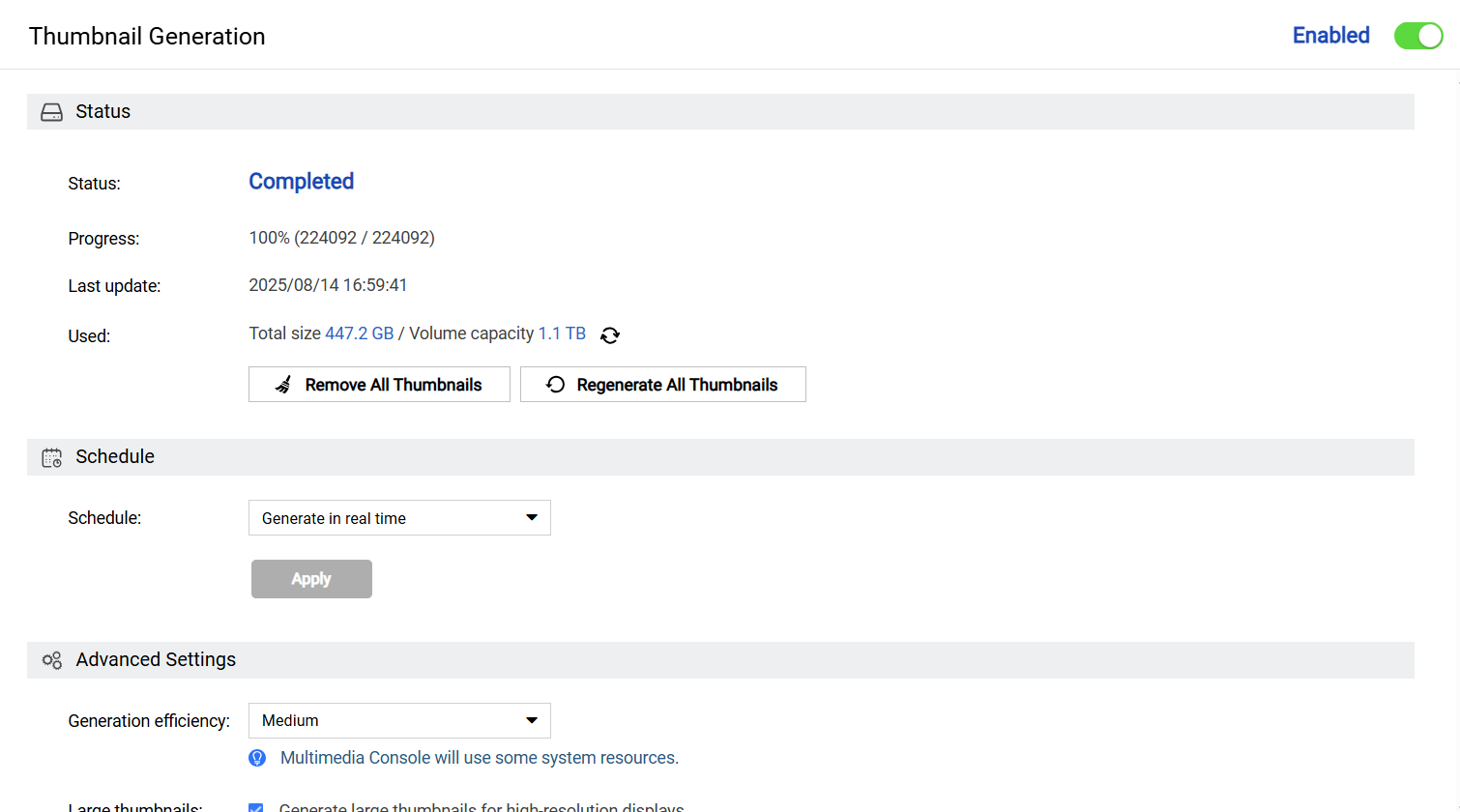
Current output as requested

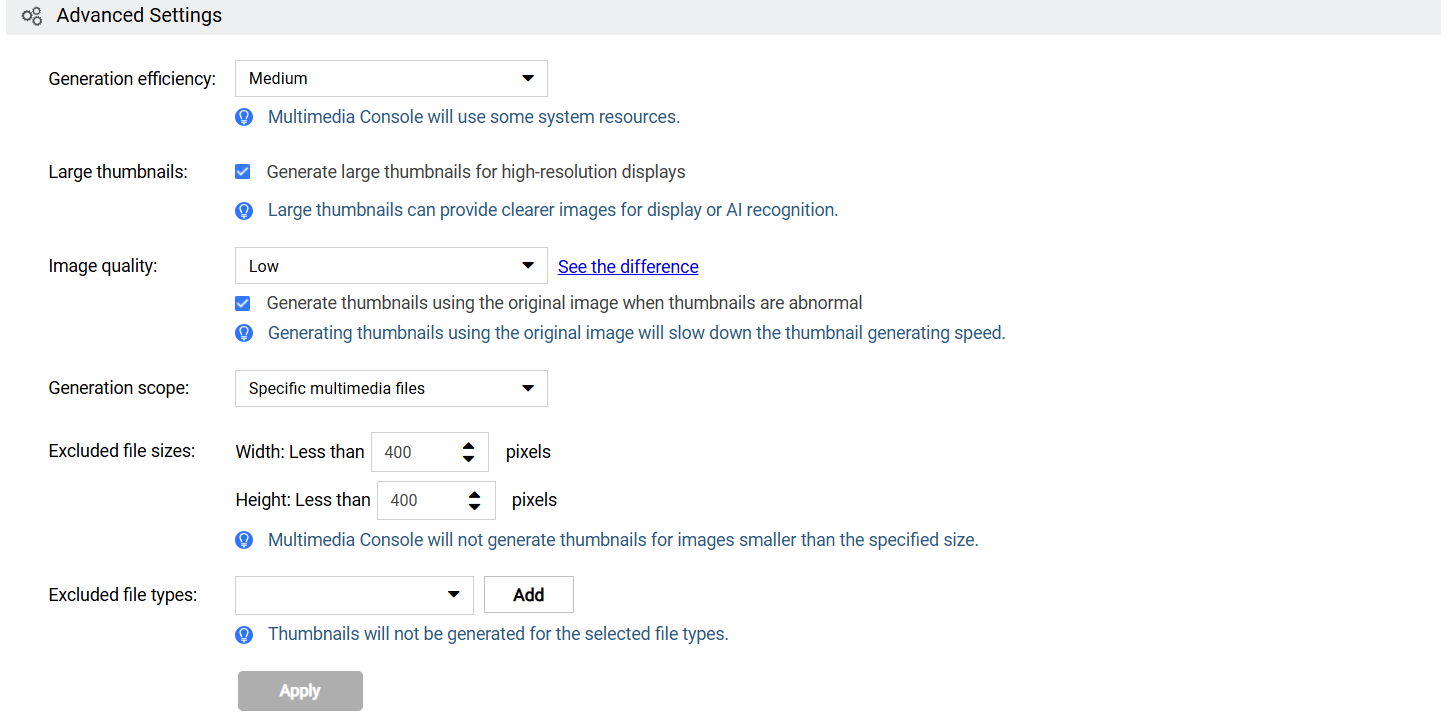
I have also set the Image quality to low to reduce thumbnail size.

Would appreciate if you are able to advise further on how I can move these thumbnails or happy to have a further remote session to circumvent the same issue occuring in the near future.

R

Hi @rmistry22 I took a look at the screenshots you posted on the support ticket, the Pool 1 = System Volume should now have 30% free space, we recommend to observe the system over a weekend to ensure it is stable, after that

I have also set the Image quality to low to reduce thumbnail size.

Sorry that even you disable the large thumbnail option, those generated large thumbnails will still be there and take your space of the System Volume.

Although we expect to adjust the spec to remove the thumbnails in /.system/thumbnail/ at Multimedia Console 3.0.0 (or 2.10.0?) but it still take some time, I have a few suggestions for these thumbnails.

  1. You can keep use current settings until the Multimedia Console 3.0, The remaining space should be able to store thumbnails of 100,000 photos and videos.

  2. You can press the “Regenerate All Thumbnails” button to regenerate all the thumbnail without large 4K thumbnail, this should can free up 400GB space, but it might take almost 1 week to generate the thumbnails.

  3. You can arrange some time next week with the support team to let our RD help to remove the 4K thumbnails manually that no need regenerate the thumbnails.

I also like to see half of the hard drive space is empty, so I am sorry that this thumbnail design has caused you trouble. I will put the adjusted thumbnail function on the shelves as soon as possible.

1 Like

Hi HaruLin,

Thank you for your support.

Everything is working again, so I am happy. I purchased a coral edge TPU unit to speed up the Thumbnail generation and AI facial recognition, so re-generation might be a bit quicker, aiming to add an old Nvidia 1050ti at a later date, when I finally get round to purchasing a new one for my PC :slight_smile:

Happy to wait for Multimedia Console 3.0 or whatever that corrects the issue. Just grateful for the support and to have everything back up and running.

Really also appreciate you taking on and adding this development in to the Multimedia Console, makes my investment in QNAP seem worthwhile again.

R