macOS: tested on multiple Macs including stable releases
Network: direct SMB connectivity confirmed working
Symptoms:
Time Machine backup fails immediately with “network username or password” error
Manual SMB mount works correctly with same credentials
smbutil view -A authenticates successfully
backupd fails with NAConnectToServerSync error 80 (EAUTH)
What was investigated:
Bonjour/mDNS: _adisk._tcp service was missing → added manually, now working
ksmbd kernel driver: was active → disabled, switched to Samba userspace
.streams directory: was missing and vetoed → created and removed from veto list
Keychain: cleaned and rebuilt multiple times
smbpasswd: TimeUser confirmed present with valid NT hash
NTLMv2: forced on macOS side, no change
tcpdump: backupd opens TCP connection then sends FIN immediately without SMB negotiation when auth fails
Key log from macOS backupd:
NAConnectToServerSync failed with error: 80 (Authentication error)
the correct user or password info may not exist in the System.keychain
or the server may no longer allow access for this user
Key observation: Manual mount via Finder and AuthType=TimeMachine URL both succeed, but backupd’s internal authentication mechanism (AuthType=TimeMachine via NetAuth framework) consistently fails. This suggests an incompatibility between backupd’s authentication protocol and QNAP’s Samba implementation.
Request: Has anyone successfully configured Time Machine on TBS-h574TX with recent macOS? Is there a known firmware fix or Samba configuration workaround?
I don’t know if it has been fixed yet but there was a bug in Sequoia that prevented Time Machine from working properly if there were non-ASCII characters (ie: non-English) in the file path.
OK. What happens if you create a new path for TimeMachine (ie: back up to a different directory - not optimal but it can help resolve protocol issues)?
Facing the exact same issue with my machine. Unable to do a Time Machine backup.
Time Machine couldn’t complete the backup to “Time Machine”

The network backup disk could not be accessed because there was a problem with the network username or password. You may need to re-select the backup disk and enter the correct username and password.
NAConnectToServerSync failed with error: 80 (Authentication error) for url: ***
No matter the name of Shared Folder, even simple “timemachine“ still does not work.
User rights are set up corretly. I can get in via SMB and browse/edit files just fine. Just the backupd fails.
Nothing helped. I’m experiencing same issue - no chance to do the TimeMachine backup on this NAS. I recently upgraded to QuTS 6.0 RC and nothing changed. No matter I do this manually or use HBS3 - my Mac is unable to authenticate. Please look into it.
Add every hostname form that appears in your TM URL, including the raw Bonjour FQDN with trailing dot like NAS(TimeMachine)._smb._tcp.local..
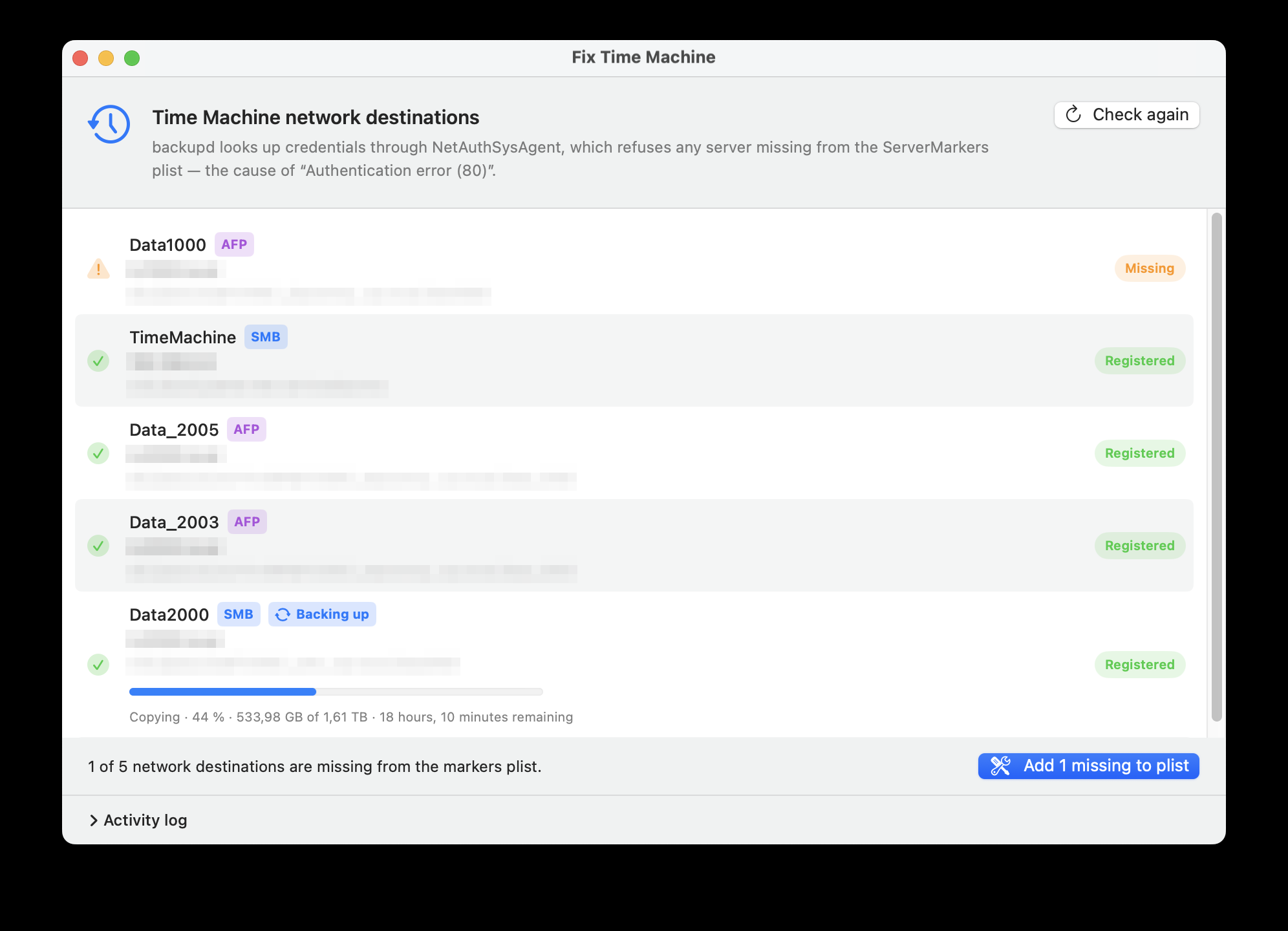
Bug B — keychain ACL regression (the one nobody talks about):
NetAuthSysAgent in 26.4 runs as your user uid (501), not root.
So per-item ACLs on /Library/Keychains/System.keychain matter.
The new TM-Settings GUI writes items with a partition_id=apple: ACL entry that NetAuthSysAgent can’t pass → Unable to find matching items -25300 → OpenSession failed 80.
Intuitive instinct fails:security add-internet-password -A (allow any app) writes applications: <null> which the agent reads as “no apps allowed”, not “any app allowed”. Still broken.
Recreate the keychain entry with explicit -T grants, NOT -A:
read -r -s "TMPW?SMB password: " && echo

for S in 'NAS(TimeMachine)._smb._tcp.local.' 'nas.local'; do
  sudo security delete-internet-password -a USER -s "$S" /Library/Keychains/System.keychain 2>/dev/null
  sudo security add-internet-password \
    -a USER -s "$S" -p /YourShare -r 'smb ' \
    -D 'Time Machine Network Password' \
    -T /System/Library/CoreServices/NetAuthAgent.app \
    -T /System/Library/CoreServices/NetAuthAgent.app/Contents/MacOS/NetAuthSysAgent \
    -T /System/Library/PrivateFrameworks/SystemAdministration.framework/XPCServices/writeconfig.xpc \
    -T /System/Library/CoreServices/TimeMachine/backupd \
    -T /System/Library/CoreServices/TimeMachine/backupd-helper \
    -w "$TMPW" \
    /Library/Keychains/System.keychain
done
unset TMPW
Substitute USER, hostnames, /YourShare (leading slash, NOT URL-encoded).
Verify
sudo security dump-keychain -a /Library/Keychains/System.keychain | less
Find your entry. A working ACL has 3 entries, decrypt lists the Apple helpers, NO partition_id. If you see 4 entries with partition_id → apple:, or 3 entries with applications: <null> on decrypt — you need the command above.
Gotchas
Never use -A. Use -T.
Always pass -w "$PASSWORD". If you omit -w, security silently reads stdin; in scripts/non-TTY that’s empty → exit 0 → you just created an item with no password.
The share -p value is the literal path (/Time Machine - Server), NOT URL-encoded.
The protocol -r 'smb ' has a trailing space (4-char OSType).
NetAuthSysAgent’s uid-501 behavior is the real reason DiskStation (added pre-Tahoe with a different ACL shape) keeps working while your newly-added destinations don’t.
The Reddit-famous /etc/nsmb.conf signing_required=yes fix solves a different SMB problem. It does not touch Bug B.
Backup ran first try after this. Hope it saves someone days of log-chasing.