
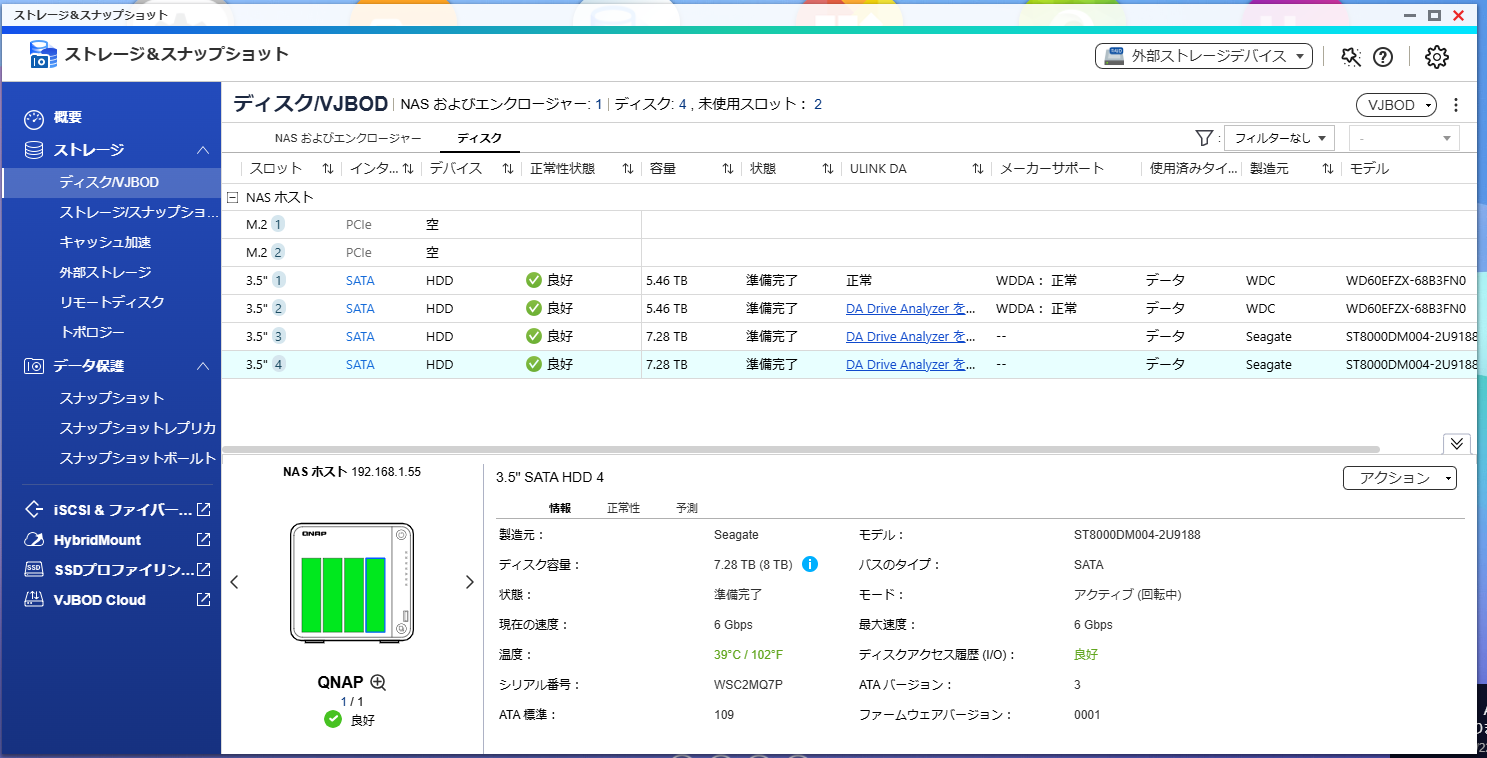
I was operating the ST-464 with two 6TB HDDs in RAID 1. As the storage capacity became insufficient, I added two 8TB HDDs and changed to RAID 5.
However, a (Warning: 90%) error appears on the QNAP management screen.
When I check the status of each HDD, all are displayed as “Good.”
Could this be an initial defect in the newly added HDDs?
1 Like
Hello.
However, an error saying (Warning: 90%) appears on the QNAP management screen.
The above means “the threshold is set to 90% of the total capacity.”
It does not mean that an error has occurred.
Also, if you are concerned, why not try unchecking the box in “Change Threshold” under “Action”?
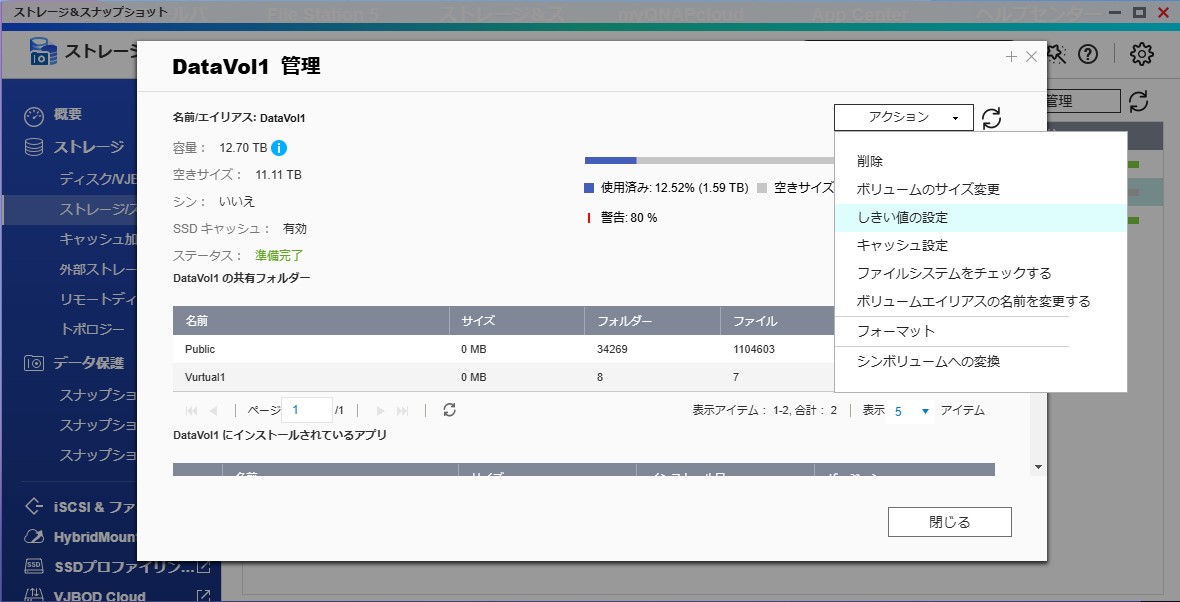
Hope this helps.
1 Like
This (Warning: 90%) is a reminder to notify you when the system’s hard drive capacity exceeds 90%, and does not indicate an actual abnormality where the hard drive capacity has currently exceeded 90%.
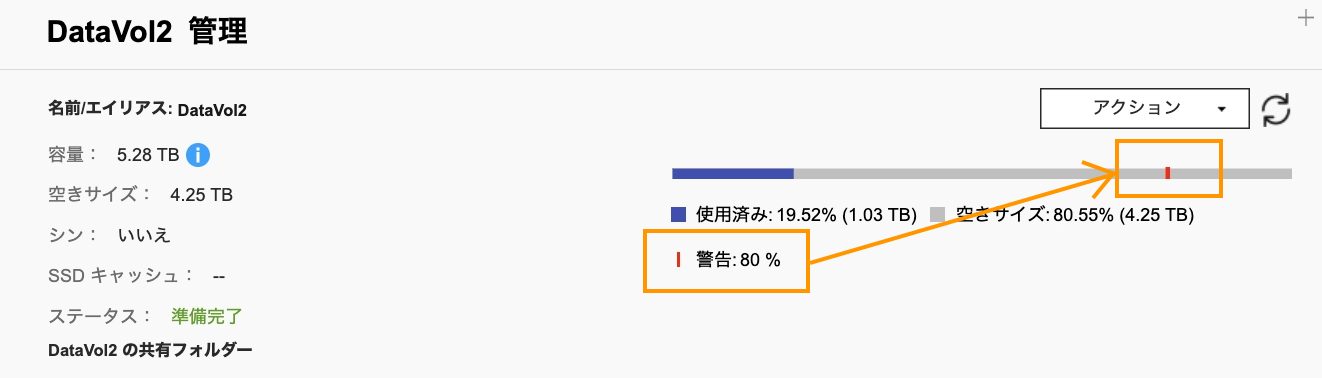
Additionally, a very small number of applications may reserve capacity in advance, making it appear as though files do not exist. In such cases, the system may display that the hard disk capacity is used up, but this is unrelated to the current issue.
As noted above, if you do not want this (Warning: 90%) to be displayed, you can turn off the threshold setting in “Actions”.
1 Like
Thank you, Mikan-san and HaruLin-san. I was troubled because, even after searching, I could only find pages saying “There is a 90% probability of risk for disabilities.”
1 Like
As for the warning itself, I think it’s as @Mikan and @haru0 advised.
Is the current volume configured as RAID0? RAID0 has no redundancy, so if even one HDD fails, you won’t be able to access the stored data. It may be unnecessary advice, but I thought it would be better to properly protect your data by combining it with backups.
Regarding the health status of the disk, you can check the SMART information from [Storage & Snapshots] - [Storage] - [Disk/VJBOD] - [Health] - [Show Details].
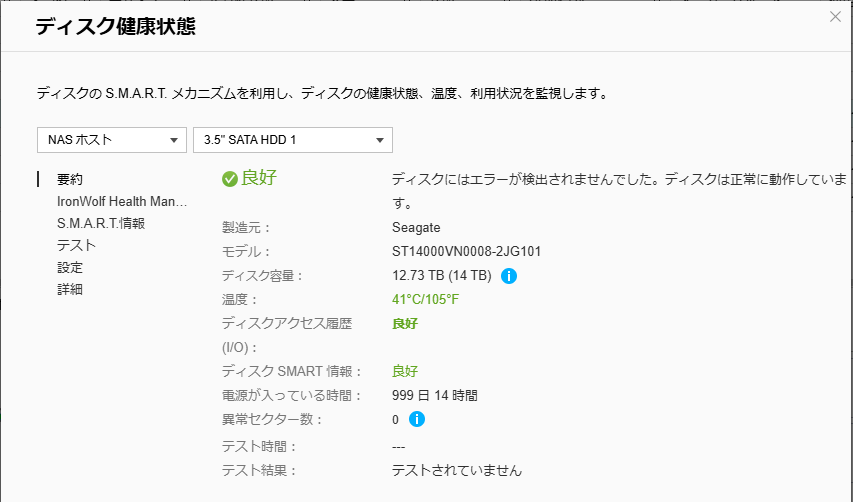
If this does not show “Failure,” then I don’t think it’s a failure.
(Even if the SMART value is “Normal,” there are times when things aren’t working well, so the reverse can’t always be said…)