I’ve got myself a TP-Link Tapo C260 surveillance camera, intended to remotely watch my dog for relatively short periods when I would leave her alone at home. I sort of like its physical lens blocker.
Right after, I realized that I could use QVR Surveillance for that (rather than the manufacturer’s cloud or however this works). I guess this would offer me better privacy.
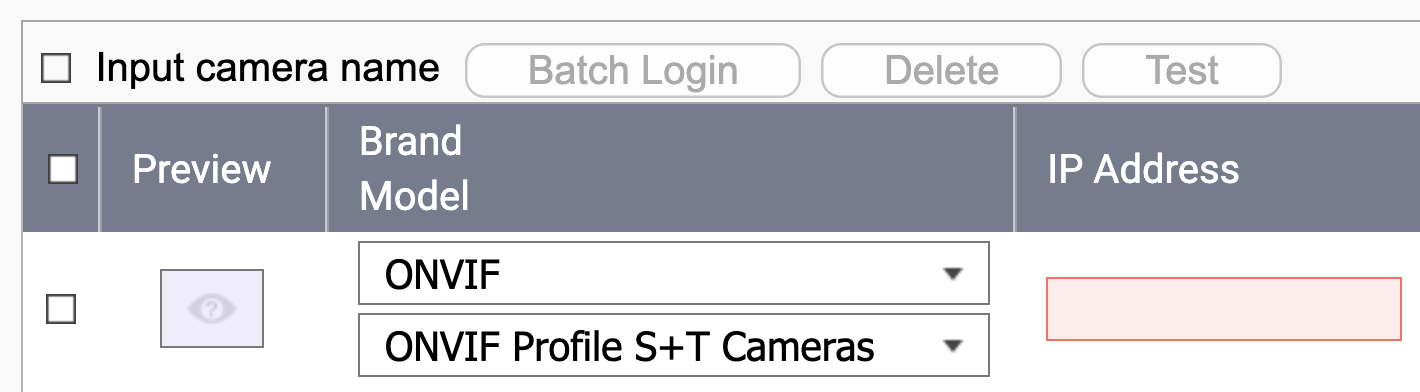
But the C260 is not on the officially supported list (or it isn’t yet - it was launched last year, AFAIK). Should I return it and get - say - the C230 instead? Or should I keep the C260 and rely on ONVIF? (I’m not seeing RTPM in the specs, only RTSP) Would I lose important functions through the latter option?
Is it OK to use such cameras, connected through WiFi?
I have a total of 3 Tapo camera I used with QVR Surveillance - a C246D and two C520WS.
I would get a supported unit. I don’t know if the Tapo units support ONVIF. They may - you can try it. But there’s not much “extra” config you can do with them as they are only configurable through the Tapo app (no camera web page). They do support RTSP so you could set it up that way but then you have no camera control - just the video feed.
And be careful too because like the C246D is a dual camera with one fixed camera and one PTZ camera but what Tapo sends to QNAP is that it is two fixed cameras. So I can’t control the PTZ of that one from QVR Pro Client.
The C520WS is pretty well supported and in fact, it has improved since I purchased the camera.
It would be fine to connect over WiFi as these cameras have a relatively low data rate of a couple MB/s.
Well, nothing is preventing you from trying out your C260!
And if you ask nicely QNAP may add it to their supported list with your help. They would want you to give them access to the camera so they can test with it.
Great idea to contact QNAP; maybe support for this camera is already on the way (or I could get them started)
The only thing preventing me from trying it out is… myself That is, if ONVIF is generally considered a bad idea, I’d like to return it sealed (since it would be my fault for not doing my homework before).
Nothing wrong with ONVIF. That’s actually how most cameras are controlled from what I understand. Before my Tapos I was controlling an Amcrest camera via ONVIF. Long story short, for some reason the Amcrest units were not working with my network correctly and they refunded my money. I bought the Tapos instead…Video quality not as good but they work.
ONVIF helps us to to most basic integrations and it provides stream, basic PTZ control, and should include motion detection.
for the other “advanced” feature we will need to integrate with APIs provided by vendors. and it depends on the vendors are friendly or not. tp-link are basically friendly one. ;p

 That is, if ONVIF is generally considered a bad idea, I’d like to return it sealed (since it would be my fault for not doing my homework before).