I have a TS-253A which I use purely as a file server [video, photos and music] for my home network. It is getting on for 6 years old and has 2*Western Digital 2TB hard disks configured as Raid 1. All firmware and apps are up to date.
Whilst the performance as a server seems to be OK [e.g. it connects to various devices and streams content without any noticeable problems] it has become very slow when I access it via a Windows 10 PC on the network. For example, when backing up to the PC, accessing content via the PC. Typically, when I first connect via the PC, the discs start chattering noisily and this can go on for 10 minutes or more. Logging on [direct from browser, not using Qmanager] it can a minute to display the initial top menu screen, and apps such as Video Station can take several minutes to load, and then run very sluggishly.
I wouldn’t say it was unusable, but it’s taking a lot of my time for tasks which used to be straightforward and [relatively] quick.
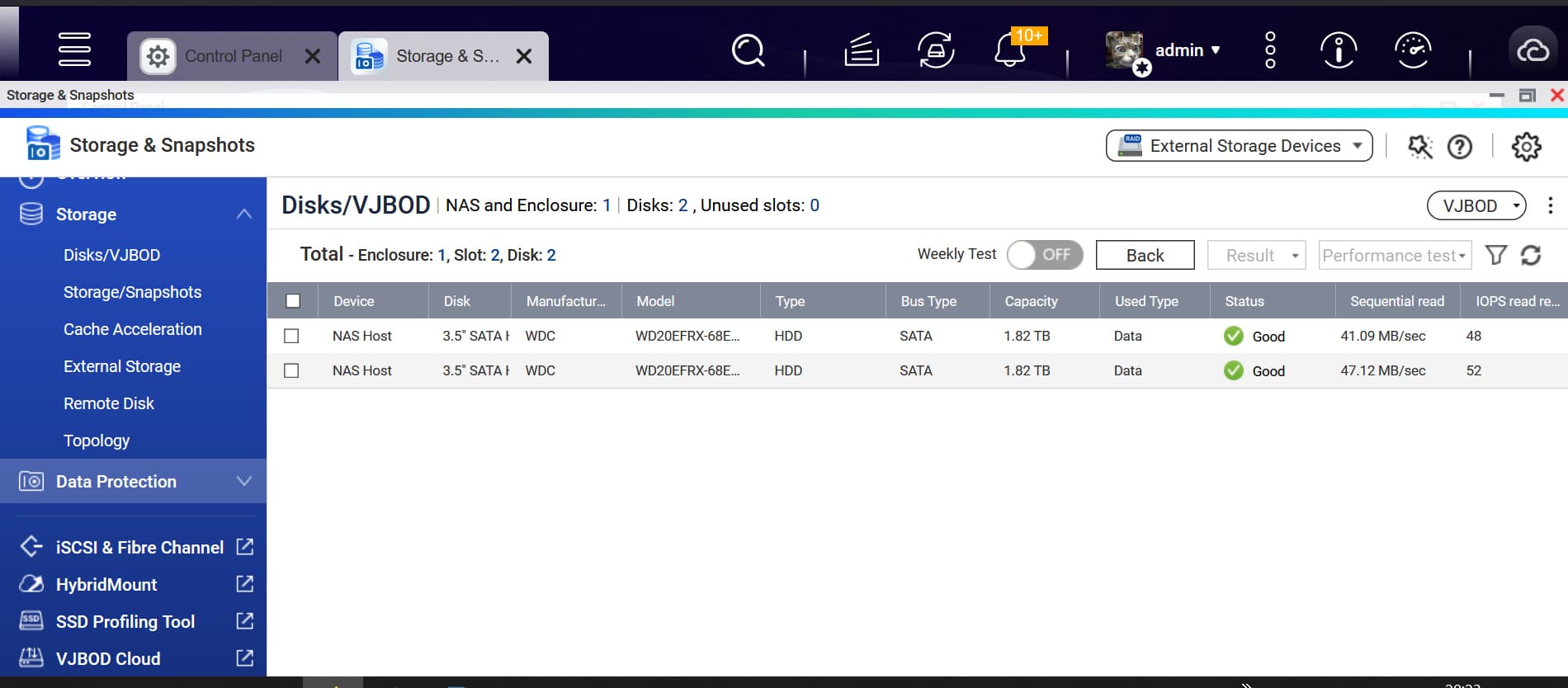
Both WD disks are rated as ‘good’. They are configured as Raid 1 thick volume with 1.34Tb usable storage, of which only 0.84Tb is being used for data.
It’s not always been like this, but seems to have developed about 6 months ago and also seems to be getting worse.
Though sometimes it seems OK!
What is the most likely happening here, and what would be a remedy?
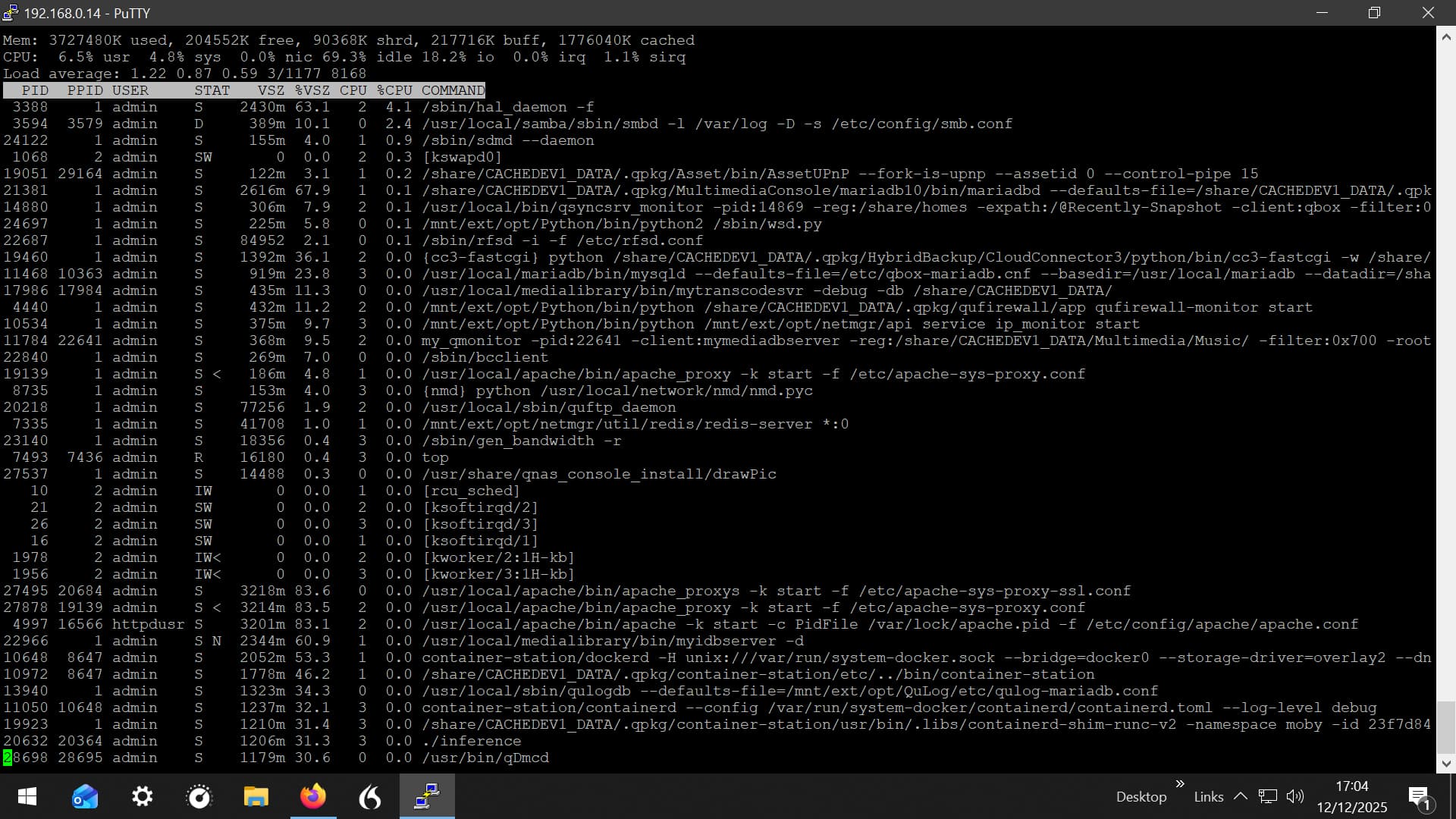
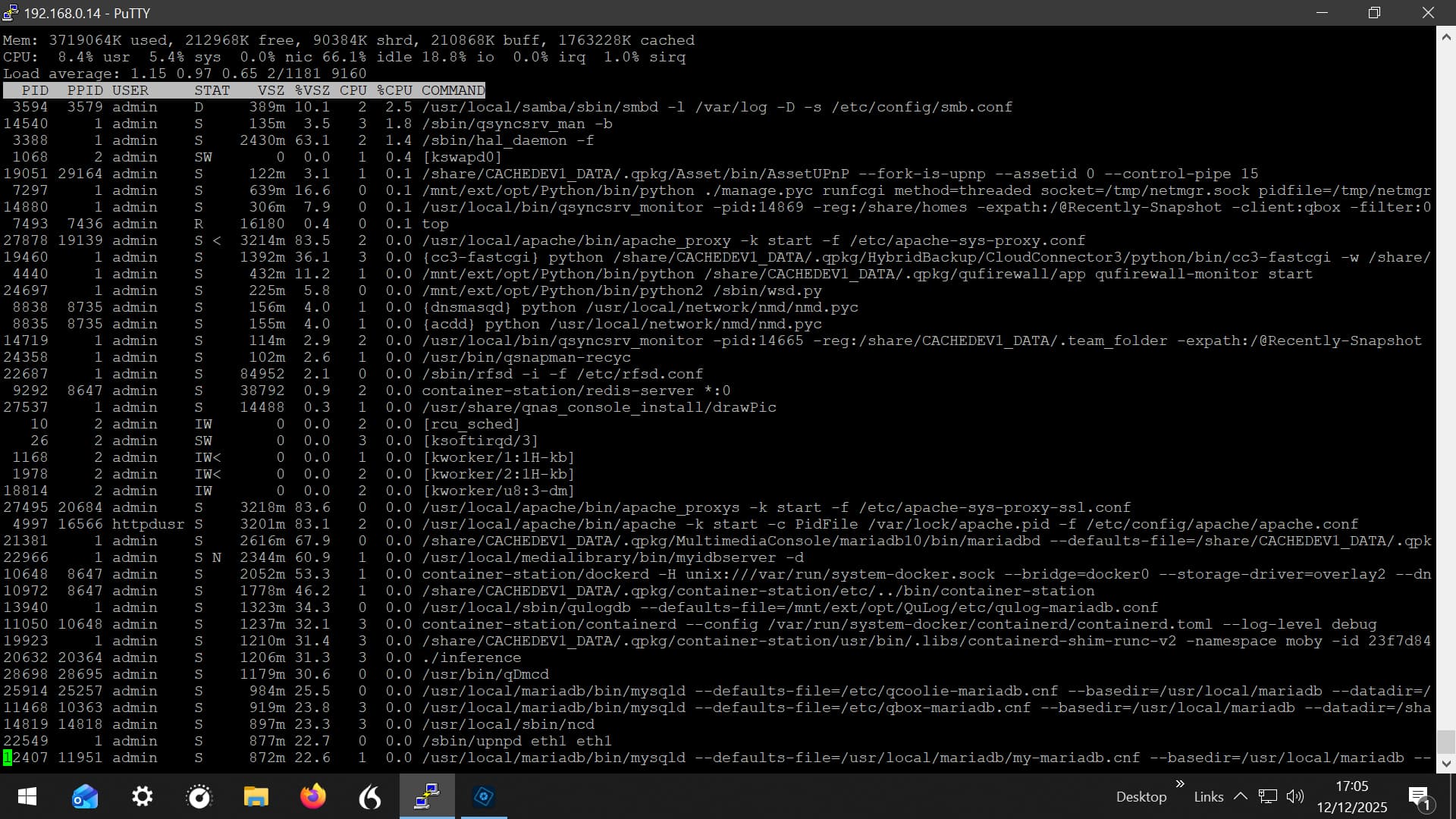
Just leave the ssh connection open with TOP running. I have that always for each of my NAS units. That way if they are slow, I can look and see exactly what is going on…
“Oh, it’s still doing an iDrive backup and it’s still doing an HBS backup to the other NAS”
If the issue reappears, you are welcome to share your observations with us anytime.
Regarding the hard drive making strange noises, we strongly recommend that you monitor it closely. Even if the hard drive health check currently shows no issues, we advise you to be mindful of backing up your data to mitigate potential risks in this situation.
The NAS discs began chattering to each other earlier today - I wasn’t actually doing anything with the NAS at the time.
I ran ssh with top and the only difference from smooth running was an increase in i/o - well not a surprise - though the activity seemed not excessive to me. I logged into the NAS and performance was normal - so not a problem this time.
I don’t have much knowledge of how the system works, but could it be some aspect of RAID 1 synchronisation which, for some reason or other, occasionally brings the machine to a near standstill?
You have multimedia, qsync, qufirewall, container station / docker, for a starter at a first glance.
Have you gone through and disabled / removed the services you don’t need? Do you need the ones listed?
Container station takes a lot of resources. QuFirewall shouldn’t be necessary in an internal network unless you are exposing your NAS to the internet, which you should not.
Multimedia shouldn’t be required and uses a lot of resources…….