I was a member of forums.qnap so not sure if this is the correct place to ask this question..I hope it is.
TS-453B is getting blinking red light even after power disconnected.
I don’t think directly relevant setup is :
TS-453B
4* 4TB WD Red
Raid 10 setup (so stripe and mirror = 8TB available.)
Various pages linked to the old forums.qnap for a 100ohm patch, but no longer accessible. The video on YouTube is for entirely different device.
I’m thinking best to move to new devices. TS-464 seems a fair candidate but also thinking TS-453E.
I have RAID and need least painful migration.
Concerned about QTS versions and warnings QTS and Hero aren’t interchangeable. For life if me I can’t remember what I had. Are there any ways online to check the version I had to ensure that the new device correctly configured to receive the old drives? Will the migration assistant warn me if the version incompatible allowing me to change the firmware before committing if I need?
I have backblaze backups.
Non-personal being regular file datasets
Personal are qdff incremental but not encrypted except that provided by backblaze
My wife’s work partition is encrypted backup.
I hope the key that she’s found that I once told her to keep safe is the encryption key!! It’s UUID format 8n-4n-4n-4n-12n
Any way of knowing if that’s backup key or will need anything else when moving disks to any new device?
I mean after power disconnected (overnight) for a long time and then reconnected
Incidentally I’ve just switched out the CMOS battery, and while it was a little low at 2.966V I switched it out anyway. It didn’t help
I’d found and tried the link you sent plus another but think the old website is unfortunately lost to 504 errors. I did find cached pages on the wayback machine archive which will be kept for another year I think so I’m going to download these locally> .
Unsure if cause and effect though and if there’s just flashing red light and no HDMI signal and/or keyboard not doing anything is there even a way to do a recovery?
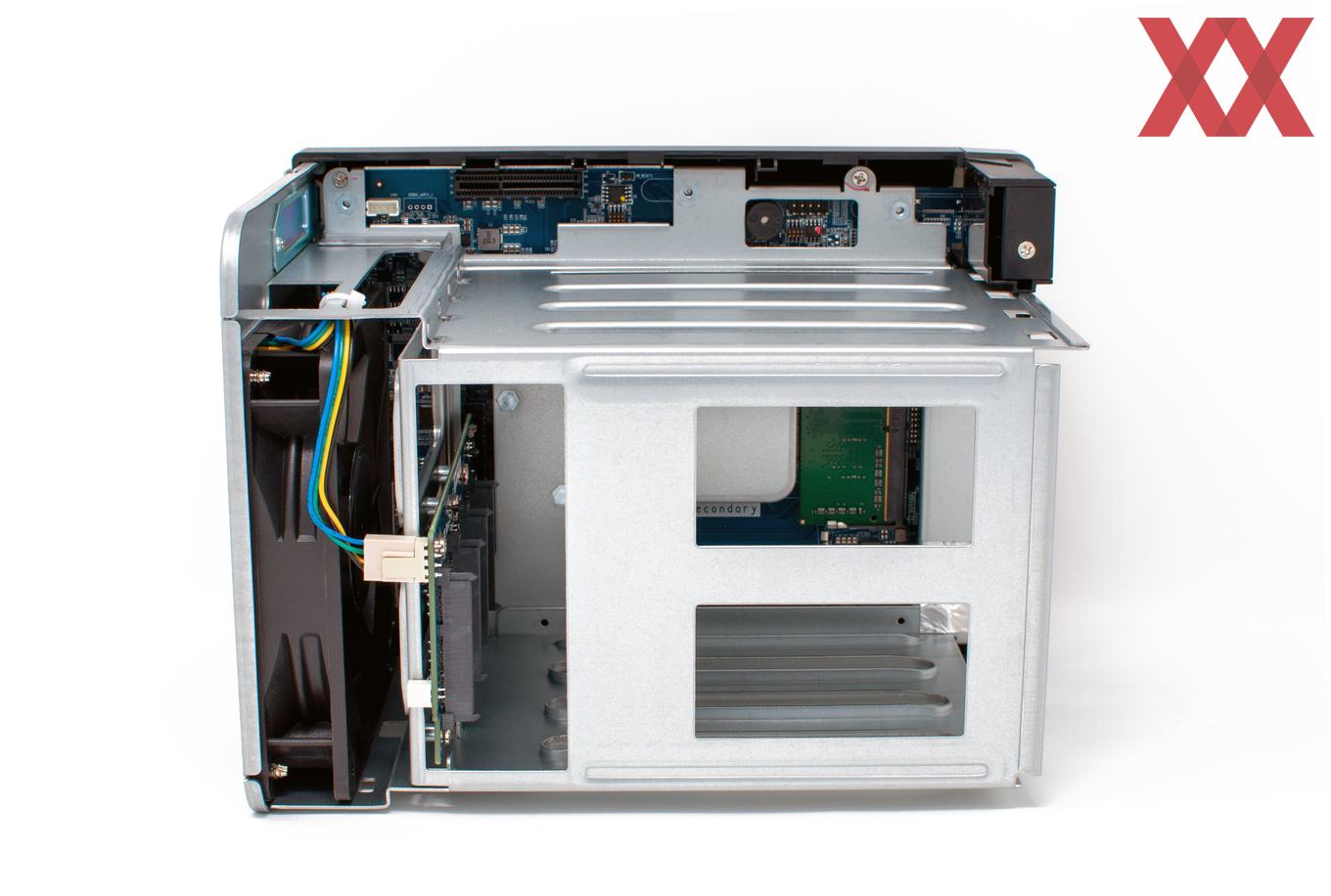
As another aside, and anticipating needing to do a resistor hack, are there any disassembly guides to get the frame out? I think even TS-453D would do as the design for the screen/ribbon is the same.
The ribbon that goes to the mini OLED screen and power button seems interwoven with the frame and lifts with the frame/PCB.
There is a video on YT that has a guy cussing as he navigates around that ribbon eventually separating frame, pcb and the screen into a tangle and then looks to be tearing out adhesive holding the ribbon in. But surely that isn’t the right way about it?
The repair guides on QNAP site, even those linked from TS-453B point to PDF that only have the TS-453E which doesn’t have the little screen.
Sorry I do not know the disassembly steps for all units. But before concentrating on the LPC bus, check if the NAS boots into setup without drives (ruling out a DOM issue and in turn a NAS OS issue on the drives)
a) tried again power with disks removed = no boot.
b) also after following these instructions to make bootable USB = no boot.
Immediately solid and closely followed by flashing red light. No HDMI signal (screen eventually turns off)
I’ve read a bit more about the LPC issue and Intel’s “fix” which was bios update to reduce sensitivity of the clock. But interestingly in the release notes for the new silicone version they initially pointedly imply that the bios fix is temporary “for lifetime of consumer devices”, but not acknowledging that NAS tend to be left always-on. It seems that eventually all of our NAS will eventually one day fail due to CPU design flaw.
Only C2000 based CPU designes have this issue, yoi can check the erratas for each processor used.
On basic board designs you cannot software switch your CLK source as there is no alternative paths or sources.
If you made sure it’s an LPC issue, you can introduce a new clock source (crystal board, potentially with a lock) or try to persuade the existing one to work (resistors)
I understand the LPC issue did affect the J3455 CPU, it’s just that Intel relcassified failure “earlier than expected” for consumer devices.
To test would require disassembly, and that’s where I’m stumped with that cable. I can see similar questions for the similar design TSD-453D in the now inaccessible QNAP forum, but looking in archive without answers or referring to QNAP documents that are now referring to the TS-453E that doesn’t have the display.
I’ve pinged the person in techpowerup who tore this down and mentions struggling with same thing, but not how they solved it.
Thanks for listening.
For now I’ve ordered a bunch of test point/jumpers, and some 1% 100ohms resistors and I’ve since read on the “inaccessible” QNAP forums that different resistances might be needed to pull the voltage back down to the required level. That knowledge nearly lost to me.
Once I figure out how to disassemble the NAS I’ll crack out my true RMS multimeter to get a voltage reading