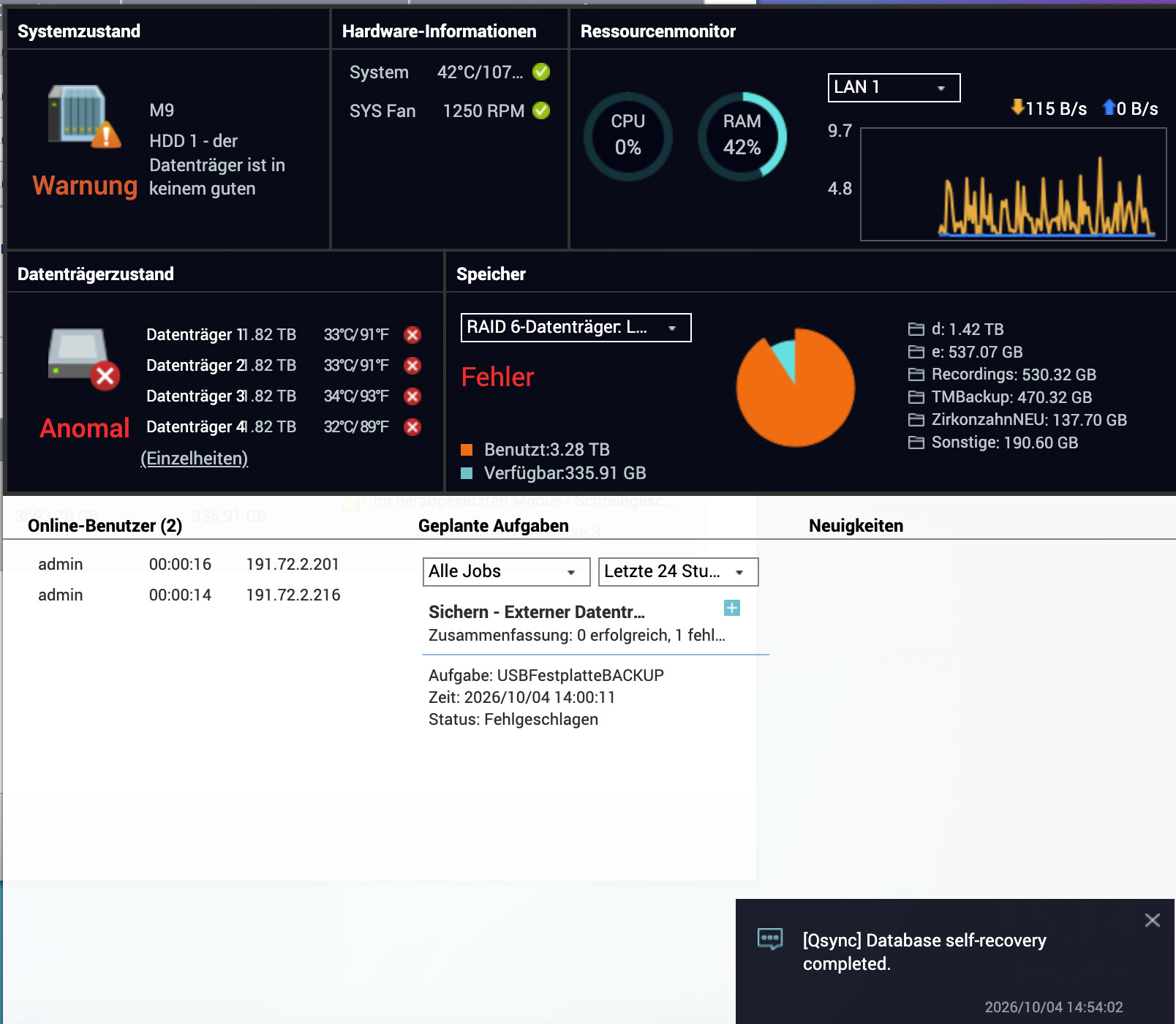
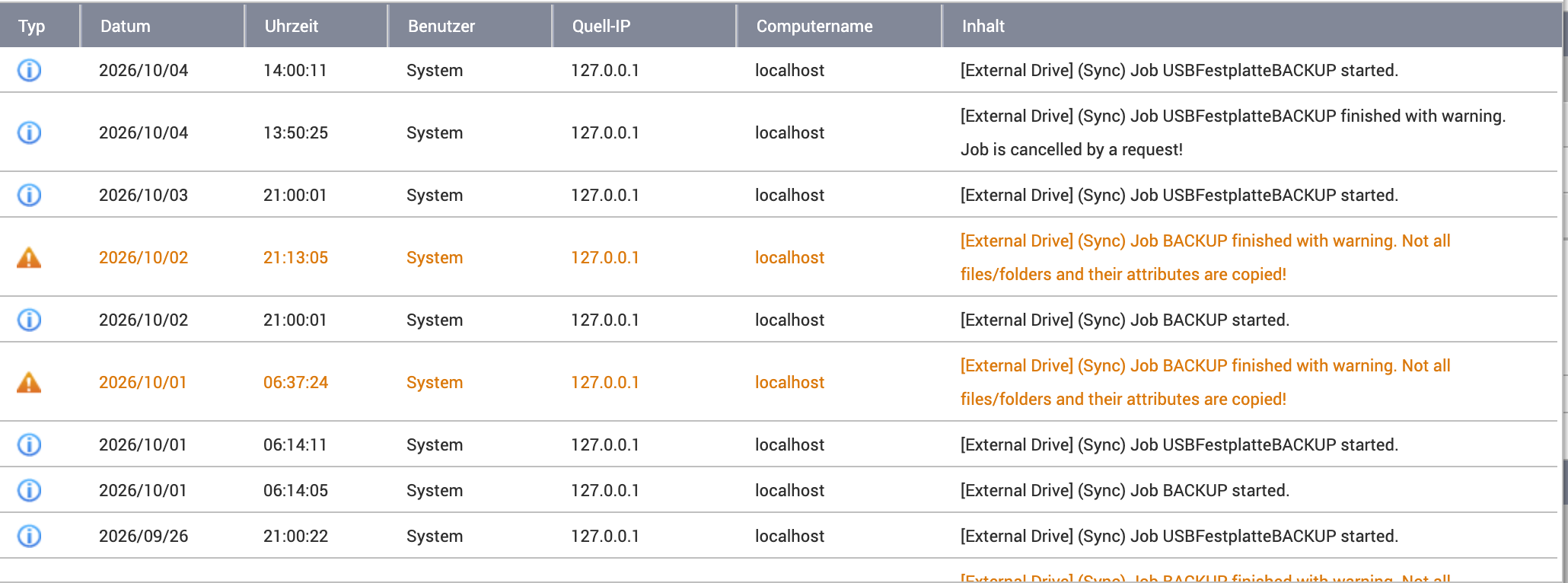
First off: I’m a layperson, so I can use the QNAP, but that’s about it. For the past few days, access hasn’t worked anymore; I can still read, but writing isn’t possible. QSync can’t establish a connection.
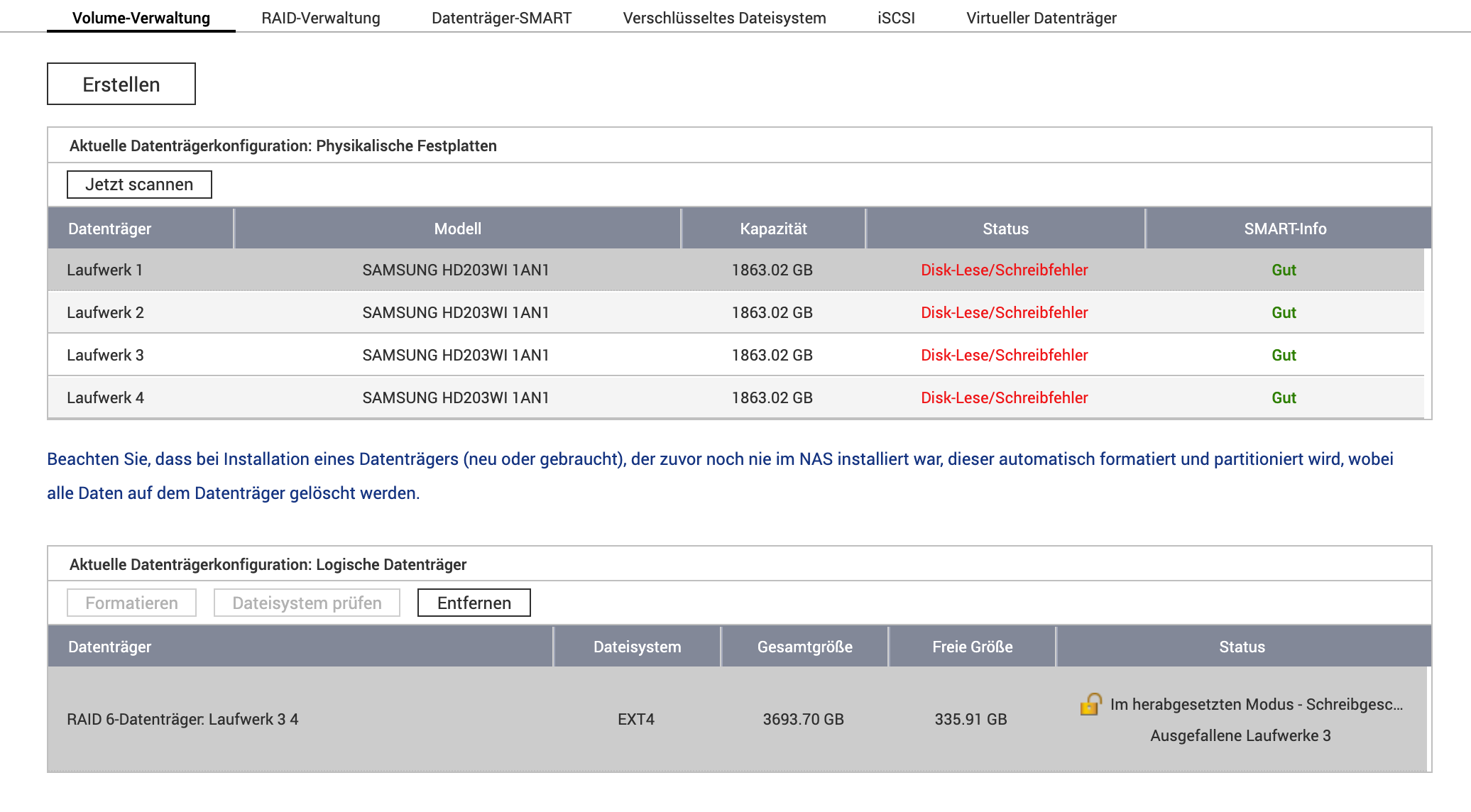
There are various error messages showing up, which don’t quite make sense to me. The hard drives have been running for several years, but the fact that suddenly 3 out of 4 are defective seems implausible to me.
I’m attaching some photos — maybe someone can help me out.
Thank you all. The Qnap is connected to a new APC, which is also fully functional.
The IP range is our IP range in the network. 191.72.2. etc.
On September 30th, we were still able to store data, but couldn’t write; until Friday we could still read, and now reading doesn’t work anymore either.
Is there any chance to recover the data if the controller is defective?
So the drives must have failed one after another. The failure of the third drive was the end of the RAID 6.
Looks like it’s time for data recovery. How good are the chances?
Please open a support ticket so our Support Team can check whether the data can be recovered. Until then, we’d recommend not making any further changes to the drives or the RAID, to avoid reducing the chances of recovery. Thanks!