Hello, I’ll do what I can to get the info to you.
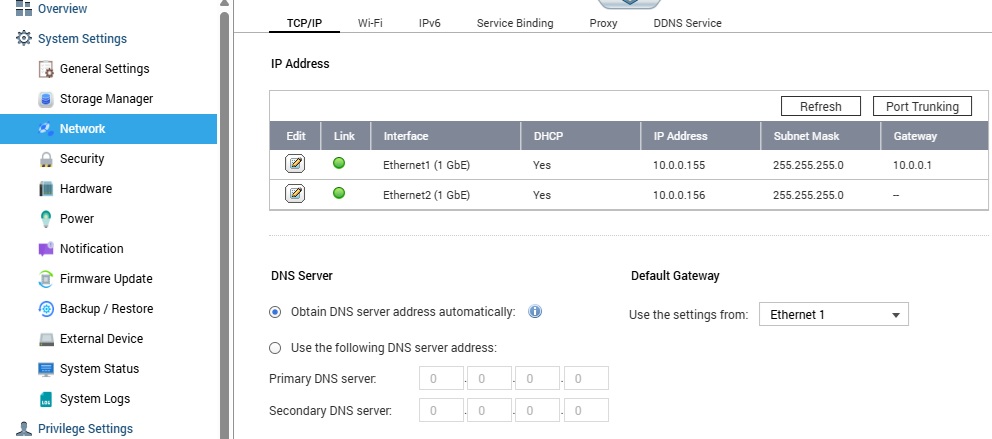
First of all, the network is 1 GB, My modem/router is 1 GB, a speed test from my computer to a remote speed test site shows I am getting at least 95% of my plan speed. From the modem I have a Cat 6 cable to a TP Link, TL-SG1024, 24 port Gigabit switch. From there I have a cat 6 cable to my computer and dual Cat 6 cables to a Qnap TS-431P, 4 disk NAS and dual Cat 6 cables to the Qnap TS-859U RP. I have swapped the cables from the 2 NAS just to verify the network speed and cables are all correct. I did enable port trunking on both of the Qnap nas’s. Since I first wrote about this issue, I did tear it apart and put 4 of the dirves back in the TS-431P out of frustration.
I did set up a similar Raid 5 on the TS-859U RP with 5 - 2TB drives and it took just under 8 hours to synch them. The 4 - 4TB drives in the TS-431P synched in less than 2.5 hours.
As for drive speeds, I do not have that function on the TS-859U, at least not that I can find.
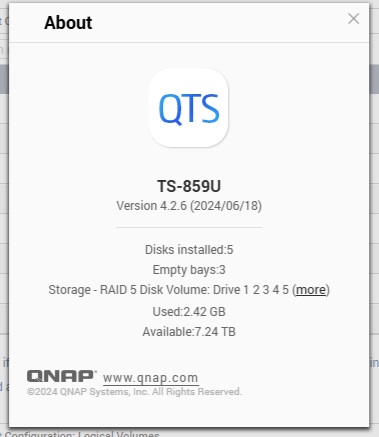
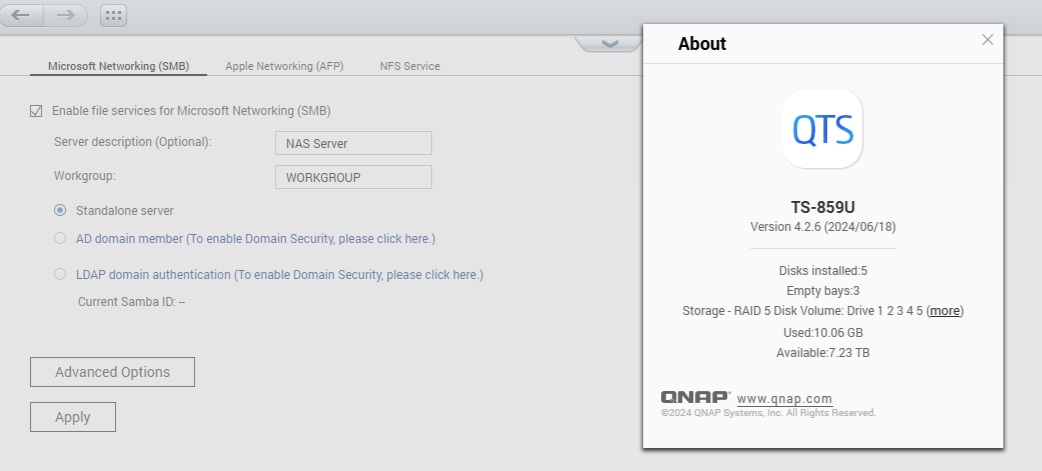
That is the current system and it says it is up to date.
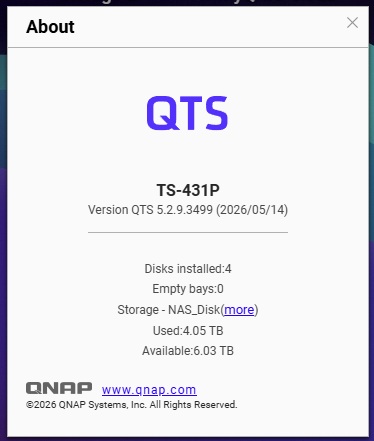
And that is the TS-431P
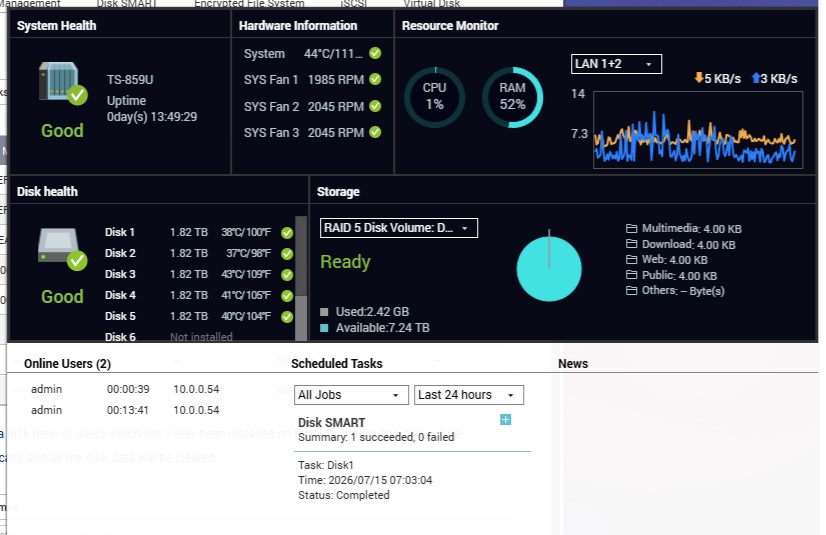
The dashboard with it idle, online
Network connections
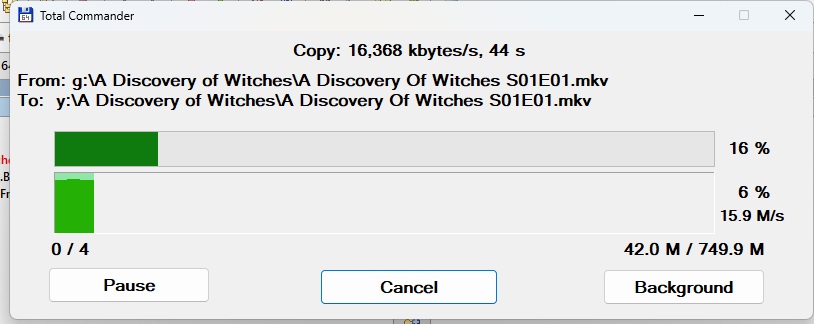
A USB3 disk copying to the TS-859U Says 15.9 Mb/s
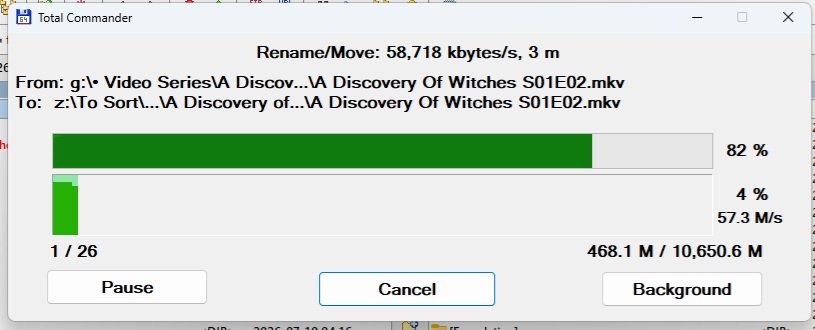
A USB3 disk copying to the TS-431P Says 57.3 Mb/s
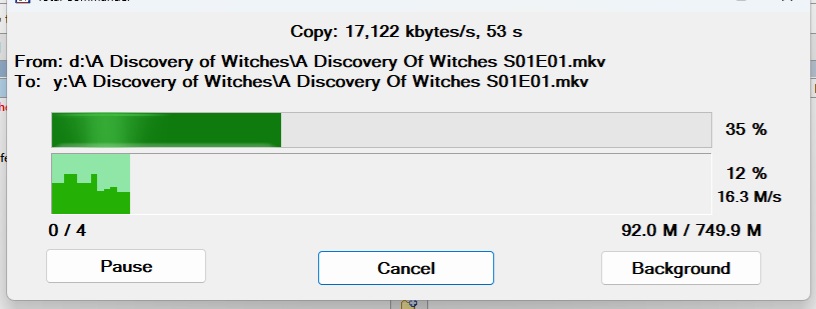
An internal sata 3 disk copying to the TS859U 16.3 Mb/s
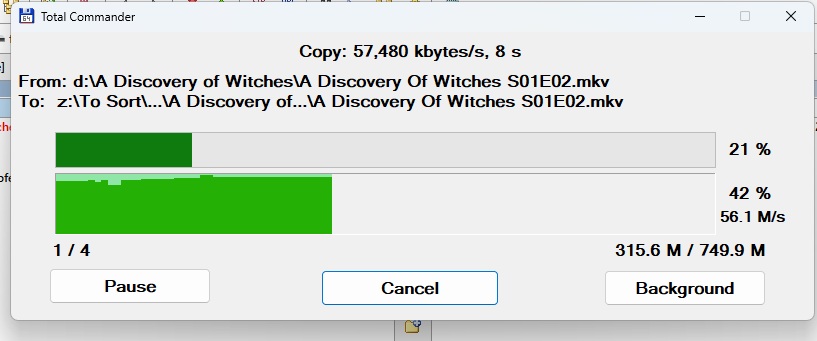
An internal sata 3 disk copying to the TS-431P 56.1 Mb/s
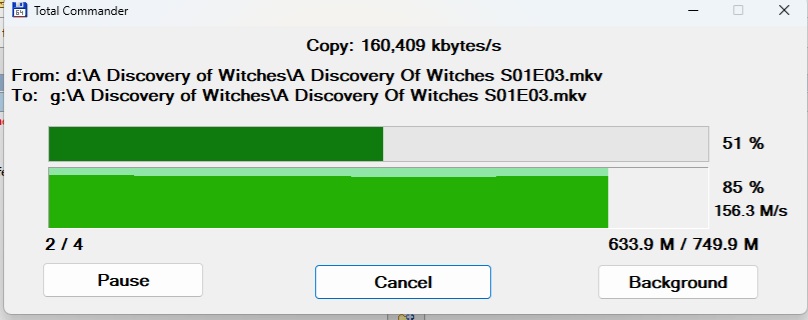
And just for kicks, an internal sata 3 disk copying to the USB3 disk 156.3 Mb/s
I understand the TS-859U is only sata 2, which should be half the speed of sata 3,(So they say). The 4 disks in the TS-431P are the same ones that were in the TS-859U so I would think the speeds are alright. It is acting exactly the same with the 2 Tb drives as it did with the 4 Tb drives.
I would think the speeds should be closer to 28-29 Mb/s all else being equal.
They are both running QTS, but there are differences in versions. Is that something that is just the nature of being an older system? Just odd that the performance isn’t there.
Anyhow, let me know if there is anything else I can try or info you would like. Either way, I know why it was such a bargain.