Tried numerous times to update firmware from 5.2.7 to 5.2.10 and it keeps failing with error code 12, tried a few of the suggested fixes and cannot get it to work. Help please? 
Please install first 5.2.9
Still get the same error?
I also tried going to 5.2.8.3359 as well, same error 12,
then tried 5.2.8.3332, this time I get an error in the log of FW999
Hello,
witch QTS version is installed on yor NAS ?
5.2.7.3297
Error code 12 usually indicates that the firmware update file was not downloaded completely, or that there isn’t enough system space. Could you try rebooting, confirming that you have sufficient space, and then attempting the installation again? It would also be worth checking the health status of your drives.
Also, could you provide a full screenshot of the failure screen? Thanks!
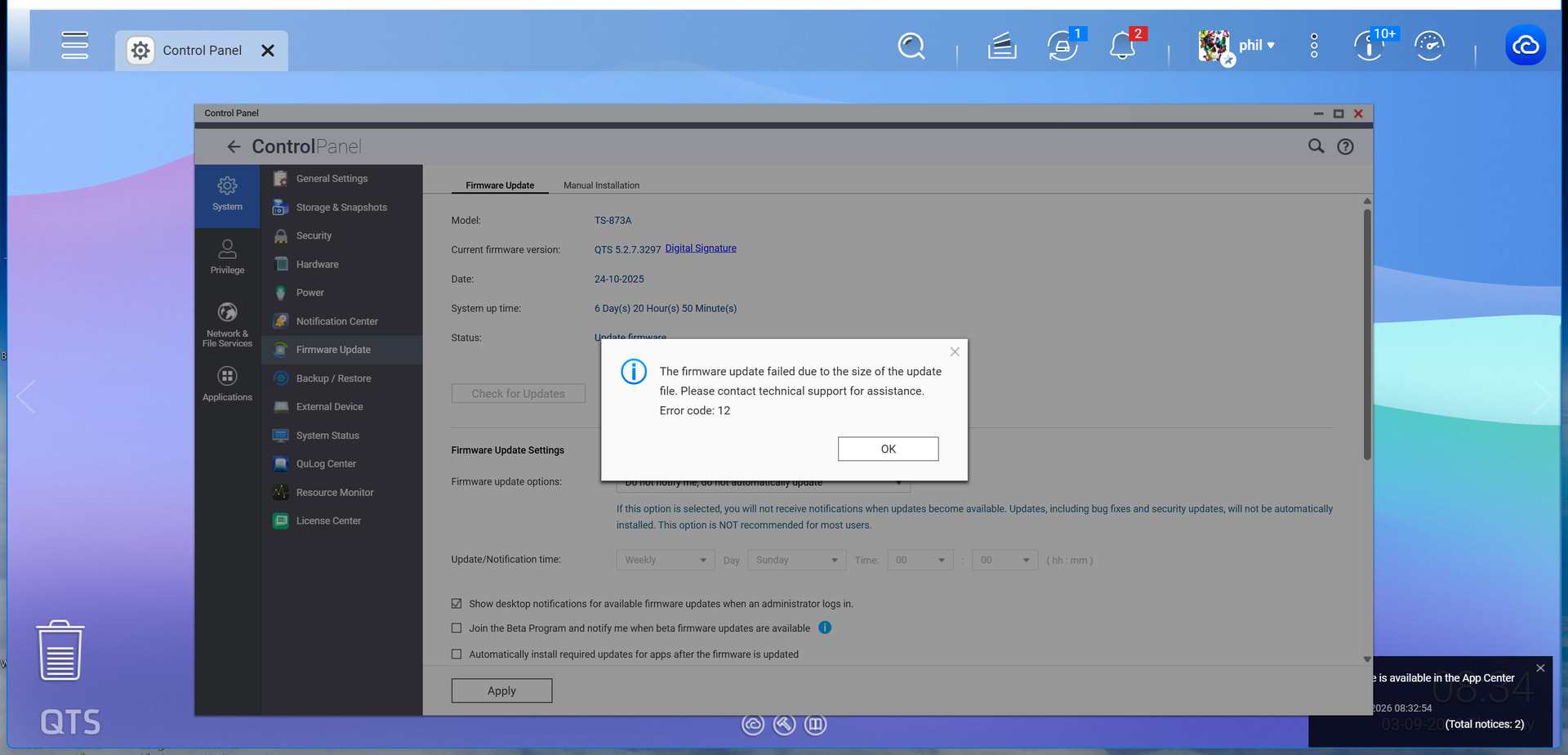
It does not matter, I have tried the update straight after a clean reboot, I still get the same error
maybe you can try this, using a temp space
https://www.qnap.com/en-us/how-to/faq/article/manually-updating-the-firmware
I think you should open a ticket
Hi Monty,
Have you checked whether your TS-873A is running the latest BIOS version Q07DAR15 ?
https://www.qnap.com/en/download?model=ts-873a&category=utility
I would recommend checking this before proceeding with further troubleshooting.
One possible cause of your update failure could be insufficient memory available in the RAMDisk used by QTS during firmware extraction. The update process needs temporary memory space to unpack and prepare the firmware image. If this space is insufficient, the installation may fail with error code 12 or FW999.
An outdated BIOS could potentially affect hardware initialization and memory management. Although a BIOS update does not necessarily increase the available RAMDisk capacity, it is worth eliminating BIOS compatibility issues as a possible contributing factor.
Could you confirm your current BIOS version and whether you have already installed Q07DAR15 ? It would also be useful to know how much RAM is installed in your NAS.
Thanks !