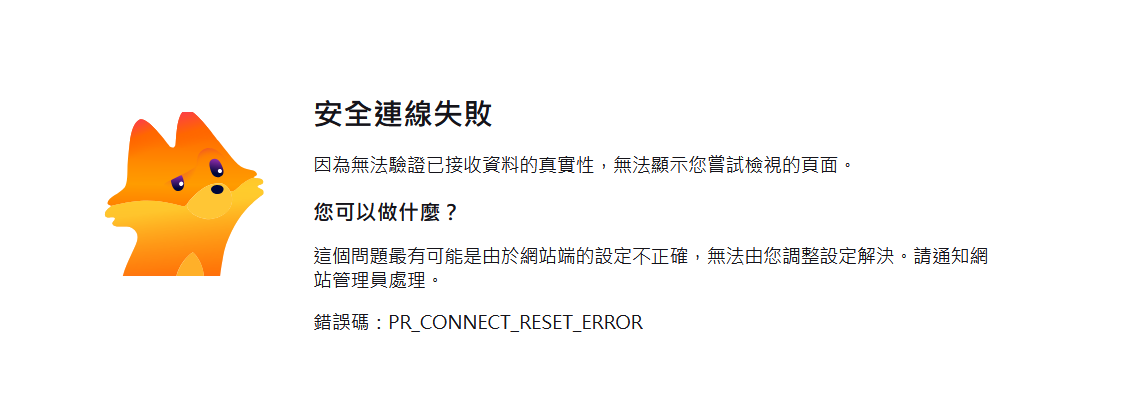
As stated in the title, all network services—including the web management interface, the web pages of containers in Docker, and even Samba—have all stopped working. Whenever I try to access any web page for an application on my QNAP device, it keeps redirecting to this page showing the PR_CONNECT_RESET_ERROR status.
I’ve tried every method I can think of: switching browsers, clearing cache, disabling the proxy (which wasn’t enabled anyway), and even following instructions I found from an international post suggesting to enable services one by one via SSH:
But I still can’t connect to the NAS through putty; here’s the error message I get:
Connection closed by foreign host.
Disconnected from remote host (GuFamilyNas) at 19:40:52.
However, other background tasks like backup and file uploads through QFilePro are all working normally.
Below are some additional network settings I can think of. If anyone has encountered similar issues, or if any QNAP engineers see this, I’d appreciate your help in resolving this:
I registered a free Let’s Encrypt SSL certificate through QNAP.
Currently, the network cable from the Chunghwa Telecom modem connects to a Buffalo router
(firmware: DD-WRT v24SP2-MULTI (09/27/12) std)
On the router, both the QNAP device and my computer are connected via direct network cables,
with port-mapping set up for related applications to point to the QNAP.
Just wanted to report back that I was able to resolve the issue myself by following some AI-suggested tips, and I’m sharing them here in case it helps others.
Press and hold the NAS reset button for 3 seconds.
This resets the management port to 8080, sets the network configuration to DHCP, changes security level to Low,
restores service binding to all interfaces, and resets settings like VLAN and Jumbo Frame.
The admin account will be re-enabled and restored to its default password (usually the first MAC address).
At this point, you should be able to log into the management interface normally, and all your settings will still be there.
Go to Network Access > Reverse Proxy, and re-save all entries.
Even if you’re not making any changes, enter the edit page for each entry and click Apply.
Disable the admin account again to prevent malicious attacks.
Reboot the NAS and confirm that all services are working properly.
Hello, after our internal discussion, in order to further analyze the situation you mentioned, if you are willing, you are also welcome to provide us with the relevant logs. We can help analyze the issue based on those logs as well. Thank you!
I’ve checked. I first tried using the account and password saved in the browser history, but the account for Guo was incorrect and didn’t match what’s recorded in the NAS. I have no idea how this happened.