I have a TS-431 NAS Software ver 4.3.6.2805(24/06/19).build 20240619
I can Access shared drives in the NAS from Pcs running Windows 11 back to Windows XP. They are all on the same network. The NAS has both ethernet cards connected to the switch. I recently added a 486 PC running DOS6.22 and Windows for Works 3.11 to the network. I am unable to access shared drives on the NAS from this PC. I can ping the NAS no problem. The login used for this 486PC works when used from a Windows XP PC. The password is all caps and only 8 characters. The login has RW access to the share.
I am trying to access the NAS from DOS only at this stage. The PC is running MS-DOS LAN Manager v2.1 with just the TCP/IP protocol loaded. The version of the TCP/IP is Microsoft TCP/IP ver1.0a. Connections to the server are unsuccessful.
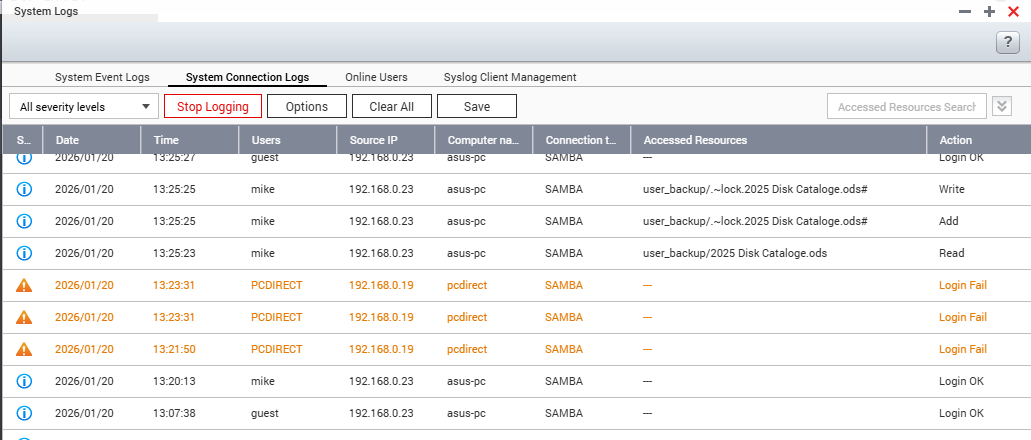
ie “NET USE s: \\HOME-NAS1\setup” returns “ The password is invalid for \\HOME-NAS1\setup Type the password for \\HOME-NAS1\setup” Entering the password results in a further error message “ERROR 5 Access has been denied”
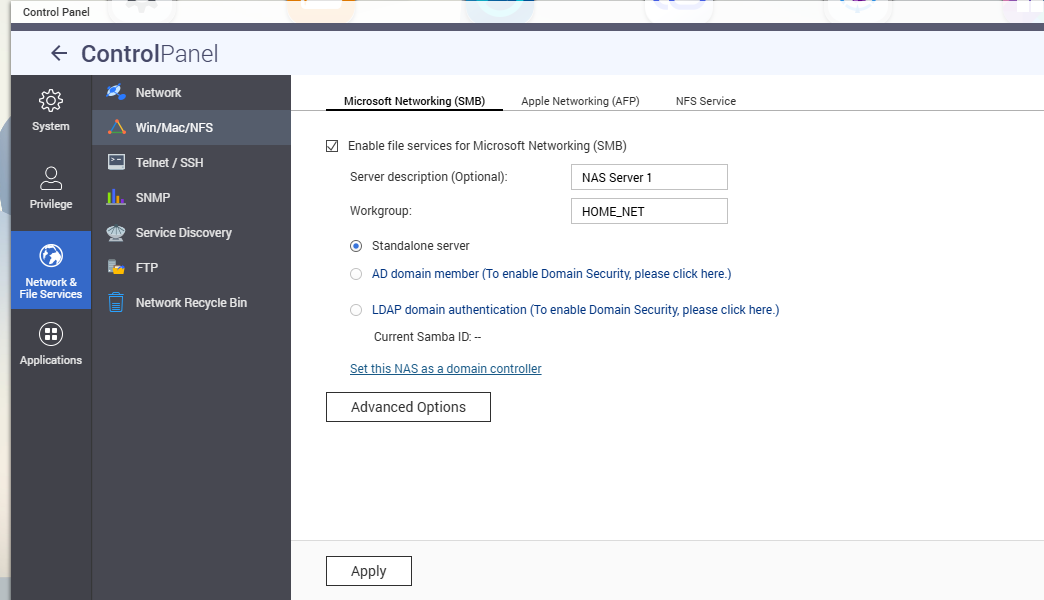
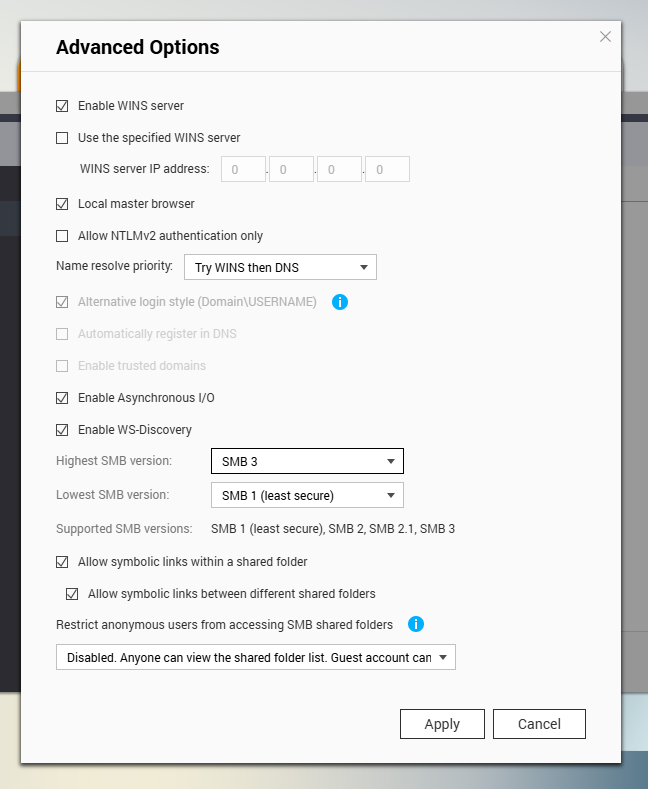
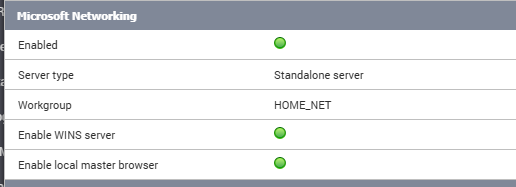
The NAS has Microsoft Networking (SMB) set up as a standalone server and in the advanced options the Highest SMB version is set to “SMB3”, the Lowest SMB version is set to “SMB1(least secure).
I appreciate that the old samba protocols are insecure and this is a vintage PC. What do I need to do on the NAS or the DOS PC to allow it to access to the server?
Thanks . That got me started Ok I can now access the NAS from DOS. This is what I did but I expect the modified samba configuration file will be over written on the next NAS reboot. The question now is does any one know how to make the changes to the smb configuration file permanent.
The process I followed
Log into the NAS as ‘admin’ using ssh.
Use vi to edit the samba configuration file /etc/config/smb.conf.
Added these lines into the [global section]
lanman auth = yes
client lanman auth = yes
ntlm auth = yes
Not sure if the last two lines are necessary did these before using the smbpasswd to rewrite the uses password as login was still denied. .
Restart the Samba service to apply the changes.
/etc/init.d/smb.sh restart
Change the users Samba (SMB) password from the command prompt. For some reason doing this from the QNAP console did not have the desired effect ie updating the SMB password file correctly.
/mnt/ext/opt/samba/bin/smbpasswd [username]
Note: No characters will appear on the screen while typing the passwords
If successful, the command will complete without an error message.
Adding those key-value pairs programmatically shouldn’t be a problem. I can assist with that.
Do you need to run smbpasswd every time after changing those settings? Or will once work?
To make these changes automatically, you must first find the bare-minimum of changes required to make your NAS compatible with the old PC. You may have to restart your NAS several times to confirm the minimum. We can then script the changes accordingly.
A follow-up: I’ve been testing on a TS-231 running QTS 4.3.6.2805.
I set these, then rebooted the NAS. All 3 options remained. This is unusual for Samba in QTS, as QNAP re-write a lot of the Samba config before each service restart. It’s good to see we won’t need to work-around this.
That just leaves your password. Do you need to run smbpasswd after each NAS startup so your DOS client can connect via SMB?
Tomorrow, I’ll spin-up an MS-DOS 6.22 VM and try connecting to the shares on this NAS.
I have done some testing as suggested and confirmed the outcome.
I removed the Client Lanman auth = yes and the ntlm auth = yes lines from the smb.conf and restarted samba. The change did not stop the DOS pc being able to login. So clearly those two configuration lines are not required.
I changed the users login password on the Qnap NAS . Login from the DOS PC failed with access denied. So the NAS was doing some thing with the Samba password. I changed it back on the Qnap NAS and still no ability to login from the DOS PC. I then changed the DOS PC login password using the using the samba (smbpasswd) tool and the DOS PC can login again. So the approach needs to be if you change the users password on the Qnap you also need to SSH in and change it using the samba password tool. I have no idea why the samba password is not updating correctly when using the Qnap interface.
I am not sure if networking configuration changes on the Qnap cause it to regenerate the smb.conf file or if it just updates settings within the configuration file. Changing a setting on the Qnap and then changing it back before applying changes did not seem to cause an issue with the samba.conf file.
A reboot of the NAS did not remove the change from the smb.conf file so that’s good news.
I concluded that:
I could remove the unneeded settings from smb.conf.
Rebooting the NAS did not remove the changes.
If I change the users password on the NAS. I will need to SSH in and update it for samba using the samba tool.