I have a TS-262 with 2 each 4TB drives installed. I started to sync data and got a warning I only had 29GB remaining and the sync aborted. The total amount of data stored is about 576GB, so, I was wondering where all my extra storage went. OK, I see there are “Storage Pools” and I just have one and I maxed it out. I went to Create Storage Pool Wizard and next to enclosure unit it reads NAS Host [available disks: 0/4]. How do I either open up the initial, very small pool or build additional ones with the HD capacity I perceive to have available?
Unclear what you trying to do, you have two disks in your NAS and already created a storage pool (on both ion a RAID1 I hope?). You hence have used both drives and cannot create another storage pool.
Any warnings about tripped storage pool thresholds are ab age old topic
https://www.qnap.com/en/how-to/faq/article/why-do-i-receive-storage-pool-1-has-reached-the-space-alert-threshold-notification-despite-having-space-available
Do you have any guaranteed snapshots or anything else set? Without screenshots it’s impossible to tell.
So there’s storage pools and volumes. How big is the volume that you created on your storage pool? It sounds like you may have created a thick volume on your pool that has run out of space. But as @dolbyman said, it’s hard to tell w/o screenshots.
The storage configuration is unclear, so it is hard to tell.
Typically, you can have a Static Volume (that uses all of the disk capacity), or a Storage Pool that contains one or more volumes (for which you can set a size).
I am guessing you created a smaller volume inside your storage pool ?
In any case, if you have created a Storage Pool with all your disks, you cannot create another one.
Thanks. I am attaching 3 screenshots. I am going to try to adjust this per the link attached. If there is another, more telling screenshot that dials this in better, please let me know.
On the Storage Pool. I’m too new at this to get that cute and create one. Obviously, it didn’t create itself. I did something wrong.
If needed, with a very small amount of data on this device, I can pull it off and start over. I would assume I can initialize these two drives and clean it out.
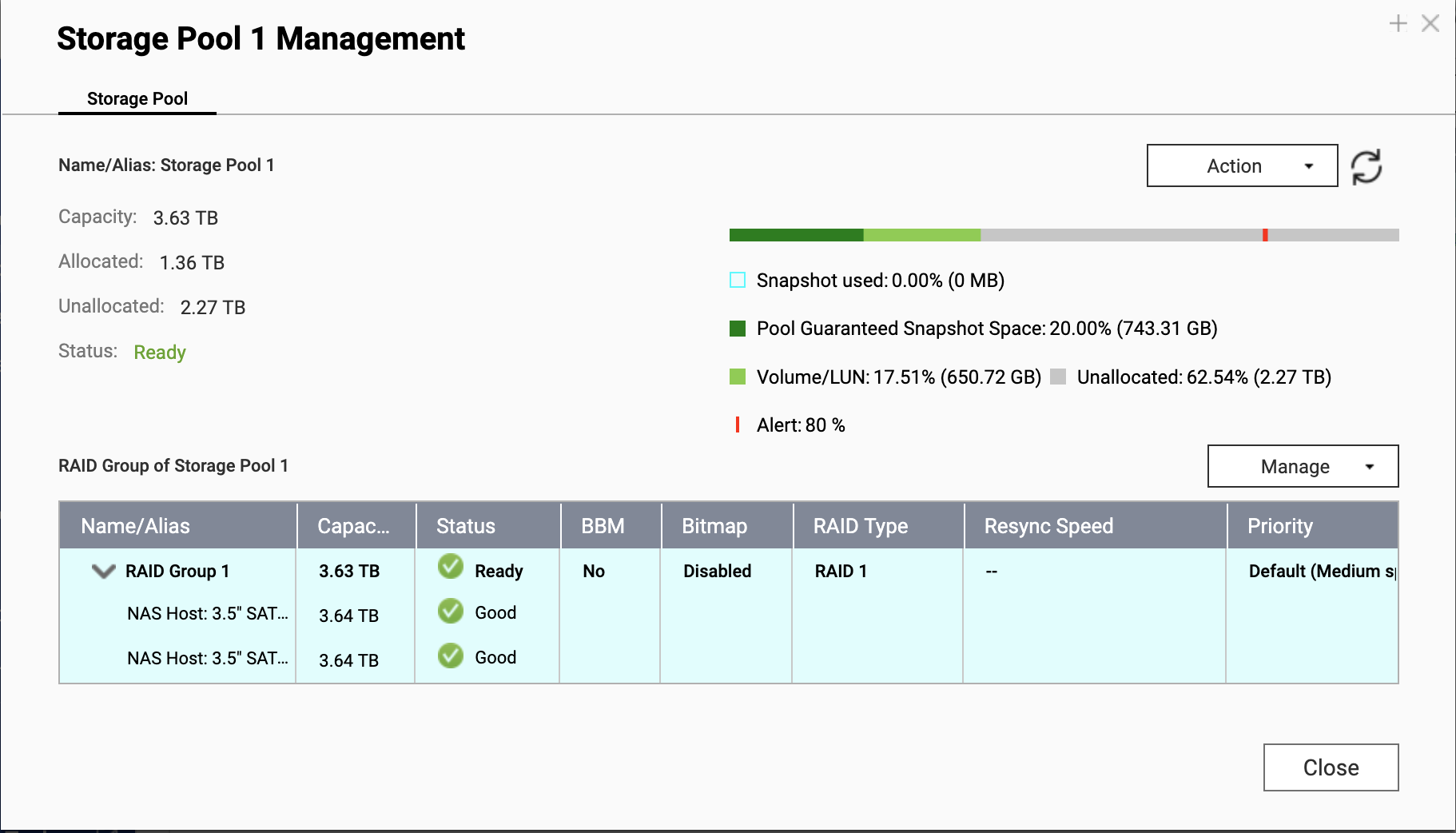
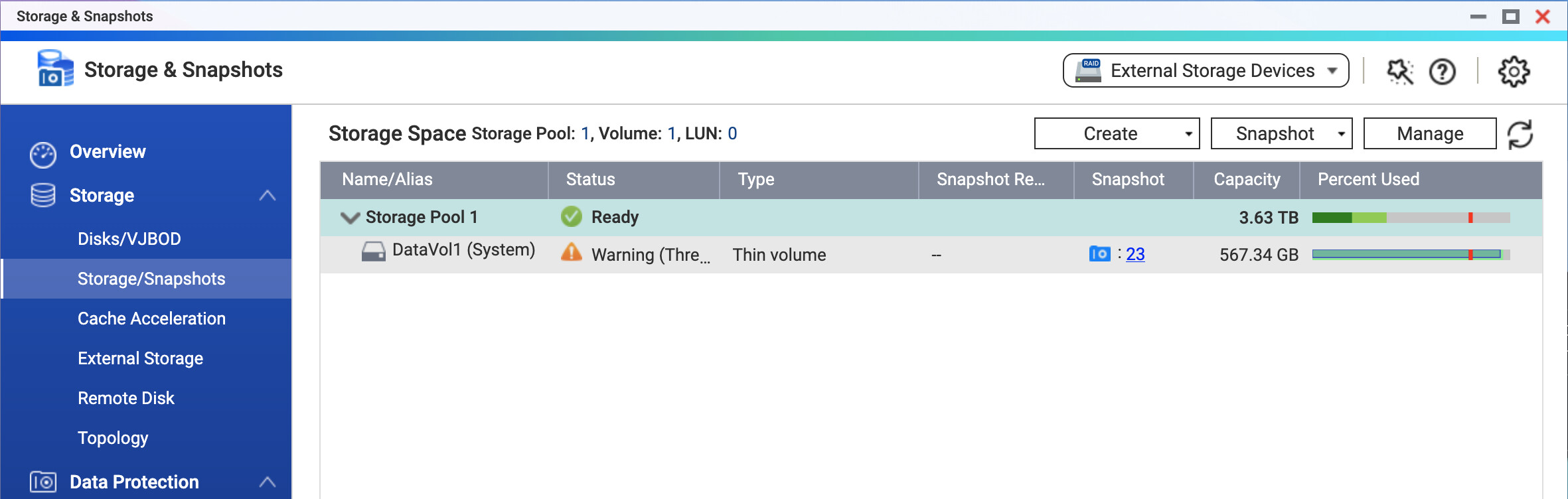
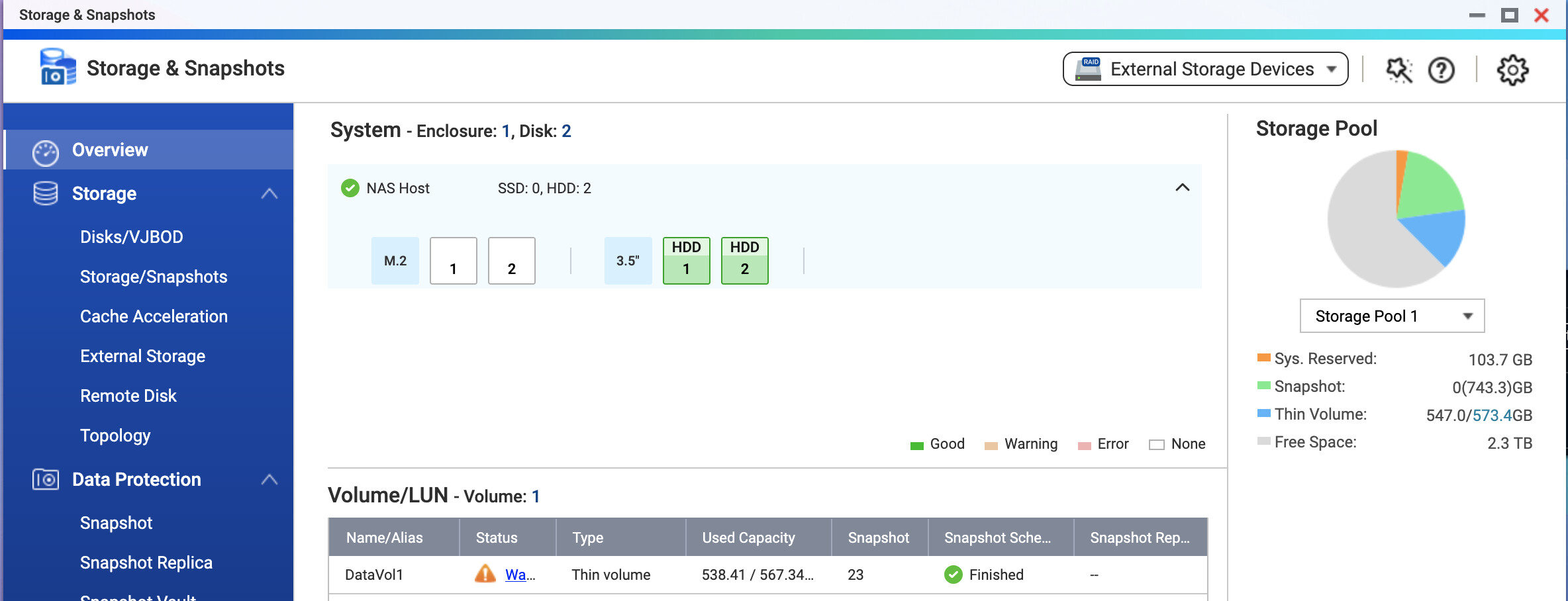
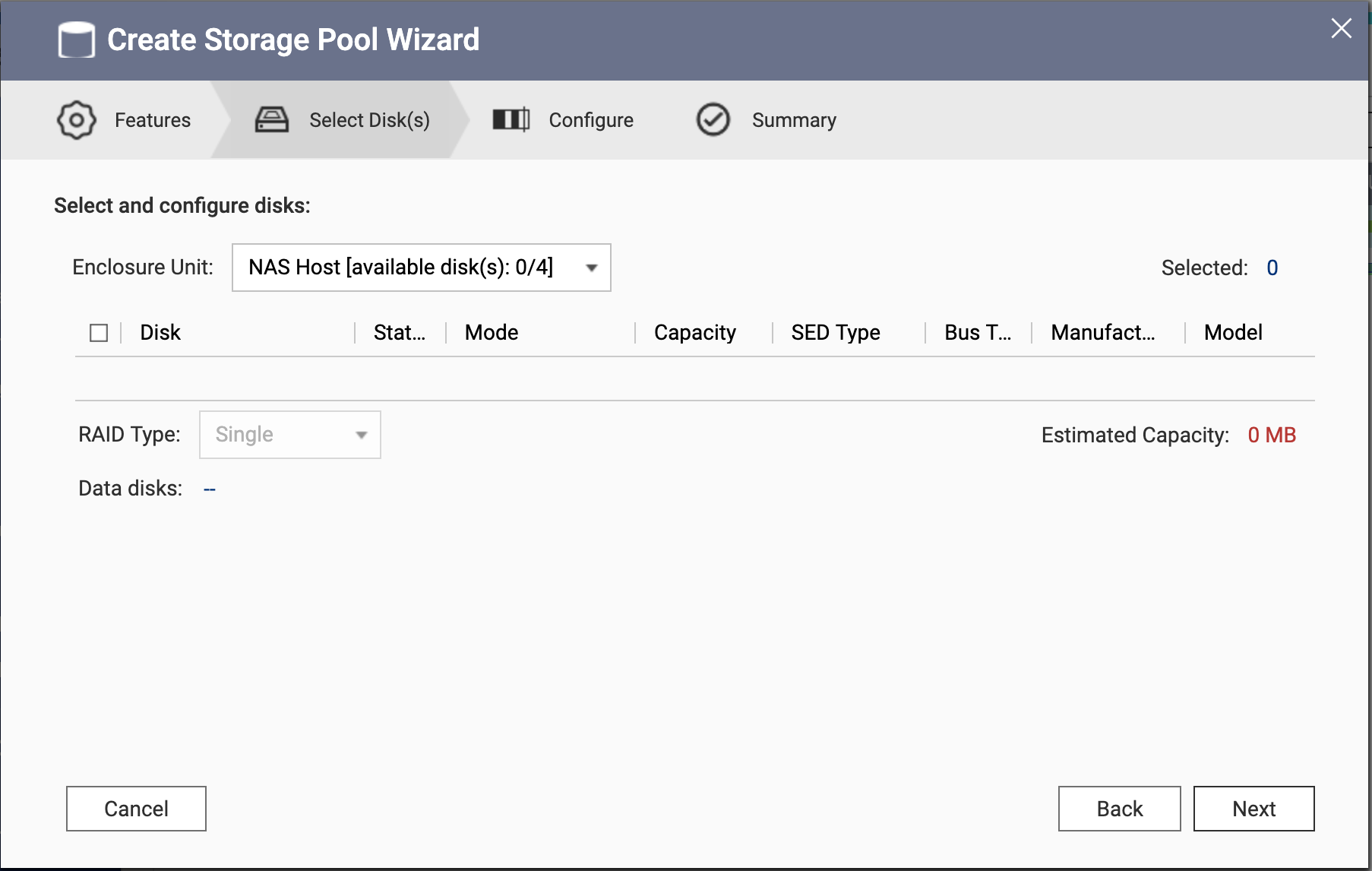
As said before..you cannot create another storage pool
You created a thin volume and on your pool and that is full now (triggered the threshold seen in red)
You can grow your thin volume, just make sure you do not overprovision it, to more than the pool can hold.
OK. I see your problem. The second picture shows it all…

So fist of all, you have a total amount of space that is 3.63TB, but you created a thin volume with a maximum space of 567.34 GB.
You are taking snapshots on that thin volume and have used up all the space. Now, as @dolbyman said, you can expand that thin volume larger. Expand it to the size of the pool. Then you will have plenty of space.
Here’s the thing. I am more unclear than you are. I really need a primer on vernacular (thick and thin volumes, storage pools and volumes. I would be glad to send a screen shot if you give me some guidance what would be the most help. My “assumption” was, with the two drive NAS was…I loaded it with two each, 4T drives. I also assumed this to be a RAID, so I only got (1) 4T of space, the other drive became redundancy? I am guessing I’m not even close and I have way more control and didn’t pay attention upon formatting at the beginning. All of you guys have been great responding.
Here is a little write-up and diagram that should show you how storage pools look like
https://www.qnap.com/en-us/how-to/tutorial/article/how-to-use-qnap-flexible-volume-management
You setup a RAID1 and created a storage pool on that. That’s it, no more pools can be added to your system.
Just as a 1:n example (also shown in the article above) Your pool can consist of several RAID groups, but a RAID Group can only ever be in one pool