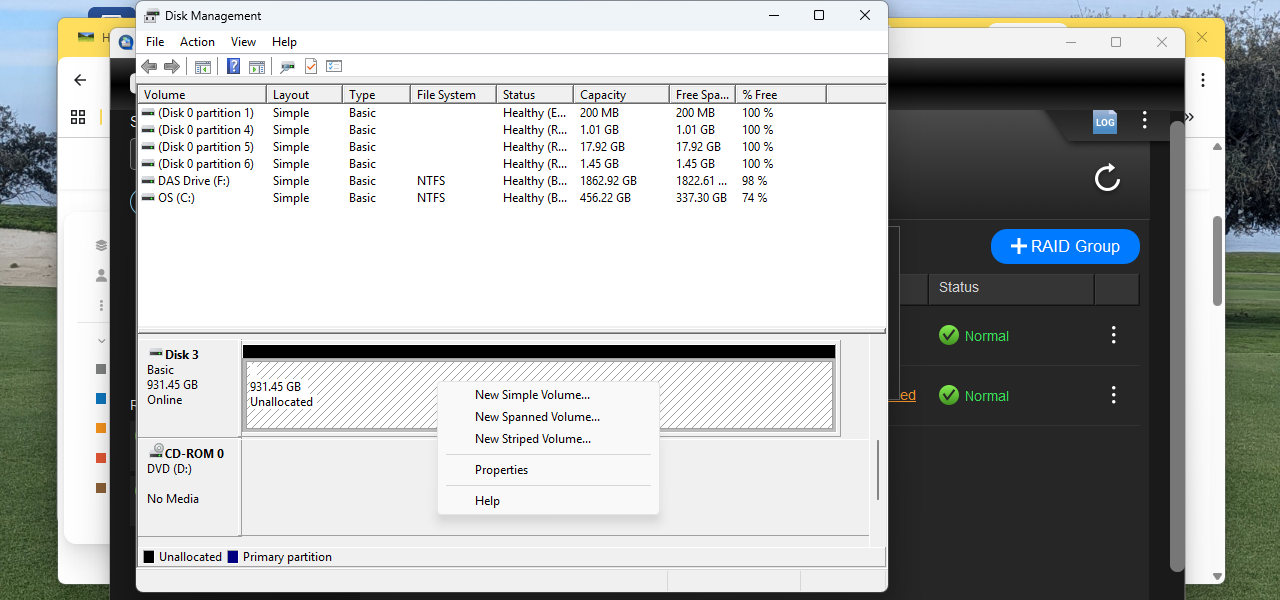
Newbie here. I purchased a QNAP TR-004 and have installed 4 HDD to the unit. I am using Win 11. QNAP firmware version 1.2.0. I have the unit set up as Raid 1 and labeled as Raid 1 and Raid 2. I simply am trying to use the unit as a DAS (an additional external drive vs a NAS). I set up Raid 1 successfully. It has a 2 TB Seagate and a 1 TB Seagate. My Raid 2 setup is recognized as “GOOD”, but won’t format. It has 1 TB WD and 1 TB Hitachi. Windows Disk Management won’t show me any format options. I don’t know how to tell a CMD line to format ONLY Disks3 & 4 in Raid 2. I don’t want to lose the information on Raid 1, so I did not combine all disks into a single Raid. Can someone help me to format Disk 3 in Raid 2? What are my options to make the unit fully usable? TY/
We just had a multiple RAID question a few days ago.
You need to use the RAID manager tool to create multiple RAIDs (in Software Control mode)
Windows will only see the finished block storage, not individual disks
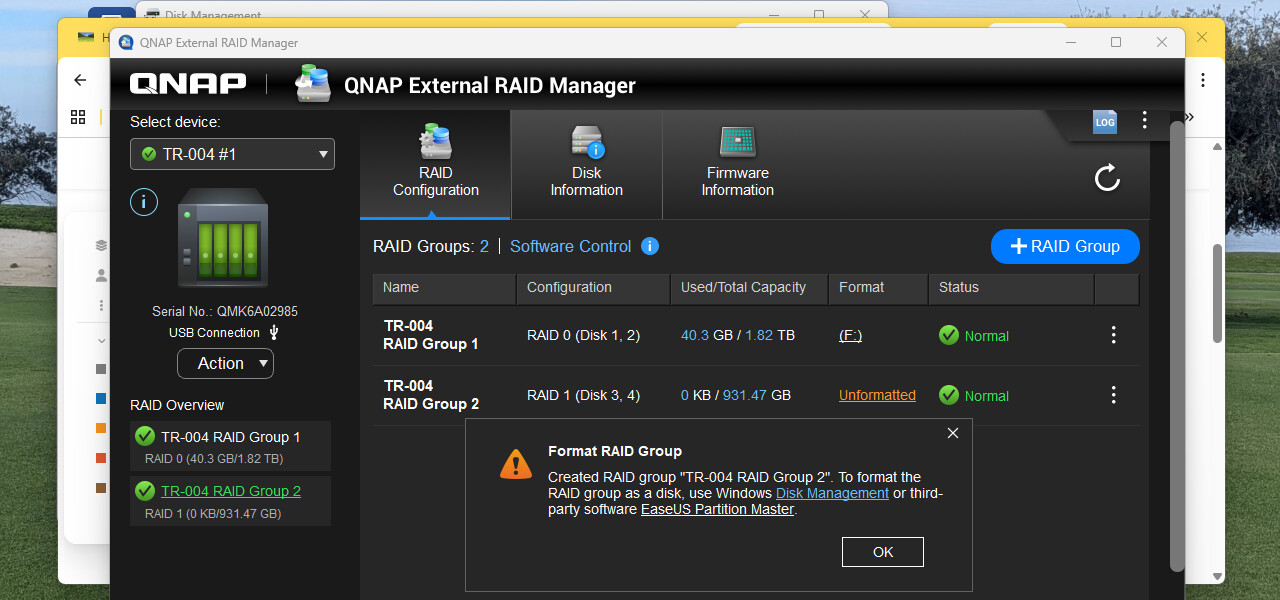
Are you certain you want RAID0 ? (total loss of data if any drive fails)
What happens if you choose "new simple volume’ in the bottom screenshot ?
Users experiencing related issues can refer to this FAQ:
How do I format newly added disks or a newly created RAID group on the TR-004? | QNAP