I have an HS-251+ configured with two drives (basic RAID) running 5.2.10.3577
I’ve tried the two methods (3 sec beep / 15 second beep) but the unit still retains its original IP (192.168.0.31) with the given name of the unit changed from NAS6Tb to NASF9B980
I’'ve tried without success to locate any login details - any ideas ?
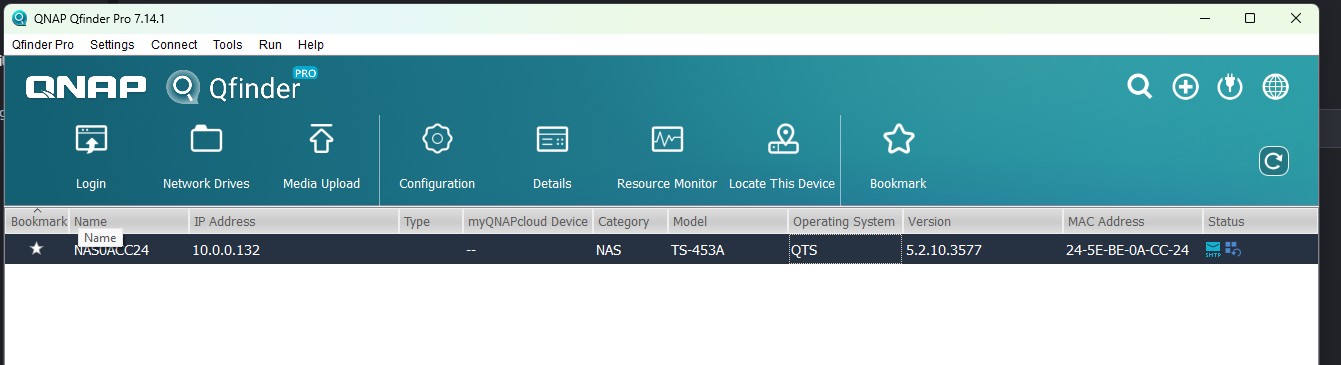
I have nearly the same issue, TS-453A running 5.2.10.3577. I have performed both the 3 sec and the 10 sec reset. SSH seems to be disabled too. I have tried using many different usernames: admin, administrator, “blank”, Serial number, along with all the different passwords the documentation suggests. In my situation, a rogue user changed the admin password when this system was working. I attempted the 3 and 10 second resets expecting some work to get this back up and runnnig. But now it is completely offline, and I need to get the data back. Thank you in advance.
Thank you @dolbyman that step of pulling the drives did allow me to get the Cloud key. Using that as the password in all caps with no special characters with “admin” still failed with “Invalid username and password”.
@dolbyman I was trying to log in through QFinder, which failed. Using “admin” and the Cloud key in the web interface worked! It had me create a new admin account with a password, and now I have access to all the data that was on there. So thankful for your help.