I understand the basic Container Station and have deployed a couple. However, the Unifi Network Application (Currently on 10.0.162) requires MongoDB as well as initializing the database for Unifi Network Application to use and the username and password. My current setup is a Raspberry PI4B and I have a full backup.
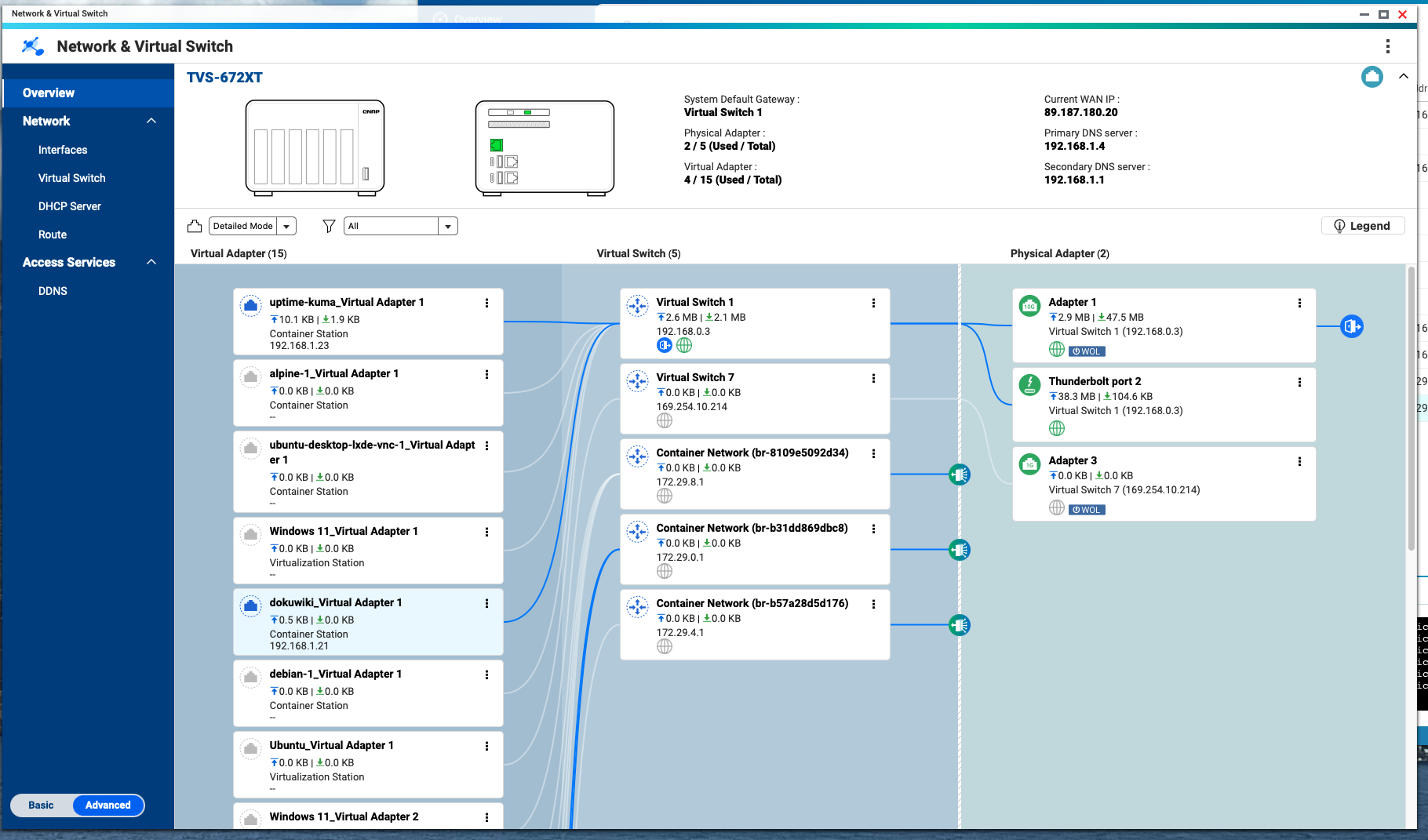
My setup is a TVS-H1688 and I am using the four 2.5GB/s interfaces as a LACP lag group trunked with two VLANs, VLAN 250 that I want to use for this into Virtual Switch 1. The other VLAN (Virtual Switch 5) is my IoT VLAN as I plan on eventually moving my Home Assistant off its Raspberry PI4B to it.
I am having a tough time figuring out where to put the YAML file to build the container and what I should use as far as figuring out where the storage should end up and where to assign that Virtual Switch 1 and then the static IP, subnet mask, default gateway and DNS servers.
I have to think someone has attempted this. Thank you in advance.
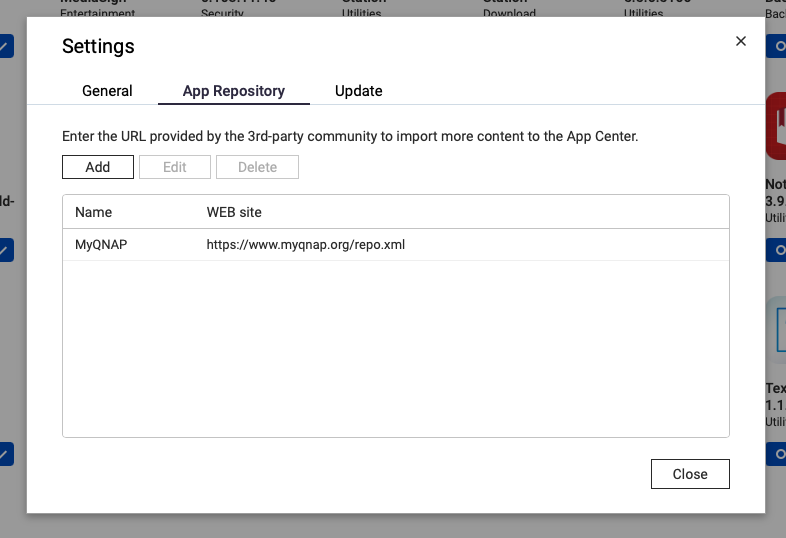
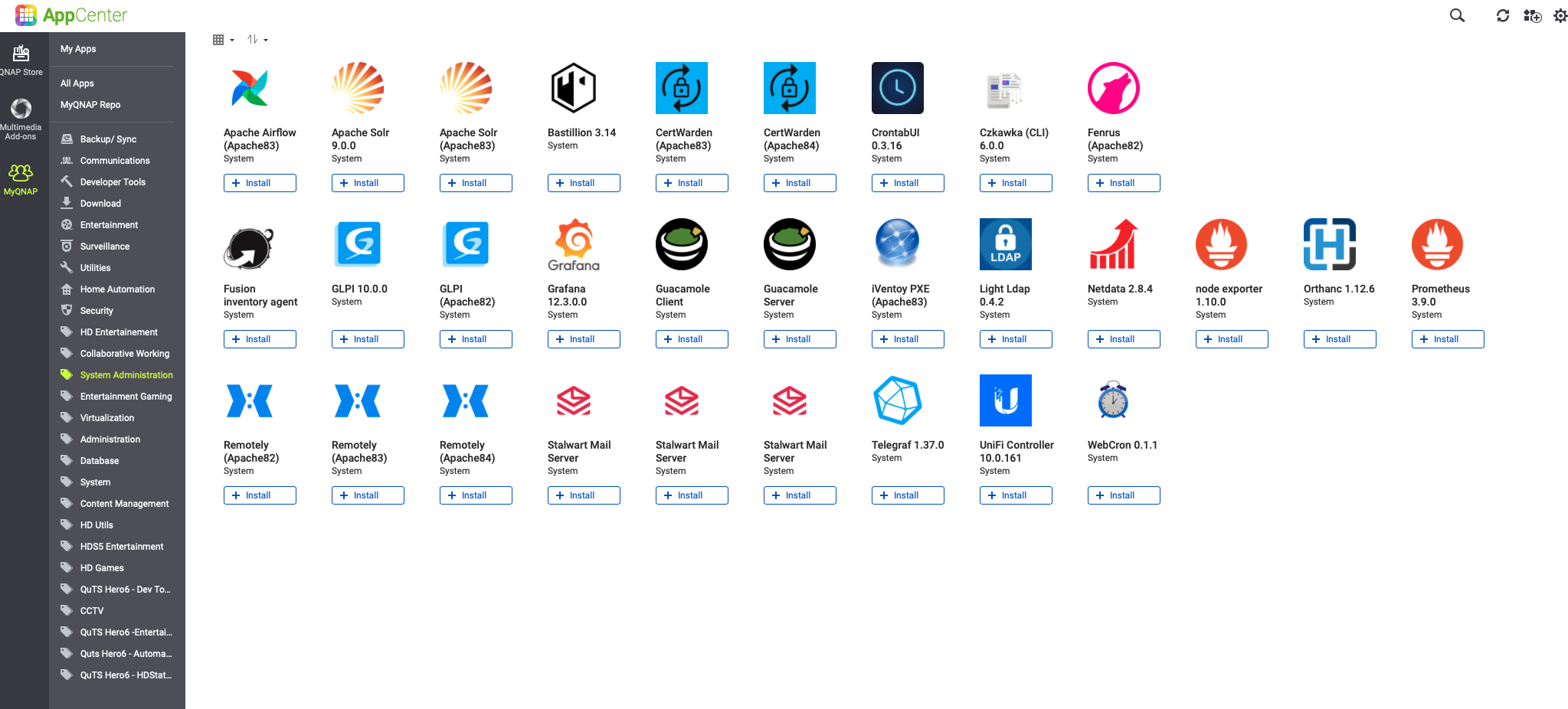
I have an easier solution for you. If you add MyQNAP.org to the App Center repository, there is a native Unifi application that will run on the QNAP directly. No need to run it in a Container.
Go into settings in App Center and add the MyQNAP.org repository link:
You could find the ${QNET_INTERFACE} from ssh and ifconfig command.
However, please note that this container / docker image is a third-party application, not our QNAP product, so you need to pay attention to data backup and stability.
I have tried this however, tcp/8080 was in use by the console (recently changed to a different port) and I do not know what port would be for the /inform web page and how I would change that to 8080 now that I am not using that port.
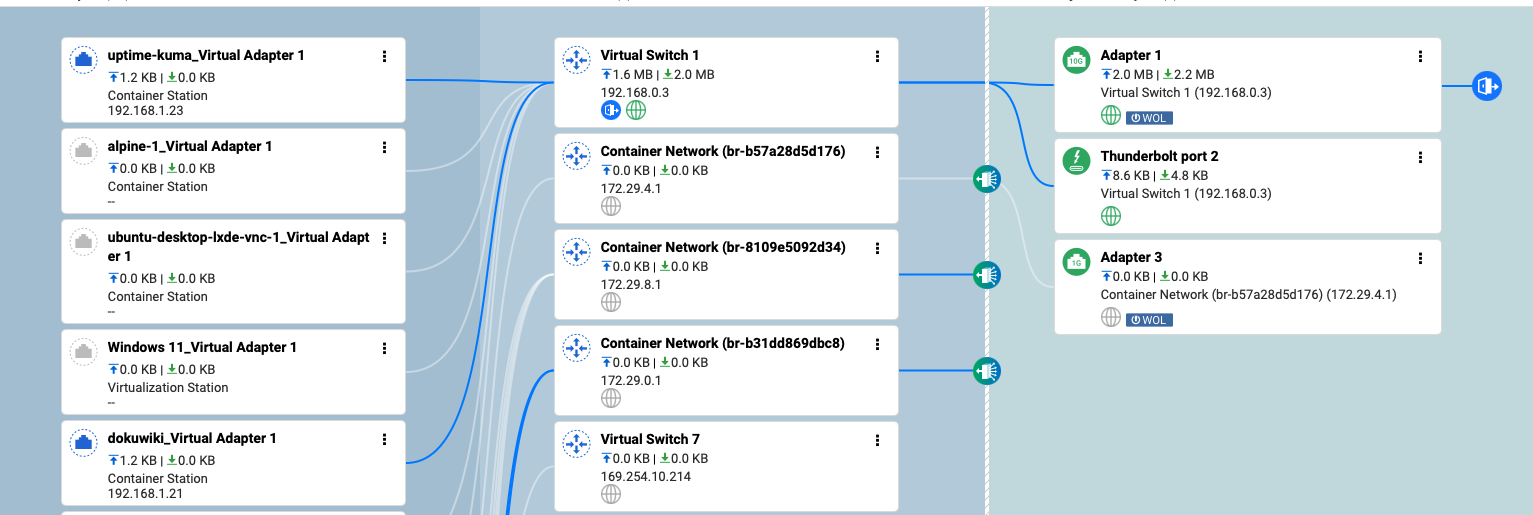
Is there a way to move this application to my other adapter team/virtual switch?
I would like to use this method if I could. It looks like the virtual switch I want to use is “qvs0” however; I see two things I would want to do:
1.) How do I determine the volume location?
2.) You have to install MongoDB and initialize it.
If I could find someone to help be do this I would gladly pay them because I want to learn and I am a big time noob when it comes to Docker but I could see me using this a lot more, especially in my Home Automation realm.
Here is the script that I found and have been trying to figure out:
/home/ubuntu/docker/unifi-controller-db:/data/db <–Need to figure out where.
/home/ubuntu/docker-compose/unifi-controller/init-mongo.js:/docker-entrypoint-initdb.d/init-mongo.js:ro <–Need to figure out where.
networks: <–Would I need a static IP in here and virtual switch?
unifi:
restart: unless-stopped
networks:
proxy:
external: true
unifi:
! This below is the java script to initialize the MongoDB Database
!
! init-mongo.js
! db.getSiblingDB(“unifi”).createUser({user: “unifi”, pwd: “[[password]]”, roles: [{role: “dbOwner”, db: “unifi”}]});
! db.getSiblingDB(“unifi_stat”).createUser({user: “unifi”, pwd: “[[password]]”, roles: [{role: “dbOwner”, db: “unifi_stat”}]});
Do you need to run the UniFi app in a docker container? As I said above, there’s already a “native” app for the UniFi console on the MyQNAP.org repo. It is much easier than setting up a container and then installing the app…
Going to try and understand this better. I am one of those who once they see it and how it works, I learn. There just are no videos using the Qnap Container Station.
Sorry about the formatting…I saw that when I hit reply.
If someone is willing to establish a remote session to help me, I am willing to pay.
Sorry. It did not do what I want but it seems that they updated it to the matching version I have on my PI.
When I go to install that version, it does not give me the option of which virtual switch I want to use. It defaults to Virtual Switch 5 (Adapters 1+2+3+4 but tagged VLAN 253, which is my IoT network), which is the wrong subnet. I want it to install to Virtual Switch 1 (Adapters 1+2+3+4 untagged). I have not seen a way to set which adapter set or which virtual switch to assign it to when installing Mondo and the UniFi Network AP. If I could get this figured out, this might be the solution.
I realize that and something in my brain is not clicking with how to do this. I am willing to pay for someone to help me.I am really good with watching a YouTube video or seeing someone doing it and learning from there. Unfortunately, on YouTube, there just is nothing step by step on the Unifi server.
I cannot seem to understand how to update my Tautulli containers and I want to.
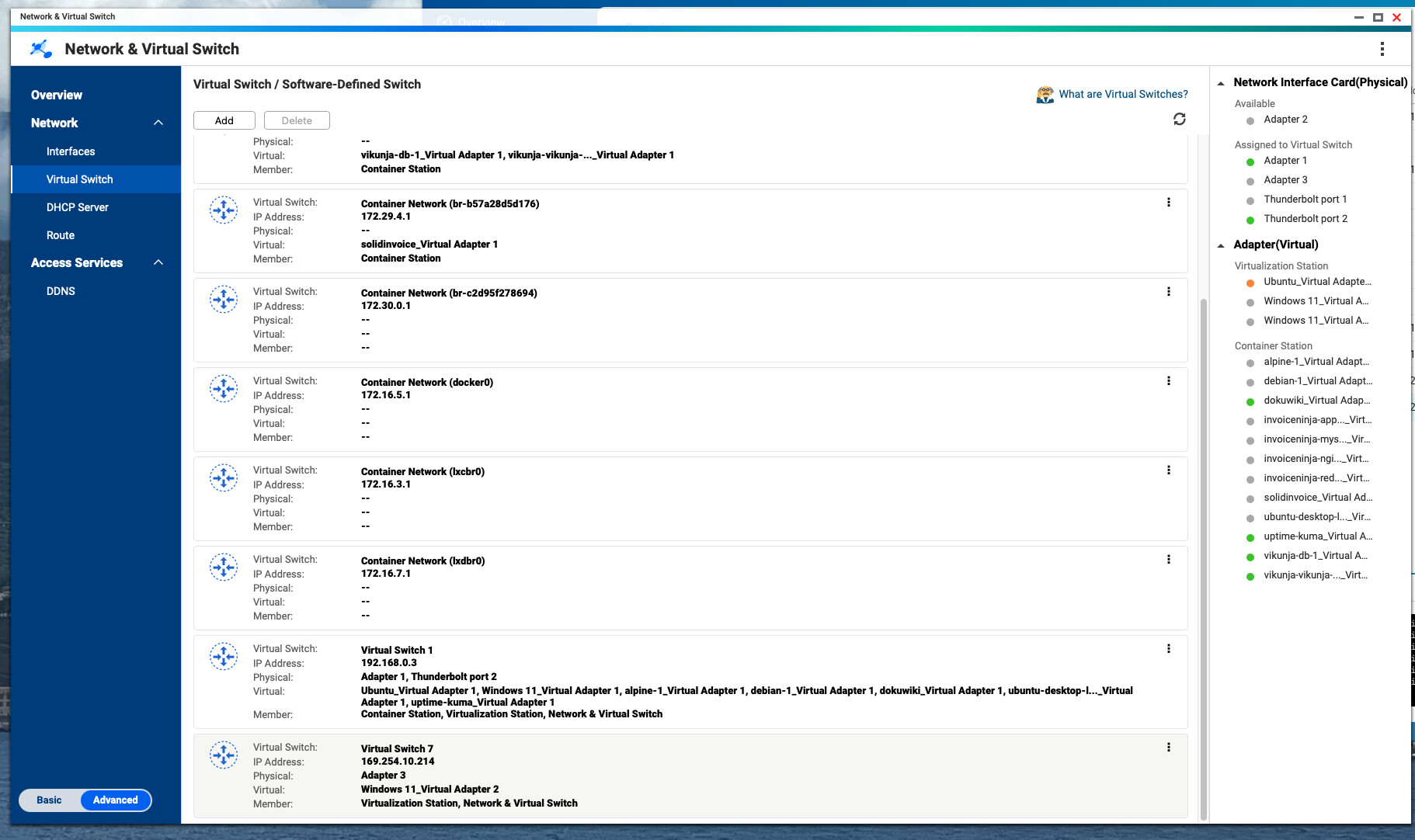
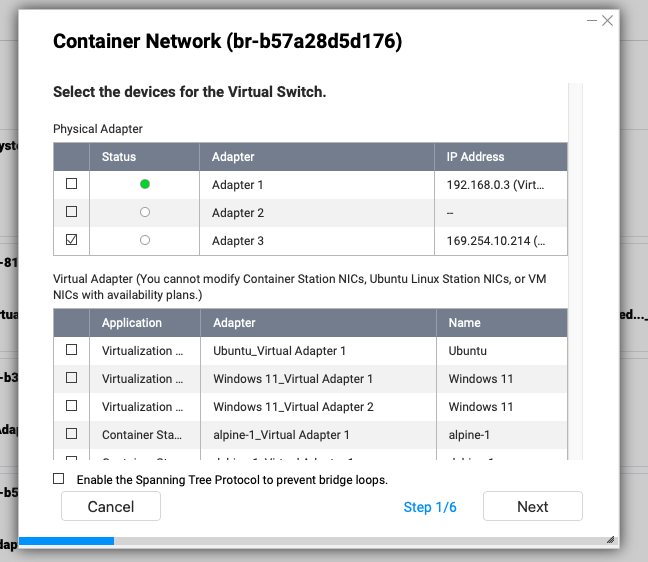
You will see all the virtual switches and networks created. Select the one you want (the one that has your Container) and click on the three little dots on the right hand side. A menu pops up - select Configure. A new window will open:
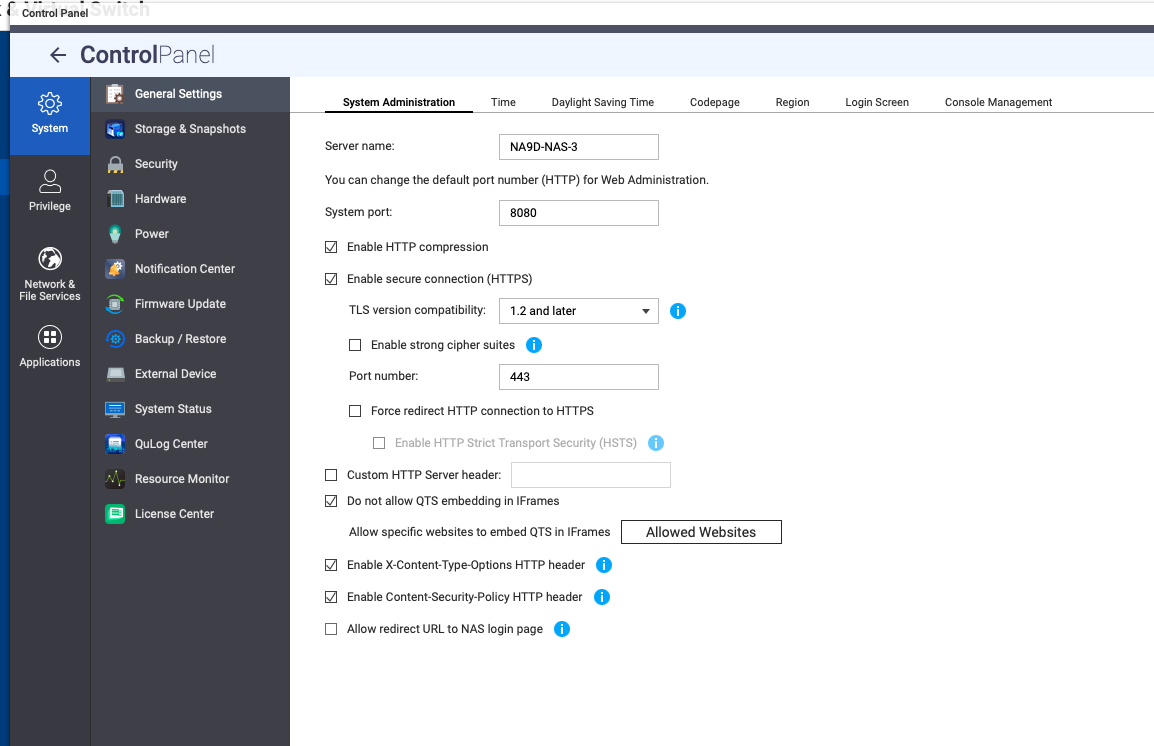
Now to change the web interface away from 8080 for QNAP, go to Control Panel / General Settings and change the system port to whatever port number you want.
The MongoDB should be set up in your YAML. I’ve seen instances in YAML where an IP is defined. Not sure what is needed for your setup. Here’s my YAML from a Vikunja installation which uses an instance of MariaDB: