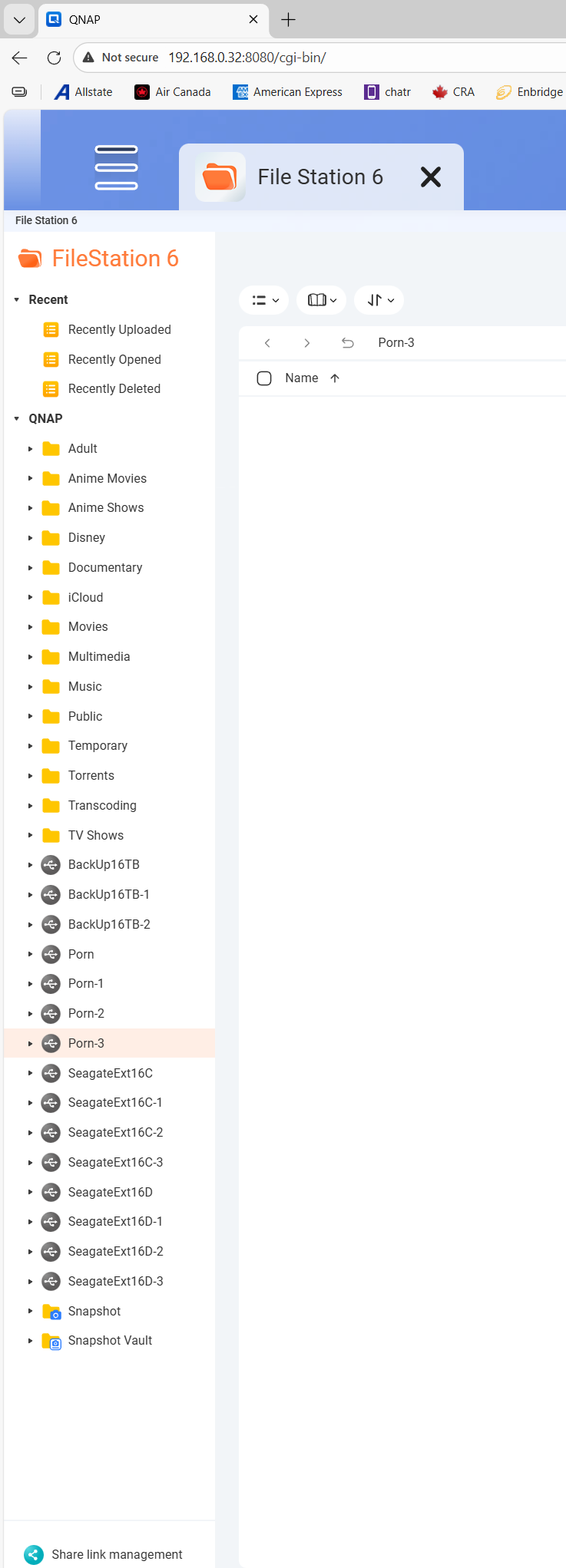
I have this DAS that has four HDD’s attached, it’s currently unplugged. I safely detached it and then unpluged it. I no longer have the DAS or HDDs. It still shows up as if it’s plugged in. I’ve shut down the NAS overnight and still it shows up. I can’t find it in anywhere in the settings to unplug it as it doesn’t show it’s plugged in anywhere else.
Not too familiar with these kinds of issues.
But you may want to specify what is the DAS model in question, and what NAS model with what firmware version.
TVS-874, DAS was an Orico.
I would like to clarify a small detail: did you also disconnect all USB attached to the NAS?
Thanks!
No, let me try that now. Since my TL-D800C and TR-004 is USB.
EDIT: Didn’t work.
If I reformat my two SSDs with the OS on it. Would I lose all my data on my other Storage Pools?
The OS is copied on ALL internal drives.
Still don’t know which firmware version it is. That could help, if there is a bug.
It’s only visible from File Station, right? Not from other apps or other protocols?
File Station and Windows Network. I recently upgraded to Public Beta 3 of the latest firmware.
Suppose you mean
QuTS hero h6.0.0.3397 Build 20260206
Did the issue appear after firmware update? As this is Beta versions, it would be unstable.
Do the share folders appear, and can be removed, from the Control Panel ?
I had this issue prior to updating the firmware. I was hoping upgrading would fix it. I just checked the Control Panel and one of the drives (which repeats itself 3 times) is there. I tried removing it but it won’t remove itself.
I plan to unplug every drive, reformat the two SSD/NVMe/Boot/OS Drives. Then plug everything back in. I won’t lose my data on my three storage pools right?
Not sure that is a good idea. The OS is stored on all drives not just the NVMe drives. Those are your “system” volume but that is different from OS.
You may want to back up all your data (you should have it backed up anyhow), completely reset your NAS and start over from scratch.
I am guessing there is an issue with some configuration files. If so, since the OS is installed on all drives, formatting the system volume will not do anything.
Better to directly contact QNAP support I think. It could be a bug
Well, I think the problem is that if you reformat the NVMe drives you are basically setting up the NAS from scratch. It won’t know about your other storage volume. So when you try to add that in, it won’t know what it is and you may have a lot of tears as you could lose your data. I don’t know if it would be OK, but it might not be.
So BACK UP YOUR DATA (a NAS is not a backup) and reset everything from scratch…
Or open a support ticket. Maybe QNAP support can clean it out…
I had this happen recently as well
go into /etc/config
edit smb.conf to remove the ghosts drives
they will populate again next time you plug in so no worries
I’m still quite a newbie. How do I do that?
I got into it but it says I can’t edit and that I have to delete. After I delete it tells me I don’t have permission. I’m using WinSCP.
EDIT: Had to use the original ‘admin’ account.
This worked! Thank you SOOO much!