I use various Windows 11 and Android devices to access my TS-664 NAS Running QTS 5.2.8.3350 with 4x 8TB Seagate ST8000VN004-3CP101 Iron Wolf drives in a RAID 5 configuration.
On Dec 23 2025 I started getting multiple reports of the following related Warnings and have continued to get them since.
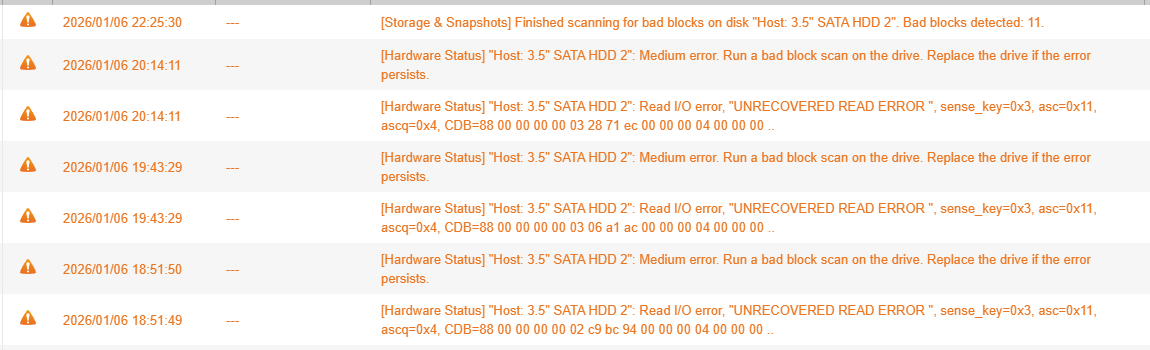
23/12/2025 10:21:38 — — localhost — Hardware Status I/O Ports [Hardware Status] “Host: 3.5” SATA HDD 2": Medium error. Run a bad block scan on the drive. Replace the drive if the error persists.
23/12/2025 10:21:38 — — localhost — Hardware Status I/O Ports [Hardware Status] “Host: 3.5” SATA HDD 2": Read I/O error, "UNRECOVERED READ ERROR ", sense_key=0x3, asc=0x11, ascq=0x4, CDB=88 00 00 00 00 02 b1 c4 33 88 00 00 00 10 00 00 ..
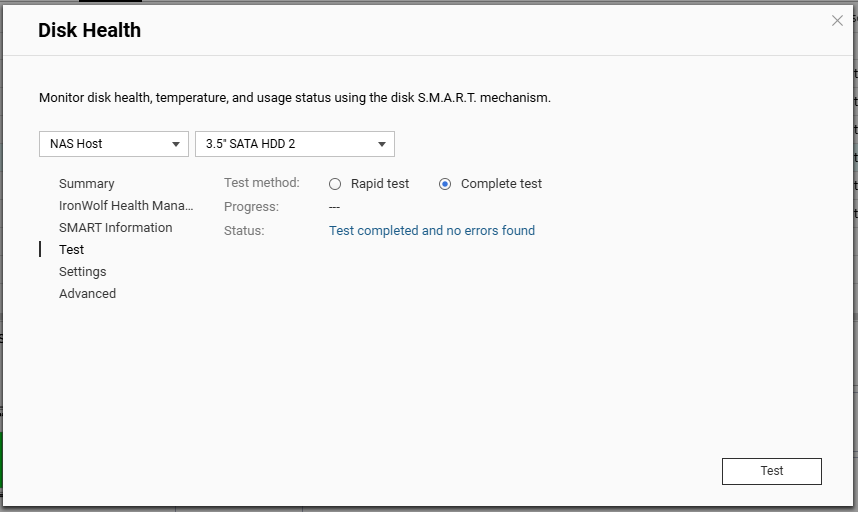
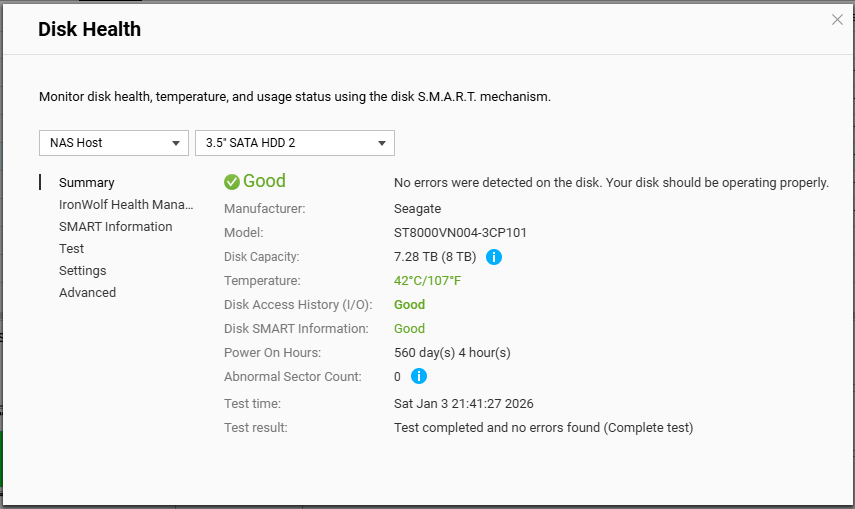
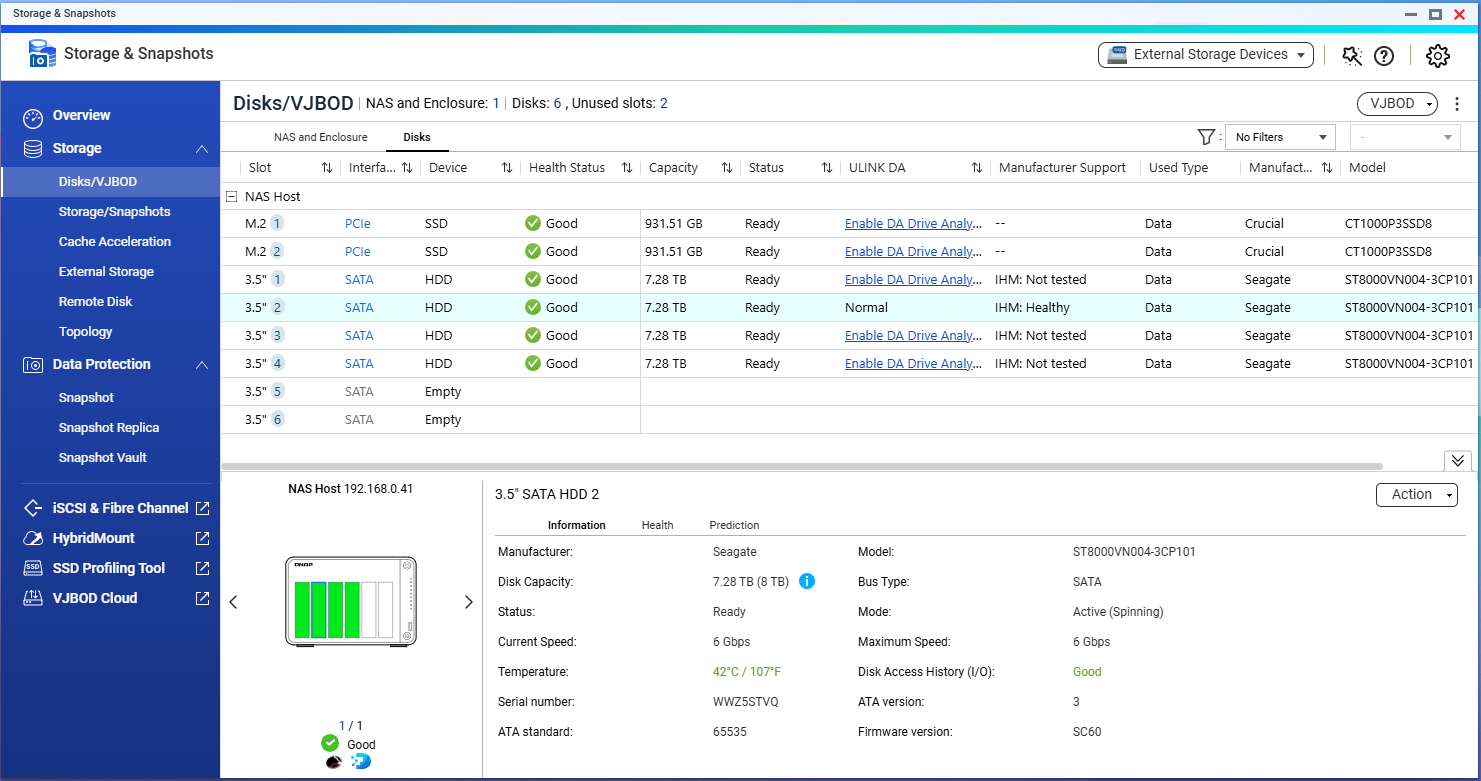
I have run 3 bad block checks in the past week and 28, 189 and 15 bad blocks were detected during the respective runs. I ran a quick then full SMART test and the status for the drive is “GOOD”, a IHM test shows as ‘Healthy’ and I enabled the one free ‘seat’ provided for DA Drive Analysis then ran an analysis on the drive and that showed it as ‘Normal’ with no prediction of failure.
Can anyone explain or give a possible reason for the disparity in alerts to scan results? Is there a way to definitively determine what is going on given the NAS, Disk Manufacturers tool and a 3rd party tool (I think) don’t agree on the state of the drive? Are there any actions I can take, short of changing the drive, to resolve the situation?
Hi, it is true that different diagnostic tools and testing methods can yield varying results. However, these inconsistencies should be taken as a potential warning sign. We strongly recommend that you ensure all your important data is backed up immediately to prevent any data loss.
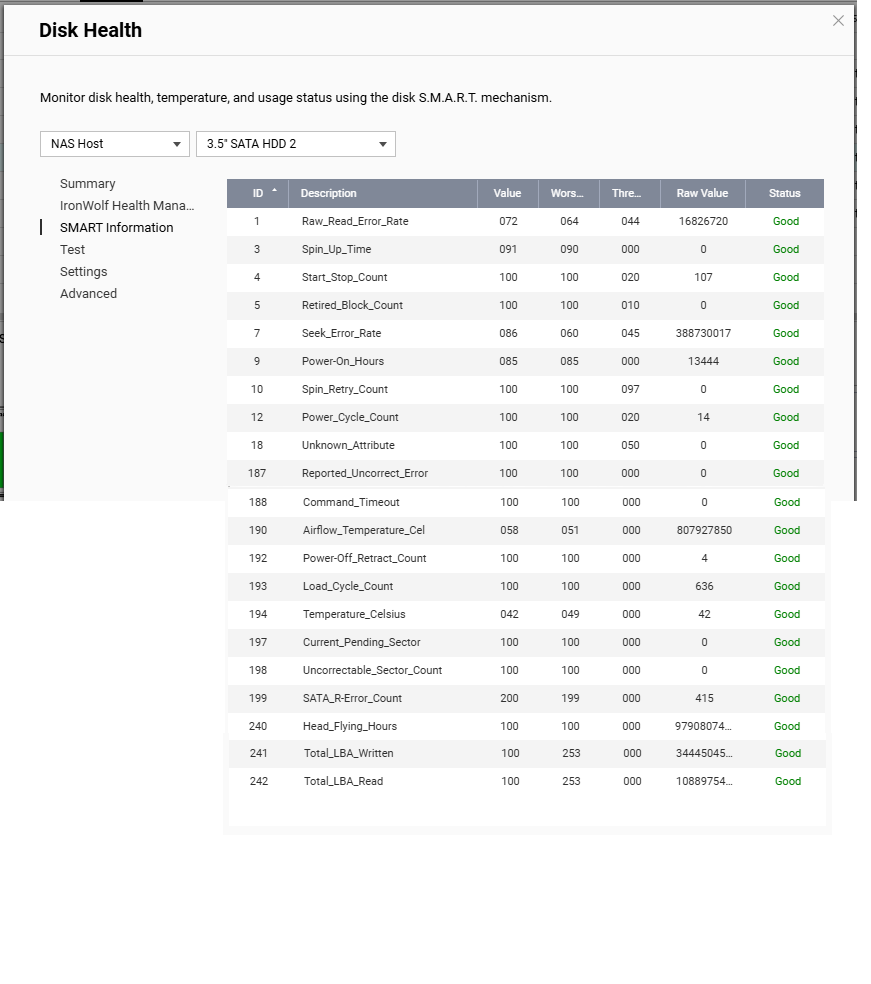
If possible, could you share the S.M.A.R.T. attribute values or a screenshot of the test results? This will help us better understand the actual condition of your drive. Thanks!
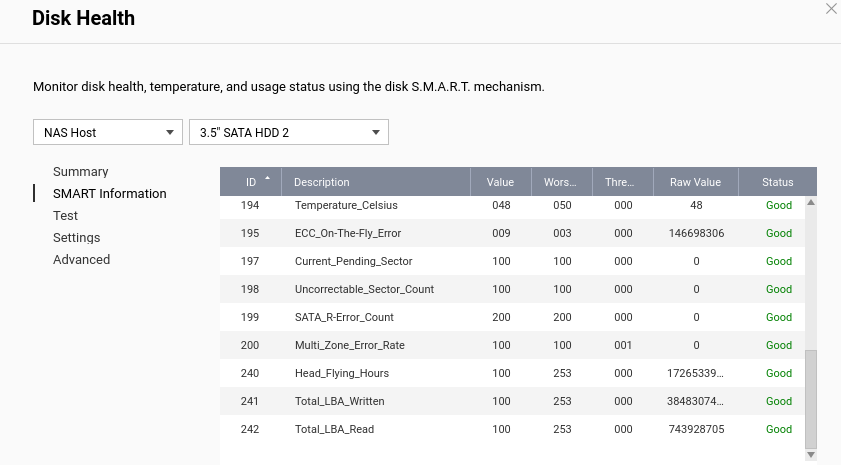
Thanks for the reply. Attached are a few screenies that I think you want, if there is something specific you need me to grab please let me know. I appreciate the warnings the NAS is providing indicates potential issues but have difficulty reconciling those with the fact the hardware specific monitoring (SMART and IHM) are at odds with the OS. I’m also conscious that Seagate will not entertain replacement of this drive under warranty if IHM isn’t flagging issues.
It started making a loud buzzing noise last night around 3AM, which was somewhat startling. It sounded like it stopped, but when it started again 20 minutes ago I logged in and saw the warning.
As soon as I started the bad block scan on Drive 2, the buzzing stopped. I have two identical, 12TB IronWolf Pro in it (ST12000NM0008-2H3101) and all the SMART data is also good. The bad block scan is running.
This is my backup NAS; I pretty much never access it directly, the only thing it does is a nightly rsync at 5AM; that’s two hours after the error showed up. The error showed up right after malware remover started scanning.
I am aware that between the noise and the error I should probably replace the drive, but I am not in a rush (it’s a backup drive for my backups); I however find it really strange to be the second person to report this exact issue in the space of two days. I’m mostly concerned by the discrepancy between SMART information, especially since I don’t see any SATA read errors in it, while QTS said there was one.
I don’t know if you need proof of purchase; but you will probably have to work through a ticket. The first time a new QNAP touches the internet, it registers the date with QNAP.
I think I’ll have a bash at contacting Seagate tomorrow and see what their take is. The drive was registered and is still in warranty on the Seagate site. How long will a RAID5 array stand up (yes I know resilience is lost) if I have to return the drive to them for testing (which could take weeks)?
Agreed. Once that drive is out (and even after it or a new one is put back in and a rebuild starts to occur), there is no redundancy any longer. If a second drive fails during that time you are up a creek with out the proverbial paddle.
Philip, a question, I’m curious. Are you using virtualisation station on your NAS? It may well just be a load thing, but I shut down a HA virtual machine I was running 12 hours ago and haven’t had a warning since.
I’ve started the pretty poor RMA process with Seagate, will still need to buy a replacement drive as it could take up to 3 weeks for them to turn the claim around.
yesterday same or similar error appeared:
IHM and S.M.A.R.T are fine, log entry recommends doing a bad block scan.
Bad block scan finds 8 bad blocks => new S.M.A.R.T test reports errors.
Reboot => all counters are reset, IHM and S.M.A.R.T report good state.
New bad block scan tells after just a few minutes the first bad blocks.
Did you try stopping NAS, connecting to PC and checking with SeaTools ?
Did you get a resolution by QNAP for this behaviour?
Yes I triesd stopping/starting NAS. Still the same issue. I then got a replacement drive as I didn’t want my RAID to fail. I used seatools on the drive in a caddy attached to my PC and ran quick and full scans with no errors detected, seatools also reported no re-allocated blocks, which would have been expected if bad blocks were being detected. I had an RMA with Seagate, but there was no point returning the drive as they would do the same tests I had done and declare the drive OK (part of the warranty ‘agreement’). So, I put the ‘failing’ drive back into the NAS with another drive as a JBOD group and assigned it a storage group, but left it empty. The drive isn’t reporting as often now, a few times a week as opposed to a few times a day, but that’s probably to be expected as it’s not being asked (by me) to write or read anything as I’ve left the storage group empty. No idea where I go now. I haven’t had any correspondence with QNAP directly about the drive, it still has a year left on the warranty, so I’m occasionally mooching around to see if anyone has similar issues and resolved them.