With one exception, upgrading an elderly TS 251+ to a TS 464 was a pleasant and straightforward process. Once the drives were swapped over I had to use Qfinder to locate the new NAS and reset the static ip. I was then able to log in and found that with a couple of exceptions my apps were all correctly installed and configured as expected with permissions and users working as expected. For some reason I had to reinstall HBS3 and QSync once installed but those apps found the previous configuration so no issues. A third party app MinimServer as expected needed to be installed but again it retrieved its configuration.
The only app that didn’t play ball was QVRPro. It basically hung with a loading screen. I opened a call to Qnap who informed me that QVRPro requires a manual transfer of binary config file to work as it’s not supported by migration. Sadly after following the instructions, QVRPro still hangs with a loading screen. I updated the call notes and am awaiting a response.
Apart from this, the migration was more straightforward than I expected.
Not surprising about QVR Pro as it creates its own volumes and all for recording video.
The QVR Pro should now create its own volumes automatically, it will only select the currently created Volume and pre-allocated space for recording.
The only app that didn’t play ball was QVRPro. It basically hung with a loading screen. I opened a call to Qnap who informed me that QVRPro requires a manual transfer of binary config file to work as it’s not supported by migration. Sadly after following the instructions, QVRPro still hangs with a loading screen. I updated the call notes and am awaiting a response.
I thought that since both TS-251+ and TS-464 are based on Celeron CPU and can support the latest version of QTS firmware, most application should work normally if just move the HDD on TS-251+ and installed on the TS-464.
I checked the support ticket and the support staff has suggested using the Bak.bin file but the result was unsuccessful. @Spile Would you like our support staff to contact you to arrange a time to let the QVR team can check the situation directly via remote access?
I’ve decided not to transfer QVRPro to the new NAS but to install a couple of drives from an earlier upgrade onto the TS251 and use that as a dedicated NVR.
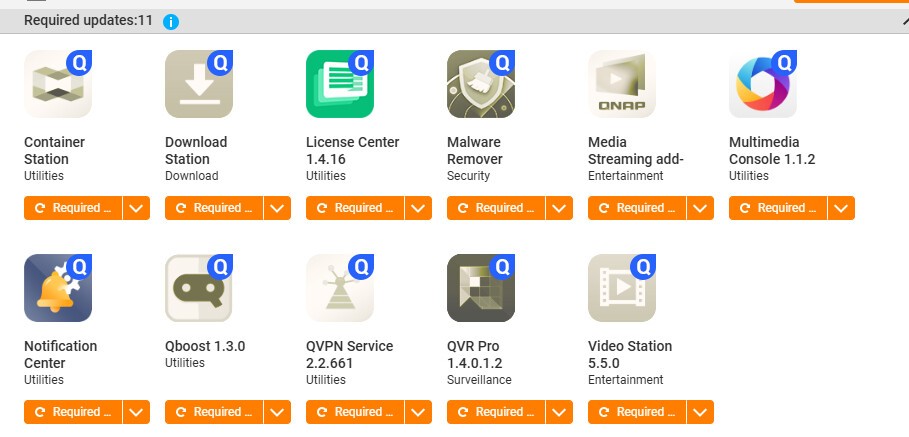
My issue now is that I am being told to update the core firmware, but when I do this I am told that I have the latest version (5.2.5.3145) and in addition, when I attempt to update any of the following, the update fails to complete…
Then it should be able to upgrade to the latest version 2.7 and keep all the recordings and settings.
Other QPKGs that cannot be directly upgraded may be in a similar situation, but for example, if you don’t actually use it but installed it because of dependency between QPKGs, you may be able to remove it and install the latest version directly.
There are too many QPKGs on your screenshot, and I do not know the limitations of each QPKG from the old version to the latest version. I suggest to ask the support staff you contacted before to help confirm.
Finally resolved by Qnap and a series of remote log ins. QVRPro was the only app that didn’t migrate and needed a fresh install and set up. A bit of a hassle but I got there in the end.
Hi @Spile glad to hear your issue has been resolved.
About the QVR Pro migration feature, we are currently planning for it, but it still take some time before it is ready. I will be sure to share any updates once there is any progress.