!!!I would like to clarify that, despite my earlier update, the issue has not been permanently resolved and the same behavior is still observed. –!!!
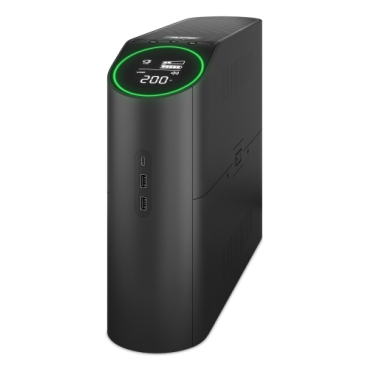
I experienced an intermittent USB communication issue between an APC Back-UPS Pro BGM2200B-MSX and a QNAP NAS.
After initial connection, the UPS status is visible in QNAP, but the USB connection is lost after approximately one hour, and the UPS information becomes unavailable. Restarting the NAS or reconnecting the USB cable temporarily restores the connection.
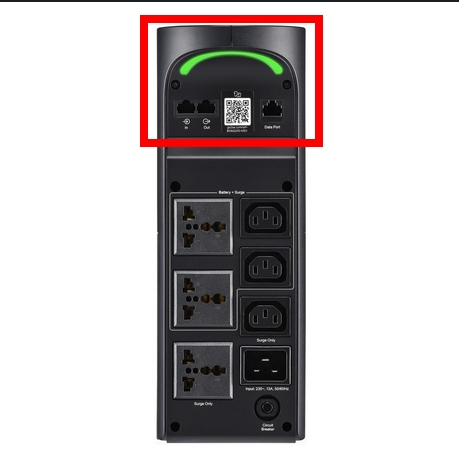
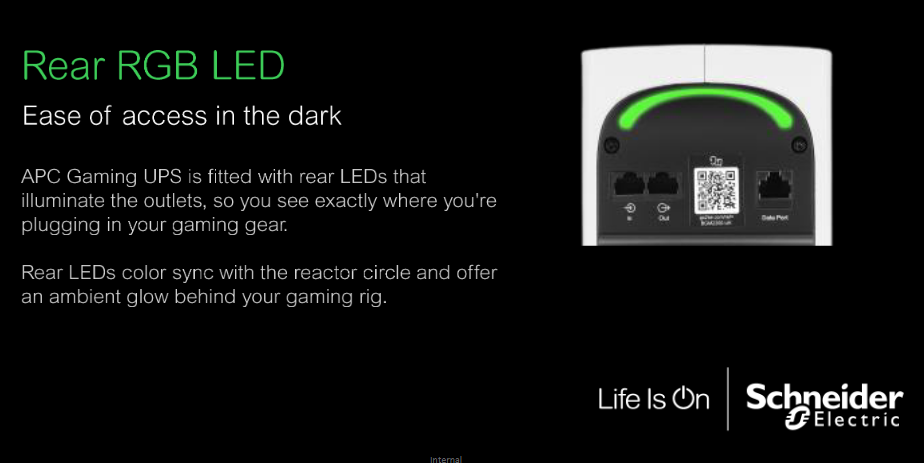
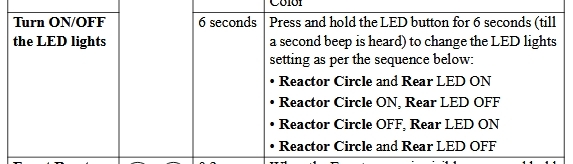
I identified that the issue occurs when the rear ambient lighting of the UPS is turned off.
Workaround: Keep the rear lighting enabled at all times. When the rear lighting remains enabled, the USB connection stays stable and the UPS is continuously detected.
This behavior may indicate that disabling the rear lighting places the UPS into a low-power or eco mode that reduces USB-HID activity.
Do you have an objection with leaving the rear LED lighting on? The amount of extra power it takes is nothing. You lose more in the efficiency of the UPS…
Sounds like an APC problem to me. I have bought 23 to 30 APC’s over 30 years and they were my “go to” brand. Recently we have had 3 of our newest units fail. Might be because they got bought by a conglomerate.
One workaround I tested involved disabling Auto Logout and keeping the Control Panel > External Device > UPS page open during active communication. In practice, this approach is not feasible and cannot be considered a real solution.
I’d like to clarify a troubleshooting detail: when the APC disconnects, if you do not unplug/replug the cable but instead restart the NAS, does the connection recover automatically?
I would like to summarize the methods I tested and their limitations as follows:
Method 1:
If the USB data cable is not unplugged and reconnected, but the QNAP NAS is restarted instead, the QNAP system can detect the APC UPS for only approximately one hour.
Method 2:
If the page Control Panel > External Device > UPS is kept open continuously while auto logout is disabled (during the period when the QNAP system is still able to detect the APC UPS), the communication appears to remain active for a longer period of time. However, I did not observe long enough to confirm whether this method maintains the connection longer than Method 1. In any case, this method is not recommended, as keeping auto logout disabled and remaining logged in continuously poses a security risk.
Method 3:
Initially, this method appeared to be effective. The APC UPS model has a rear LED light, and when I kept this LED light turned on continuously, the QNAP system was able to communicate with the APC UPS for longer than one hour. However, for unknown reasons, the connection still does not remain stable indefinitely, and it is unclear which variables may be affecting this behavior.
Thank you for your assistance and further investigation.
At this stage, we have been unable to replicate the issue in our internal tests, making it difficult to determine whether the root cause lies within the NAS communication or the UPS itself. If this issue continues to persist, we recommend opening a technical support ticket. We will have our support team evaluate if they can provide further assistance.
Thank you for your response. As the current UPS model is not supported and I have already forwarded the case to the R&D team as advised, the simplest workaround I can implement for now is to install an IP camera positioned to monitor the UPS status LEDs. In the event of a power outage, I will be able to remotely shut down the QNAP in time.
 –!!!
–!!!