I have a DVR-IP camera that QVR Surveillance cannot pull an image from directly.
In Container Station, I launched go2rtc, which retrieves the stream from the DVR-IP and broadcasts it as RTSP. As a result, I can watch the camera feed from my Windows 11 PC using VLC via the link rtsp://192.168.0.58:8554/camera, where 192.168.0.58 is the virtual IP address of the go2rtc Docker container.
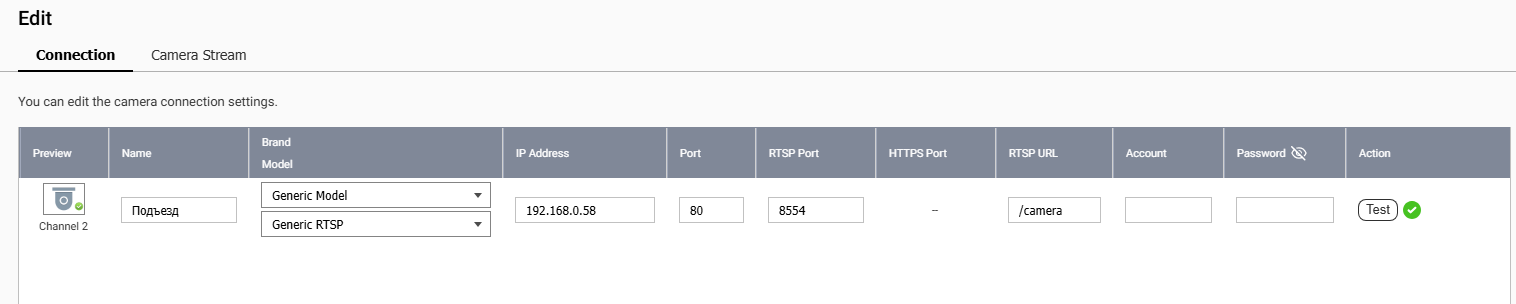
Next, in the QVR Surveillance settings, I add a new camera as ‘General RTSP’. I specify the IP address 192.168.0.58, port 8554, and RTSP URL /camera. When I click ‘Test’, it says ‘Success’, but the Status in Camera Settings remains ‘Connection error’.
I suspect the problem is that the ‘camera’ is located inside the system (internal network) rather than behind a physical Ethernet adapter. How can I configure QVR Surveillance to properly use a ‘camera’ hosted within a Docker container?"
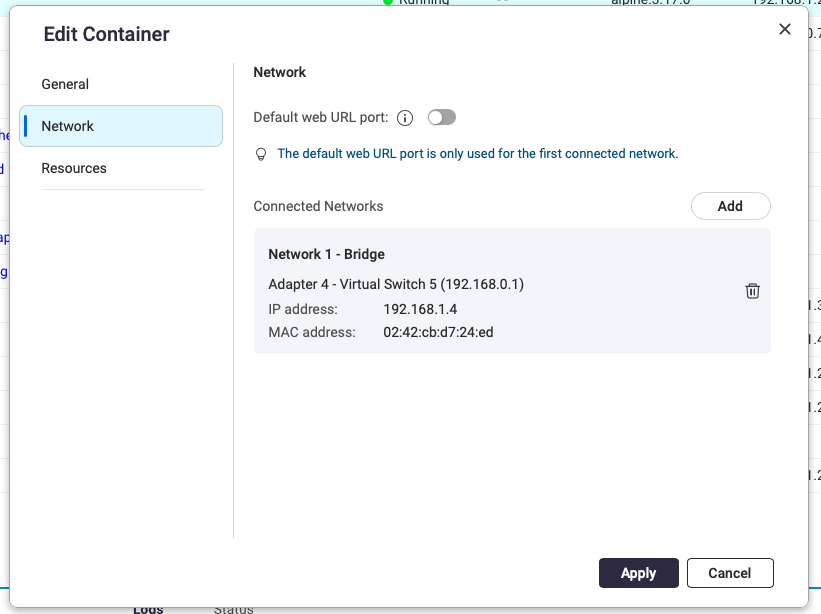
You may want to put your docker container on your LAN as opposed to using the NAT function that is the default. Edit the container. Go to Network. Then delete the current network adapter. It will allow you to create a new one. Select “Bridge” and then give yourself a fixed IP address outside of your DHCP address pool:
What happens in QVR Pro Client app if you try to view the camera? RTSP connections are a newer feature in QVR and I’m wondering if it’s fine even though it says connection error. It may be trying to connect to the camera on port 80 and if there’s nothing on port 80, it will see that as an error. Maybe just delete 80 from the port field.
Hi @magmike we have tried to reproduce this in our development environment by using a Dahua camera to simulate a Docker go2rtc virtual camera setup, and the connection and recording worked normally on our side.
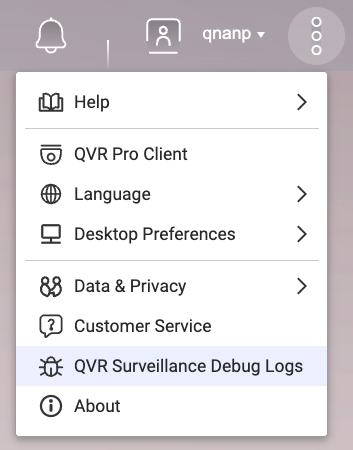
Could you share the QVR Surveillance debug logs with us for analysis?
Or you can open a support ticket on the QNAP Customer Service website and let the Support Team to arrange a remote session to review your environment directly and help to resolve the issue more efficiently.
on the other hand go2rtc have own api interface on port 8984. so i set it as “Port”. unfortunatly, with no success.
here error “Received Camera 2 error frame.“ in QVR Logs.
If I attach the debug log, it will be visible to everyone. It likely contains confidential information. @haru0 is there a way to share it only with you?