Hi, I have a NAS TS-677 with QTS 5.2.8 firmware. Connected to the internet with address 192.168.100.X. I have two Debian VMs with static addresses. With the previous firmware they were connected to the internet via a virtual switch without an IP address and everything worked. With this firmware it no longer allows me to create a virtual switch without an IP address, as it cannot connect to the internet. I tried creating a virtual switch in bridge but the DNS addresses do not work so I cannot resolve the names. The only way to get my VMs to connect to the internet is to create a virtual switch with a static IP, enable NAT and set the DNS on the VMs with the IP address of the virtual switch. Unfortunately, however, this way it does not resolve all the addresses and I cannot even do the updates. What am I doing wrong? I tried all the configurations and without NAT nothing works!! If I try to install a new VM and automatically set a virtual switch in DHCP it cannot connect to the internet even though it takes all the values correctly.
Where am I going wrong? Thanks.
First of all, it ALWAYS has used IP addresses.
If you set up a static address, it will work. You need to make sure that you have DNS settings in place for the container as well. If it’s not resolving all the addresses something else is going on.
And if things are configured correctly, it will work when using all the internal networks except to me it gets messy so I almost always put the container on my main network.
Unfortunately, it doesn’t work. On a newly installed VM, if I set a fixed IP address in the same subnet as the router and Google DNS 8.8.8.8 and a fixed IP as a virtual switch with all the correct values, I don’t resolve the addresses, but I can ping the DNS address.
OK. So you are using Virtualization Station or Container Station? With Virtualization Station you select the NIC you want to use and then you set the IP address and information in the VM itself.
In Container Station it’s done a little differently in that you need to set the container to bridge mode, select the NIC and add in the address.
Could you please send some screen shots of your configuration?
I’m using a Virtualization Station with Debian installed. They’re in the same class as both the router and the NAS. I set a fixed IP, and the router’s IP as the gateway. In the old firmware, I set a virtual switch as a bridge without an IP address, since the VM in question already had everything set up with Google DNS and it worked perfectly. Now, if I set the virtual switch without an IP address, I can’t browse the Internet, so I have to set a fixed IP, force NAT to be enabled, and set the virtual switch’s IP as the DNS on the VM. However, this way, it can’t resolve ALL addresses, and I don’t understand why.
I managed to get everything to work by accident by changing the NAS’s default gateway from adapter 1 to 4, but it was a fluke, because if I try to modify or add a virtual switch, or if I reboot the NAS, nothing works anymore!
What I don’t understand though is that Virtualization Station doesn’t use the virtual switch elements like Container Station does. In Virtualization Station, you select the NIC and set the network adapter in Virtualization Station:
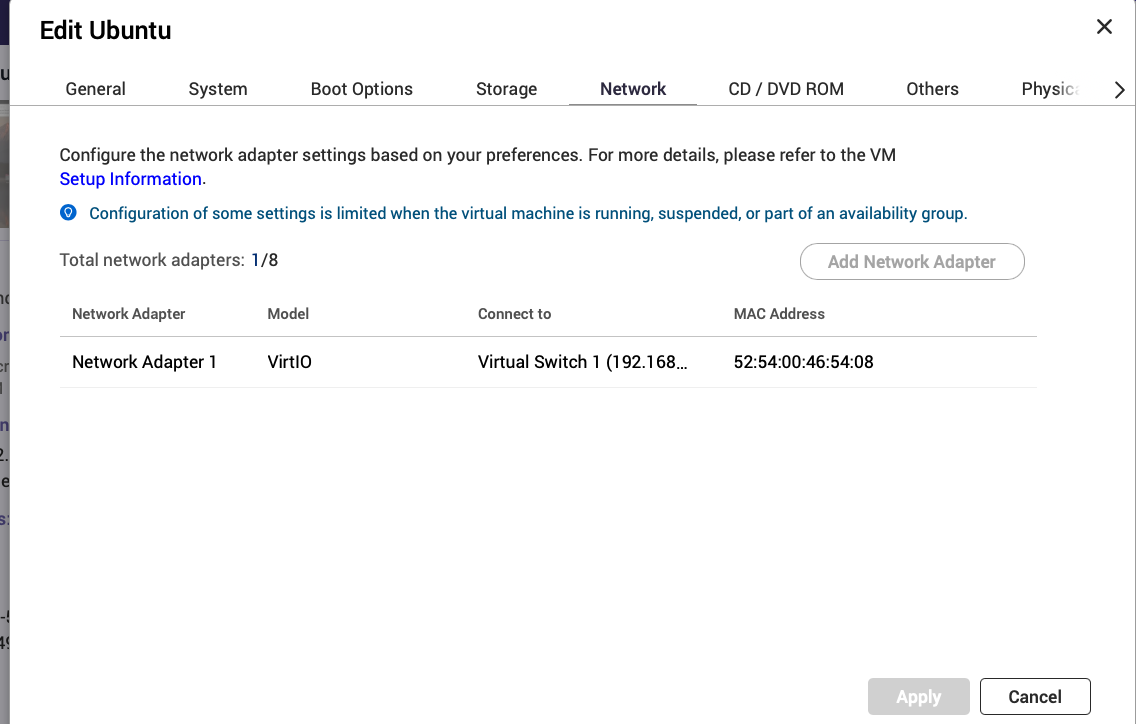
Then the NIC inside the VM acts just like a NIC on a real machine.
I can’t adjust any of the NICS below as I have to adjust them in the VM.
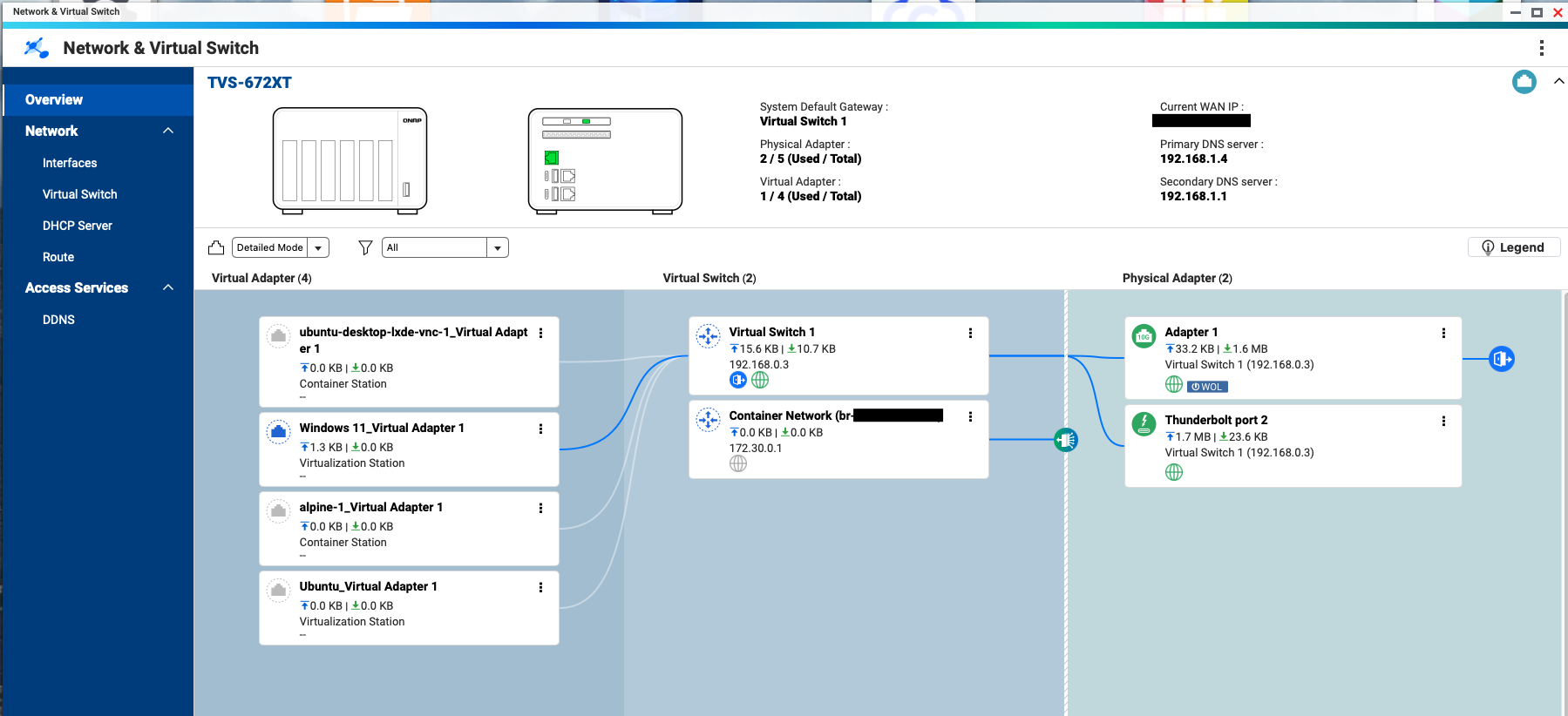
Are you running Debian inside a Container instead?
Great!! Thanks!! I solved it!! Now everything works!! I deleted all the virtual switches and created 1 with a static IP with NAT and connected to adapter 1 and as if by magic everything works!! Thanks for your patience!!